Building a content operation used to mean building a team around it. A brand that wanted regular video output needed someone to shoot, someone to edit, and often someone to manage the back and forth between the two. Every video meant a queue, and every queue meant a delay between an idea and something publishable.
Artificial intelligence is starting to close that gap. Video, historically the slowest and most resource heavy part of a content workflow, is becoming one of the areas where automation saves the most time, not by replacing the creative decisions, but by taking over the repetitive work that used to sit between raw footage and a finished cut.
Faster Content Planning and Production
Planning content has always taken longer than making it look easy. Deciding what to publish, mapping it to raw footage, and coordinating the editing queue can eat more time than the actual production.
AI is compressing that planning stage. Teams can now organize footage, generate a rough structure for a video, and identify what raw material actually supports the message they are trying to send, all faster than manually reviewing hours of unsorted clips. This lets a small content team plan and greenlight more video without adding more people to manage the process.
Video Editing Without a Manual Timeline
The editing stage has traditionally been the biggest bottleneck in the whole workflow. Someone has to sit through the raw footage, pick out the usable takes, cut the mistakes and dead air, and arrange what is left into something that runs start to finish before any creative refinement can even begin.
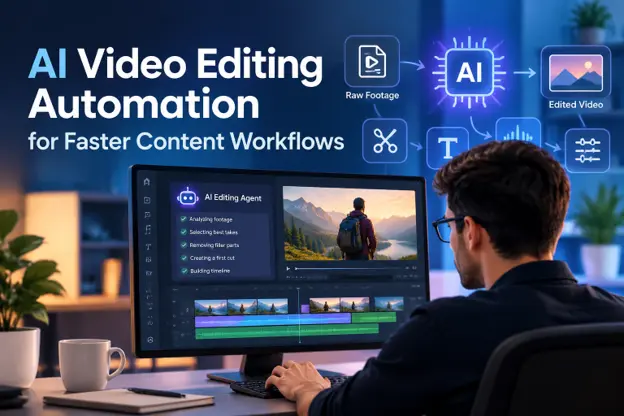
A newer approach removes the requirement to do that first pass manually. Instead of opening a timeline and reviewing every clip yourself, you describe the cut you want and an AI agent reviews the raw footage, selects the usable takes, and assembles a starting timeline for you. Invideo Editor is a professional video editor with AI editing agents you can assign this kind of work to, and it is completely free to use. You upload your footage, add a script or transcript if you have one, and describe the edit you are going for, and the agent hands back a base cut you can look at, redirect, and refine, all inside a real editing project rather than a locked template.
This matters most for teams publishing regularly, where the same review work repeats with every new batch of footage. Instead of a person watching every recording before editing can start, the agent handles that review, leaving the creative decisions, the story, the pacing, and what a cut should feel like in your hands. You can explore Invideo editor directly to see how an AI agent workflow fits into a regular content production schedule.
Improving Productivity With Automation
Video is not the only part of a content workflow that automation is changing. Many teams now automate captioning, scheduling, and repurposing a single video into multiple platform specific versions, and basic performance reporting. These tools reduce the manual coordination that used to sit between finishing a video and getting it in front of an audience.
Automation also lets small teams manage a larger output without proportionally growing headcount. A team that used to need a dedicated editor for every video can now direct an agent through the repetitive parts of production and reserve human time for the decisions that actually require judgment. This is particularly valuable for startups and lean marketing teams trying to maintain a consistent publishing schedule without the budget for a full production team.
Better Audience Engagement Through Faster Iteration
Faster production also changes how teams engage with their audience. When a video can go from raw footage to a finished cut in a fraction of the previous time, teams can respond to trends, test different edits of the same footage, and publish more consistently instead of batching content weeks in advance.
This shift toward faster iteration means teams can treat video more like a conversation with their audience, adjusting pacing, tone, or format based on what actually performs, rather than committing significant time to a single edit and hoping it lands.
AI Is a Tool, Not a Replacement
Even with an agent handling the repetitive work, the creative decisions still belong to the person directing the edit. What the story is about, how it should feel, and what makes a cut worth watching are judgment calls no agent makes on its own. Automation removes the grunt work standing between an idea and a finished video. It does not replace the person deciding what the video should be.
The teams getting the most out of this shift are the ones treating AI as a way to reclaim time for the parts of production that actually require a person, not as a way to remove people from the process entirely.
The Future of Content Workflows
As these tools continue to mature, video is likely to become a much less resource-intensive part of a content operation than it has historically been. Teams that learn to direct an AI agent effectively, giving it clear footage and clear direction, are positioned to publish more consistently without the production bottlenecks that used to limit how much video a small team could realistically put out.
Content workflows are not becoming fully automated, but the distance between an idea and a finished video is shrinking, and that alone changes what a lean content team is capable of producing.
FAQs
1. How is AI changing video editing for content teams?
AI agents can now review raw footage, select usable takes, and assemble a starting timeline automatically, removing the manual review work that used to precede any creative editing.
2. Does AI video editing replace a human editor?
No. AI agents handle the repetitive review and assembly work, but the creative decisions about story, pacing, and tone still require a person directing the edit.
3. Can small teams produce more video without hiring more editors?
Yes. By automating the repetitive review and first-cut assembly stage, a small team can direct AI agents through production instead of manually editing every video themselves.
4. What is an AI editing agent actually doing when it builds a first cut?
It reviews the uploaded footage, identifies usable takes, removes mistakes and dead air, and arranges the result into a full timeline, called a base cut, that a person then reviews and refines.
5. Is free AI-assisted video editing software available?
Yes. Tools like invideo editor offer a free, browser-based timeline with AI agents you can direct, so teams can test an AI-assisted workflow without an upfront cost.


.webp)