

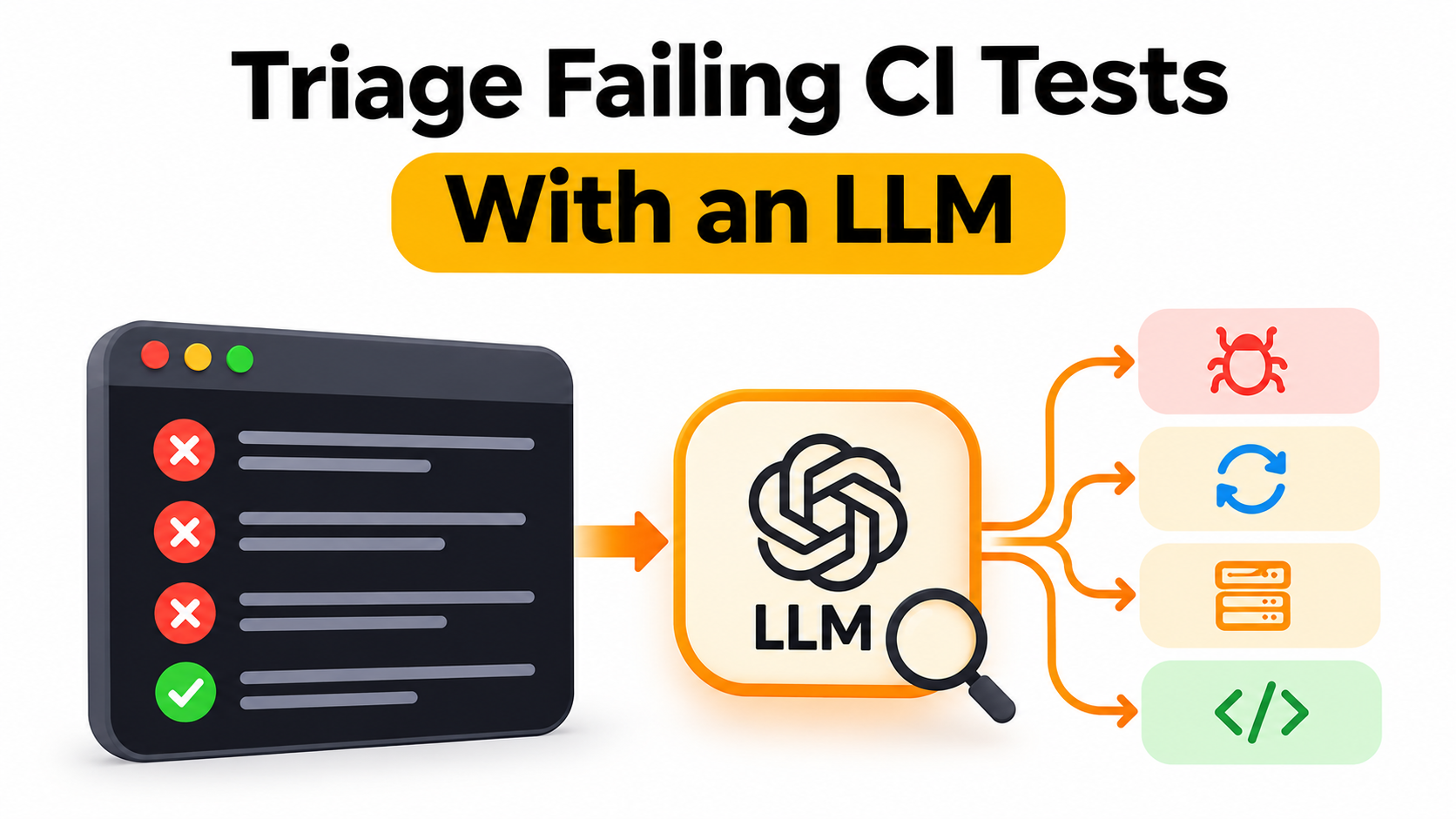
A red CI pipeline rarely points to a single issue. Some failures are genuine product bugs, some are flaky tests, and others stem from a broken test environment. Sorting through them every morning takes time. This guide shows how to place a language model in front of that triage queue using strict JSON output while keeping a human in control.
● A practical scheme sorts CI test failures into four buckets: product bug, flaky test, environment failure, or a bug in the test code itself.
● Using a fixed category enum and requiring a quoted log line turns a model's guess into an output that an engineer can verify quickly.
● Request a single concrete next step, and treat it as a triage hint rather than a confirmed root cause.
● Keep a QA engineer or developer in the loop before creating, routing, or closing issue tickets.
● Test the classifier against your own historical failure logs before relying on it in daily runs.
The Triage Problem
On an active engineering team, the first task each morning is often reviewing failures from the overnight test run. The same patterns show up repeatedly: an assertion that caught a real regression, an end-to-end test that timed out and then passed on retry, a backing service that never came up in the CI container, or a test checking an outdated expectation. Each kind of failure usually has a different owner. Reading through the raw logs is repetitive work, making it a strong candidate for pre-sorting with a language model, provided the output is structured and easy to audit.
Choosing a Model for Log Triage
Log triage involves frequent requests with relatively compact inputs: a test identifier, a stack trace, and a few lines of runner output. That workload suits a model positioned for throughput. DeepSeek describes V4.1 Flash as the smallest model in its new architecture family, designed for faster inference and higher throughput. On Kie.ai, it is available at https://kie.ai/deepseek-v4-1-Flash as an OpenAI Responses-compatible endpoint (POST /openai/v1/responses with deepseek-v4-1-flash) for chat requests, so standard HTTP clients in your CI scripts can call it directly. The model reasons by default, and the reasoning.effort parameter lets you turn thinking off with none, keep it brief with minimal, or raise it up to max.
Define the Buckets and the Evidence
In automated log classification, the output schema matters as much as the prompt wording. Give the model a closed set of categories, specifically product_bug, flaky_test, environment, and test_bug, and require an evidence field that quotes a line directly from the log. That quoted line makes the classification verifiable: a QA engineer can look at the extracted text and confirm or reject the label in seconds. Include a next_step field for a recommended action, and set text.format to json_schema so responses follow that structure.
A Triage Script
The Python script below sends three hand-written sample CI failure logs, making one request per log with reasoning.effort set to low and stream set to false, and prints the category, evidence line, and next step for each. We ran this script unchanged against the Kie.ai endpoint on November 8, 2026.
import os, json, requests

URL = "https://api.kie.ai/openai/v1/responses"
HEADERS = {
    "Authorization": f"Bearer {os.environ['KIE_API_KEY']}",
    "Content-Type": "application/json",
}

failures = {
    "test_checkout_total": """AssertionError: expected order total 108.00, got 100.00
  at test_checkout_total (tests/test_cart.py:42)
  tax_rate=0.08 subtotal=100.00 region=CA""",
    "test_login_redirect": """TimeoutError: waiting for selector "#dashboard" exceeded 30000ms
  at test_login_redirect (e2e/login.spec.ts:18)
  passed on retry 2 of 3; same commit passed in the previous run""",
    "test_upload_avatar": """ConnectionRefusedError: [Errno 111] Connection refused
  at upload_client.put (lib/storage.py:77)
  STORAGE_HOST=localhost:9000; storage container not found in docker ps""",
}

SCHEMA = {
    "type": "object",
    "properties": {
        "category": {"type": "string", "enum": ["product_bug", "flaky_test", "environment", "test_bug"]},
        "evidence": {"type": "string"},
        "next_step": {"type": "string"},
    },
    "required": ["category", "evidence", "next_step"],
}

def triage(name, log):
    body = {
        "model": "deepseek-v4-1-flash",
        "input": "You triage failing CI tests. Classify the failure, quote the log line that is the "
                 "strongest evidence, and suggest one concrete next step.\n\n"
                 f"Test: {name}\nLog:\n{log}",
        "reasoning": {"effort": "low"},
        "text": {"format": {"type": "json_schema", "name": "triage", "schema": SCHEMA}},
        "stream": False,
    }
    r = requests.post(URL, headers=HEADERS, json=body, timeout=120)
    r.raise_for_status()
    out = r.json()["output"]
    text = next(p["text"] for it in out if it.get("type") == "message"
                for p in it["content"] if p.get("type") == "output_text")
    result = json.loads(text)
    if not result["evidence"].strip(". "):
        raise ValueError(f"{name}: empty evidence")
    return result

for name, log in failures.items():
    print(name, json.dumps(triage(name, log)))
In that single example run on the three sample logs, all three calls returned HTTP 200 with populated JSON, and each failure matched the category a human tester would pick: the assertion mismatch on an order total was labeled product_bug, the selector timeout that passed on retry was labeled flaky_test, and the connection-refused error with the storage container missing was labeled environment. Each evidence field quoted an actual line from its input log. One detail in the output highlights why human review remains necessary: for the flaky test, the suggested next_step assumed the test used a hardcoded selector wait and advised waiting on the URL instead. That implementation detail was not in the log. It is a plausible suggestion, not a verified fact, which is why suggested next steps belong in a draft comment rather than an automated code change.
Wiring It Into Your Pipeline
● Run after the test suite, not inside it. Gather failed test logs and classify them in a separate post-processing job so an API error never fails or blocks the build itself.
● Comment on tickets instead of auto-filing. Post the predicted category, quoted evidence, and next step as a draft comment or label suggestion for an engineer to confirm.
● Deduplicate before sending requests. If twenty tests fail with the exact same database connection error or stack trace, group them and send one request rather than twenty.
● Log human overrides. When a tester changes the suggested category, record the raw log and the corrected label so you can build a reliable local evaluation set over time.
Measure Before You Trust It
Before wiring the script into notifications, pull a batch of past failures from your CI history where the actual root cause is already documented, run them through the classifier, and compare the labels. Pay close attention to categories that frequently blur together, such as flaky_test versus environment, since both often surface as timeouts in test runner logs. If the model mixes up two buckets on your logs, refine the system instructions with the specific signals your team uses to tell them apart, such as retry outcomes or container health lines, and run your historical batch again.
Limits to Plan Around
● Logs capture only part of the context. The model sees just the text snippet you pass in the request; it cannot inspect your repository, check git blame, or rerun the test suite.
● Chat requests only. According to the Kie.ai documentation, this model currently supports chat requests only and has not yet been adapted for agent use.
● Unsupported generation parameters. temperature, top_p, and max_output_tokens are not supported on this model and have no effect, so you cannot tune sampling; rely on your json_schema definition and prompt instructions to keep output structured.
● Validate the parsed JSON. Check that required fields are present and non-empty before posting results to your issue tracker or dashboard.
Start Small
Run the classifier alongside one noisy test suite for a week, treating its output strictly as a triage hint, and see whether the pre-sorted buckets and quoted log lines save your team time during morning reviews. Every model in the Kie.ai market uses the same Bearer API key authentication.
FAQ's
1. What is LLM-powered CI test triage?
It uses a large language model to analyze failed CI test runs and suggest a likely cause. The model can summarize the failure, point to relevant log lines, and recommend what to check next.
2. What are the four categories of CI test failures?
An application bug is a defect in the product. A flaky test passes and fails intermittently under comparable conditions. An environment issue stems from the CI runner, configuration, or a dependency. A test bug is a defect in the test itself, such as an incorrect assertion or outdated fixture.
3. How can an LLM tell a flaky test from an application bug?
It can compare the first failure with retries and recent runs. Mixed results on the same commit under comparable conditions suggest flakiness, while a failure that consistently reproduces after a code change points to a possible regression. Both patterns need investigation before assigning a root cause.
4. What data should you give an LLM to triage failing CI tests?
Include the test name, assertion error, stack trace, relevant log excerpts, commit ID, runner details, and retry results. Remove credentials and sensitive data before sending logs to the model.
5. What should happen when the LLM is unsure about a failure?
Route the result for human review. Ask the model to show the evidence behind its suggested category and identify what’s missing, such as a retry result or a dependency health check. Keep CI pass or fail decisions tied to the actual test results.