

A company came to us a week ago for mobile testing support. Their QA team already tested on real devices, but every Android release meant repeating manual regression across a growing device list. They wanted faster cycles without losing coverage, and without rewriting scripts each time the UI changed, which slowed every release.
Android testing breaks in two places: Coverage runs out because the device matrix is huge, and scripts rot because the UI keeps changing. AI mobile automation addresses both by generating tests from your app and requirements, running them on real devices, and repairing them when screens move. Here is how it works in practice.
What Is AI-Driven Mobile App Testing?
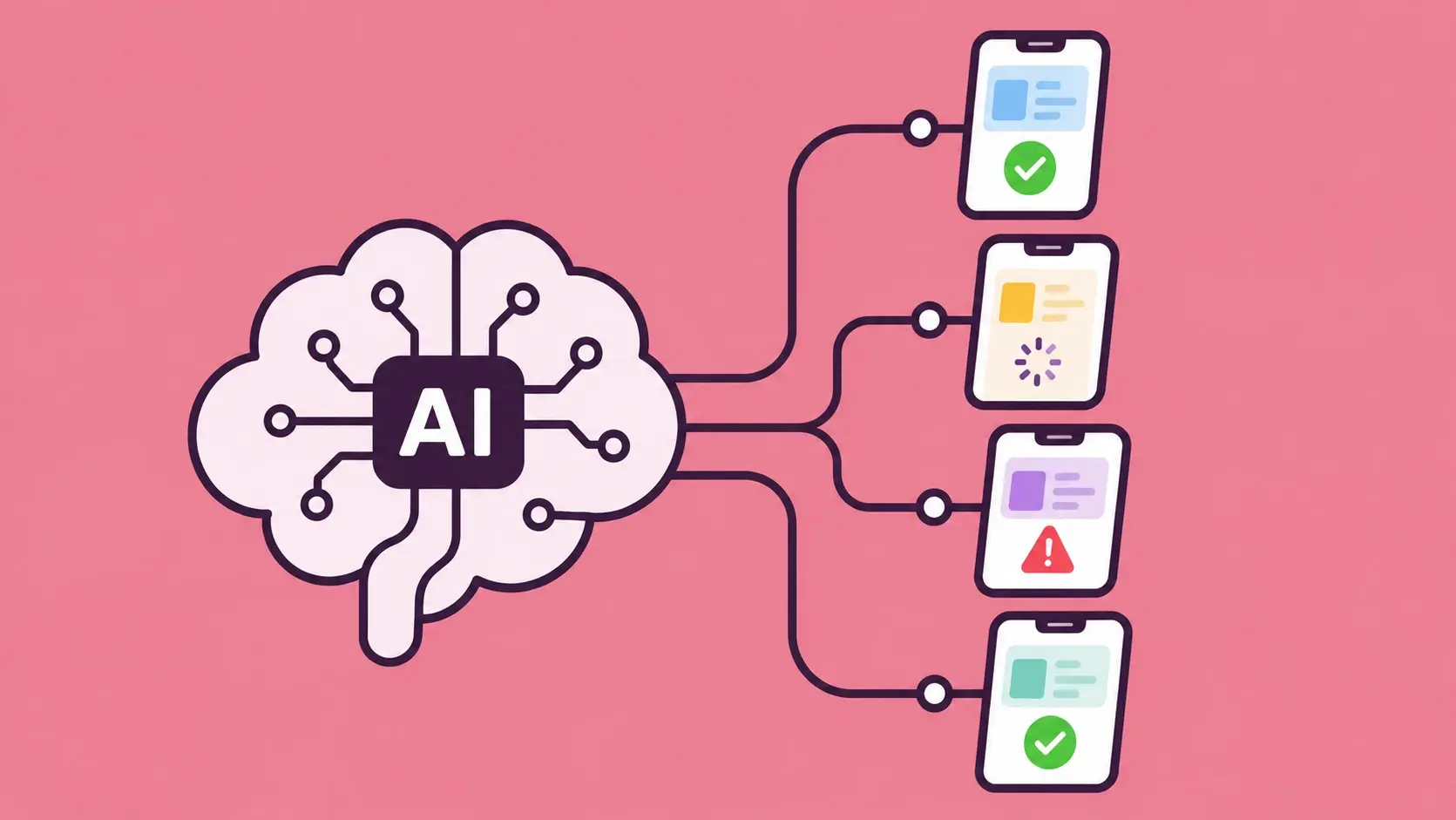
AI-driven mobile app testing is a form of AI software testing that uses machine learning to create, run, and maintain tests for mobile apps. Instead of writing scripts by hand, teams give the AI the app and its requirements, and it generates test cases, executes them, and reports the results. People still review the outcome, so human judgement stays in the loop while the repetitive work moves to the machine.
Adoption of AI in software testing is growing because Android alone spans thousands of device and OS combinations. Most teams meet AI in testing through AI testing tools, and the gap between the best AI automation testing tools and the rest is wide. The core capabilities are:
- Test generation from app screens and requirements.
- Self-healing test automation that repairs broken element lookups.
- Visual checks that catch UI bugs a script would miss.
How AI Testing Differs from Manual and Scripted Testing
Manual testing relies on people, scripted testing relies on code, and AI-driven testing relies on generated test cases. Appium gives teams control, but it ties tests to element IDs that break when a developer renames a button, which is where AI in Appium test automation helps. AI-driven tools sit alongside codeless test automation tools but add self-healing and real-device execution.
How AI Mobile Automation Works
This is the workflow behind AI-driven mobile app testing. Five steps take an Android app from a connected phone to reviewed test results, with the AI doing the repetitive work.
Step 1: Connect and Scan Your App
Plug in your phone over USB and open the app. The laptop scans every screen and detects buttons, fields, and labels automatically, so nobody maps the interface by hand. The scan picks up:
- Every screen of the app.
- Buttons, fields, and labels on each screen.
- The structure that test cases are built on.
Step 2: Upload and Approve Requirements
Upload your requirements PDF. The platform reads it, lists the modules and requirements it finds, and waits for your BRD approval before moving on. Before anything is generated, you confirm:
- The modules the platform detected.
- The requirements it listed for each module.
- The BRD as a whole.
Step 3: Generate AI Test Cases
Pick modules such as login, checkout, or search, and the agent generates scenarios for each one. Every case comes with test data, expected results, and a priority, so the suite is ready to run. The agent produces:
- Positive scenarios.
- Negative scenarios.
- Edge cases.
Step 4: Run Automated Tests on Real Devices
Tests execute on the connected phone, so every scenario runs on real hardware instead of an emulator. That exposes the hardware, network, and OEM issues an emulator would miss. Each run covers:
- The positive, negative, and edge-case scenarios from step 3.
- The phone's real hardware and Android version.
- The test data attached to each case.
Step 5: Review Your Test Results
Results appear live while the tests run, so you can see how the build is performing without waiting for the full suite. Each result carries the evidence needed to act on it. You see:
- Live pass, fail, and blocked status.
- Logs for every test.
- Screenshots alongside the logs.
Why Real Devices Matter for Android Testing
Real devices matter because Android fragmentation is not theoretical: Devices differ by manufacturer, screen size, chipset, and OS version. The same applies when you are testing AI features inside your app, since those screens still render on real hardware. Mobile website testing tools cover responsive pages in browsers, but mobile app testing needs real hardware, and even the best Android emulator for PC cannot reproduce:
- Sensors such as GPS, accelerometers, and fingerprint readers.
- Real network conditions, including patchy 4G and handovers.
- GPU rendering quirks on specific chipsets.
- OEM skins that restyle system dialogs and permissions.
Benefits of AI Mobile Automation for Android Apps
AI mobile automation gives Android teams five clear gains, with maintenance paying back first. The points below show what each one means in practice.
- Lower maintenance: Self-healing absorbs routine UI changes, so a renamed button no longer breaks the suite. Your engineers spend their time on new features instead of fixing locators.
- Better bug detection: Visual checks catch misaligned layouts and broken screens that functional scripts pass. Real-device runs add the hardware and OEM bugs that emulators miss.
- Broader coverage: Real devices and OS versions come within reach without building your own device farm. Coverage grows as fast as your device list does.
- Faster test cycles: Generated tests make regression coverage available sooner. Releases no longer wait on hand-written scripts.
- Cleaner scope: AI handles functional and visual checks, which leaves specialists free for work such as mobile application security testing.
How Frugal Testing Helps You Automate Android Testing
AI-driven mobile app testing is Frugal Testing's product for Android apps. You connect a phone, scan the app, and upload your requirements, and the AI generates test cases from the modules you pick. Tests then run on a real device with live results, logs, and screenshots for every test.
As a quality assurance software testing company, we run this alongside our software testing and QA services, including software test automation services and QA outsourcing services. Teams comparing QA testing companies can use this workflow as a clear picture of how we work, from the first scan to the final result.
Expert-Led AI Testing Engagement
The engagement follows five steps from kickoff to results, so your team always knows what happens next. It is backed by our mobile testing services, automation QA services, QA testing services, and wider software QA services.
- You connect your phone and scan the app.
- You upload the requirements PDF and approve the BRD.
- AI generates test cases for the modules you pick.
- Tests run on the real device.
- You review live pass, fail, and blocked results, with logs and screenshots.
These five steps show how an automation testing company can take a team from a connected phone to reviewed results without extra setup.
Key Takeaways
- AI automation testing generates and maintains tests, but a QA engineer should own what counts as a pass.
- Self-healing is the biggest saving, and also the biggest risk if nobody reviews it.
- Emulators are for early checks; release gates belong on real devices.
- Coverage is a choice of devices, not a count of them.
- A guided workflow from scan to live results removes manual scripting from your team.
Conclusion
AI mobile automation works best as a faster first draft, not an autopilot. The AI generates tests and heals routine breakage, while real devices decide whether the app behaves correctly for the people who actually use it, on the handsets they actually own.
Skipping any part of that chain leaves gaps that surface in production, usually on a handset nobody tested. The harder question is how much judgement you hand to the machine, and that answer shifts with every release your team ships.
People Also Ask (FAQs)
Q1. How is AI-driven mobile app testing different from writing Appium scripts?
Ans: Appium relies on engineers to write and maintain scripts by hand. AI-driven testing scans the app, reads your requirements, and generates the test cases, so effort shifts to reviewing results.
Q2. Why do Android apps need real-device testing when emulators are available?
Ans: Emulators handle early checks, but real devices expose sensor, network, GPU, and OEM-specific issues that even the best Android emulator for PC cannot reproduce. Release decisions should rest on hardware.
Q3. What does the AI generate from a requirements document?
Ans: The platform reads your requirements PDF, lists the modules and requirements it finds, and waits for BRD approval. You pick modules, and the agent generates positive, negative, and edge-case scenarios.
Q4. What results appear after an automated test run?
Ans: Live pass, fail, and blocked results appear from the connected phone, with logs and screenshots for each test, so failures are quick to investigate and reproduce.
Q5. When should teams choose QA outsourcing services over AI testing tools?
Ans: QA outsourcing services suit teams short on QA bandwidth or device coverage, while AI testing tools suit teams with in-house QA capacity. Many teams combine both.