

Imagine asking three people on a QA team whether a release is ready. One person counts passed tests, another counts open bugs, and a third waits for a sign-off nobody has defined. Each answer sounds reasonable on its own, which is exactly why the gap goes unnoticed.
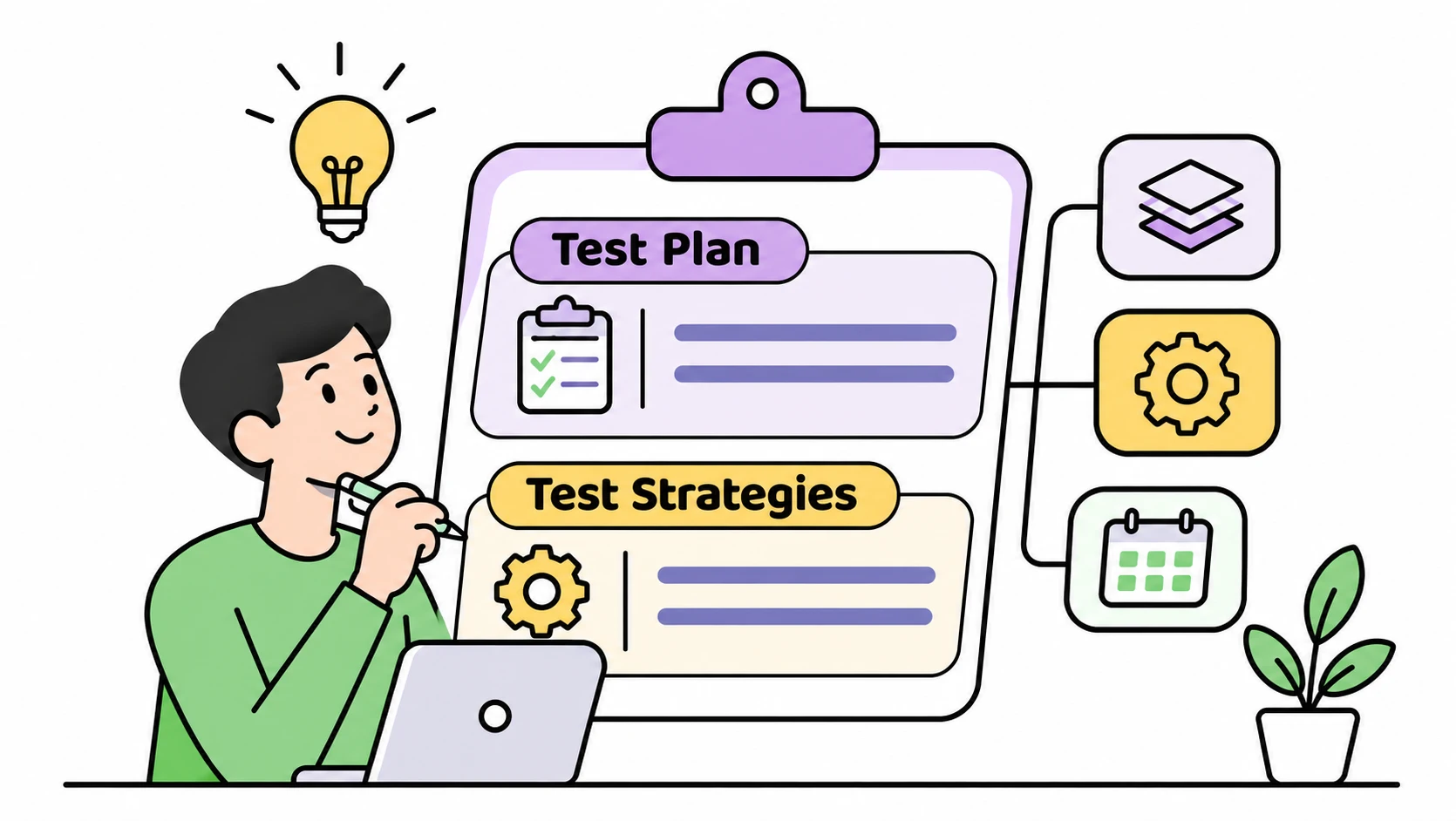
A test strategy and a test plan fix this by agreeing what "done" means before testing starts. The strategy explains how your organisation tests, and the plan applies that approach to one release. Below, we show how to build both step by step, with a plan template and worked example you can copy and adapt.
What Is a Test Strategy?
A test strategy is a stable document that explains how your organisation approaches testing across all its products and releases. It covers objectives, test types and levels, tools, environments, and how risk is handled. A QA manager or test architect usually owns it, and it changes only once a year or after a major shift such as a platform migration.
Why Test Strategy Matters
- Gives every team the same testing rules, so results are comparable.
- Focuses effort on high-risk areas instead of spreading it evenly.
- Ends repeated debates about tools, environments, and standards.
- Helps new team members learn how testing works.
- Shows leadership how quality is managed.
What Is a Test Plan?
A test plan is a release-specific document that describes what will be tested, by whom, when, and how you will know testing is finished. It includes scope, schedule, owners, environments, entry and exit criteria, and test deliverables. A QA lead or test manager writes it, and developers and product managers read it. It is updated as the release changes.
Why Test Planning Matters
- Makes scope clear, so nothing important is missed or tested twice.
- Gives every task an owner and a date, so work does not stall.
- Defines when testing can start and when it can stop.
- Surfaces risks and environment gaps before they cause delays.
Test Strategy vs Test Plan
The test plan vs test strategy question comes down to scope and lifespan. The strategy is organisation-wide and rarely changes, while the plan covers one release and changes often.
How to Build an Effective Test Strategy
A good strategy makes four decisions. It sets what matters most, which tests to run, what to automate, and where tests will run. Each step below covers one of them.
Step 1: Define Objectives and Risk Priorities
Start by asking one question: What would hurt most if it broke? A broken payment page costs real money, while a typo on the about page costs almost nothing. Choosing where to test by risk is called risk-based testing.
- List your features: Write down the main user flows, such as login, search, and checkout.
- Score each one: Rate how likely it is to fail and how bad the damage would be.
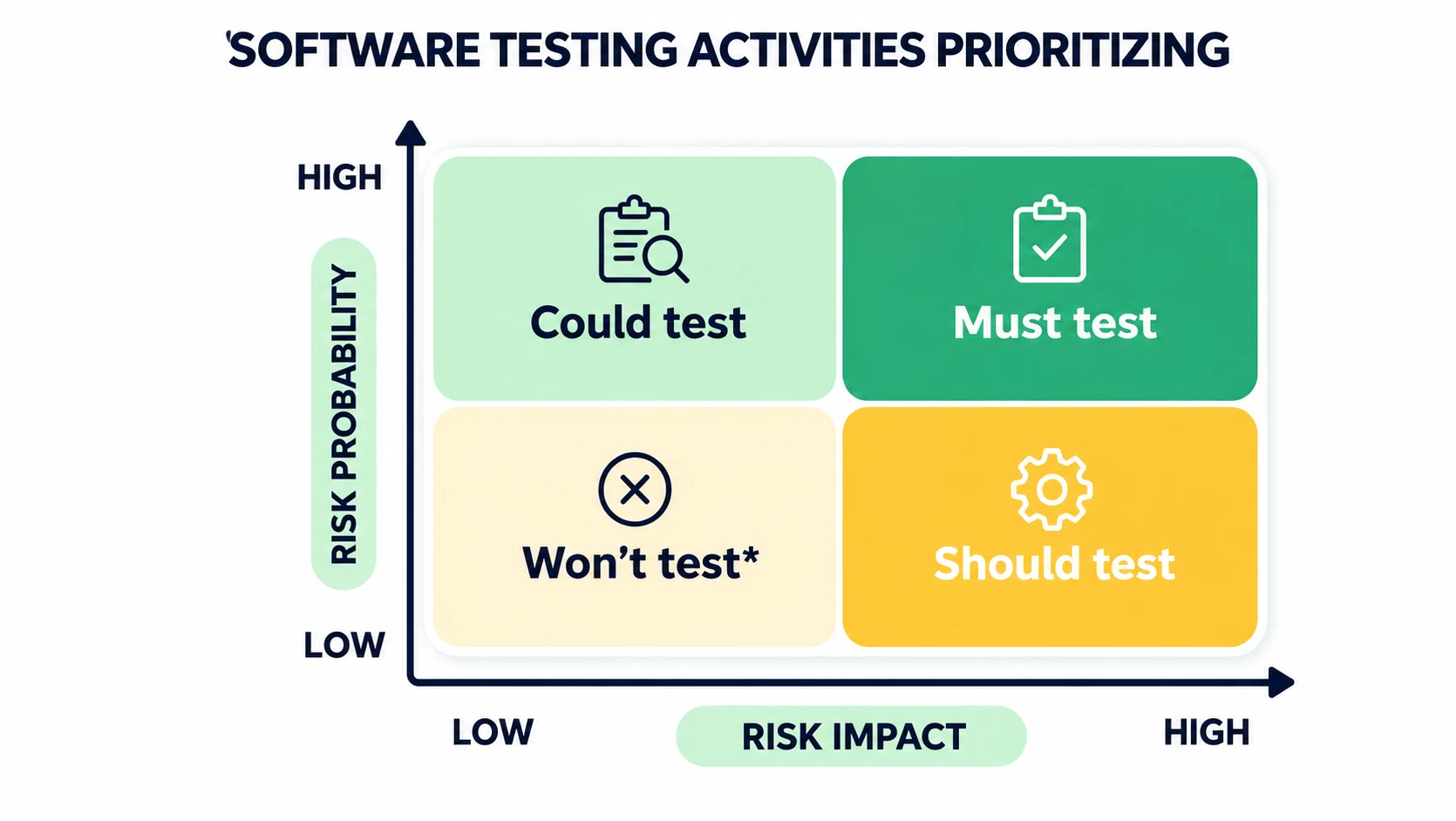
- Build a risk matrix: Flows that score high on both get the most testing, first.
- Test early, bzn: The shift-left approach checks requirements and code sooner.
Here is a simple version of the risk matrix. Use it to sort every flow into a priority level.
Step 2: Choose Test Types and Levels
Test levels are layers, like floors in a building. Each layer catches a different kind of bug.
- Unit tests: Developers check small pieces of code. They are fast, so you want many.
- Integration and API tests: These check that the parts of the system work together.
- End-to-end tests: These follow a full user journey. They are slow, so keep them for key flows.
- Non-functional tests: Performance, security, and accessibility checks.
Step 3: Decide What to Automate
Automation means using scripts and tools to run checks instead of doing them by hand. It pays off for stable checks that repeat every release and cover high-risk flows.
- Automate: Login, checkout, core API calls, and regression checks.
- Keep manual: Exploratory testing and screens that change often.
- Pick a framework: Choose a test automation framework your team can maintain, such as Cypress, Playwright, or Selenium.
- Use AI and codeless tools carefully: AI test automation can draft cases, and codeless tools suit quick UI checks, but a person should review the output.
- Common mistake: Automating everything before ranking leaves a large suite that checks the wrong things. Rank the risks first.
Step 4: Plan Test Data and Environments
Tests need a place to run and data to run on. Decide both up front, so results stay repeatable between runs.
- Environments: List each one, such as development, staging, and pre-production, and who can deploy to it.
- Data source: Made-up data is safe but unrealistic, while masked real data is realistic once personal details are removed.
How to Write a Test Plan, Step by Step
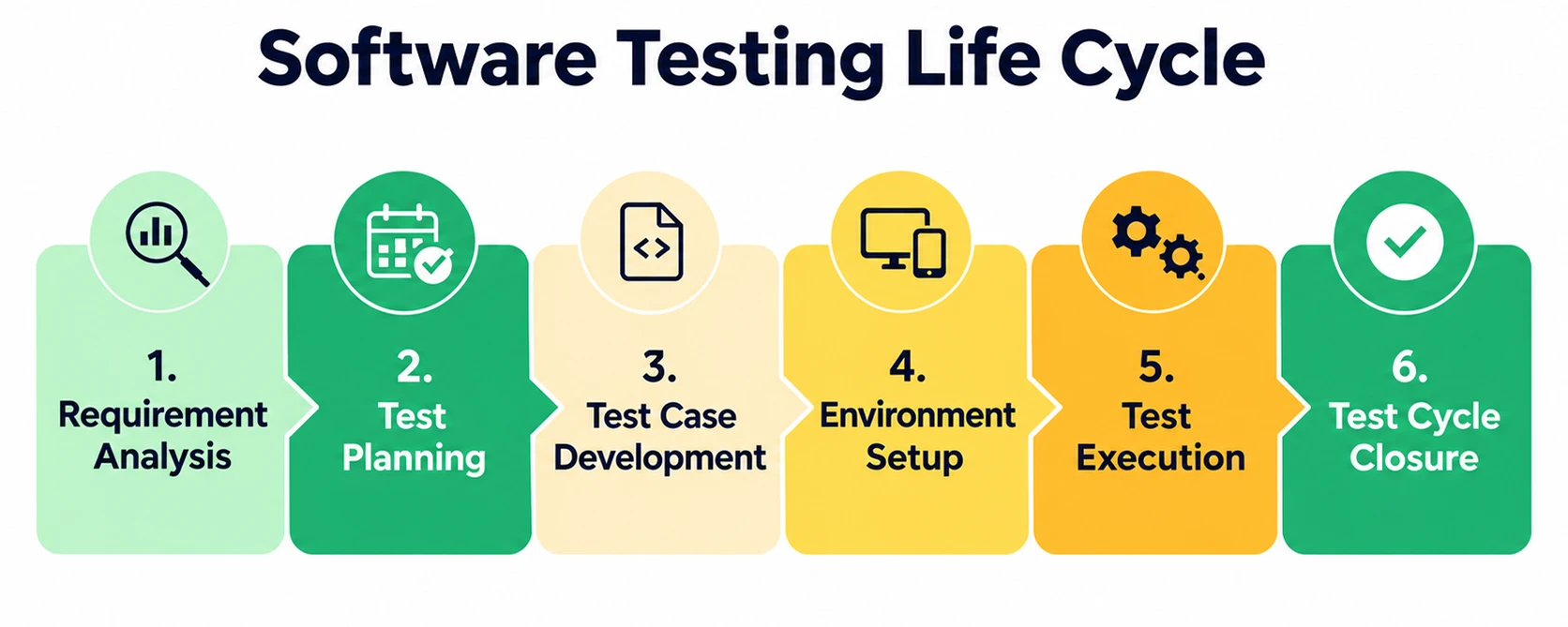
A test plan applies the strategy to one release. Follow these six steps in order.
Step 1: Analyse the Product and Requirements
Begin by listing what is changing in this release. Read the release notes and ask developers which areas the change touches.
- Release notes: List new features, changed features, and data or integration updates.
- Developers: Ask what changed and which nearby areas it could break.
Step 2: Define Scope and Approach
Scope says what you will test and what you will not. The out-of-scope list matters as much as the in-scope one, because stakeholders assume anything not marked as excluded is being tested.
- In scope: List the features you will test, for example, upgrade, downgrade, and invoice PDF.
- Out of scope: List what you will skip and add a short reason for each item.
- Uptime targets: If the system promises uptime, add a high availability test plan section covering failover, recovery time, and alerting.
Step 3: Set Entry, Exit, and Suspension Criteria
Entry and exit criteria are the rules for starting, finishing, and pausing testing. Write them as a QA checklist anyone can tick with a yes or no.
- Entry: Build on staging, test data loaded, smoke test passed, and no blocker bugs.
- Exit: All planned cases run, high-priority cases passed, and no open critical or high-priority bugs.
- Suspension: Pause testing if the environment keeps failing, and resume once it passes a smoke test.
- Common mistake: Writing a long list of test cases with no exit criteria, so testing never officially ends. Write the criteria first.
Step 4: Prepare the Test Environment
Make sure the place where you test is ready before you begin. Confirm each item below before the first test runs.
- Setup: Note software versions and third-party sandboxes.
- Data: Load the test data the tests expect.
Step 5: Build the Test Schedule and Assign Roles
Assign every task one person and one date. Keep the schedule short enough to read at a glance.
- Activities: Split testing into parts, for example, test design, execution, regression, and retesting.
- Ownership: Give each activity one owner and one date, so one named person is accountable.
- Buffer: Leave spare days, because bugs found late need fixing and retesting.
- Sign-off: Name one person who gives the final yes or no against the exit criteria.
Step 6: List Test Deliverables
Test deliverables are the documents and results that testing produces. Agree on the list at the start, so nobody is surprised at the end.
- Before testing: The plan and test cases.
- During testing: Execution logs and defect reports.
- After testing: A summary report checked against the exit criteria.
Test Plan Template and Example
A good test plan template is a handful of headings you fill in during sprint planning, not afterwards. The headings follow the IEEE 829 test plan outline, now replaced by ISO/IEC/IEEE 29119-3. Copy them and drop any that your release does not need.
1. Release and objective
2. Scope (in / out)
3. Approach and test types
4. Entry criteria
5. Exit criteria
6. Suspension and resumption (when to pause, what restarts testing)
7. Environment and test data
8. Schedule and owners
9. Risks and mitigations
10. Test deliverables
11. Sign-off
QA Test Plan Example
Here is a filled-in QA test plan example for a billing release. It shows what a useful plan contains.
- Objective: Verify the new subscription upgrade flow before release.
- In scope: Upgrade, downgrade, proration, invoice PDF.
- Out of scope: Legacy export (unchanged), admin reports (separate release).
- Approach: Automated API checks on every merge, automated UI checks for key flows, one exploratory session on proration.
- Entry: Release candidate on staging, payment sandbox keys loaded.
- Exit: All planned cases run, no open critical or high-priority bugs, QA lead signs off.
- Risk: Payment sandbox downtime, with the QA lead as owner.
Measuring Test Coverage and Tracking Defects
Good measurement shows whether your testing finds real problems. Track test coverage plus a few defect metrics, and use tools that link requirements, test cases, and bugs in one place.
Test Coverage and Key QA Metrics
Set a target for each metric before a release and compare the result afterwards. Coverage and escape rate together show whether you are testing the right things.
- Requirements coverage: The share of requirements with at least one passing test. A common target is every high-risk requirement covered, since gaps mean untested features may ship.
- Defect density: Defects found per feature or per amount of changed code. A rate more than double your last release needs a closer look.
- Defect escape rate: Bugs found in production divided by all bugs found. A sensible target is under 10%, and a rising rate means testing is missing real problems.
Test Management and Defect Tracking Tools
Test management is the habit of keeping test cases, test runs, and results connected to requirements and bugs, so nothing is tested twice or forgotten. Test management software holds all of that in one place, while defect tracking tools record every bug from the first report to the verified fix.
CI/CD is the automated pipeline that builds and releases your code. When your tools connect to it, every new build can trigger automated tests and send the results straight back, so the team sees failures on every build.
- Traceability: Every requirement links to its test cases, and every defect links back to a requirement.
- Release reports: One view shows what passed, what failed, and what is still open.
- CI/CD connection: Automated test results flow into the tool on every build.
- Bug tracker link: A failed test creates a defect in the tracker your developers already use, such as Jira. Test management tools such as TestRail or Zephyr offer the same links.
How Frugal Testing Helps You Build Test Strategies and Plans
Our QA strategy and test planning service gives engineering teams a written test strategy and release-ready test plans in plain language. We begin by reviewing your current documents, pipeline, and defect history, then build the documents around the risks and release rhythm we find, not a generic template.
At the end of the engagement, you own the strategy, a plan template, a worked example for your product, and a metrics baseline, ready for your team to reuse on every release. If you also need automation support, see our test automation services and our QA outsourcing guide.
What Our Test Strategy Engagement Looks Like
The engagement runs in four short stages. Each one ends with something your team can review.
- Assess: We review what you have today, including documents, pipeline, and defect history.
- Define: We agree risk priorities, test levels, and automation scope with you.
- Draft: We write the strategy, plan template, and exit criteria.
- Hand over: Your team runs the next release with us alongside.
Conclusion
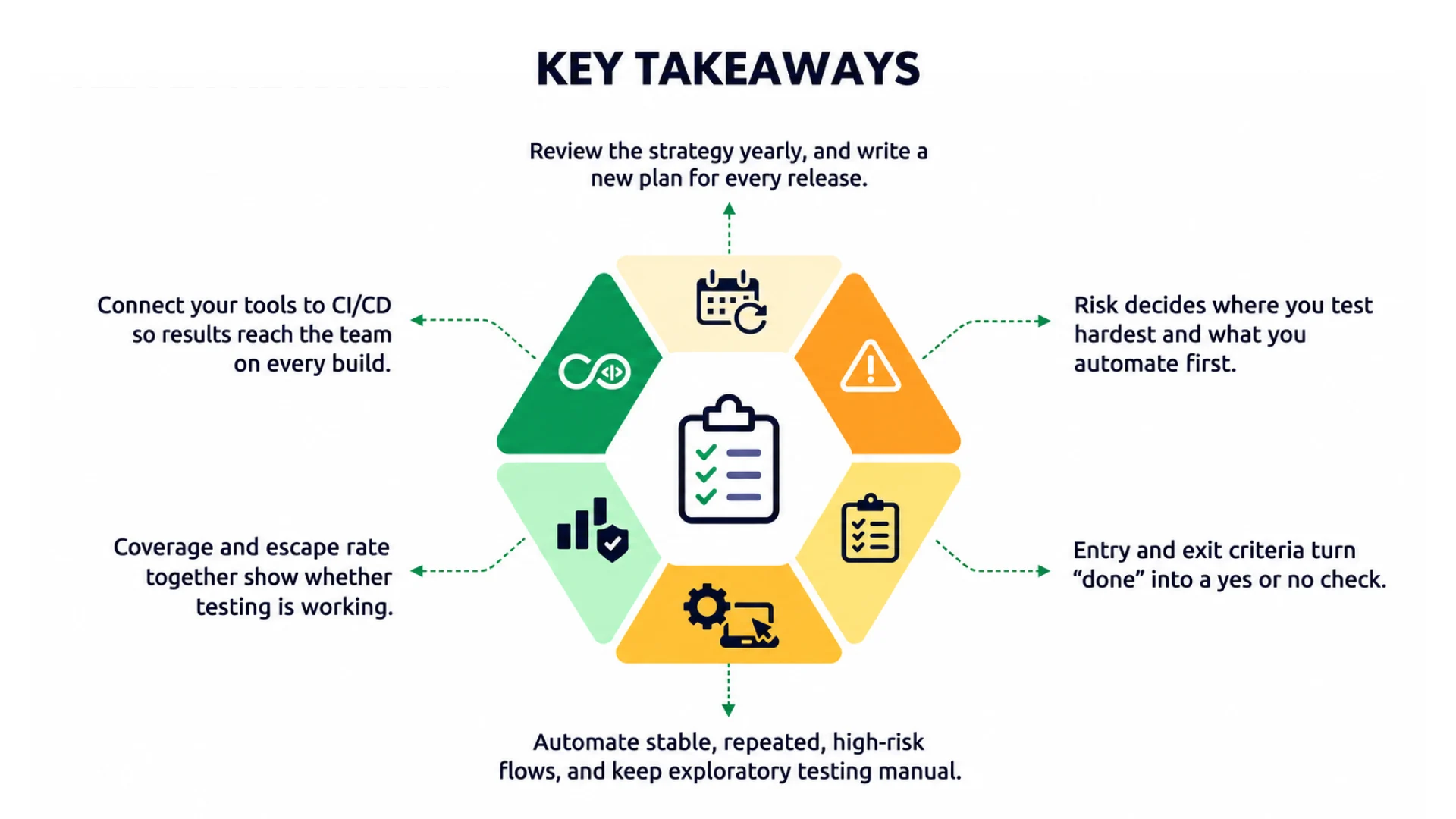
Strong teams treat the two documents as a pair. Keep the strategy short and stable, write a fresh plan for each release, and make exit criteria clear enough that nobody has to guess whether testing is finished.
This week, draft a one-page strategy, then write a plan for your next release from the template above. After the release, review both with the team and remove anything nobody used. Repeat that review every release, and your test strategy stays current.
People Also Ask (FAQs)
Q1. What should a high availability test plan include?
Ans: A high availability test plan should cover failover, recovery time and recovery point targets, load behaviour during node loss, and alerting. Each scenario needs an agreed pass threshold.
Q2. How does AI test automation help with a test plan?
Ans: AI test automation can draft test cases from requirements, repair broken locators, and highlight recently changed code. People still own scope, risk ratings, exit criteria, and sign-off.
Q3. What is the difference between test coverage and code coverage?
Ans: Code coverage measures how much source code your tests execute. Test coverage is broader, measuring how much of the requirements, risks, and user flows are verified, so it reflects readiness.
Q4. When should a team outsource QA to a consulting company?
Ans: Outsourcing QA makes sense when releases slip on testing capacity, you need specialist skills such as mobile or performance testing, or you want a strategy reviewed independently.
Q5. Where do codeless test automation tools fit alongside a test automation framework?
Ans: Codeless test automation tools suit non-developers who need quick UI checks, while a code-based framework handles complex logic, APIs, and version control better. Many teams use both.