
Every development team has lived through some version of this. A feature ships clean, the team moves on, and then a ticket lands from a user on Mozilla Firefox saying the checkout button does nothing. No errors in the logs. No failing tests in the CI/CD pipeline. Just a browser handling a JavaScript event differently than Google Chrome does.
Browser engines have converged significantly on web standards over the past decade, but gaps remain in the places that matter most: payment flows, authentication, form inputs, and anything touching browser APIs. This guide covers what cross-browser testing is, where compatibility problems hide, and how to build a testing approach that actually scales.
Here is what this guide covers:
- What cross-browser testing is and why it is different from regular QA
- Where compatibility issues most commonly occur
- When manual testing is enough and when automation is necessary
- How to build a browser matrix from your actual user data
- Which tools are worth knowing in 2026
What is cross-browser testing?
Cross-browser testing is the process of verifying that a web application behaves consistently across different browsers (Google Chrome, Mozilla Firefox, Safari, Edge), browser versions, operating systems (Windows, macOS, iOS, Android), and screen resolutions.
The cross-browser testing definition goes beyond visuals. It covers functional behavior too: whether user journeys complete successfully, not just whether pages look right. What is browser compatibility testing? It is the same core idea: ensuring your code handles differences in how rendering engines parse HTML and CSS and how JavaScript engines execute your scripts.
There are two types worth separating:
• Visual testing checks layout, typography, and UI rendering across browsers and screen resolutions.
• Functional cross-browser testing checks whether features and user journeys login, checkout, form submission complete end-to-end correctly.
Both matter. They fail in different ways and often require different test scripts and tooling.
Understanding what cross-browser testing is sets the foundation understanding why it still matters in 2026 is what makes the case for prioritising it.
Why cross-browser testing still matters
According to StatCounter, Google Chrome holds 66.7% of global browser market share as of early 2026. But on mobile specifically, Safari commands nearly 26% of usage and every browser on iOS, including Chrome on iPhone, runs on Apple's WebKit engine. That means iOS-specific browser incompatibility errors affect users who are not even running Safari by choice.
For SaaS products and modern web applications, the consequences are real. A cross-browser issue in a checkout flow does not throw an obvious bug report. It silently loses the transaction.
Google's own research confirms that 53% of mobile users abandon a site that takes longer than three seconds to load and load performance varies across browsers, meaning a page that feels fast in Chrome may still frustrate Safari users. A page that passes performance metrics in Chrome can still create friction in Firefox due to differences in content loading and how JavaScript engines handle rendering.
Accessibility is a real cross-browser concern with legal weight behind it. WCAG AA compliance, the standard set by the World Wide Web Consortium, requires that assistive technologies like screen readers work correctly across browsers, not just in Chrome. Failing that bar in certain markets carries regulatory risk, not just a poor user experience. The specific ways accessibility breaks across browsers are covered in the compatibility issues section below.

Common cross-browser compatibility issues
Cross browser issues cluster in predictable areas. Knowing where they appear helps you build smarter, faster coverage.
CSS and layout
Flexbox layouts and CSS layouts work well in modern browsers, but the gap property and sticky positioning still produce rendering differences, particularly in older iOS Safari. Responsive design testing and responsive websites built with a mobile-first approach surface these inconsistencies fastest. Progressive enhancement helps build for the baseline, then layer features for capable browsers.
JavaScript and browser APIs
Camera access, clipboard operations, geolocation-based application testing, and push notifications each have different permission models across browsers. For QR-based features, teams can use a QR Code Generator to create test codes across different browsers and devices. Code that works in Chrome may require entirely different handling in Firefox. JavaScript engines also handle certain edge cases differently, which is why automated cross browser testing across multiple environments catches bugs that single-browser testing misses.
Form inputs and UI elements
Date pickers, range sliders, and file inputs render differently across browsers. Some degrade gracefully to text fields. Others simply break. The user interface impact is significant for forms that drive conversions.
Accessibility gaps
Screen readers and assistive tools parse browser-rendered content differently. A focus state that works correctly in Chrome may be invisible in Firefox. An ARIA label that announces properly in Safari may be skipped entirely in Edge. The WAVE Evaluation Tool catches many of these issues, but automated checks alone are not enough. Manual cross-browser verification on actual screen readers is still necessary for genuine WCAG compliance.
Knowing where compatibility problems hide is half the battle the other half is deciding how to find them systematically, which is where the choice between manual and automated testing becomes critical.
Manual vs. automated cross-browser testing
Manual testing is how most teams start. A QA engineer runs browser tests across a set of target browsers, works through core user journeys, and logs failures in a bug report. It is thorough for exploratory work but does not scale for regression testing on every deploy.
Automated cross browser testing solves the scale problem. Test scripts run across multiple browsers and operating systems without manual intervention, catching regressions before they reach production. The most common approaches:
• Selenium WebDriver for broad browser support and integration with existing automation frameworks.
• Playwright for modern web automation with native support for Chromium, Firefox, and WebKit, plus parallel execution built in.
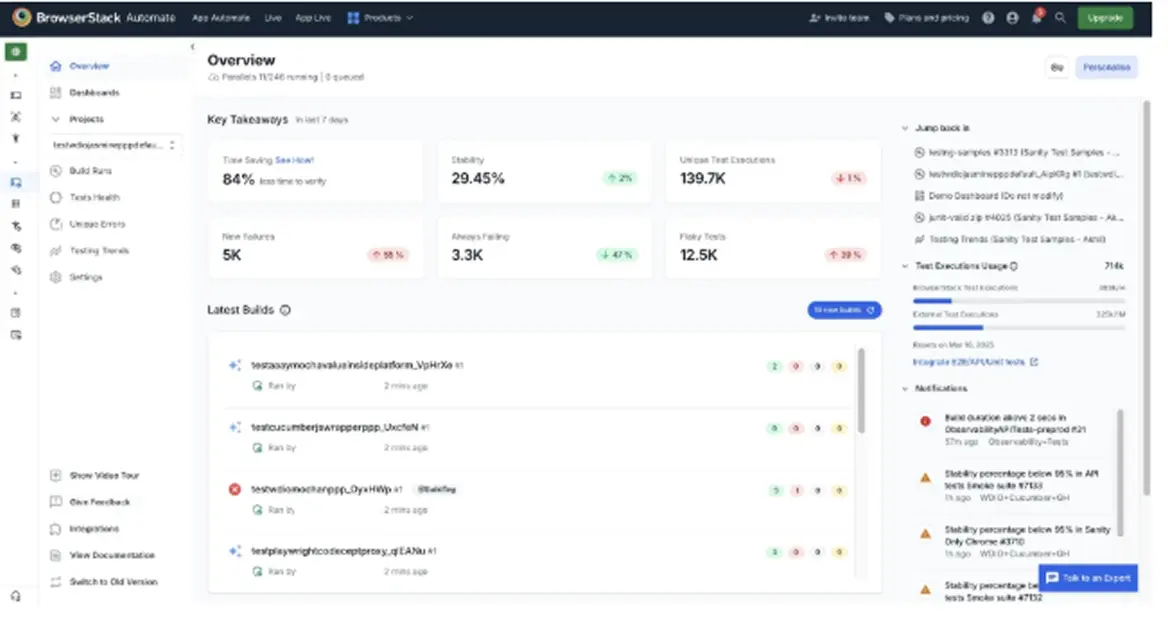
• Cloud-based testing platforms like Sauce Labs and BrowserStack provide access to real physical devices and browser versions without maintaining a local mobile device lab.
Parallel testing is not optional at scale. Running 100 tests sequentially across five browsers is 500 sequential runs unusable in any real CI/CD environment. Parallel tests running simultaneously across browser environments is what makes automated cross-browser testing practical.
Virtual machines extend coverage further, letting you replicate specific OS and browser version combinations that are hard to source physically. For Internet Explorer 10 support requirements, virtual machine environments are often the only practical option.
Having the right tools matters but without a structured approach behind them, coverage stays inconsistent. Here is how to build a strategy that makes cross-browser testing deliberate rather than reactive.
How to build your cross-browser testing strategy
Step 1: Build your browser matrix from real data
Pull browser and OS data from your analytics. Filter out bot traffic first it inflates Chrome numbers significantly. Look at conversion rates per browser, not just session volume. A browser with 10% of your traffic but 30% of revenue deserves more coverage than its session share suggests.
Sample browser matrix for a B2C web application adjusts P1 based on your own analytics data.
Step 2: Prioritize by business impact
Not every feature needs full cross-browser coverage. Business Use Case Testing focuses your automation effort on the flows that affect revenue directly: checkout, login, document uploads, and any feature using browser APIs. Lower-priority UI Testing can run in your primary browser only.
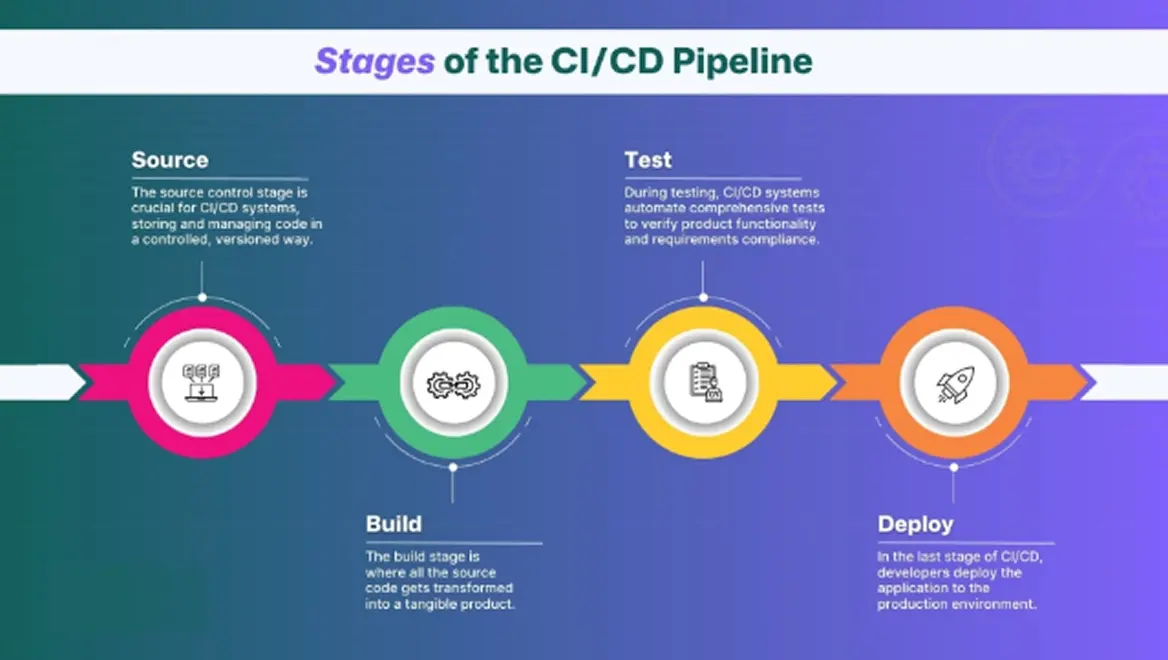
Step 3: Integrate into your CI/CD pipeline
Web test automation only delivers value when it runs automatically. Connect your cross-browser test suite to your CI/CD pipeline: critical-path browser tests on every commit, full cross-browser suite on every PR merge, and a cross-browser testing report after each run. AI-powered testing tools are increasingly useful here for detecting browser-specific failures and suggesting root causes across distributed testing capabilities.
Step 4: Use cloud platforms for scale
Cloud platforms like BrowserStack and Sauce Labs handle device browser combinations at scale without local infrastructure. For Real User Monitoring beyond test environments, tools like Datadog Synthetic Monitoring provide visibility into how actual users experience your application across different browsers in production.
With that framework in place, here are the questions most teams ask when getting started.
Ready to simplify your cross-browser testing?
Frugal Testing helps development and QA teams run comprehensive cross-browser and compatibility testing without the overhead of building infrastructure from scratch. With 200+ years of collective expertise across 30+ industries and ISO 27001-certified processes, their team handles everything from test design to execution across your full browser matrix — so your team stays focused on shipping, not debugging.
Whether you need one-off compatibility testing or a fully managed automated testing pipeline integrated into your CI/CD process, Frugal Testing scales to fit your workflow.
The bottom line
Cross-browser testing is not about covering every device browser combination that exists. It is about having a systematic answer to one question: do my most important features work for the users who actually use them?
Start with your analytics data. Automate the flows that fail silently. Use cloud-based testing platforms to cover the environments your local infrastructure cannot. Teams that approach website cross browser testing this way build a real competitive edge not by testing more, but by testing smarter.
If you are starting fresh: pick Playwright or Selenium WebDriver, define your browser matrix from real analytics, and connect your core user journeys to your CI/CD pipeline before you worry about edge cases. That foundation is what makes cross browser automation testing sustainable at scale.
FAQs (People Also Ask)
Q1.What is the difference between cross-browser testing and multi browser testing?
Ans: The terms are used interchangeably in most contexts. Multi browser testing sometimes implies a broader scope across more environments, but there is no meaningful technical distinction between the two.
Q2.Should I still test on Internet Explorer?
Ans: For most web applications, no. Internet Explorer 10 is retired and represents negligible web browser usage today. Unless your analytics show meaningful IE traffic or you have explicit support obligations in regulated industries, remove it from your test matrix.
Q3.What are the most common cross-browser compatibility issues?
Ans: CSS layout inconsistencies (especially Flexbox layouts on iOS Safari), JavaScript engine differences for browser APIs, form input rendering, font and UI differences across operating systems, and accessibility gaps between how assistive technologies interact with different browsers.
Q4.Does cross-browser testing cover mobile browsers?
Ans: It should. A mobile-first approach to website cross browser testing means iOS Safari and Chrome on Android are separate test environments, not desktop browser equivalents. Responsive features and responsive design testing require real or emulated mobile environments to catch what desktop testing misses.
Q5.How does automated cross-browser testing fit into continuous integration?
Ans: Browser-specific tests run as part of the continuous integration build. Fast critical-path tests run on every commit in your primary browser. The full cross-browser suite runs on merge or a scheduled build. This keeps CI/CD pipelines fast without skipping cross-browser coverage.

.webp)

.webp)