

The best QA test management tools in 2026 include TestRail and PractiTest for enterprise governance, Qase and Tuskr for agile fast-moving teams, Testomat.io and Allure TestOps for DevOps automation, AIO Tests and Xray for Jira-native BDD workflows, and BrowserStack for cross-browser and real-device testing. The right tool depends on team size, Jira dependency, automation framework, and compliance requirements.
Why Traditional Spreadsheets and Manual Tracking Are Failing QA Teams in 2026
If your QA team is still keeping track of test cases in a spreadsheet such as Excel or Google Sheets, then you're creating a huge risk in every software release. No CI/CD integration, no requirement traceability, no real-time dashboards, and no spreadsheet connection between test execution results and defects. By 2026, there will be no software quality team that will have to resort to manual tracking.
- No CI/CD integration test runs cannot be triggered through Jenkins, GitHub Actions, or Azure DevOps.
- No requirements traceability test cases cannot be linked to defects or software releases.
- No real-time visibility no dashboards for regression coverage or release readiness
- No automation framework support cannot connect with Selenium, Cypress, or Playwright. Katalon's 2025 State of Software Quality Report found that 82% of QA teams still rely on manual testing due to a lack of strategy, not a lack of tools.
- No audit trail teams under ISO 27001 or TMMi Level 5 cannot reconstruct testing history from spreadsheets
- No flaky test tracking no way to monitor flakiness rate or automation coverage trends across sprints
Top QA Test Management Tools You Need in 2026
Standalone Test Management Platforms With Automation Support
These standalone platforms provide independent test case management, execution tracking, automation integration, and defect management without relying on external ecosystems like Jira.
TestRail: Scalable Enterprise Test Management for QA Teams
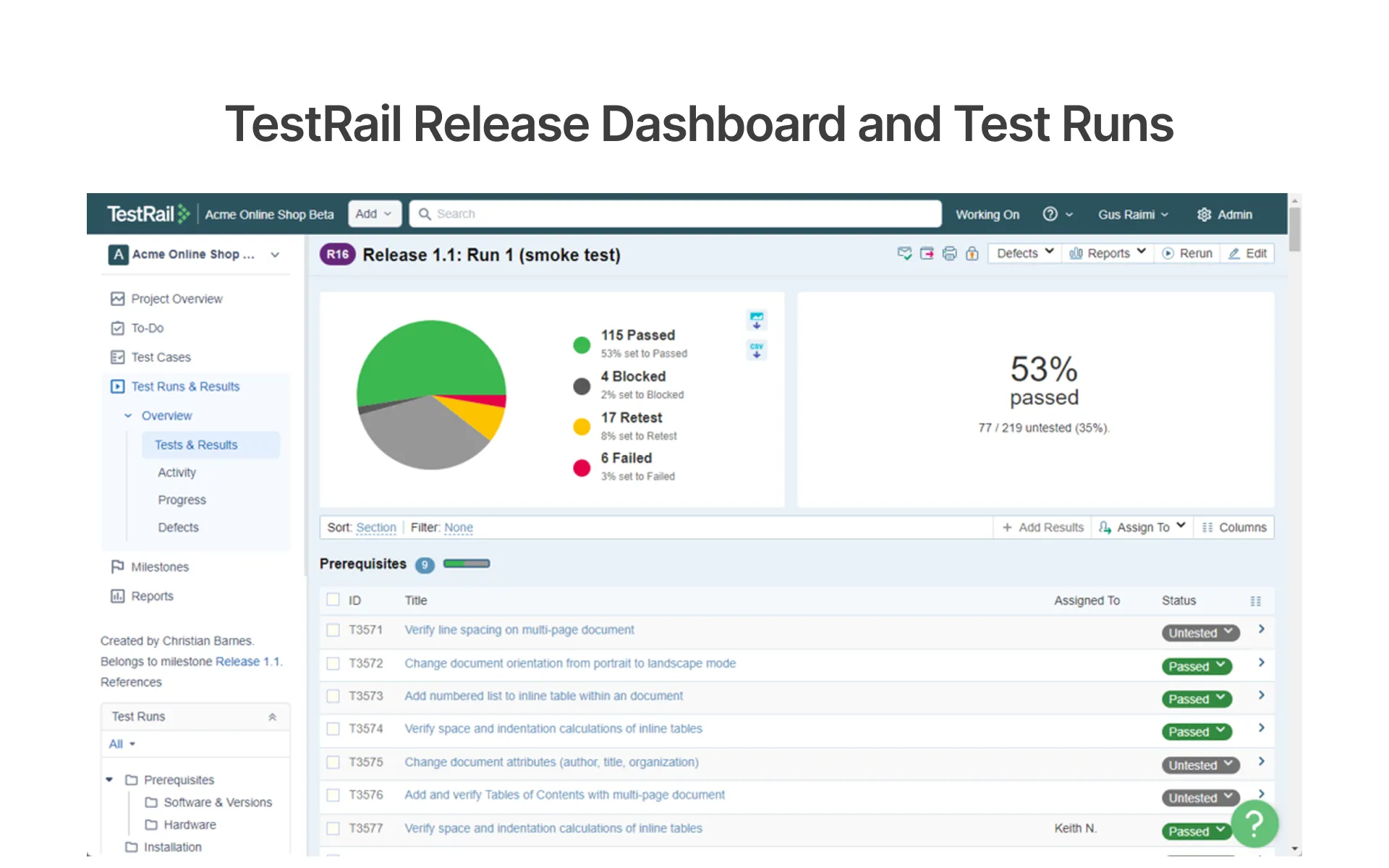
TestRail is a battle-tested test management platform widely used by enterprise test management teams worldwide and proven to be a trusted solution for structured test case management, test plans, and release-readiness reporting. It brings together test runs, milestones, and requirements traceability in one workspace giving QA professionals clear visibility into regression coverage and defect detection across every sprint and release.
Key Features:
- Structured test case management with customizable templates and test case reuse across projects.
- Requirements traceability linking test cases directly to defects and software releases.
- Real-time dashboards for tracking test execution progress and regression coverage.
- Projected ISO 27001 and TMMi Level 5 compliant enterprise audit logging.
- Milestone-based test plans aligned to agile sprint and release schedules.
Pros:
- Highly configurable, trusted platform for enterprise-quality QA teams across the world.
- Well-defined compliance and audit logging for regulated industries.
Cons:
- No free plan pricey for small teams and startups!
- Lacks native AI features are not as advanced as those of newer systems, such as Qase.
Tuskr: Affordable Test Management for Agile QA Teams
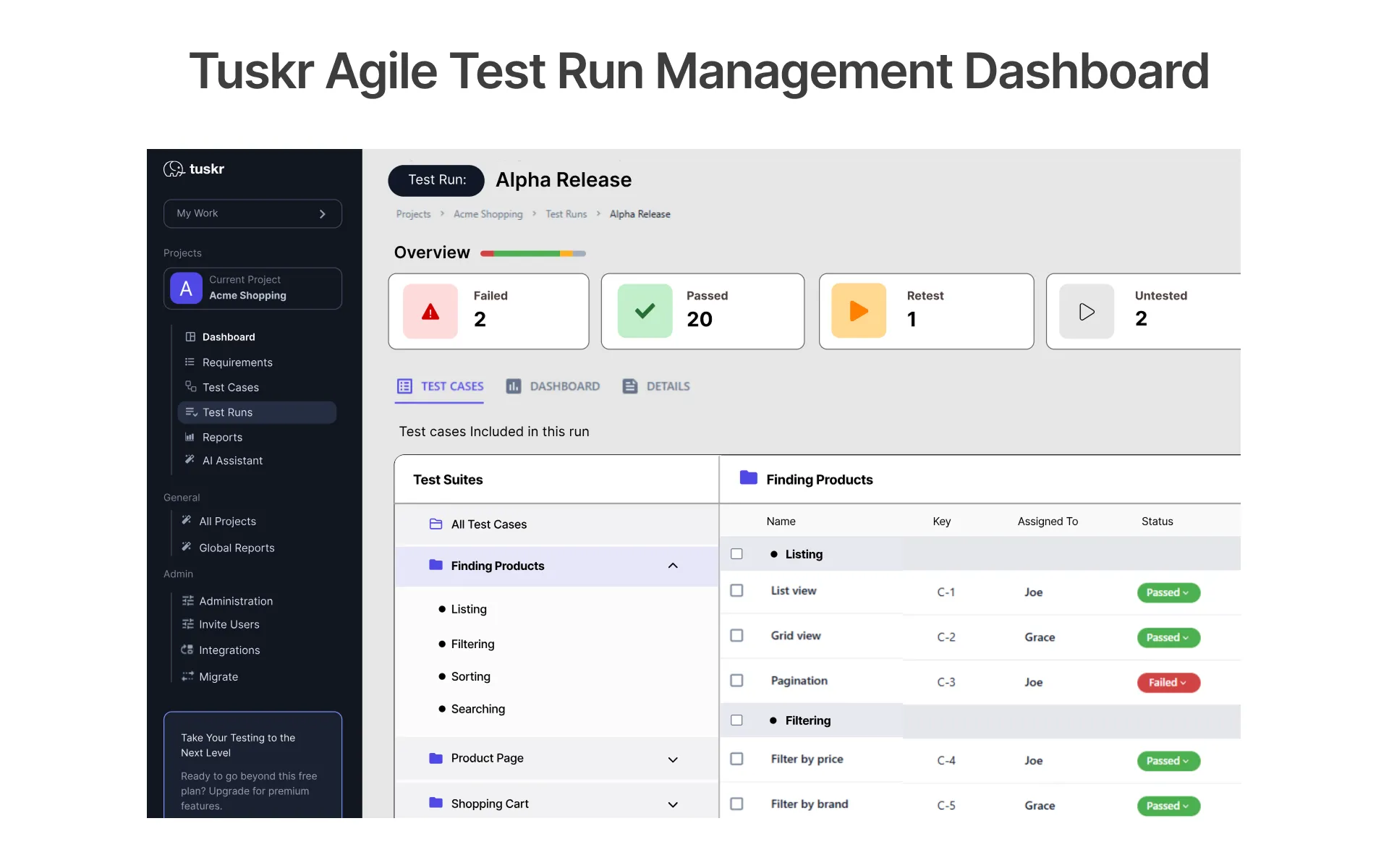
Tuskr is a cloud-based test management system designed for agile test teams in need of a no-enterprise complexity platform. It provides a clean workspace for test case management, test runs, and defect tracking – with AI-generated test case generation available at all paid levels, it is one of the easiest-to-use test management tools in software testing for small teams in 2026.
Key Features:
- AI-powered test case generation with no usage caps across all paid tiers.
- Test runs and control during execution with real-time status updates throughout agile sprints
- Support for defect tracking integration with issue trackers like Jira, GitHub, etc.
- Elegant modern interface designed for easy and quick adoption with a low learning curve.
- Version history and custom fields to manage structured test cases
Pros:
- The largest free plan, which is the best starting point in this guide.
- Fast onboarding with minimal setup for small agile QA teams
Cons:
- Not as developed as TestRail for large enterprise test workflows
- Less advanced reporting capabilities than PractiTest and Allure TestOps
PractiTest: End-to-End QA Lifecycle and Automation Management
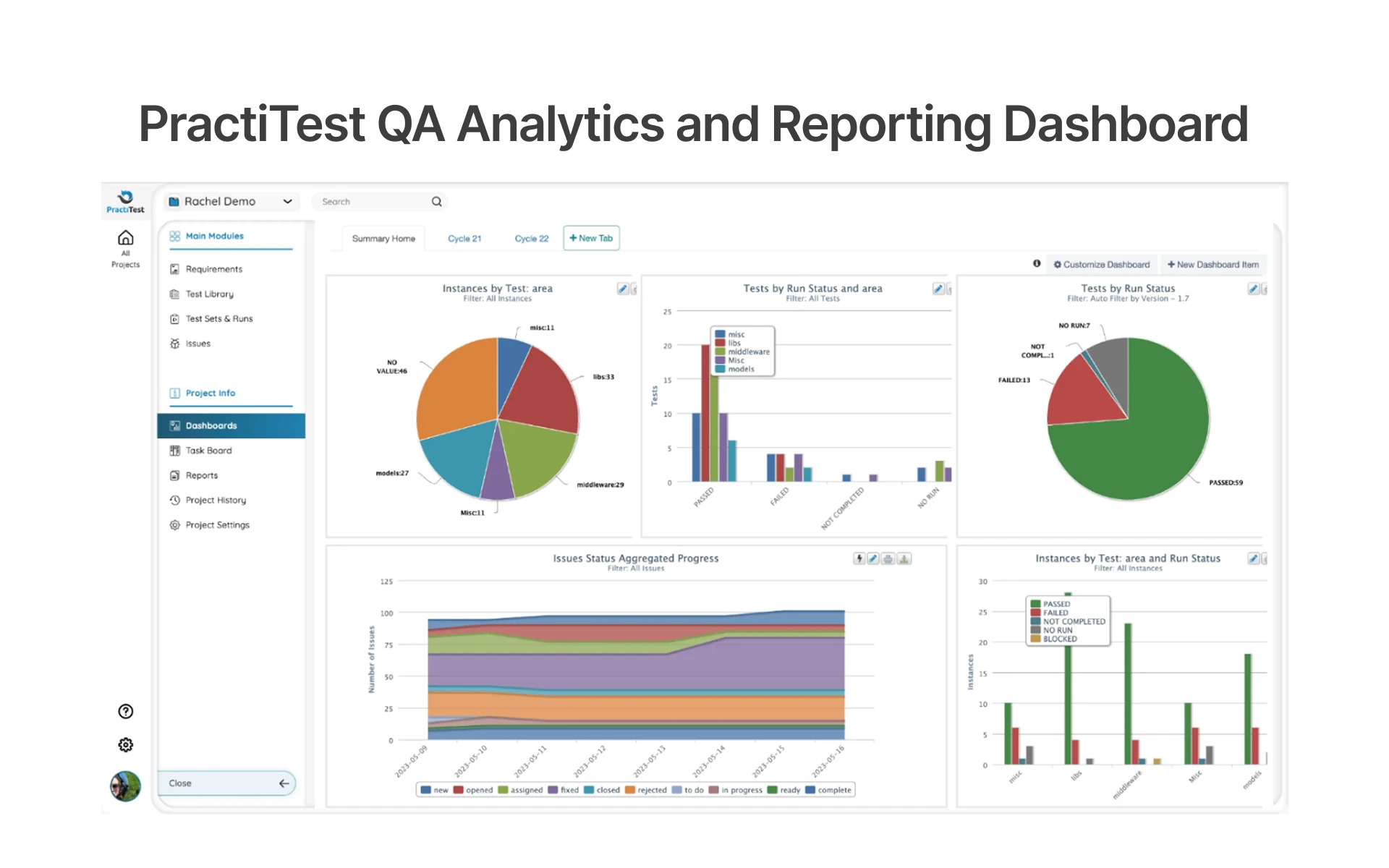
PractiTest is a complete test management platform that brings together requirements, test cases, test runs, and defects to your one end-to-end QA lifecycle workspace. Designed for teams of QA engineers who work with complex projects that require deep configurability, full traceability, and intelligent reporting, it provides engineering leaders with a single source of truth from requirement definition to release readiness.
Key Features:
- Linking requirements, test cases, defects, and software releases throughout the software lifecycle.
- Extensive customization of fields, workflows, dashboards, and step parameters
- Optimize tests with AI and provide intelligent reporting for release readiness decisions.
- Prevent bugs in multiple copies of defect tracking in large QA teams
- Visual requirements traceability map throughout the entire test suite
Pros:
- End-to-end lifecycle management, from requirements to defects, in one platform.
- Strong compliance and audit logging for ISO 27001 and regulated industries.
Cons:
- Smaller QA teams will have a steeper learning curve.
- Onboarding can become slower with more complex interfaces, especially if you are migrating from more basic tools.
AI-Powered Test Management Platforms
The platforms that leverage AI do the same, using artificial intelligence and NLP to proactively create, refine, and evaluate tests, thereby cutting down on manual QA workflow and boosting the number of defects detected in every sprint.
Qase: Best AI-Powered Tool for Modern QA Teams
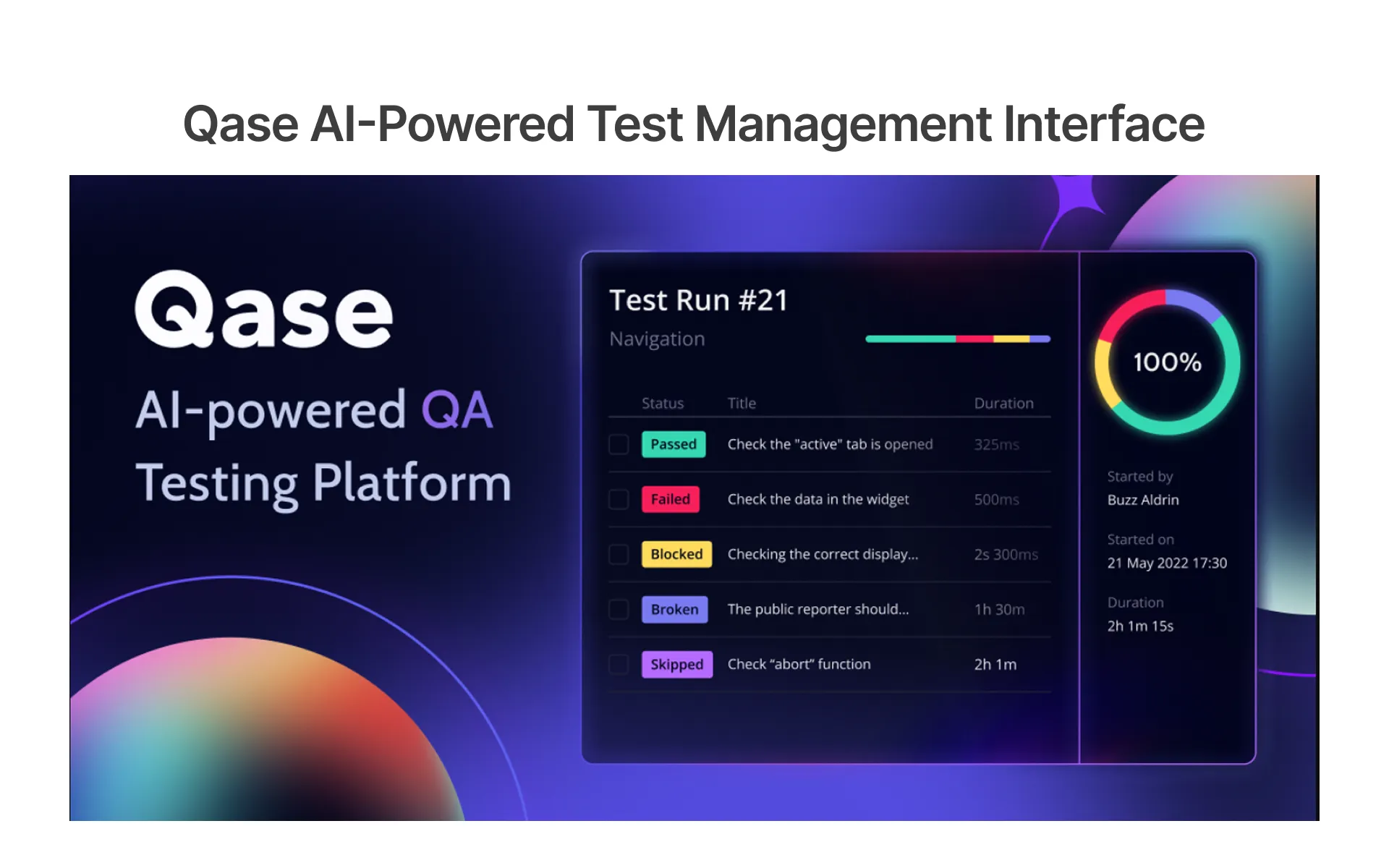
Qase is an AI-powered test management platform built for fast-moving QA teams its AIDEN AI agent generates test cases, converts manual tests to automated, and analyzes regression coverage gaps before each release. Praised on G2 and Capterra for its clean UI and fast onboarding, Qase is built for fast-moving QA teams that need AI assistance without enterprise complexity.
Key Features:
- AIDEN AI agent to generate automated test cases and convert manual testing to automated.
- Real-time two-way sync with development tools for QA and developer collaboration.
- Release readiness visibility with customizable dashboards and drag-and-drop reporting widgets.
- Gaps in test suites are found before each release using AI-powered regression coverage analysis.
- Seamless integration with GitHub, GitLab, Slack, and all major CI/CD pipelines.
Pros:
- Native AI with AIDEN agent the highest level of AI functionality in standalone tools
- Integrates with a wide range of systems, including CI/CD, automation frameworks, and issue trackers.
Cons:
- Limited to 3 users for free, limiting the growth of QA teams in the early stages.
- It doesn't possess the same degree of reporting maturity as enterprise-level products such as PractiTest and Allure TestOps.
Testomat.io: Modern QA Management for DevOps Workflows
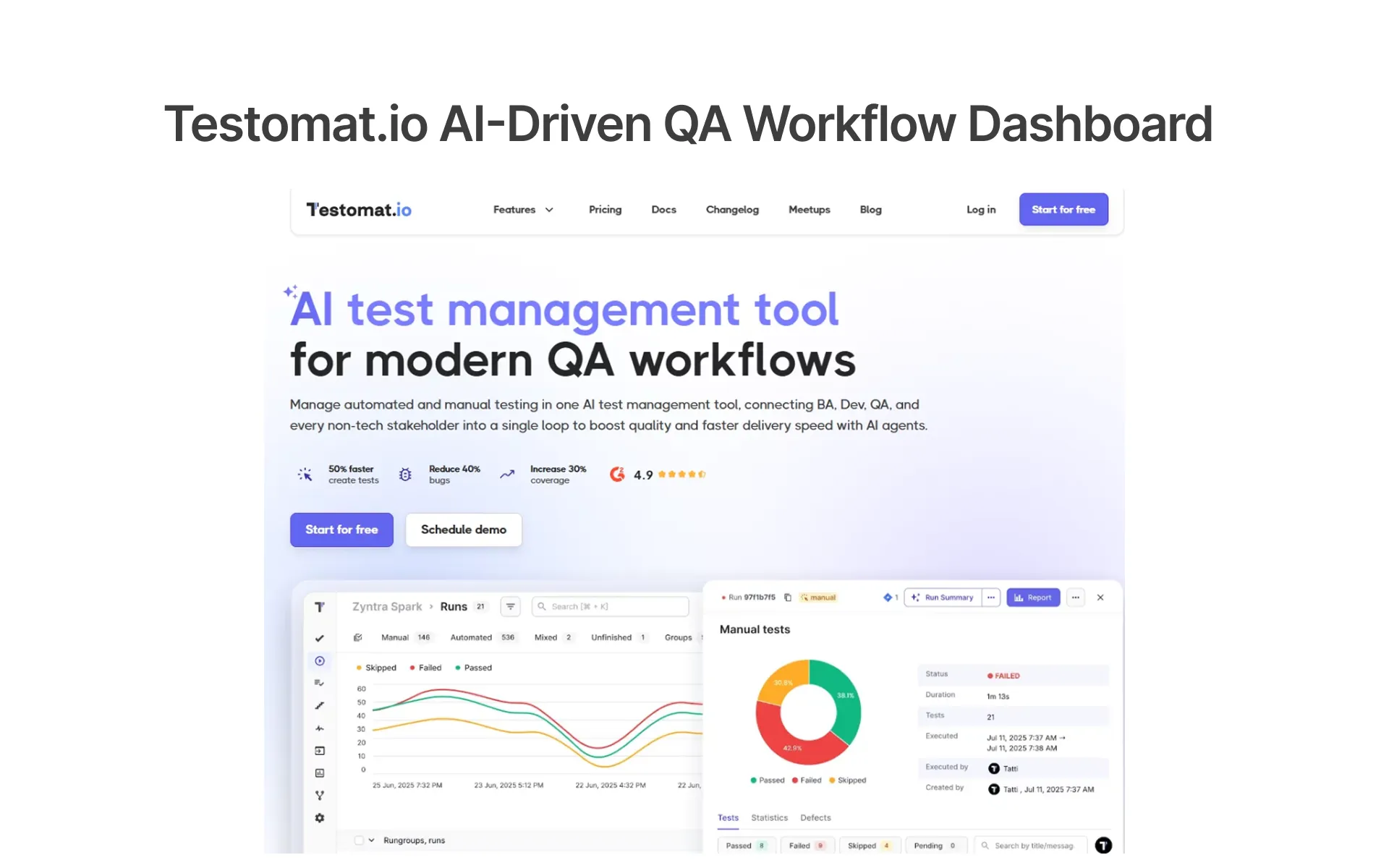
Testomat.io is an AI-powered test management platform engineered for automation-first and DevOps-driven QA teams. It automatically links manual and automated test cases directly from the Git repository, which most test management tools don't support, thus reducing documentation drift. It is one of the most technically advanced standalone platforms of 2026 due to its built-in AI features, such as test generation, analysis, suggestion, and defect prediction.
Key Features:
- AI-powered test case generation, analysis, suggestion, and defect prediction.
- Automatically sync your Git repository and update documentation after each run of your CI/CD pipeline.
- Advanced BDD support and Gherkin syntax and living documentation for agile QA teams.
- Real-time analytics to monitor flakiness rate, slowest tests, and trends in automation coverage.
- Test runs in multiple environments and parallel execution with a combination of manual and automated test runs.
Pros:
- Documentation drift is a unique feature of the Git-native sync and will not occur with other syncing options in this guide.
- Multi-core parallel execution with up to 15,000 concurrent runs.
Cons:
- Compared to non-technical QA professionals, UI is not as slick as Qase.
- For teams that do not have a DevOps workflow, there will be a steeper learning curve.
Allure TestOps: Advanced QA Analytics and Reporting Platform
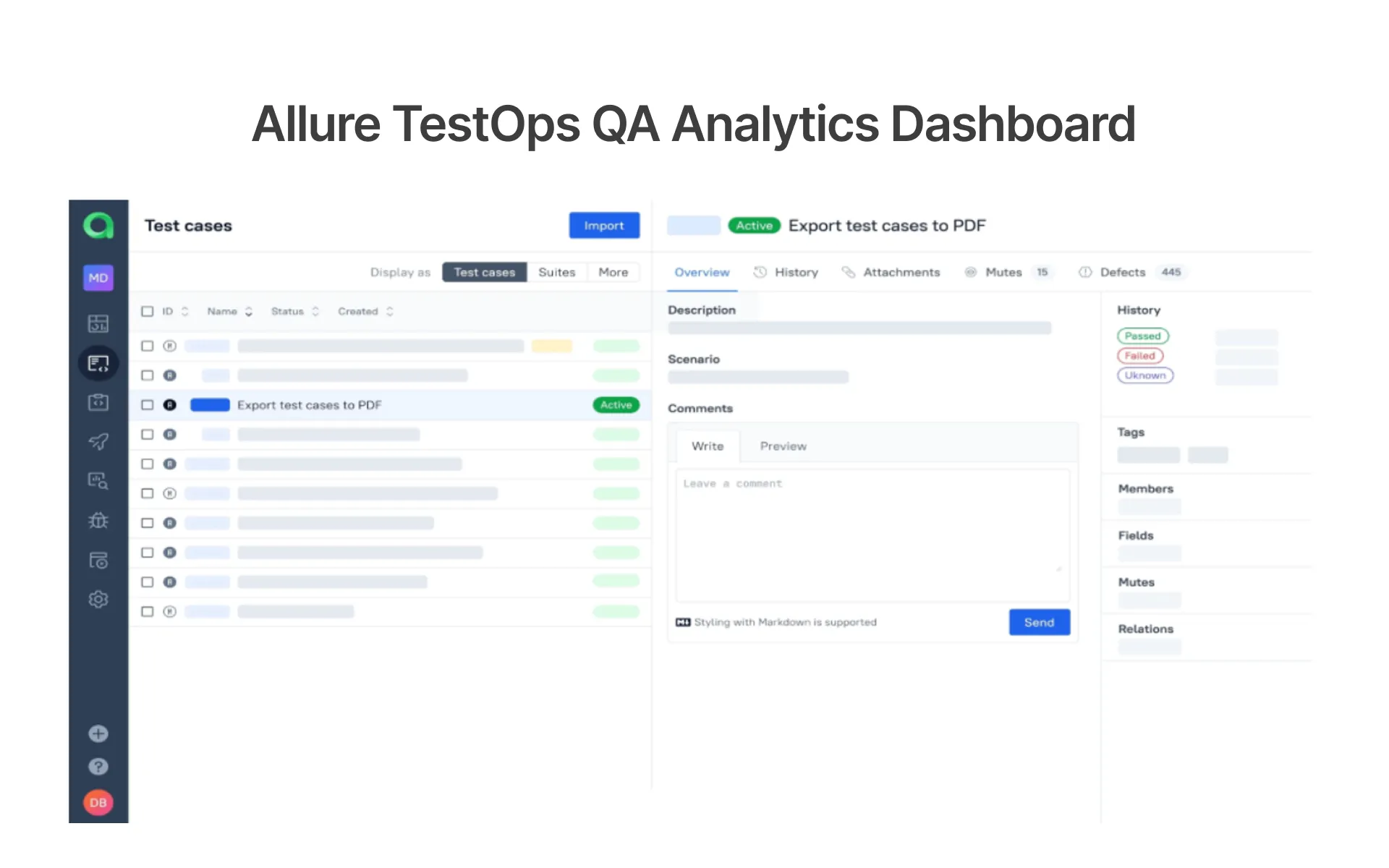
Allure TestOps is a comprehensive test management tool built with a DevOps mindset for QA teams who want to deeply integrate with the most advanced level of DevOps automation, have more comprehensive analytics, and want to have enterprise-scale reporting. It supports more than 100 testing frameworks and CI/CD testing tools and is the best option for teams that want to automate as much as possible and have one place to manage manual and automated testing and keep an eye on their CI/CD pipeline.
Key Features:
- Smart test cases that self-update documentation from the test run.
- Direct integration with 100+ testing frameworks and CI/CD tools for tracking execution in real time.
- Advanced analytics through custom KPIs and test metrics with Allure Query Language.
- Two-way CI/CD integration, which means that tests can be automatically triggered when required.
- An enterprise-grade security solution that includes SSO, role-based access control, and a complete audit trail.
Pros:
- The widest range of frameworks integrated in this guide; Supported 100+ testing frameworks.
- Allure Query Language provides incomparable flexibility in creating custom test metrics.
Cons:
- High initial configuration complexity for smaller teams without DevOps experience
- Primarily focused on automation limited value for manual-only QA workflows
AIO Tests: Best AI-Powered Tool for Jira-Native QA Teams
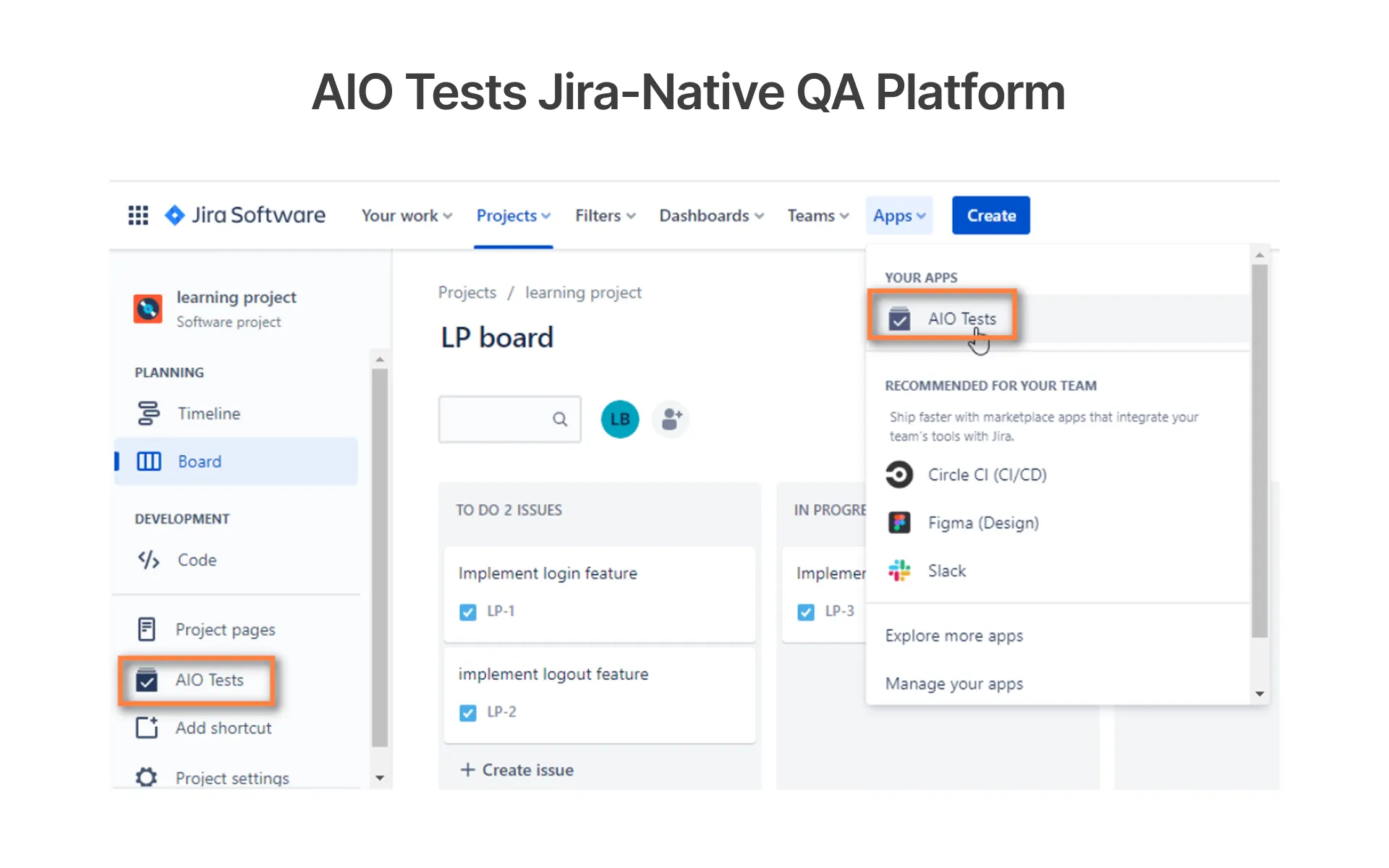
AIO Tests is the only 100% Jira-native test management platform that features generative AI, Rovo Assistant, and advanced BDD support all-in-one. It is the highest-rated agile test management tool for Jira teams in 2026, with more than 4200 customers, and over 200,000 active users, enabling QA professionals to create test cases directly from Jira requirements without ever having to leave the Atlassian ecosystem.
Key Features:
- Generate test cases from Jira requirements with AI, customisable prompts.
- Rovo AI Assistant provides intelligent suggestions for tests and predicts the impact of defects.
- Test cases, test runs, and defects are 100% Jira-native
- Support for full BDD using the Gherkin syntax and Cucumber integration.
- 20+ automated reports ranging from requirements traceability to release readiness.
Pros:
- The only 100% Jira-native tool in this guide has confirmed generative AI capabilities.
- The 20+ automated reports provide engineering leaders with real-time release readiness visibility.
Cons:
- Cannot function without Jira no standalone option available.
- Generative AI features may overlap with Jira's own native AI for some teams.
Jira-Integrated Test Management Tools
Designed specifically for the Atlassian QA team, where test cases are Jira issues with native workflow customization, sprint board visibility, and direct defect tracking without switching platforms.
Zephyr: Enterprise Jira Test Management for Large Teams
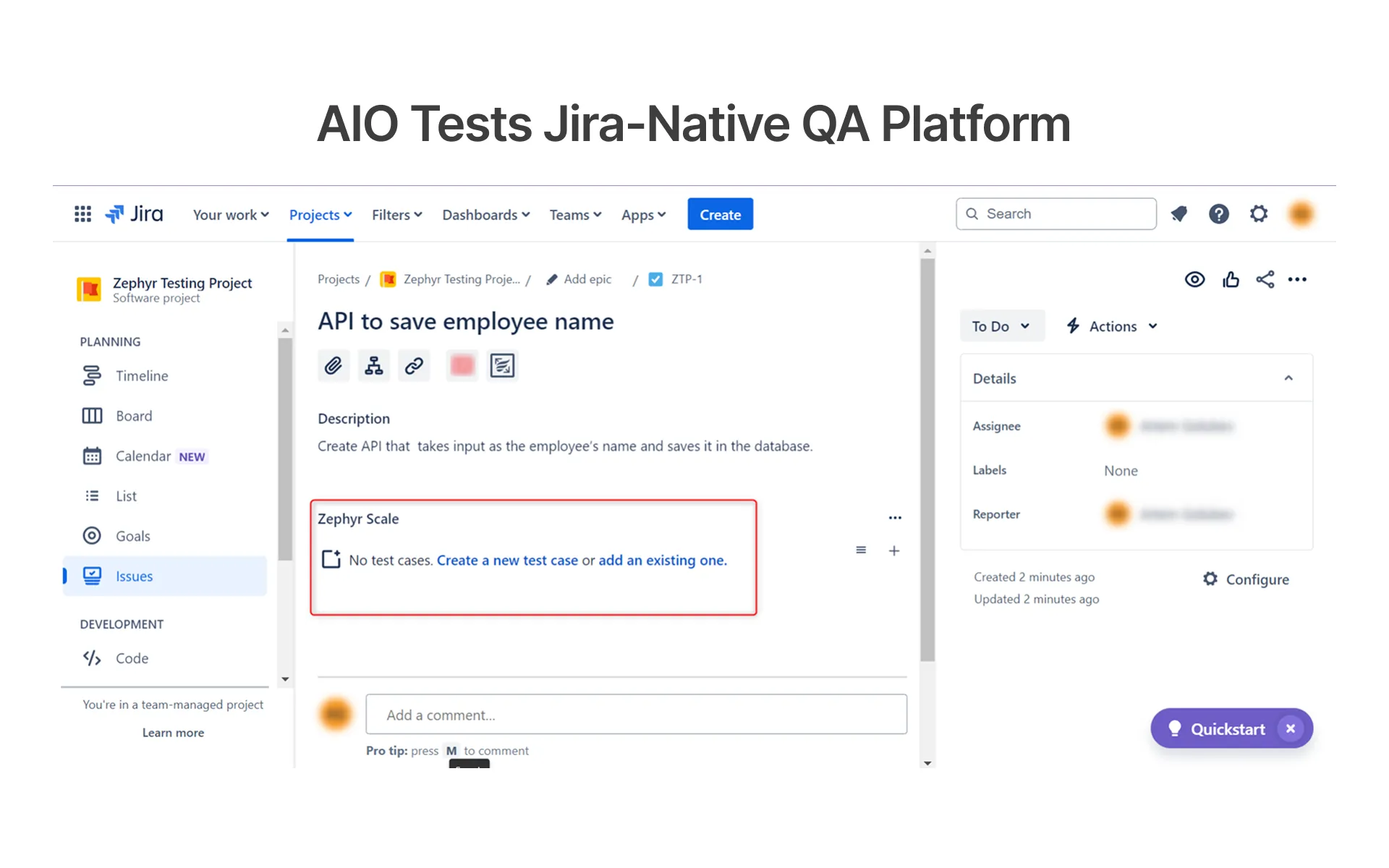
Zephyr by SmartBear is among the most mature test management solutions on the market, designed specifically for enterprise QA teams that require a rigorous test case management process, sophisticated reporting, and seamless CI/CD integration within the Atlassian suite. It can be used for manual testing as well as automated testing processes, ensuring that test cases, test runs, and defects are always kept in line with sprint boards and release plans.
Key Features:
- Test cases, test plan, and test runs are directly in Jira, with the integration of native code.
- Cross-project reporting (Requirements Traceability Matrices and Test Coverage Charts)
- The built-in Zbot for running Selenium and Cucumber automation tests from the platform.
- Engineering leaders can get enterprise-scale dashboards and release readiness signals.
- Teams with stringent data governance needs can deploy this on-premise or in the cloud.
Pros:
- Unique cross-project reporting with traceability matrices, like no other tool in Jira.
- Compliance and data governance teams can deploy cloud or on-premise.
Cons:
- No confirmed native AI features falls behind AIO Tests in AI capabilities.
- The user interface is not as user-friendly as the newer test management platforms of 2026.
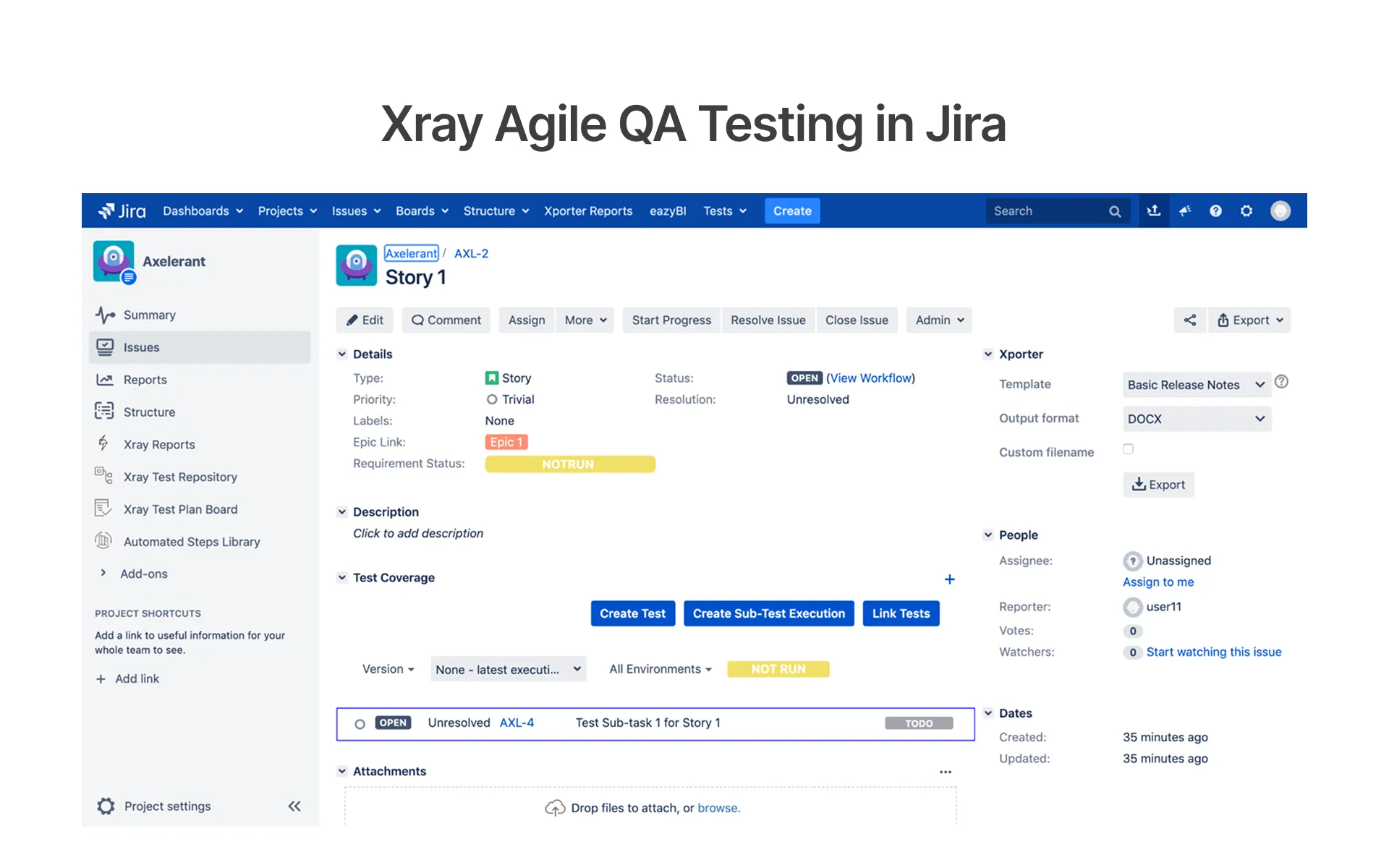
Xray: Jira-Based Testing Platform for Agile QA Teams
Xray is a Jira-native test management platform for agile QA teams managing behavior-driven development. It treats test cases as Jira issues providing teams with complete control of the workflow, clarity about the Jira sprint board, and a direct link from the user story to the defect in Jira without having to move away from the platform. It has great BDD and Gherkin support and remains the best Jira-native solution for agile and DevOps QA teams in 2026.
Key Features:
- Full Jira-native experience, as issues in Jira, with complete workflow customization, treating test cases as Jira issues.
- Support for behavior-driven development with Cucumber integration, Strong BDD, and Gherkin.
- By shifting testing to the left, developers and testers will work together on backlog refinement.
- Requirements traceability – from the user story to the test case and finally to the defect and software release.
- Custom integrations and advanced automation workflow with REST API support.
Pros:
- Strongest BDD & Gherkin support in all tools from Jira native.
- Deep requirement traceability from the user story to the defect throughout all of the sprints
Cons:
- Slightly behind AIO Tests in terms of native AI features.
- A higher learning curve for the QA team that is not used to working with the Atlassian ecosystem.
Cloud-Based Testing Platforms with Built-In QA Management
Cloud-based platforms integrate the test management with the live browser, device, and environment testing infrastructure, enabling QA teams to design, execute, and monitor tests on the live browsers and on the real devices from a single unified platform.
BrowserStack: Cross-Browser Testing and Real-Device QA Platform
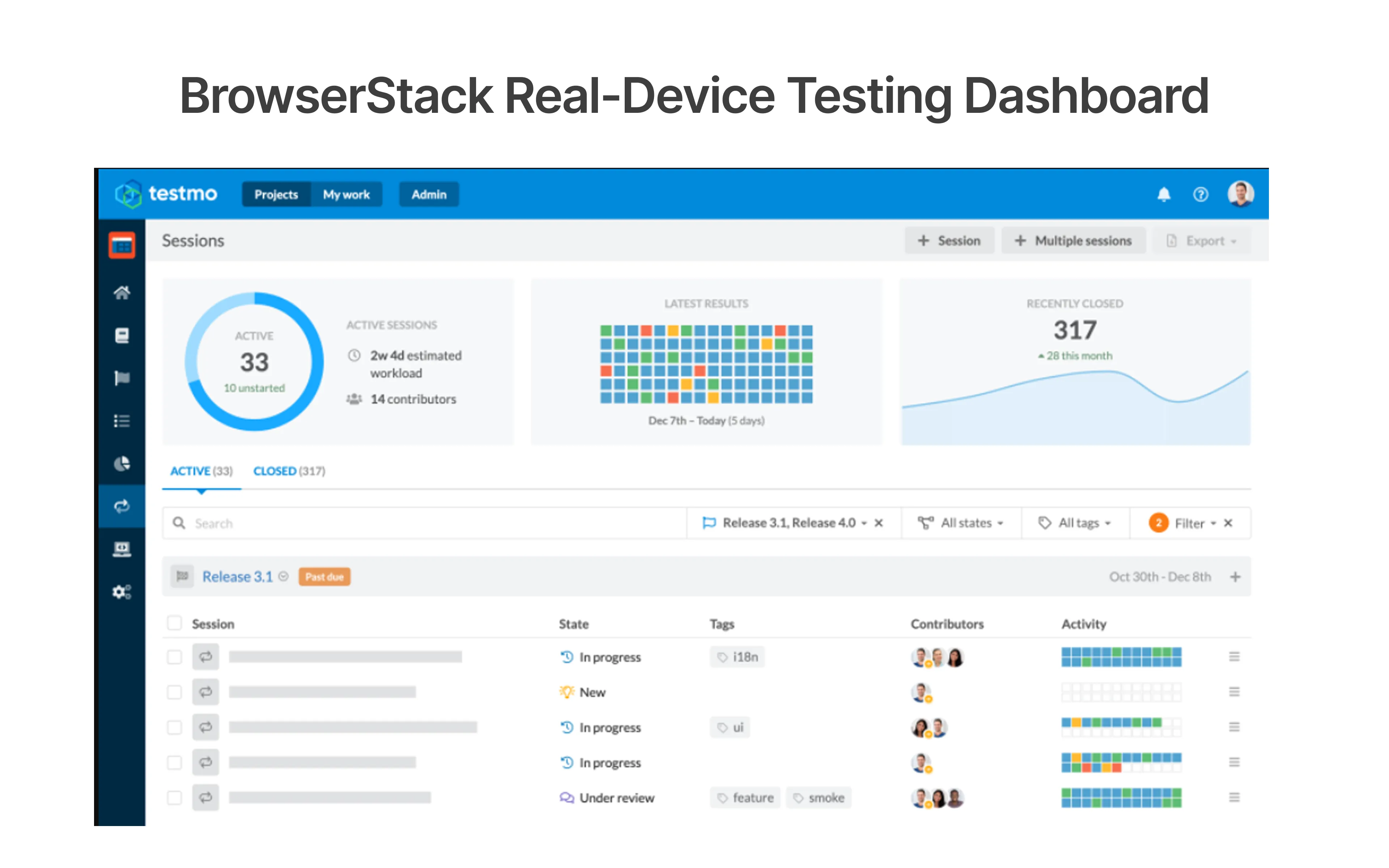
BrowserStack is the ultimate cloud-based testing platform, which brings together cross-browser testing, real-device testing, automated testing, and test management in one unified interface. Unlike any other tool presented here, BrowserStack actually enables QA teams to run test cases directly on real devices and real browsers without requiring an on-site device lab or any browser automation infrastructure in addition to your test management platform.
Key Features:
- 3500+ real devices and browsers for cross-browser and geolocation testing
- AI-powered test case creation, failure analysis, and automated test selection
- Two-way synchronization between Jira and your test management platform for a seamless QA/Dev sprint cycle
- Ability to execute tests across multiple browsers and devices simultaneously, thus reducing time to release
- Real-time dashboards and reporting on test execution progress and release readiness
Pros:
- The only tool that integrates test management and real-device & cross-browser testing infrastructure.
- AI-powered failure analysis can greatly reduce the time spent on regression testing.
Cons:
- Test management features are less mature than other dedicated test management tools like TestRail or PractiTest.
- Not ideal for API testing workflows like some dedicated test management tools.
Side-by-Side Comparison: Which QA Test Management Tool Is Right for Your Team in 2026?
The table below compares all ten QA test management tools across three dimensions starting price, automation framework support, and best-fit team type use it as a first-pass filter before shortlisting. Pricing verified in May 2026 and may change based on team size and deployment model.
Automation Framework Compatibility and Integration Support
Check your test management tool's automation framework compatibility before purchase to save time and money. Your platform should ideally integrate seamlessly with the existing CI/CD pipelines and issue tracking systems you are already using, without any additional middleware.
These are some of the most widely supported automation frameworks by the 10 tools discussed in this guide.
- Selenium and Appium are supported by all 10 tools and are commonly used for UI automation for web and mobile applications.
- Cypress and Playwright supported by TestRail, Tuskr, Qase, AIO Tests, Xray, and BrowserStack, and are primarily used for modern E2E testing.
- Cucumber and Gherkin supported by Xray, AIO Tests, Testomat.io, and Zephyr for BDD work.
- WebdriverIO and CodeceptJS supported by Testomat.io and are well-suited for teams who are focused on DevOps.
- JUnit and TestNG supported by Allure TestOps and Zephyr, and are well-suited for Java-based automation.
- Espresso and XCUITest supported only by BrowserStack, and are suitable for native Android and iOS automation.
- REST APIs and Postman supported by PractiTest and BrowserStack, and are suitable for API testing workflows.
Still Not Sure Which Tool to Pick? Here Is How to Choose the Right One for Your QA Team
When you are looking to choose a QA test management tool, you'll need to consider things like the size of your team, the workflow, and the test automation needs of your team. For example, startups and small teams might look at something cost-effective and easy to use, like Tuskr, while an agile QA team would benefit from an AI-driven, intuitive interface such as the one offered by Qase. Large enterprises requiring governance and compliance, along with comprehensive reports, should consider the TestRail and PractiTest platforms, as these have been deemed to offer these capabilities.
For teams who want a Jira-native and BDD-friendly testing platform, AIO Tests and Xray would be two potential solutions. DevOps teams or those that aim for automation will find Testomat.io and Allure TestOps attractive, given their ability to integrate effortlessly into existing CI/CD pipelines with analytics to help understand the quality of the application in real time. BrowserStack would suit teams who not only desire an adequate test management solution, but also wish for extensive real-device testing as well as cross-browser support.
Lastly, consider the budget while also keeping usability, integrations, and long-term adoption in mind. In Frugal Testing's QA tool implementation engagements, teams that adopted structured test management platforms alongside their CI/CD pipelines consistently reduced flaky test rates by 40–60% within two sprint cycles the primary driver being traceability between test runs and defect patterns, which manual tracking cannot provide.
Conclusion: The Right QA Test Management Tool Is the One Your Team Will Actually Use
QA test management tools have moved far beyond spreadsheets in 2026. Every tool in this guide whether standalone, AI-powered, Jira-native, or cloud-based brings something distinct to the table.
TestRail and PractiTest excel in their respective areas for enterprise users focused on governance and compliance. Qase and Tuskr may work better for agile, fast-moving teams. Testomat.io and Allure TestOps offer extensive benefits for DevOps and automation-focused teams, while AIO Tests and Xray are perfect for Jira native and BDD teams. Finally, BrowserStack integrates well by combining test management and vast cross-browser and real device testing.
At the end of the day, the best QA test management tool for your team will be one that your team actually uses.
People Also Ask (FAQs)
Q1.How Do Test Management Tools Support Parallel Test Execution?
Ans: Modern test management tools support parallel execution by running multiple test suites simultaneously across different environments, browsers, or devices. Platforms like Testomat.io and Allure TestOps help reduce regression testing time, improve automation efficiency, and accelerate release cycles through faster CI/CD feedback.
Q2.How Do QA Teams Use Test Management Tools in Agile Development?
Ans: QA teams use test management tools in agile development to organize test cases, track sprint-based execution, manage defects, and monitor release readiness in real time. These platforms improve collaboration between developers and testers while maintaining requirements traceability throughout every sprint.
Q3.What Is the Difference Between Test Management and Bug Tracking?
Ans: Test management focuses on planning, organizing, and executing test cases across the QA lifecycle, while bug tracking manages defects identified during testing. Many modern platforms combine both capabilities, helping QA teams connect test results directly with defects, requirements, and releases.
Q4.Can Test Management Tools Track Flaky Tests and Failed Test Runs?
Ans: Yes. Tools like Qase, Testomat.io, and Allure TestOps provide dashboards that track flaky tests, failed executions, automation coverage, and testing trends. These insights help QA teams identify unstable tests early and improve automation reliability before software releases reach production.
Q5.What Is Bi-Directional Sync in Jira Test Management Tools?
Ans: Bi-directional sync ensures updates made in Jira automatically reflect in the test management tool and vice versa. Tools like AIO Tests, Xray, and Zephyr keep test cases, defects, sprint boards, and release workflows aligned without requiring manual updates across systems.





.webp)