Software forms are tested more than almost any other part of an app. Even so, they can still have hidden problems. A form looks like it works well, but some hidden text can cause errors that normal testing techniques does not find. This error can lead data corruption, login problems, or other issues in the system.
One Important things to test is the use of invisible characters. QA engineers do not need to generate them by hand. In this article we examine the impact of invisible characters on QA testing.
Why Invisible Characters Break Form Validation?
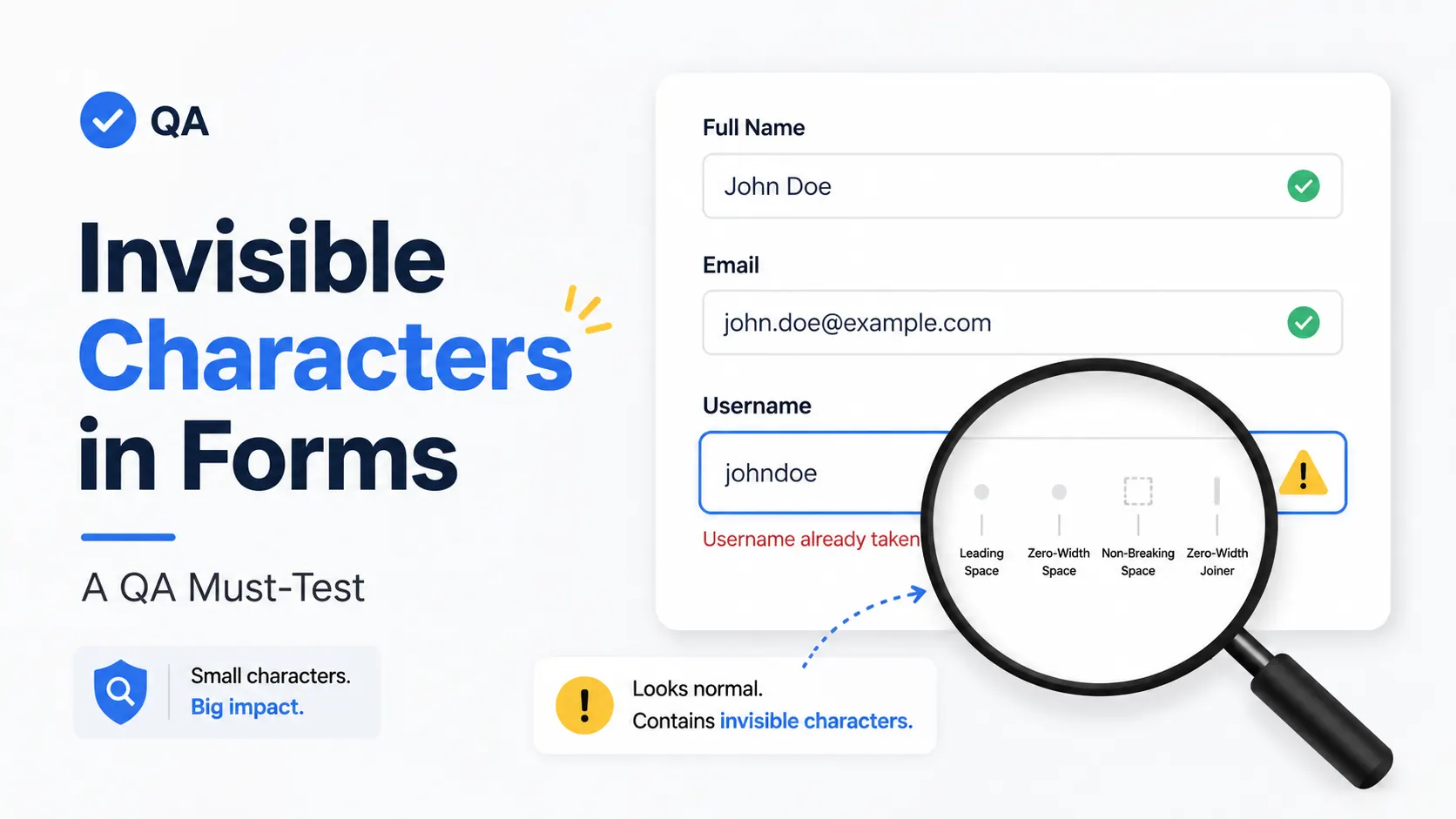
Many apps and validation systems only check whether a text box has any character they do not check whether the text is actually meaningful. So that is why an invisible character takes advantage of this because it looks empty but is still taking space as data.
QA Engineer face many problems regarding form validation some of the common issues are:
Many validation systems focus on whether a field contains characters rather than whether those characters are meaningful. Hidden Unicode input can expose this weakness.
Common Validation Failures
QA engineers frequently discover issues such as:
- Required fields accepting invisible input instead of rejecting empty submissions.
- Username validation allowing hidden characters that create confusing or duplicate accounts.
- Email validation producing inconsistent results when invisible characters are inserted.
- Search boxes returning unexpected results because hidden characters become part of the query.
- Contact forms accepting submissions that appear blank but still pass validation.
- Testing these scenarios helps developers strengthen both front-end and back-end validation.
Real QA Testing Scenarios
Registration Forms
Imagine a registration page where the username field is required. Instead of typing a name, paste an invisible Unicode character.
If the account is created successfully, the validation rule has failed because the field accepted hidden data instead of meaningful input.
Login Forms
A user accidentally copies an invisible character before or after their password. If the authentication system trims visible spaces but ignores hidden Unicode characters, login attempts may fail even though the password appears correct.
Testing these cases helps developers improve authentication reliability.
Search Boxes
Copy an invisible character into a search field before entering a keyword.
Some search systems treat the hidden input as part of the query, resulting in no matches or inconsistent search results. Proper input normalization prevents this problem.
Contact Forms
Many websites reject completely empty messages but accept hidden Unicode characters.
A QA engineer can quickly determine whether the form validates actual content or simply checks whether the input field contains any character.
These practical tests often reveal defects that standard manual testing overlooks.
Risks of Ignoring Invisible Character Testing
Skipping invisible character testing can create problems throughout an application. Some common risks include:
- Poor user experience caused by confusing validation behavior.
- Duplicate or invalid database records containing hidden data.
- Security and authentication issues resulting from inconsistent input handling.
- Different validation behavior between client-side and server-side systems.
- Although these bugs may seem minor, they can become difficult to diagnose after deployment because the hidden characters are not visible during routine troubleshooting.
Best Practices for QA Engineers
Include Invisible Character Test Cases
Every form testing checklist should include hidden Unicode input alongside traditional boundary and validation tests.
Validate Both Client and Server Side
Client-side validation improves usability, but server-side validation provides the final layer of protection. Both should reject invalid invisible input consistently.
Test Multiple Unicode Characters
Not all invisible characters behave the same way. Test several Unicode characters rather than relying on only one to identify edge cases across browsers and operating systems.
Document Unexpected Behavior
If a form accepts invisible input, record exactly which character triggered the issue, how the application responded, and whether the behavior differed between the front end and back end. Clear documentation makes it easier for developers to reproduce and fix the bug.
Using Empty Space Copy Paste for Faster Testing
Manually locating Unicode values can slow down testing. Instead, many QA engineers use empty space copy paste tools to quickly generate hidden characters for validation testing.
These tools allow testers to insert invisible input into registration forms, login pages, search boxes, and contact forms without memorizing Unicode code points. They are especially useful during regression testing and when verifying fixes across multiple environments.
If you regularly test web forms, a reliable Invisible Character tool can simplify this process by providing ready-to-copy invisible Unicode characters for everyday QA workflows. Rather than searching for individual code points, testers can focus on identifying validation weaknesses and confirming that applications handle hidden input correctly.
Conclusion
Testing with invisible Unicode input is a simple step that can uncover bugs many standard test cases fail to detect. By including Invisible Character testing in every QA testing workflow, engineers can identify weaknesses in form validation, improve input validation, and reduce production issues before users encounter them.
Adding just a few seconds of hidden Unicode testing to each validation checklist can prevent confusing user experiences, protect data quality, and help development teams deliver more reliable software.

.webp)

.webp)