
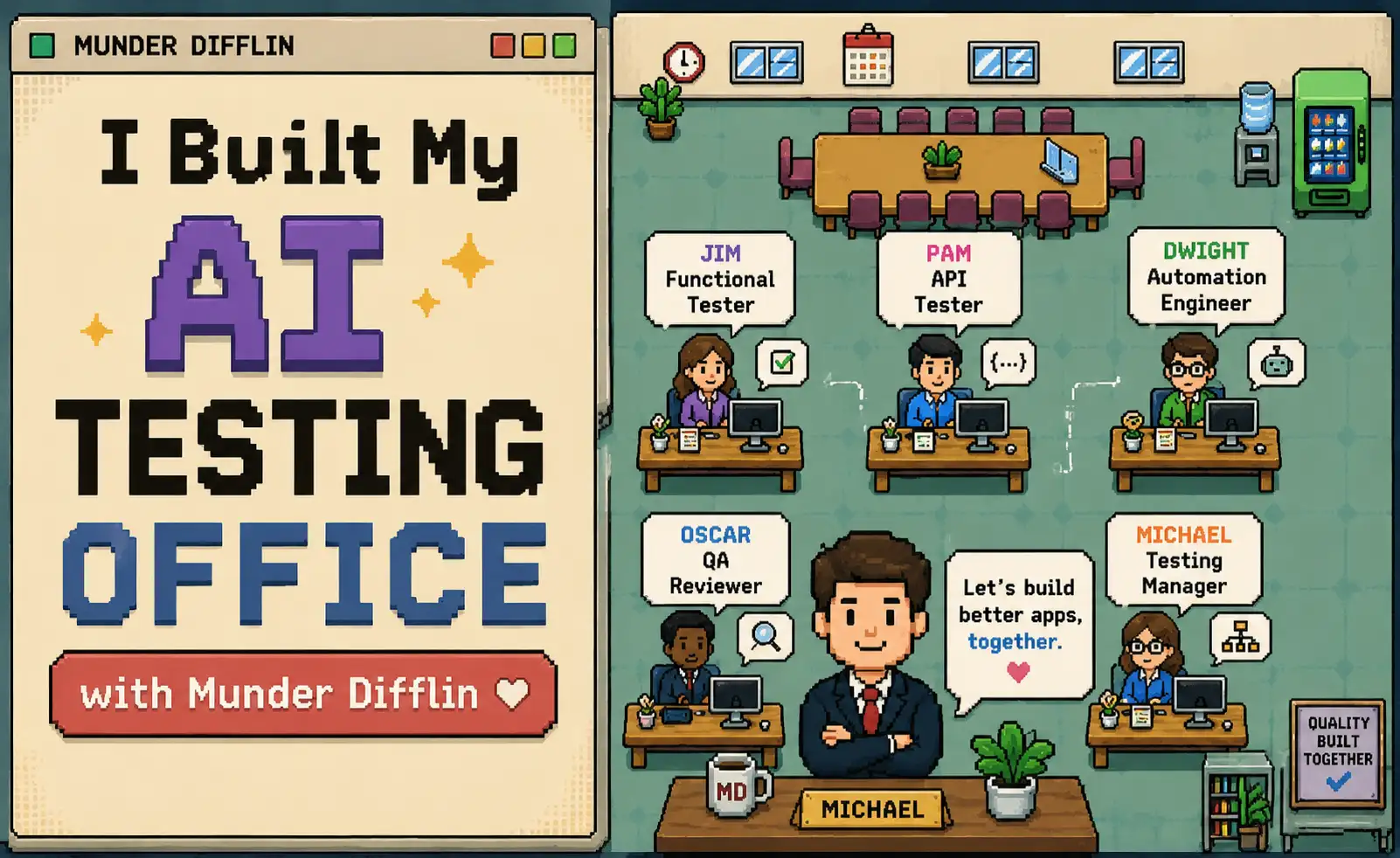
I didn’t want another AI chat window.
I wanted an office.
One agent would explore the application like a real user. Another would inspect the APIs. Someone else would turn confirmed scenarios into automation. And one agent would have a very important job:
“Wait. Are we sure that’s actually a bug?”
So I opened Munder Difflin, clicked Add Agent, and started hiring.
Not humans. AI agents.
A few minutes later, Michael was running the floor, Jim was testing the UI, Pam was checking APIs, Dwight was writing automation, and Oscar was questioning everyone’s findings.
Each employee had a different role.
Some even ran on different LLMs.
This is how I turned Munder Difflin into an AI software testing office and gave it one mission:
Test an app without making me micromanage every step.
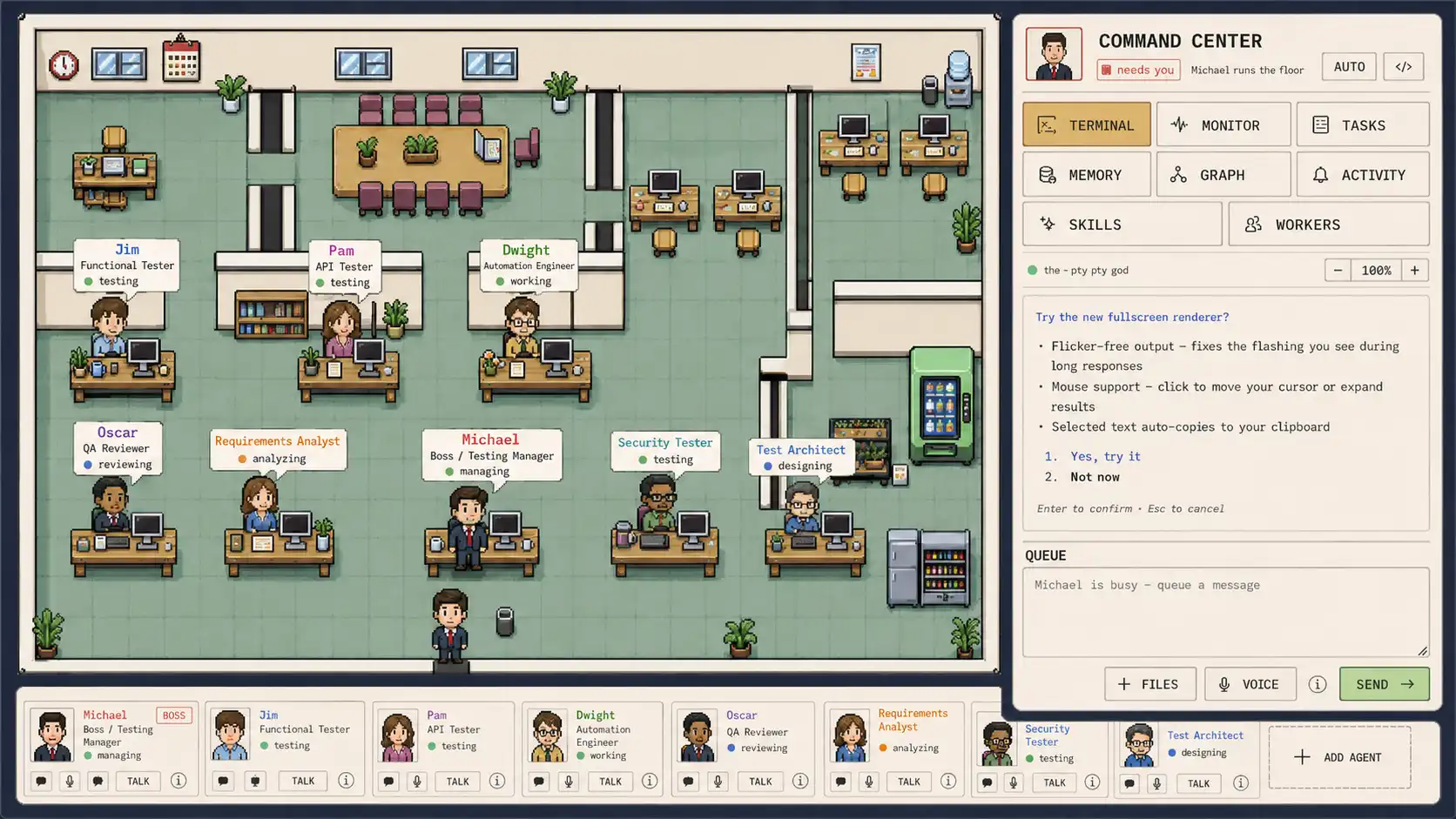
What Is Munder Difflin?
If you haven’t seen Munder Difflin before, the interface looks more like a pixel-art version of The Office than an enterprise AI dashboard.
But underneath the desks, characters, meeting rooms, and tiny computers is something much more interesting: an agent harness.
Instead of working with one isolated AI assistant, I can create several specialized agents, give them identities and roles, choose an AI provider, point them at a workspace, and let them work together.
My usual AI workflow looked like this:
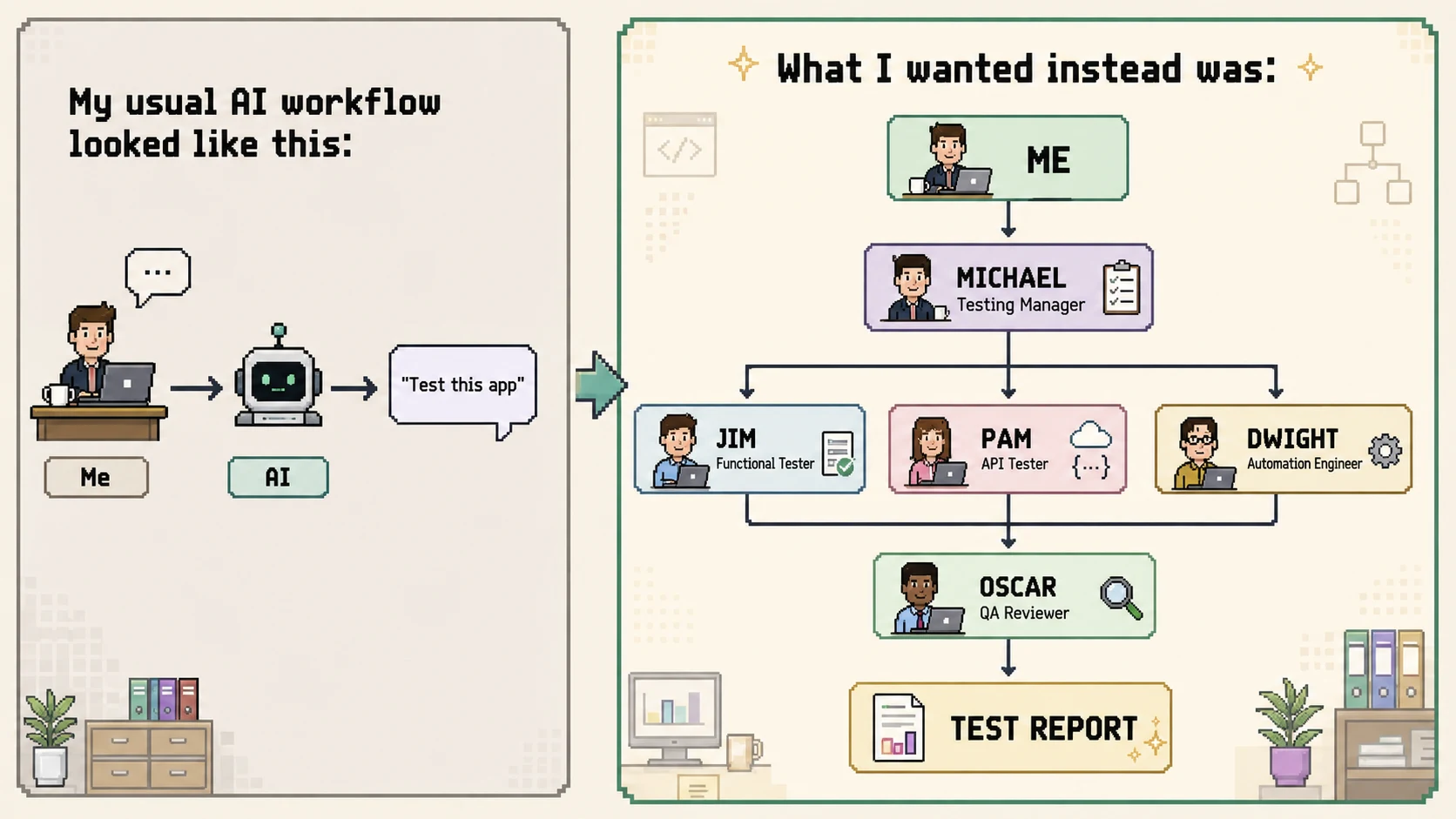
Now I wasn’t managing four disconnected chats.
I was building a QA department.
Step 1: I Created the App Testing Workspace
Before hiring anyone, I created a project for the application.
I wanted every testing agent to understand the same structure:
app-testing-office/
│
├── app/
├── tests/
├── test-data/
├── reports/
└── screenshots/
The workspace became the shared filing cabinet. The application lived in one place. Tests went somewhere predictable. Screenshots and reports had their own folders.
Then came the fun part.
I clicked: + Add Agent
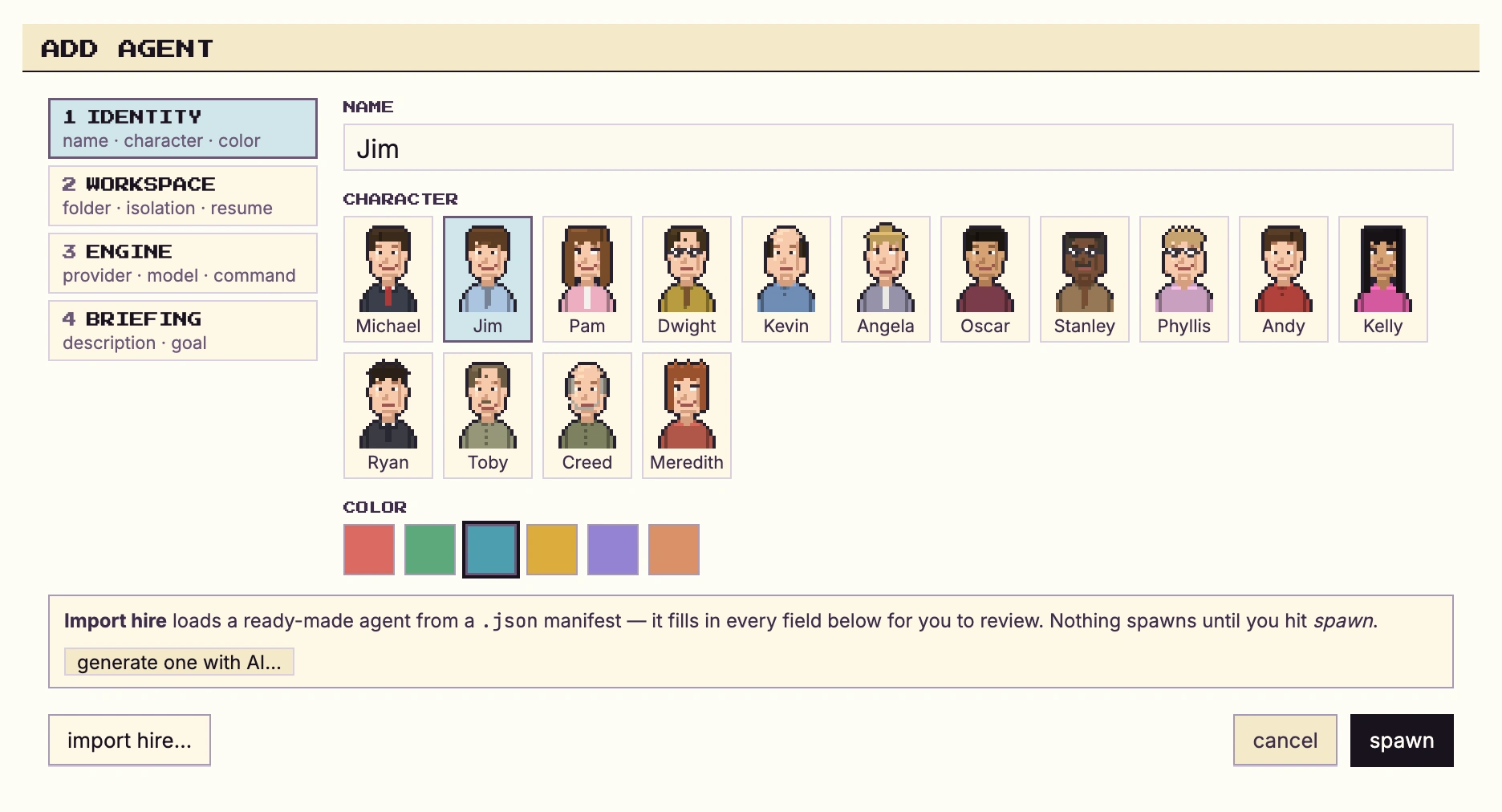
Step 2: Meet Jim - The Functional Tester
The first employee I hired was Jim.

Name: Jim
Role: Functional QA Engineer
LLM: Claude Code - Fable 5
Mission: Test the application from a real user’s perspective
Jim’s job wasn’t just to click around until something crashed.
I wanted him to understand complete user journeys: login, password reset, incorrect input, navigation, form validation, account settings, and edge cases a developer might overlook.
His briefing looked roughly like this:
Role: Senior Functional QA Engineer
Goal:
- Explore the application as a real user.
- Test positive, negative and boundary scenarios.
- Document only reproducible issues with clear evidence.
That last part mattered.
I didn’t want:
“The login page seems broken.”
I wanted:
Steps:
- Open /login
- Enter valid email
- Enter incorrect password
- Click Login
Expected: Error appears without clearing the email field.
Observed: Both fields are cleared.
Jim now had a clear responsibility:
Find problems from the user’s point of view.
Step 3: Pam Took the API Desk
Next came Pam.
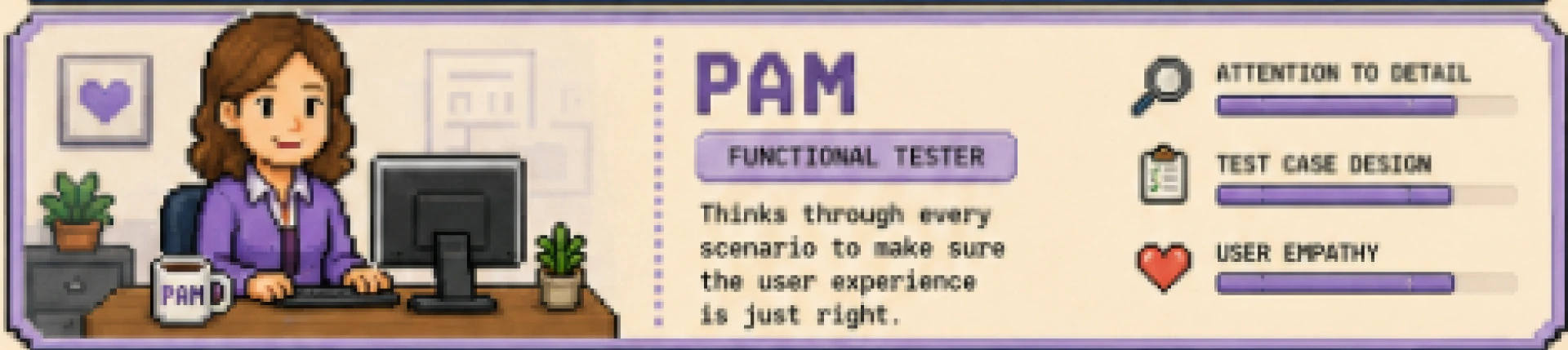
Name: Pam
Role: API Tester
LLM: Codex / GPT-based coding agent
Mission: Investigate what was happening underneath the UI.
If Jim found something strange in password reset, Pam’s job was to determine whether the issue came from the frontend, backend, or both.
She looked for:
- incorrect HTTP status codes
- missing validation
- authorization issues
- malformed responses
- inconsistent API behaviour
- boundary-value failures
Imagine Jim entered: " user@example.com "
into the password-reset field.
The app accepted it.
Interesting!!
But that alone doesn’t tell us much.
Pam could inspect the request:
POST /api/reset-passwordwith:
{
  "email": " user@example.com "
}
If the backend also accepted the value without normalization, we had a much clearer picture.
Jim found the symptom.
Pam investigated the system underneath it.
That separation was exactly what I wanted from a multi-agent testing workflow.
Step 4: Dwight Became the Automation Engineer
Then came Dwight.

Name: Dwight
Role: Test Automation Engineer
LLM: Claude Code - Opus
Mission: Turn validated scenarios into repeatable automated tests.
Dwight wasn’t supposed to automate every idea another agent mentioned.
His job started once a scenario had enough value to deserve regression coverage.
For example:
test("user can login successfully", async ({ page }) => {
  await page.goto("/login");

  await page.fill("#email", "test@example.com");
  await page.fill("#password", "validPassword");

  await page.click("button[type=submit]");

  await expect(page).toHaveURL(/dashboard/);
});
The office now had three distinct perspectives:
Jim → "Can the user break it?"
Pam → "What is the backend doing?"
Dwight → "Can we make sure this never breaks again?"
But there was still one problem.
AI agents can be confidently wrong.
So I hired Oscar.
Step 5: Oscar Became the QA Reviewer
Oscar’s role was deliberately uncomfortable.

Name: Oscar
Role: QA Reviewer / Defect Auditor
LLM: Gemini CLI
Mission: Challenge important findings before they became confirmed defects.
If Jim said something was broken, Oscar didn’t automatically agree.
If Pam found an API anomaly, Oscar didn’t immediately call it a bug.
His checklist looked something like:
Can this issue be reproduced?
        ↓
Do we know the expected behaviour?
        ↓
Is there enough evidence?
        ↓
Could this be intended?
        ↓
Is this a duplicate?
        ↓
VALID / REJECT / NEEDS MORE EVIDENCE
This became one of the most important roles. Without Oscar, multiple AI agents could simply reinforce each other’s mistakes. With Oscar, the workflow had friction. And good QA needs friction.
Step 6: Michael Became the Testing Manager
Now the team needed someone to coordinate everything.
That was Michael.

Name: Michael
Role: Testing Manager
LLM: Claude Code
Mission: Delegate work and coordinate the testing office.
I didn’t want Michael doing every test himself.
His value was orchestration.
So I gave him a higher-level mission:
Test the application’s login and account-management flows. Cover functional behaviour, API failures, validation and important edge cases. Automate stable scenarios and produce a reviewed defect report.
That was it.
The task entered the office.
And the team went to work.
Step 7: The Office Found a Bug Candidate
Jim was exploring Forgot Password.
He tried: " user@example.com"
with spaces before and after the email. The request went through.
Jim created: BUG CANDIDATE #14
Area: Password Reset
Input: " user@example.com "
Expected: Email should be trimmed or rejected.
Observed: Value submitted unchanged.
Evidence: UI accepts the value.
But Jim didn’t immediately mark it as confirmed. The finding moved to Pam.
Pam checked the API:
POST /api/reset-password
  ↓
200 OK
The backend also accepted the value.
Now Oscar entered the conversation.
And Oscar asked:
“Where is the requirement saying whitespace must be rejected?”
Good question.
Maybe the correct behaviour was to trim it.
Maybe the app was intentionally accepting it.
Maybe the UI and backend were inconsistent.
The issue stayed:
NEEDS VALIDATION
until there was enough evidence.
That was the moment the office concept really clicked for me.
The agents weren’t useful because there were more of them.
They were useful because they approached the same problem from different responsibilities.
Step 8: Dwight Closed the Loop
Once the expected behaviour was confirmed, Oscar validated the defect.
Then Dwight took over.
He didn’t need to rediscover the problem.
The scenario already contained:
User behaviour
  +
API evidence
  +
Expected result
  +
Reviewer decision
His only job was to add regression coverage.
The complete flow now looked like:
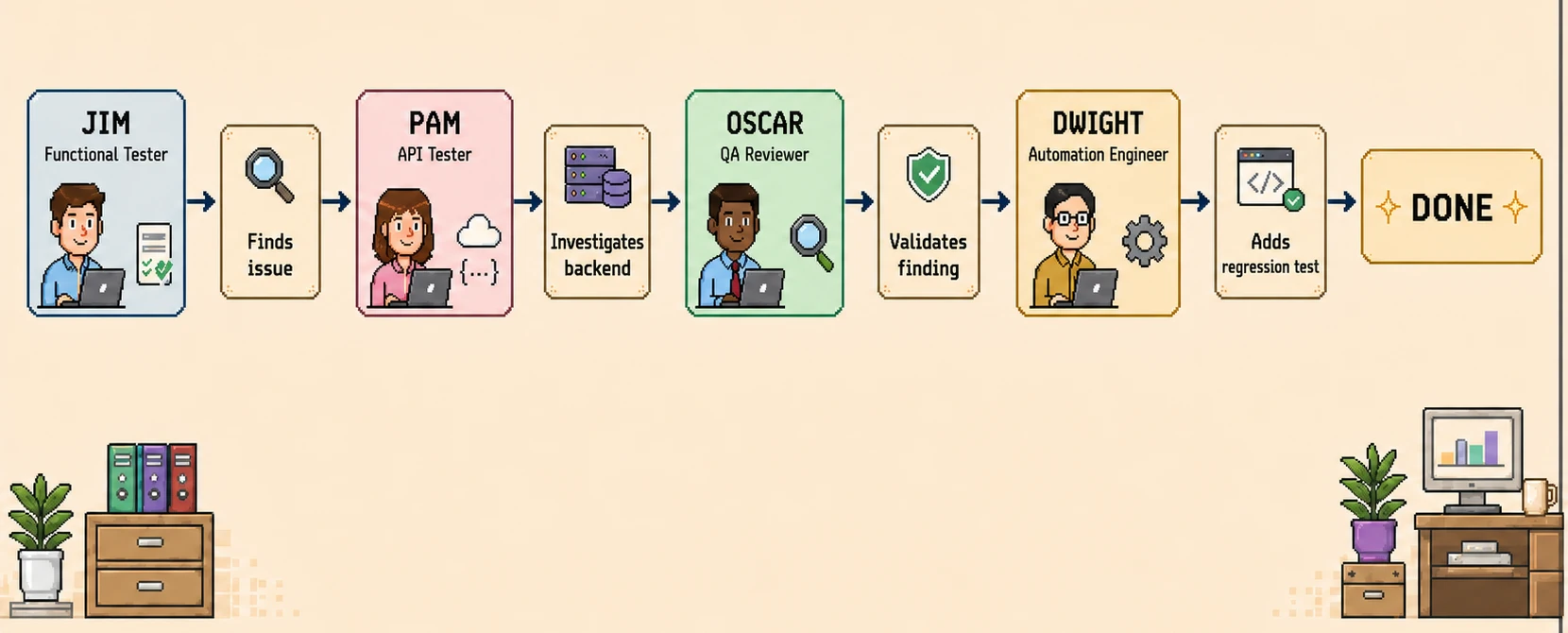
That is where a multi-agent harness becomes much more interesting than simply opening multiple AI chats.
Step 9: I Became the Manager, Not the Prompt Operator
Normally, working with several AI tools can feel like this:
Ask AI something
      ↓
Copy response
      ↓
Open another chat
      ↓
Paste context
      ↓
Explain everything again
That gets tiring quickly.
With the testing office, I could think at a higher level.
Instead of:
Test this field.
I could say:
Investigate the password-reset flow.
Instead of:
Write a Playwright test for this issue.
I could let Dwight handle that later.
Instead of:
Review what the previous AI said.
Oscar already owned review.
The human role changed from prompt operator to workflow designer.
The Biggest Lesson: More Agents Doesn’t Mean Better Testing
I could easily add ten more roles.
Security Tester.
Accessibility Tester.
Performance Tester.
Mobile Tester.
Test Data Engineer.
But more agents alone don’t create a better office.
This would be terrible:
- Agent 1 → Test everything
- Agent 2 → Test everything
- Agent 3 → Test everything
- Agent 4 → Test everything
Everyone overlaps.
The stronger setup is:
- Jim → Discover
- Pam → Investigate
- Oscar → Verify
- Dwight → Automate
- Michael → Coordinate
Every agent needs a reason to exist.
Which LLM Did I Use for Each Agent?
My testing office used different AI engines for different responsibilities:
I’m not saying this is the perfect combination.
That’s actually part of the experiment.
Later, I can test things like:
- Claude vs Codex for automation
- Gemini vs Claude for review
- Different models for exploratory testing
The office gives me a way to give different models different jobs.
Would I Use Munder Difflin for Software Testing Again?
Yes not because Munder Difflin magically replaces a QA team, because it doesn’t. The interesting part is the agent orchestration. It changed the way I thought about AI testing: instead of relying on one gigantic prompt to handle everything, I could build a workflow around specialization, structured handoffs, independent review, shared project context, and multiple AI engines working together. Each agent had a defined responsibility, and the value came from how those responsibilities connected into one coordinated testing process.
And this was only version one.
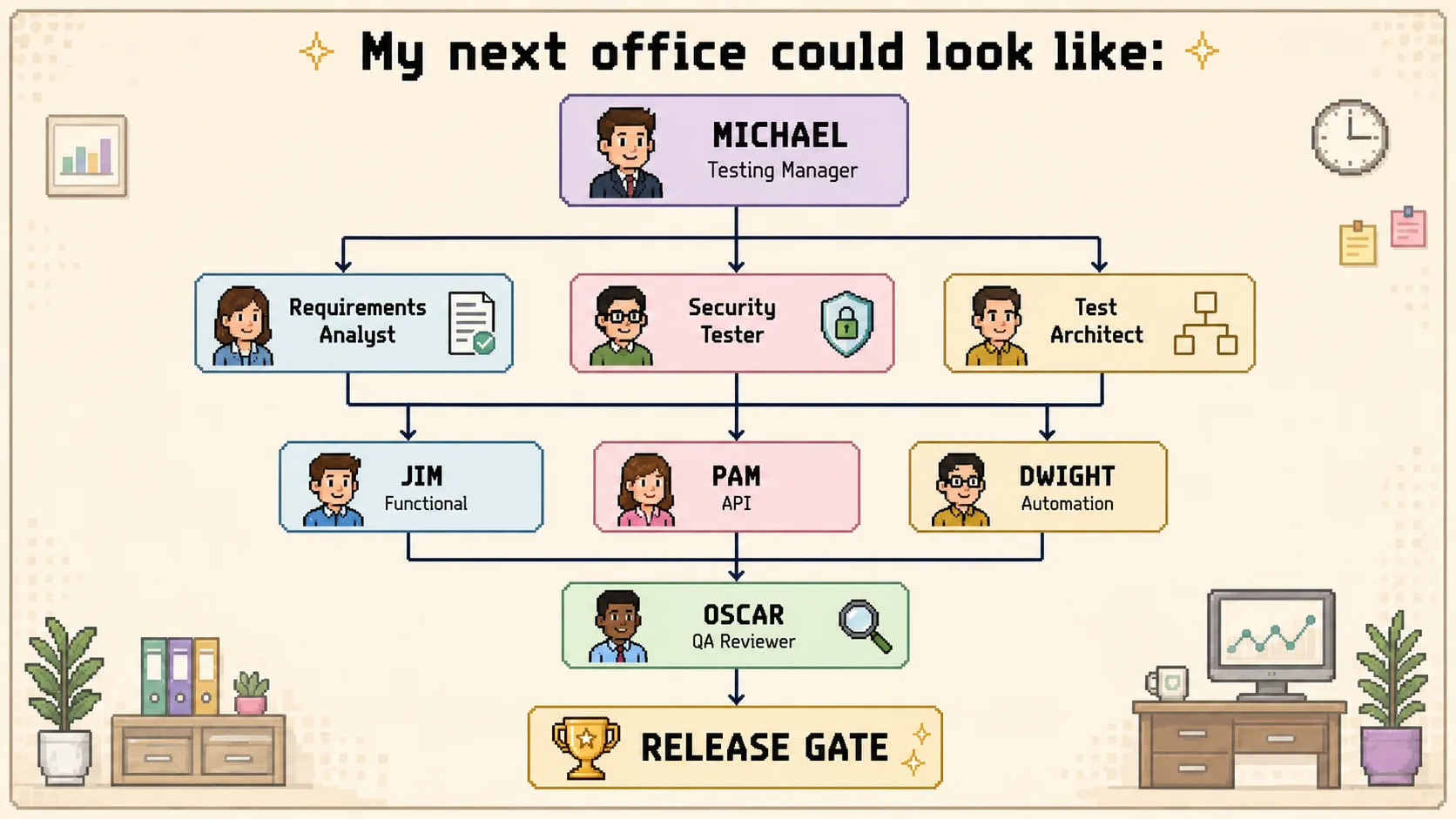
At that point, the question becomes bigger than:
“Can AI test an application?”
The better question is:
“Can a team of specialized AI agents behave like a real software testing organization?”
I don’t have the final answer yet.
But after watching Jim explore the UI, Pam inspect the API, Oscar challenge the evidence, Dwight automate the result, and Michael coordinate the floor...
I definitely want to keep the office open.
People Also Ask (FAQs)
Q1. Can AI agents replace a QA team?
Ans: No. They replace coordination work, not judgment. A human still defines the mission, owns the requirements, and decides what "expected behaviour" means which is exactly why the whitespace bug stayed unresolved.
Q2. How is this different from opening several ChatGPT tabs?
Ans: Separate chats don't share state, you paste context between them and nothing enforces a handoff. An agent harness gives every agent the same workspace, so findings move as artifacts, not copied summaries.
Q3. Won't AI agents produce a lot of false positives?
Ans: Yes, if nothing challenges them agents tend to confirm each other's mistakes. That's why a reviewer role exists: anything that can't survive reproducibility and evidence checks stays in "needs validation."
Q4. Do I need a different LLM per agent?
Ans: No, one model works fine to start. Mixing engines mainly helps on review, where a second model is less likely to share the first one's blind spots. Fix your role boundaries before your model lineup.
Q5. What is this actually good for?
Ans: Exploratory functional testing, API behaviour checks, and turning confirmed scenarios into regression tests. It's weak on undocumented business rules, UX judgment, and performance treat the output as candidates for human triage, not a finished report.

.webp)

.webp)