
Today, keeping up with the fundamentals of user experience is essential for every release in the rapidly evolving software market. Software runs on various operating systems, devices, and network environments, so a mere minor bug can cause users to lose trust. Continuous Testing allows QA teams to always check the user experience alongside security testing and performance standards.
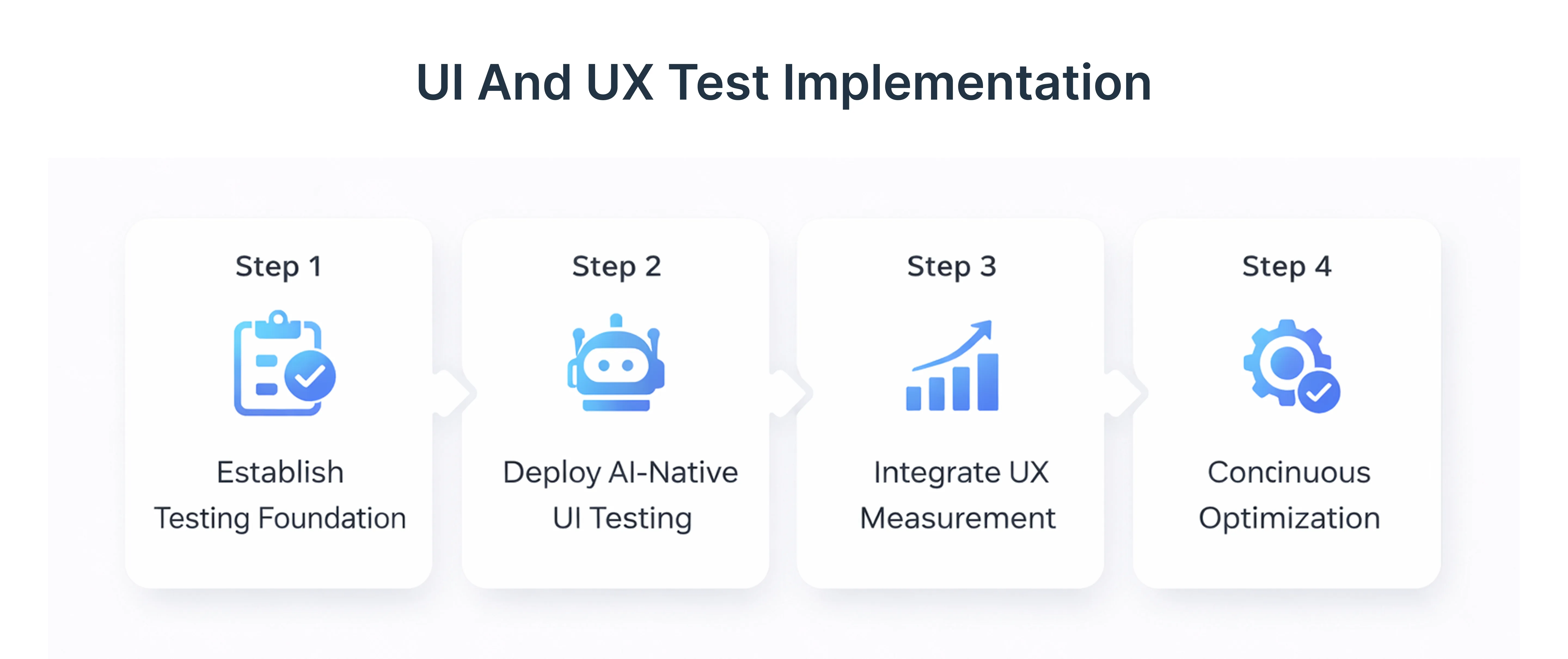
- Continuous Testing incorporates unit tests, integration tests, and performance tests within CI/CD pipelines.
- It safeguards software applications from being compromised by feature flags or new releases.
- Security testing coupled with UX validation not only safeguards the functionalities but also the trust of the users.
Companies like frugal testing leverage continuous testing to proactively catch cross-site scripting, SQL injection, and other cyber threats while safeguarding the user interface.
Why Continuous Testing is Critical for Protecting Core User Experience Basics
Continuous Testing is a strategy where testing occurs at every stage of development. For applications hosted on Azure VMs, Azure Web Apps, or using cloud storage like Azure Storage or Azure Key Vault, continuous testing ensures that users have consistent experiences across all devices and platforms.
- Faster Releases: Continuous testing enables swift bug fixes and reliable code updates, ensuring quick app launches and keeping companies competitive.
- Quick Feedback: Early insights into code issues reduce software problems, allowing testers to address potential issues before they escalate.
- Better Test Coverage: Proactive testing from the start catches significant errors early, enhancing test coverage and establishing a reliable development framework.
- Lower Defect Costs: Early detection of errors through continuous testing reduces overall problem-solving costs, leading to a more efficient and reliable software development process.
- Easy to Use: Continuous testing integrates seamlessly into existing systems, fostering a culture of ongoing improvement without the need for additional tools.
How Continuous Testing Prevents Performance and Security Failures
Even minor performance issues can degrade user satisfaction. Continuous testing integrates performance testing with security testing, ensuring software resilience.
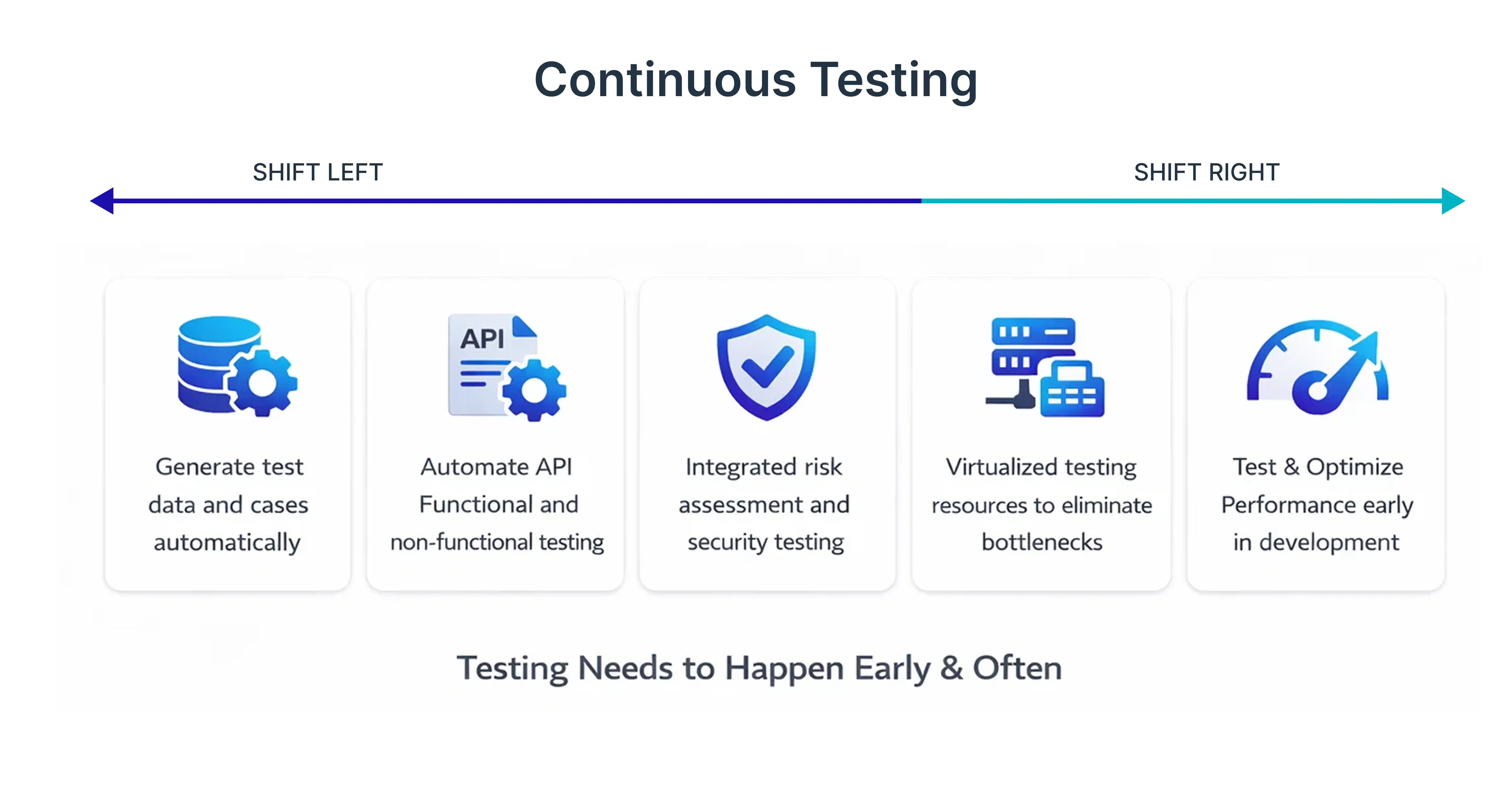
- Conduct performance tests to measure response times and load capacity.
- Validate runtime application self-protection and endpoint security measures.
- Identify and remediate OWASP Top 10 vulnerabilities like input validation failures.
This dual approach maintains a stable user interface while preventing cyber threats from affecting software applications.
Steps to Build a Continuous Testing Workflow for Core UX
A solid workflow balances test automation with manual validation to protect core UX principles.
workflow:
- Define Core UX Metrics: Identify key elements such as user interface flows, button interactions, and page responsiveness that must remain consistent across all releases.
- Integrate Unit and Integration Tests: Implement unit tests and integration tests to validate both functionality and UX continuously.
- Include API Testing: Ensure API compatibility across devices, operating systems, and backend services.
- Leverage Automated Testing Tools: Use automated testing tools for cross-browser compatibility, device coverage, and regression validation.
- Simulate Real Network Conditions: Test performance under varying network conditions to reflect real-world scenarios.
- Embed Security Testing: Include Static and Dynamic Application Security Testing (SAST & DAST) to protect against cyber threats like cross-site scripting and SQL injection.
- Monitor Results Continuously: Use Application Insights and error tracking to detect UX regressions or anomalies early.
- Iterate and Improve: Continuously refine test cases based on feedback from real device access, crowd testing, and production monitoring.
Integrating Security Testing Into Continuous UX Validation
Security is essential for protecting UX. Continuous testing incorporates Static Application Security Testing (SAST) and Dynamic Application Security Testing (DAST).
- Test Multi-Factor Authentication (MFA) Flows: Ensure that login and authentication mechanisms work seamlessly without disrupting the user interface.
- Validate Access Controls: Check Azure role-based access control, Microsoft Entra ID, and Microsoft Entra Privileged Identity Management for correct permission settings.
- Monitor Security Tools: Leverage Microsoft Defender for Cloud, Azure Security Center, and Microsoft Sentinel to continuously monitor for cyber threats and insider threats.
- Prevent Web Application Attacks: Regularly test for cross-site scripting (XSS), SQL injection, and misconfigurations in Web Application Firewall rules.
- Integrate Threat Detection Into CI/CD Pipelines: Run security checks alongside unit tests, integration tests, and performance tests to catch issues before production.
Real-World Case Study: UX Protection in Cloud-Native Applications
CASE STUDY:
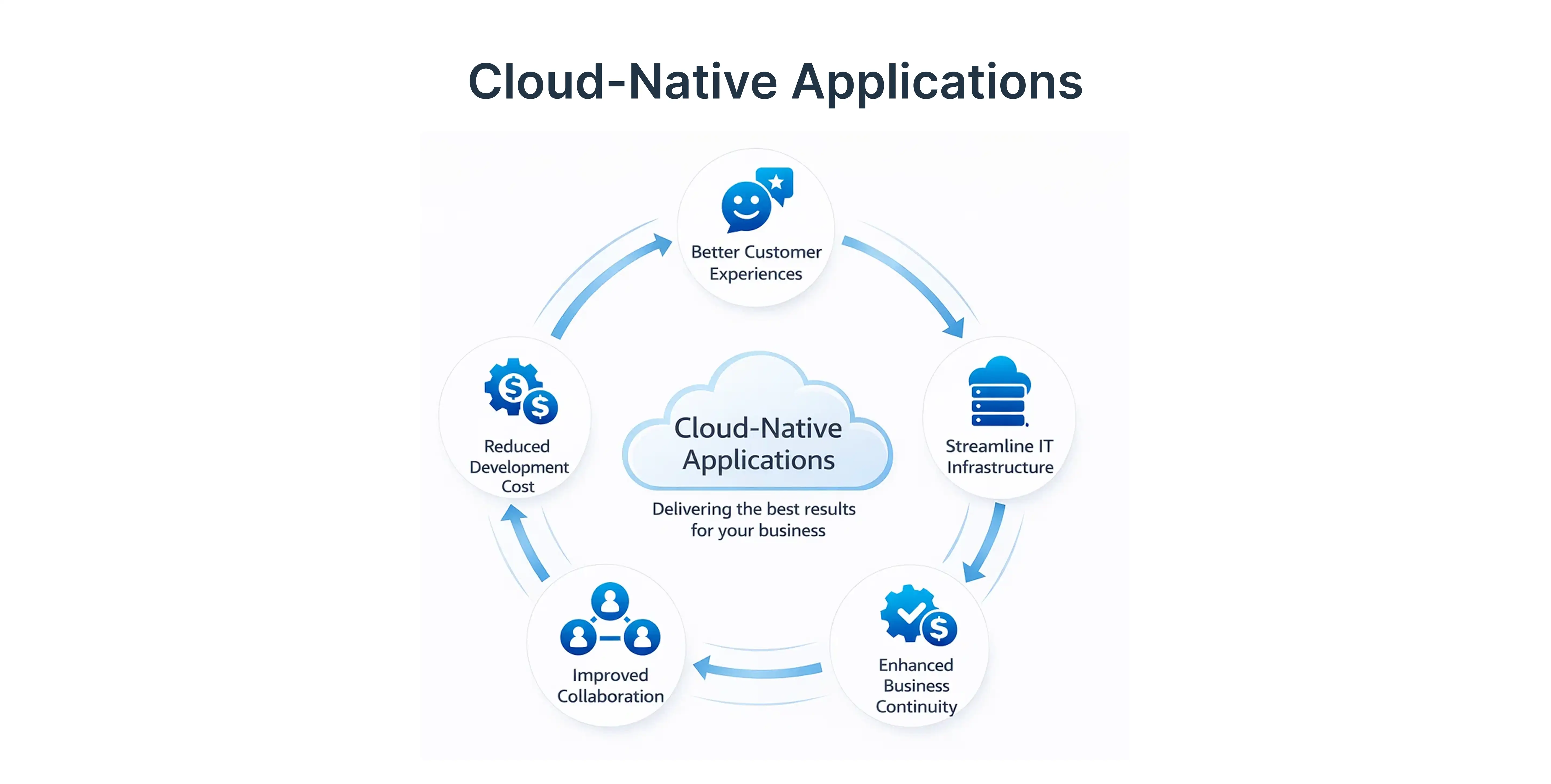
Protecting user experience basics in cloud-native applications can be challenging due to distributed architecture, multiple services, and varying network conditions. A real-world example demonstrates how frugal testing applies continuous testing to maintain seamless UX and robust security in a large-scale banking SaaS platform deployed on Azure Kubernetes Service (AKS).
The platform relied on multiple Azure services, including Azure Virtual Network, Application Gateway, Azure Firewall, Azure Storage, and Azure Key Vault, while handling sensitive financial transactions. Users accessed the system across desktops, mobile devices, and varying operating systems, making cross-browser and device compatibility testing critical.
- Continuous UX Validation: Integrated unit tests, integration tests, and API testing into CI/CD pipelines to validate every new feature without slowing releases.
- Performance Testing Under Real Conditions: Conducted performance tests simulating different network conditions to ensure consistent speed and responsiveness across all user devices.
- Security Testing Integration: Embedded Static and Dynamic Application Security Testing (SAST & DAST) to detect SQL injection, cross-site scripting, and misconfigured Web Application Firewall rules.
- Monitoring and Analytics: Used Application Insights, Microsoft Sentinel, and error tracking to detect anomalies in real-time and monitor core UX features continuously.
- Canary Releases and Feature Flags: Deployed canary releases and feature flags to gradually introduce new updates, reducing the risk of UX regressions for end users.
Results:
- Enhanced User Trust: Users experienced consistent user interface flows without disruptions, even during high traffic.
- Improved Security Posture: Early detection of cyber threats and potential attack paths prevented breaches before reaching production.
- Optimized Performance: Performance testing and continuous monitoring ensured low latency and high responsiveness for all devices.
Measuring the Impact of Continuous Testing on UX
Metrics are essential for understanding UX protection:
- Track the number of UX issues prevented pre-release.
- Measure performance test results for speed and stability.
- Quantify vulnerabilities caught through security testing.
Leveraging Automated Testing Tools to Protect UX
- Selenium: Automates user interactions for cross-browser compatibility testing.
- Cypress: Validates UX flows with efficient end-to-end testing and device access.
- Playwright: Supports multi-browser automation and device emulation for core UX features.
- TestCafe: Simplifies automated web testing with minimal setup and parallel execution.
- Appium: Ensures mobile app compatibility and cross-platform UX testing.
- Postman / REST-Assured: Automates API testing to verify backend functionality.
- JMeter / Gatling: Facilitates performance testing under diverse network conditions.
- Ranorex / TestProject: Combines GUI, API, and cross-browser testing for end-to-end validation.
- BrowserStack / Sauce Labs: Provides cloud-based testing on real devices and various environments.
- Application Insights / New Relic: Monitors real-time UX metrics and error tracking for continuous feedback.
Advanced Security Measures in Continuous Testing
Applications face complex cyber threats, including SQL injection, cross-site scripting, and attack paths targeting Domain Name System servers. Continuous testing mitigates these risks:
- Include SAST and DAST in test suites.
- Monitor security information and event management (SIEM) systems.
- Validate Azure Key Vault, Azure Private Link, and Microsoft Defender for Cloud configurations.
Proactive security ensures UX stability while maintaining identity protection.
Continuous Testing for Agile Development Pipelines
Agile development demands rapid iteration. Continuous testing ensures QA keeps pace:
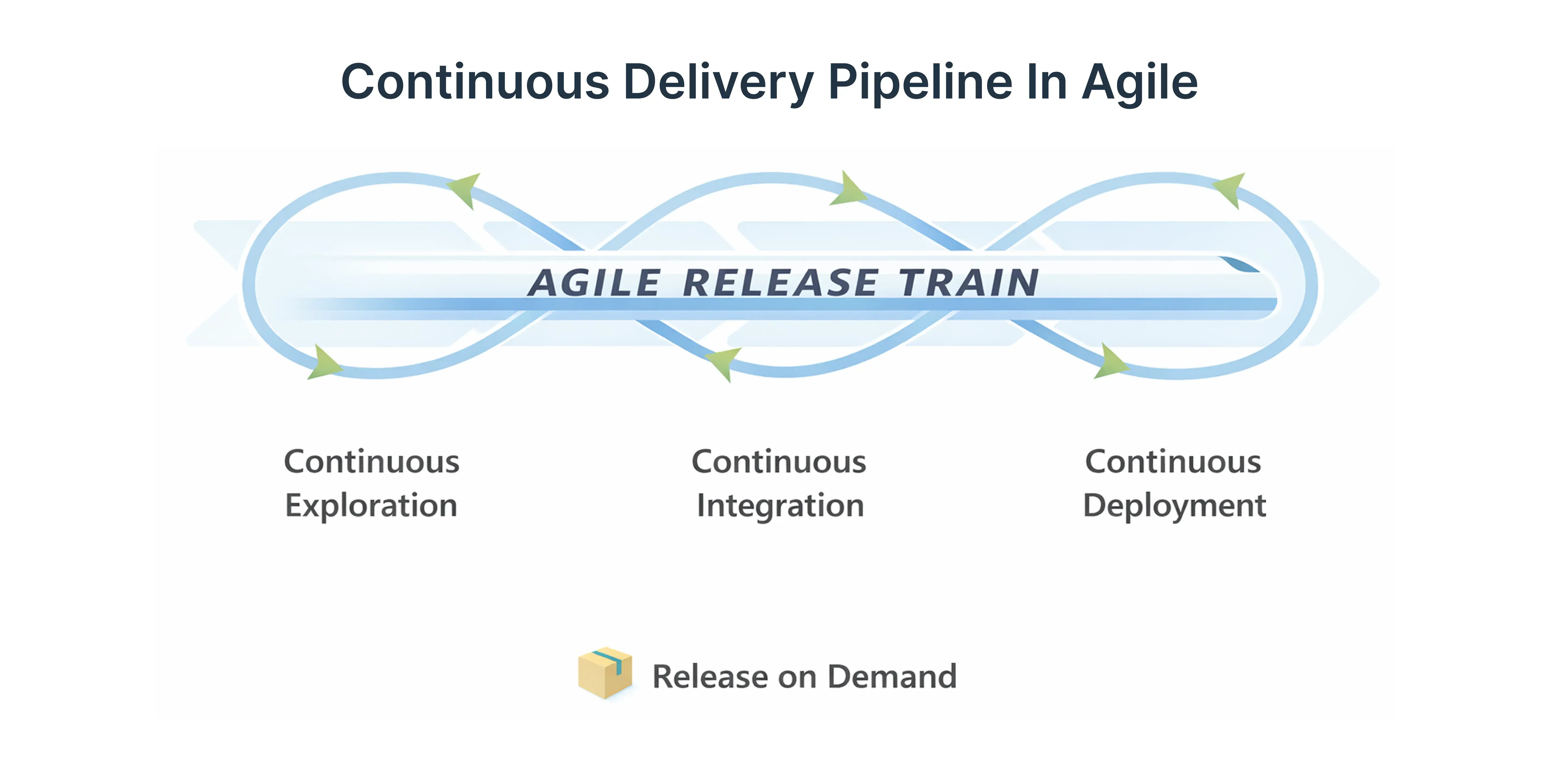
- Integrate CI/CD pipelines for real-time feature flag testing.
- Use unit tests and API testing to validate functionality and UX.
- Conduct risk assessments and threat detection proactively.
This keeps the software development lifecycle aligned with both UX validation and security testing.
Protecting UX Across Cloud Services
Applications hosted on Azure Web Apps, Front Door, and Azure Load Balancer require thorough testing:
- Simulate high traffic and network conditions for performance tests.
- Test multi-factor authentication and security configurations.
- Validate cross-browser and device compatibility.
Continuous testing ensures both user interface quality and web application security.
Best Practices for Maintaining User Trust Through Continuous Testing
Maintaining user trust requires a mix of UX validation and security:
- Conduct integration tests across application-layer components.
- Update test automation scripts with new features.
- Implement Canary Releases, Azure Backup, and error tracking.
- Monitor incident detection and Zero Trust policies.
- Test identity protection and privileged access consistently.
These practices protect users while delivering a seamless interface.
The Future of Continuous Testing in UX Protection
Continuous testing will be vital for evolving software:
- Incorporate crowd testing and real device access.
- Use next-generation endpoint security and Runtime Application Self-Protection (RASP).
- Leverage Azure Security Center, Microsoft Sentinel, and DDoS Protection for cloud-native applications.
Forward-looking strategies ensure user experience basics remain intact while scaling.
Conclusion: How Continuous Testing Drives Better UX and Security
Continuous testing is more than QA - It’s a strategic tool to protect user experience basics while maintaining security and performance. Companies like frugal testing show that integrating automated testing tools, agile CI/CD pipelines, and proactive risk assessments preserves UX and safeguards against cyber threats.
How Frugal Testing Can Help Protect Core UX and Security
Frugal Testing provides specialized expertise in implementing continuous testing workflows that align UX, performance, and security requirements.
- Customized Automation Strategies: Frugal Testing assists in choosing automated tools (Selenium, Cypress, Appium) for UX validation.
- Security Integration: SAST & DAST are incorporated in CI/CD to mitigate cyber threats.
- Performance Assurance: Frugal Testing conducts performance and compatibility checks for consistent user experiences.
- Proactive Monitoring: Tools like Application Insights help resolve UX and security issues in real-time.
- Agile Support: Aligns with agile practices, supporting canary releases and incremental deployments.
Frequently Asked Questions
Q1. What is continuous testing in QA?
Ans: Continuous testing is the practice of running automated tests throughout the software development lifecycle to catch defects early.
Q2. How does continuous testing improve user experience?
Ans: It identifies UX issues, performance bottlenecks, and security risks before they affect user experience basics.
Q3. Can security testing be integrated into UX validation?
Ans: Yes, combining SAST and DAST with UX testing ensures both functionality and security are preserved.
Q4. Which tools are best for automated UX testing?
Ans: Tools like Selenium, Cypress, Playwright, Appium, and Application Insights help validate UX across devices and browsers.
Q5. Why is Frugal Testing recommended for continuous testing?
Ans: Frugal Testing offers expertise in automation, security integration, and performance monitoring to maintain UX and user trust.

.webp)