

UI issues are often brushed off as cosmetic, but they can seriously impact production stability. Problems like misaligned buttons, broken form elements, slow load times, or poorly optimized mobile screens don’t just hurt user experience - they reduce conversions and can even trigger backend failures. Over time, these small defects expose deeper usability and design gaps that become costly to fix.
Poor UI/UX can also disrupt workflows, strain APIs, and weaken regression testing, allowing critical bugs to slip into production. That’s why businesses partner with experts like Frugal Testing for web UI testing, mobile UX validation, and API testing to catch issues early.
In today’s mobile-first, AI-driven world, stability depends on proactive UI design, continuous testing, and real user feedback. These practices ensure consistent performance, better user experiences, and long-term system reliability.
Understanding the Impact of UI Issues
UI issues go beyond visual discomfort they influence how users interact with systems throughout the software development life cycle and directly affect the success of app development. Poorly designed interfaces can break user journeys, overload APIs, and expose gaps in software regression testing when applications move from development to production.
- UI issues increase error rates and reduce task completion: Confusing layouts, unclear labels, broken links, or unresponsive modal dialogs and chat widgets cause users to make mistakes or abandon tasks, highlighting weaknesses in UI validation during app development phases.
- Poor UI design leads to abandoned transactions and negative reviews: Frustrating experiences during sign-ups, forms, or payment processes reduce conversion rates and damage brand loyalty. Elements like pop-ups, cookie banners, autoplaying media, or dark design patterns often worsen user frustration if not addressed early in the software development life cycle.
- UI failures often cascade into backend and API performance problems: Repeated taps on slow-loading buttons, misaligned dropdown menus, or problematic password policies can overload systems and generate errors.
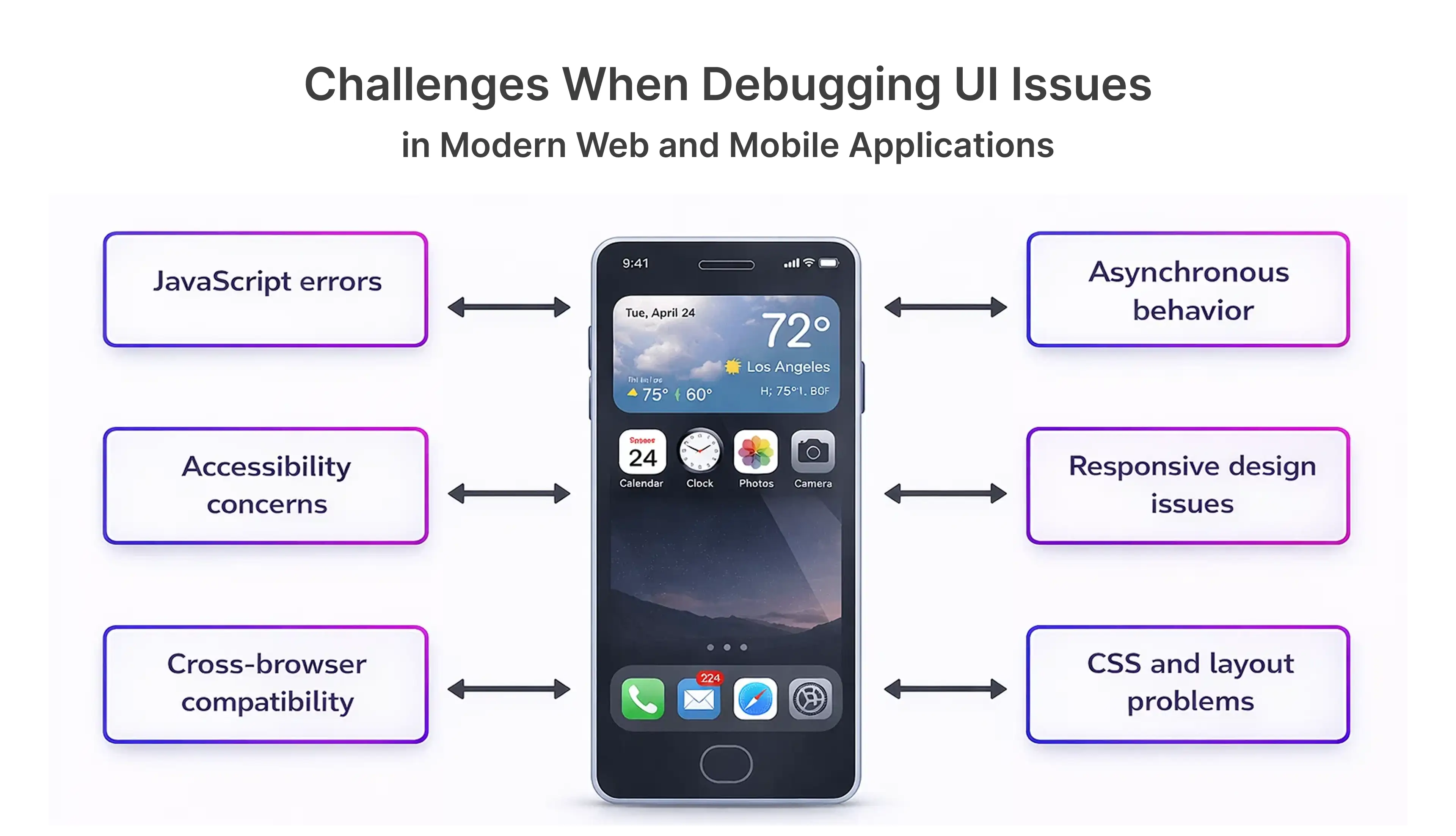
Ignoring UI quality risks turning minor defects into large-scale production failures, affecting revenue, user behavior, and long-term business metrics.
The Connection Between UI and User Experience
UI and UX are inseparable. UI defines visual interactions, while UX reflects usability, accessibility, and satisfaction. Understanding user personas and user control & freedom is critical for stability-focused development.
- UI elements include buttons, icons, checkboxes, forms, menus, pop-ups, progress bars, radio buttons, and alignment of visual components.
- UX addresses usability testing, accessibility, heuristic of recognition over recall, and emotional response.
- Poor UI directly damages UX and increases system stress, affecting mobile app UX design services, responsive websites, and overall user onboarding experiences.
Effective UI/UX design ensures interfaces guide users smoothly, reduce errors, and maintain consistent behavior across web and mobile environments, considering Fitts's Law, Hick's Law, and Contentsquare analytics for user behavior insights.
Real-World Examples of UI Failures
Even minor UI mistakes can cause major production issues:
- E-commerce checkout UI glitches causing cart abandonment: Broken buttons, misaligned navigation, confusing 404 pages, or unclear forms frustrate users and reduce sales.
- Banking app UI delays triggering repeated API calls: Slow responses or unclear touch targets in mobile interfaces cause repeated API calls.
- Healthcare dashboards misrepresenting critical data: Poor contrast, misaligned drop-shadow effects, or mismanaged country code inputs can lead to misinformed decisions in time-sensitive scenarios.
These examples show that UI defects are not cosmetic - they directly threaten production stability and customer satisfaction.
The Role of Regression Testing in UI Quality Assurance
Regression testing safeguards UI-driven production stability. Small UI changes often impact workflows, APIs, and data handling. Without regression in testing, old features may break unnoticed, leading to common UI regression failures.
- UI updates often impact workflows, APIs, and data handling: Small changes in interface layout, buttons, menus, or pop-up overload can trigger unexpected backend issues.
- Regression in testing ensures old features still work as expected: Automated regression testing confirms that updates do not disrupt existing user interfaces, forms, or interactions.
- UI regression failures are among the most common production bugs: Frequent UI changes interacting with multiple system layers often lead to broken links, misaligned components, or slow load times.
Proper regression testing maintains UI consistency across web, mobile, and API-driven platforms, preventing autoplaying media or subscription trap issues from affecting users.
What Is Regression Testing?
Regression testing in software is re-testing existing functionality after changes to ensure nothing breaks:
- Regression testing definition: Verifying that new changes do not negatively impact existing features.
- Regression testing meaning: Protecting stability during continuous updates and releases.
- What does regression testing mean for UI? Ensuring consistent layout, visual design, buttons, radio buttons, dropdown menus, and interactions across versions.
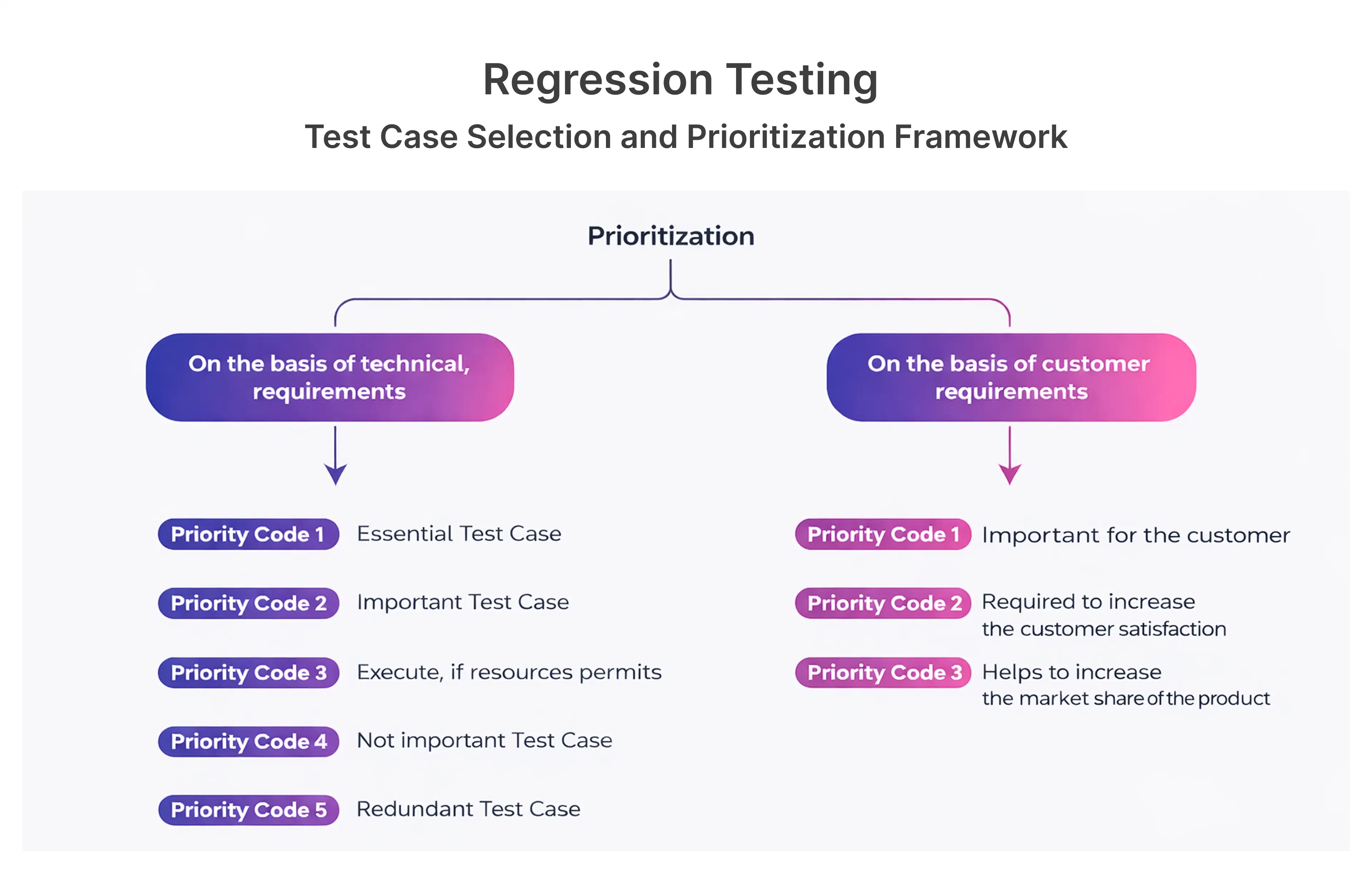
Whether applied to APIs, UI workflows, or backend logic, regression testing remains a cornerstone of production reliability.
You can trust Frugal Testing with UI stability because we combine expert QA engineers, proven testing frameworks, and real-user scenarios to catch issues before they reach production. Our continuous testing approach ensures your UI remains reliable, responsive, and bug-free across devices and browsers.
Best Practices for Effective Regression Testing
- Automate UI regression tests: Validate critical user journeys consistently using mobile UI patterns, mobile app UI templates, and responsive design testing.
- Integrate regression testing into CI/CD pipelines: Detect UI issues early in every build or deployment cycle.
- Prioritize high-risk UI components and workflows: Focus on buttons, forms, progress bars, modals, and interactive elements most likely to impact users.
Following these practices ensures stable UI behavior across web and mobile platforms.
Open Web UI: Challenges and Considerations
Open web UIs such as Ollama Web UI and Stable Diffusion Web UI are general and complicated. They have to accommodate a wide range of users, devices and integrations at a high standard of performance, accessibility and security.
- Browser and device fragmentation: The open web UIs should be able to work perfectly on various browsers, mobile vectors, and desktop displays.
- Real-world load Performance: An interface usually has performance problems only when subjected to actual user load and includes loading icons, skeleton screens, animations, and lazy loading.
- Accessibility and security compliance: Low contrast in colors, disordered dropdown menu, broken radio buttons, and inappropriate keyboard navigation would potentially exclude the user, and be subject to legal liability.
Designing open web UIs requires careful planning, testing, and adherence to Web Content Accessibility Guidelines.
Best Practices for Designing Open Web UIs
- Follow responsive and adaptive design patterns for menus, pop-ups, scrollbars, and modal dialogs.
- Test interfaces across devices, browsers, and network conditions.
- Align UI components with backend APIs and structured data testing tool API solutions.
These steps ensure open web UIs remain reliable, usable, and scalable.
Mobile UI/UX Design Services: A Necessity for Modern Applications
Mobile-first design is essential. Mobile users expect intuitive navigation, optimized touch targets, and fast load times. Poor mobile UI can cause immediate drop-off and expose API weaknesses.
- Smaller screens require precise touch targets, thumb zones, and adherence to Fitts's Law and Hick's Law.
- Mobile UI frameworks, templates, and mobile app UI design tools help maintain consistency.
- Using mobile UI inspiration, wireframes, and mobile UI/UX design services ensures engaging experiences.
Partnering with a mobile UI design company ensures stable, responsive mobile app UX design services.
Key Elements of Effective Mobile UI/UX
- Clear navigation, intuitive gestures, and responsive touch targets.
- Optimized load times using lazy loading, skeleton screens, and performance optimization.
- Reusable mobile UI patterns, mobile app UI templates, and mobile UI frameworks.
These elements reduce friction, enhance usability, and prevent production failures.
API Testing Services: Ensuring Seamless Integration
Behind every UI lies a network of APIs. UI failures often originate from API issues, making API testing services critical for production stability.
- APIs power data retrieval, submission, and interactive UI elements.
- Poor API design can cause UI delays, slow performance, and misrepresented content.
- Tools like Postman API testing online, SoapUI, and Swagger help validate API functionality and ensure smooth integration.
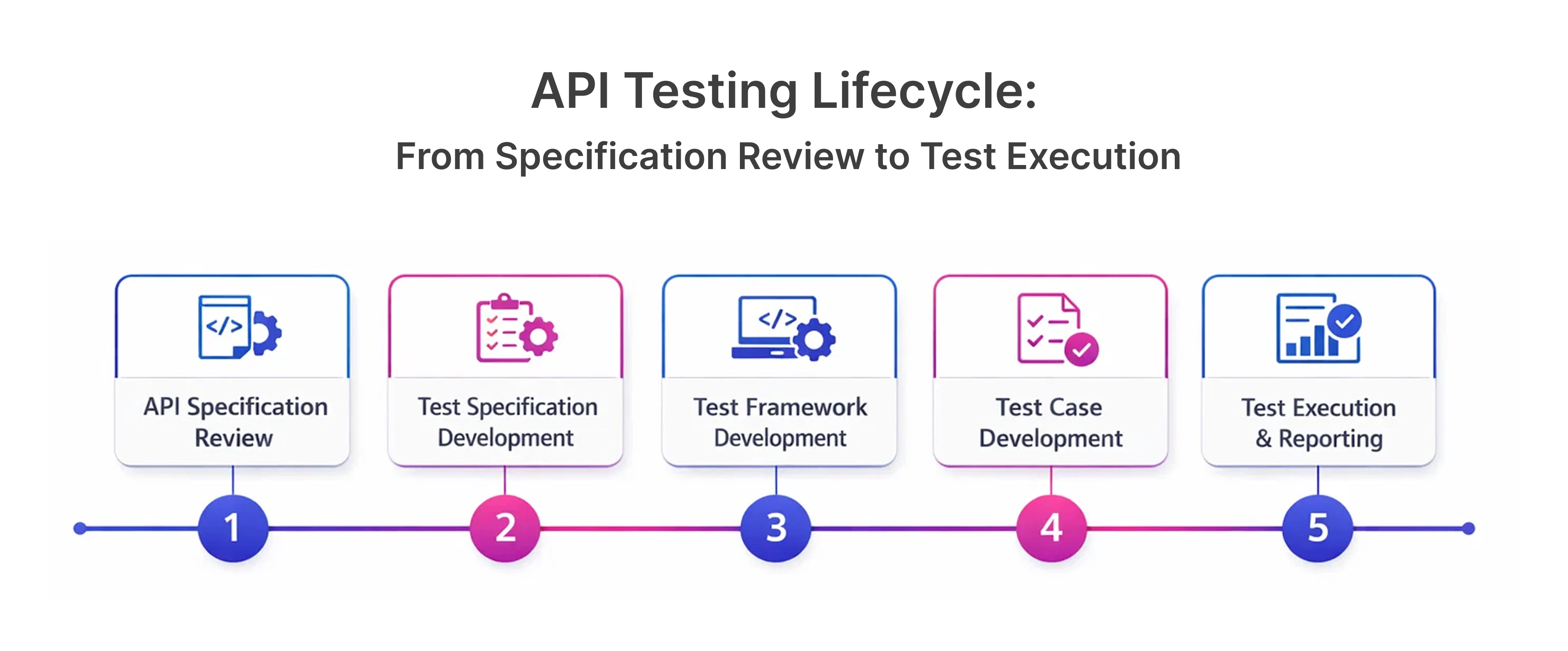
Robust API testing platforms safeguard UI reliability across web and mobile environments.
Preventing Production Failures Through Comprehensive UI/UX Design
Preventing UI-driven failures requires integrating design, testing, and feedback:
- UI/UX design must align with technical architecture: Integrates seamlessly with backend systems, supporting scalability and stability.
- Testing should validate real-world usage scenarios: Regression and usability testing confirm interfaces work under actual user behavior.
- Continuous improvement reduces long-term risk: Analytics, session replays, Contentsquare, and user behavior insights highlight design flaws and support iterative enhancements.
This approach is central to frugaltesting’s philosophy for reliable UI/UX and testing services.
Integrating UI/UX Design in the Development Process
- Collaborate across design, development, and QA teams.
- Validate UI decisions early using wireframes, design systems, and UI design principles.
- Align UI/UX design services with business goals to minimize rework and instability.
Leveraging User Feedback for UI Enhancements
- Real users reveal hidden usability problems, broken links, pop-up overload, or autoplaying media issues.
- Feedback helps refine interfaces, icons, menus, cookie banners, and visual design.
- Continuous iteration improves user control & freedom, satisfaction, and accessibility.
Conclusion
Minor problems that just arise during UI can have significant outcomes on the stability of production. Even the seemingly minor flaws like misaligned buttons, slow-loading elements, and inconsistent mobile interfaces can upset the working progress, cause issues with the backend, and have an adverse effect on the conversion rates and user confidence. Quality of UI is thus a very important aspect of developing stable digital systems.
Regression testing in software testing is important in avoiding such failures. Regression testing helps to verify that the UI changes will not disrupt production processes, protect performance, and ensure that web and mobile platforms share similar user experiences by ensuring the revalidation of the current functionality after each update.
Collaboration with professional teams such as frugaltesting assists companies to deploy a solid UI/UX designing support, mobile optimisation, and API testing. It is no longer a matter of choice to invest in rigorous design, responsive websites and constant testing, but one of long-term reliability, system performance and long term business success.
Frequently Asked Questions
Q1: What minor UI problems usually turn into critical production problems?
Ans: Any minor defects of UI, such as misaligned buttons, broken forms, or inconsistencies in layout can result in workflow disruptions and generate errors on the backend, causing the instability of the production process.
Q2: What are the consequences of UI issues such as misaligned buttons and lack of color contrast and sluggish loading on user experience?
Ans: These problems make users disoriented, less accessible and get more abandonment which has a direct effect on conversions and brand trust.
Q3: What is the effect of regression testing in avoiding production failures due to UI?
Ans: Regression testing is used to ensure that the new UI modifying does not compromise existing features and this can be used to find the issues before they come out.
Q4: Why is regression testing very important in detecting bugs before the end users?
Ans: It also re-tests previously existing functionality upon updates, reveals concealed defects in the UI flows and system behavior early.
Q5: What is the importance of mobile UI/UX design to contemporary businesses?
Ans: Fast, intuitive experience is the demand of mobile-first users: bad mobile UI results in drop-offs, lost revenue, and engagement.

.webp)

.webp)