
A mid-sized enterprise SaaS company, fresh off a successful AWS-to-GCP migration, came to Frugal Testing six months later. Not because something had broken. Because nothing had, and that made the team nervous.
We ran a routine IAM audit. What we found: 60 service accounts with broad storage access, three of them belonging to AI agents that the team had decommissioned two quarters earlier. The credentials were still live. Nobody had looked because the migration had gone smoothly, and smooth migrations do not trigger security reviews.
Nothing had been breached. The attack surface had been open for six months.
That is not an unusual finding. It is, in our experience, a fairly typical one for engineering teams that move fast across cloud environments and treat security review as something that happens after the dust settles. The dust rarely settles.
The average enterprise now operates across 2.6 cloud infrastructure management environments and deploys AI agents with autonomous API access as part of engineering cycles. Cloud security tooling built in 2020 was not designed for architectures running large language models, retrieval-augmented generation pipelines, and Model Context Protocol servers. The threat surface has changed faster than most cybersecurity playbooks have been updated to reflect it.
Zero Trust: Build It Boundary by Boundary
In a multi-cloud environment, the perimeter is identity - whether managed in-house or through a cloud services provider. Zero-trust is not a product you license. It is a set of controls applied at every call boundary.
Tip 1 - Verify Every Identity With OIDC Federation, Not Static API Keys
Static API keys in environment variables are credentials waiting to leak. Every service-to-service call across AWS, GCP, and Azure must authenticate via OIDC federation or workload identity. The half-day it takes to configure OIDC federation for a GCP-to-AWS call is worth taking. The alternative is a static key that never rotates.
Bottom Line: One static credential in one environment variable is one leaked build log away from a lateral movement event.
Tip 2 - Assume Breach Posture: Segment Workloads So Compromise Stays Contained
Design under the assumption that one workload will eventually be compromised. Segment services so that a compromised Lambda, container, or VM cannot reach adjacent systems. Network policies, VPC peering rules, and service mesh access controls are the implementation layer. The design principle is: breach one service, breach only that service.
Tip 3 - Treat AI Agent Identities as First-Class IAM Entities
AI agent identities are created programmatically, at scale, without the onboarding review a human account receives. An agent spun up for a proof of concept frequently ends up in production with its day-one permissions unchanged. Microsoft Entra Agent ID treats each agent as a first-class identity on Azure. For AWS and GCP, OIDC federation with per-agent service accounts is the equivalent.
Shadow AI compounds this. When developers adopt AI-powered software development tools like Microsoft 365 Copilot or GitHub Models outside approved workflows, those workloads inherit ambient permissions. Treating shadow AI as a zero-trust identity problem is the only governance model that scales.
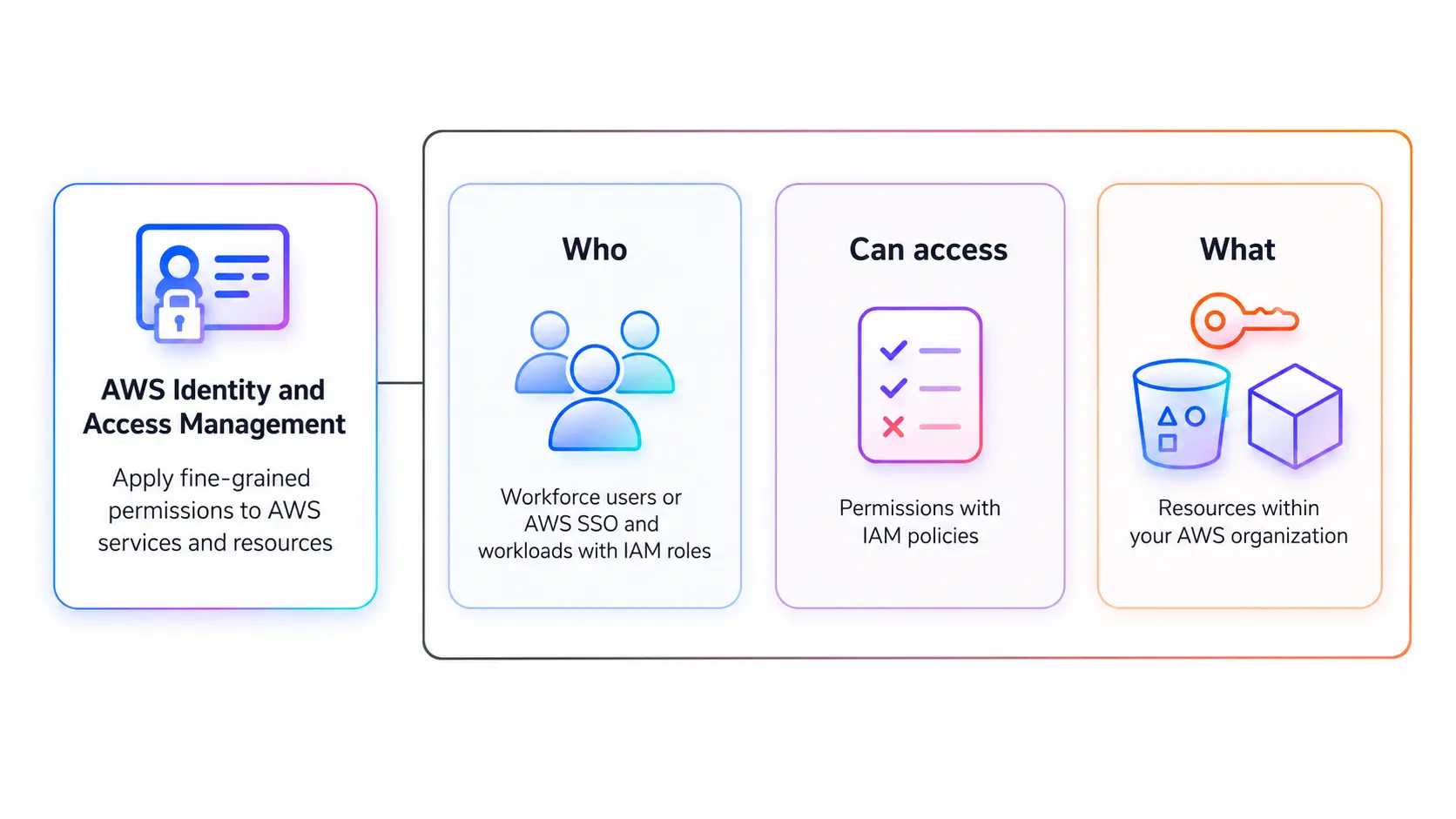
IAM: Fix Drift Before It Becomes an Incident
Team-level IAM policies feel efficient until one compromised workload can reach every database and bucket that the team has ever touched. Per-service roles eliminate that lateral movement risk.
Tip 4 - Run a 30-Minute IAM Review Every Sprint, Not Every Quarter
IAM is reviewed only at audit time drifts. A per-sprint review catches unused roles, over-permissive policies, and service accounts that have quietly accumulated access over several quarters. AWS IAM Access Analyzer, GCP IAM Recommender, and Azure Privileged Identity Management surface these automatically. The tooling exists. The cadence is the gap.
Four IAM anti-patterns appear repeatedly in assessments:
AI Security Posture Management tools such as Prisma AIRS extend IAM visibility to AI-native workloads, flagging over-privileged machine learning models and model integrity violations.
Tip 5 - Scope IAM Roles for AI Agents at the Resource Level With Time-Bound Credentials
Standard IAM reviews miss agent roles because most teams do not classify agent service accounts separately. An AI agent with write access to a document store and external API calls has a larger blast radius than a background job writing to one table. Scope agent roles at the resource level, use time-bound credentials, and run IAM Recommender monthly.
Secrets: Stop Sprawl Before It Becomes a Leak
Secrets replicate fast in multi-cloud environments. Every copy of a credential is a potential leak point. Most teams have no inventory of where all their copies live.
Tip 6 - Replace Static Credentials With Dynamic Secrets and Short TTLs
HashiCorp Vault, AWS Secrets Manager, and GCP Secret Manager support dynamic secrets that expire when the workload finishes. Static credentials sitting in a .env file for eight months are a vulnerability. A 15-minute credential TTL is not.
MCP server configs store API keys in plaintext by default. Use vault-backed secret injection at runtime for any MCP-connected agent.
Tip 7 - Harden Your CI/CD Pipeline Against the Four Most Common Secrets Leak Paths
The CI/CD pipeline is where secrets are most exposed. The four paths that repeat across assessments:
- Build output logging: mask secrets in CI config - environment variables echo credentials in build output.
- Docker layer baking: use multi-stage builds; secrets passed as ARG or ENV persist in image layer history.
- Terraform state files: use remote state with encryption scoped to CI service accounts.
- MCP server configs: use vault-backed secret injection at runtime, not plaintext key storage.
Add Trufflehog or GitLeaks as a pre-commit hook and CI gate. Catching a hardcoded credential before it reaches the repository costs under a minute.
Free Resource - Cloud Security Pipeline Checklist: IAM, secrets, and infrastructure as code controls before production. Download the Cloud Security Pipeline Checklist
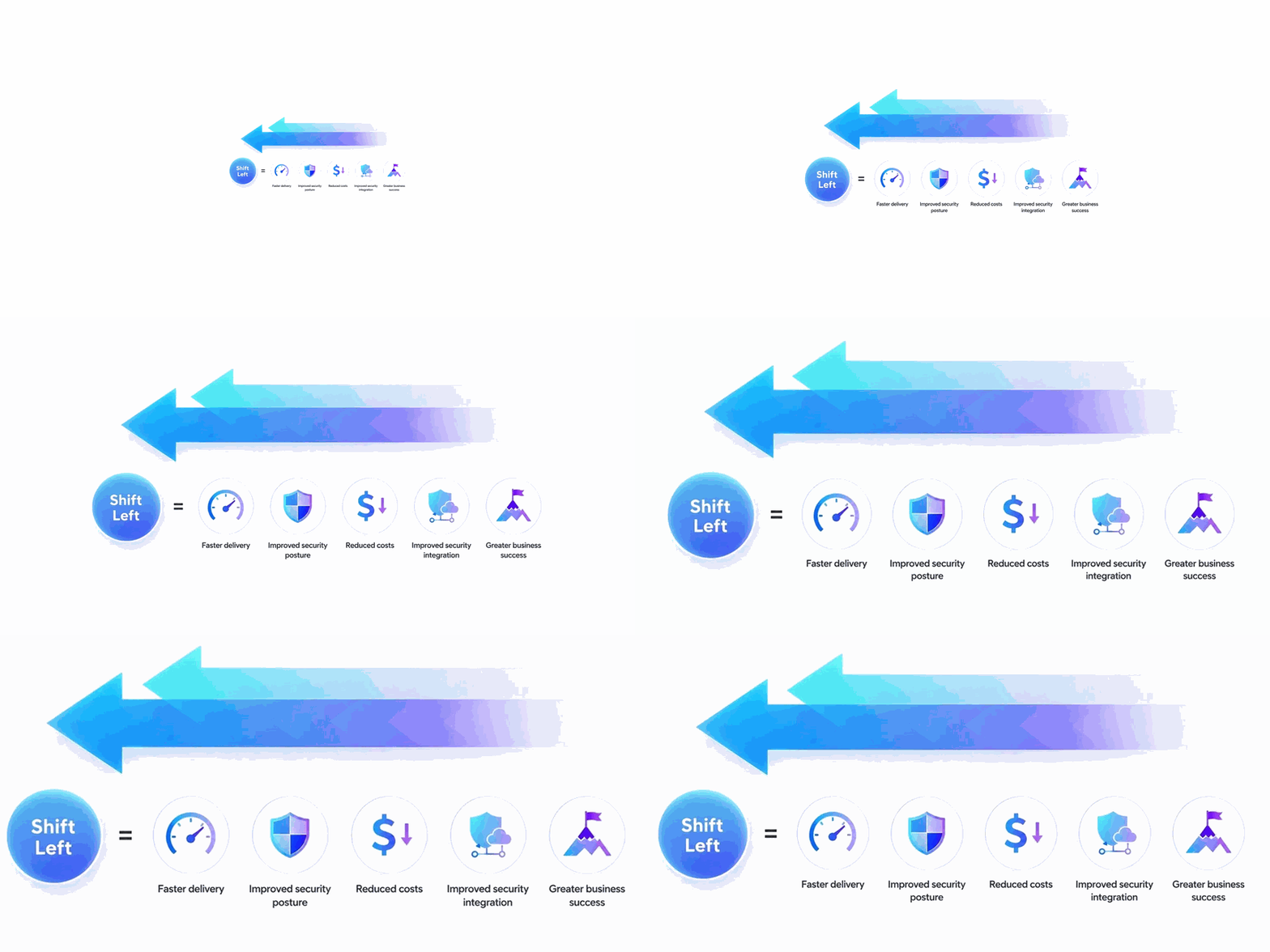
Shift Security Left: Catch It in the Pipeline, Not in Production
According to NIST, fixing a vulnerability in production costs 100 times more than catching it during development. Security gates do not require a dedicated security team to operate.
Tip 8 - Add SAST and DAST as Non-Negotiable CI Gates
SAST tools (Semgrep, Checkov) scan source code and IaC across the developer lifecycle at commit time. DAST tools (OWASP ZAP in CI mode, Burp Suite headless) exercise the running application against a staging environment. Set severity thresholds at critical and high only. A gate that fires on everything gets disabled within a week.
The DORA State of DevOps Report found teams with automated security testing in CI/CD recover from incidents 24x faster.
Tip 9 - Scan Infrastructure as Code Before Resource Provisioning - Not After
A public S3 bucket in a Terraform module is a configuration error that a 30-second scan catches before the resource exists. Checkov, tfsec, and Terrascan block merges introduce high-severity IaC issues before Terraform or AWS CloudFormation provisions them.
For teams using ClickOps workflows - configuring resources manually through the AWS or GCP console - you cannot scan what was clicked into existence. ClickOps leaves no scannable artefact and no audit trail that automated tooling can validate. For teams that need cloud computing security services rather than building these gates in-house, the operational savings are immediate.
CSPM and SIEM: Two Different Problems, Both Unsolved at Most Teams
Tip 10 - Deploy CSPM for Continuous Misconfiguration Detection Against CIS Benchmarks
Cloud Security Posture Management tools detect misconfigurations across all cloud accounts against CIS Benchmarks and SOC 2 controls: public object storage, missing encryption, and over-permissive IAM. Cloud posture assurance - continuously validating that controls are in place and effective, not just deployed - separates teams that pass audits from teams that survive incidents.
Running three separate cloud-native tools creates three alert queues that nobody reviews consistently. Wiz and Orca Security ingest data from all providers into one view. Use CIS Hardened Images as the compute baseline to reduce noise.
Our Take: Most mid-size teams that claim to have CSPM have the cloud-native tool bundled with their account, checked occasionally. If you have not triaged a CSPM alert in the last 30 days, you have a subscription, not a control.
Tip 11 - Add Runtime Monitoring (SIEM) for Active Threat Detection
CSPM catches misconfiguration before exploitation. Runtime monitoring catches active exploitation as it happens. Unusual API call patterns, privilege escalation events, and lateral movement across VPCs need a SIEM. AWS GuardDuty, Google Cloud Security Command Centre, or Microsoft Defender for Cloud feeds into Splunk or Datadog Security, triggering alerts tied to cloud computing services, incident diagnosis, and response playbooks.
Which layer does your team need first?
Teams evaluating cloud security managed services for this layer should ask vendors whether CSPM and SIEM are integrated in a single pane or sold separately.
Cloud Migration: The Security Window Nobody Watches Closely Enough
Tip 12 - Clean Up IAM Before Migration - Never Lift and Shift Identity
Managing hybrid on-premise/cloud deployments introduces a period where credentials are replicated, data is in transit, and legacy IAM policies get imported without review. The team's attention is on whether the migration worked, not whether it is secure. Both matter.
Never lift and shift your IAM. The pattern repeats: landing zone hardened at day zero, then six months later, there are 150 IAM roles - some imported from on-prem Active Directory, others provisioned via cloud marketplace tools - with no cloud-equivalent review.
For Google Cloud migrations: VPC Service Controls and Workload Identity Federation determine your security posture on arrival. For Azure migrations, Defender for Cloud and Microsoft Entra ID governance policies serve the same function. Write the cloud documentation for your landing zone baseline before the first workload moves. See our QA strategy for cloud migration.
AI Agent Security: The Gap Most Teams Have Not Started Closing
A QA engineering team at a fintech firm connected its AI agent to a Model Context Protocol server with read access to the test environment database. The agent was scoped correctly. The MCP server was not. The attack surface was not the AI model. It was the integration point nobody had audited.
Tip 13 - Bound AI Agent Tool Access and Enforce Audit Logging on Every Action
Standard application logging does not cover agents. An agent making tool calls, running retrieval-augmented generation queries, and hitting third-party APIs needs semantic logging tied to a trace ID.
Four controls every team deploying AI agents in production needs:
- Bounded tool access: only tools listed in scope, not all tools connected via MCP.
- Audit logging: tool calls, data accessed, token usage, and external API calls on every action.
- Runtime monitoring: flag deviations from baseline agent behaviour.
- Human-in-the-loop gates: any action deleting data or modifying production state requires explicit approval.
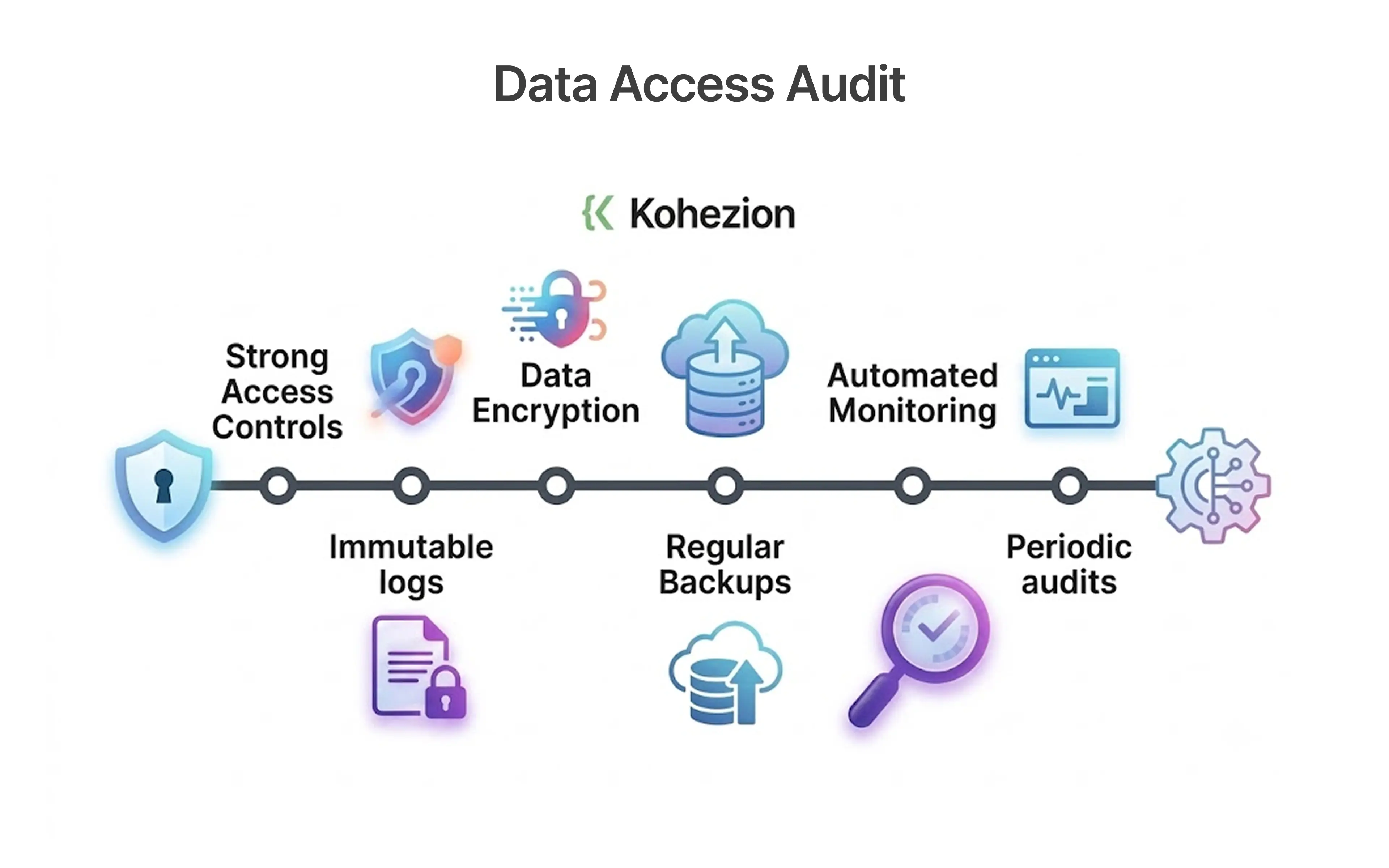
Structured agent audit logs should capture tool name, input parameters, output received, token count, and a trace ID linking the action to the originating request - without this, root cause analysis of agent-related incidents is guesswork.
Tip 14 - Validate Model Integrity With Garak and Lakera Guard
Model integrity is separate from access control. Machine learning models can be manipulated via prompt injection even with a correct IAM scope. Three tools address this specifically:
- Garak: red-teams models for prompt injection and data leakage before deployment.
- Lakera Guard: intercepts adversarial prompts at runtime, between the user and the model.
- Prisma AIRS: extends posture management to AI workloads covering model integrity across AWS, Google Cloud, and Azure.
Azure AI Foundry, GitHub Models, and AutoGen pipelines are prone to over-permissioned tool registries. DevOps engineers integrating ML pipelines and large language models often inherit default platform permissions without reviewing their scope.
Tip 15 - Review the OWASP Top 10 for LLM Applications Before Your Next Agent Goes to Production
The OWASP Top 10 for LLM Applications 2025 covers MCP server abuse, agentic attack surfaces, prompt injection via tool outputs, insecure plugin design, and AI voice interface abuse. These are not theoretical risks. The MCP misconfiguration at the fintech team in this article is exactly the scenario OWASP LLM04 (Model Denial of Service) and LLM09 (Overreliance) describe.
Make the OWASP LLM Top 10 review part of your definition of done for any agent that reaches production. It takes two hours to read. It takes considerably longer to recover from the gaps it covers.
"The teams shipping with confidence in 2025 are not the ones with the most security tools. They are the ones who made security part of every deploy."
Key Takeaways
Fifteen tips, six categories, one principle: security embedded in every deploy beats security bolted on at the end.
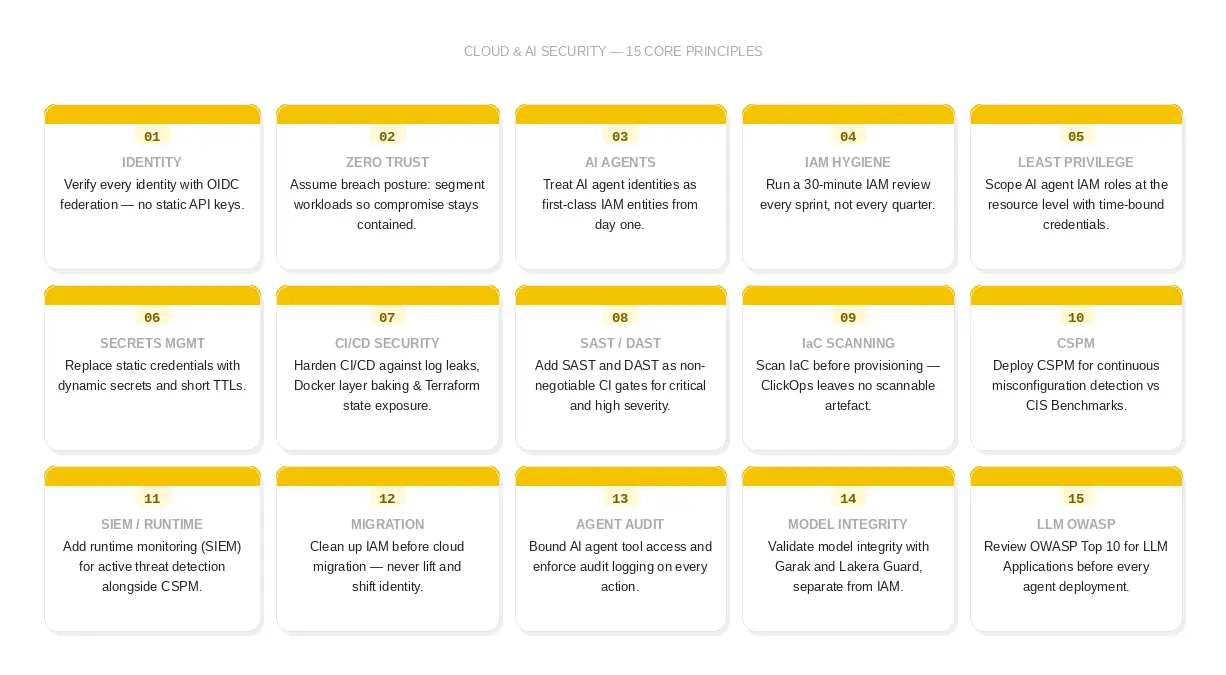
The Security Playbook Most DevOps Teams Are Still Running Predates Multi-Cloud
The cloud security problem in 2025 is not a shortage of available tools, nor a gap in cloud documentation. Most of what needs to be done is documented. The gap is that cybersecurity practices still in use were designed for infrastructure that no longer exists: a single cloud, no AI agents, no Model Context Protocol servers, no retrieval-augmented generation pipelines, a network perimeter that meant something.
Multi-cloud architectures running machine learning workloads, Azure AI Foundry deployments, and AI-driven automation have created an attack surface that perimeter-based thinking was never built to handle. Teams managing scalable cloud operations need controls embedded in templates and pipelines, not policies written for a simpler era. The teams that close these gaps find them through audits. The ones that do not find them through breaches.
Security debt compounds exactly like technical debt. Slowly, then all at once.
People Also Ask (FAQs)
Q1.What are the most critical cloud security tips for teams running AI agent security in production?
Ans: Scope IAM to specific agent identities, use short-lived OIDC credentials, enforce runtime monitoring, and validate model integrity with Garak and Lakera Guard. On Azure, Microsoft Entra Agent ID provides dedicated agent identity scoping.
Q2.How does multi-cloud complexity increase the attack surface for DevOps teams?
Ans: Multi-cloud architectures amplify blast radius and produce visibility gaps that no single tool covers. OPA addresses policy enforcement; a CSPM tool with CIS Benchmarks coverage addresses visibility.
Q3.What is the difference between CSPM and runtime monitoring for cloud security?
Ans: CSPM detects misconfigurations before exploitation. Runtime monitoring identifies active threats as they happen. Most enterprise teams need both.
Q4.How do we secure a cloud migration to Microsoft Azure or Google Cloud without inheriting legacy misconfigurations?
Ans: Clean up identity before migration. Use CIS Hardened Images at day zero. For Azure, configure Microsoft Defender for Cloud and Entra ID policies before migrating any workloads.
Q5.What cloud security controls are required for GDPR compliance and SOC 2 Type II?
Ans: Encryption at rest and in transit, access logging with defined retention, change management evidence in CI/CD, documented incident response, and least privilege verified against CIS Benchmarks. All controls should be version-controlled and testable.


.webp)
.webp)