
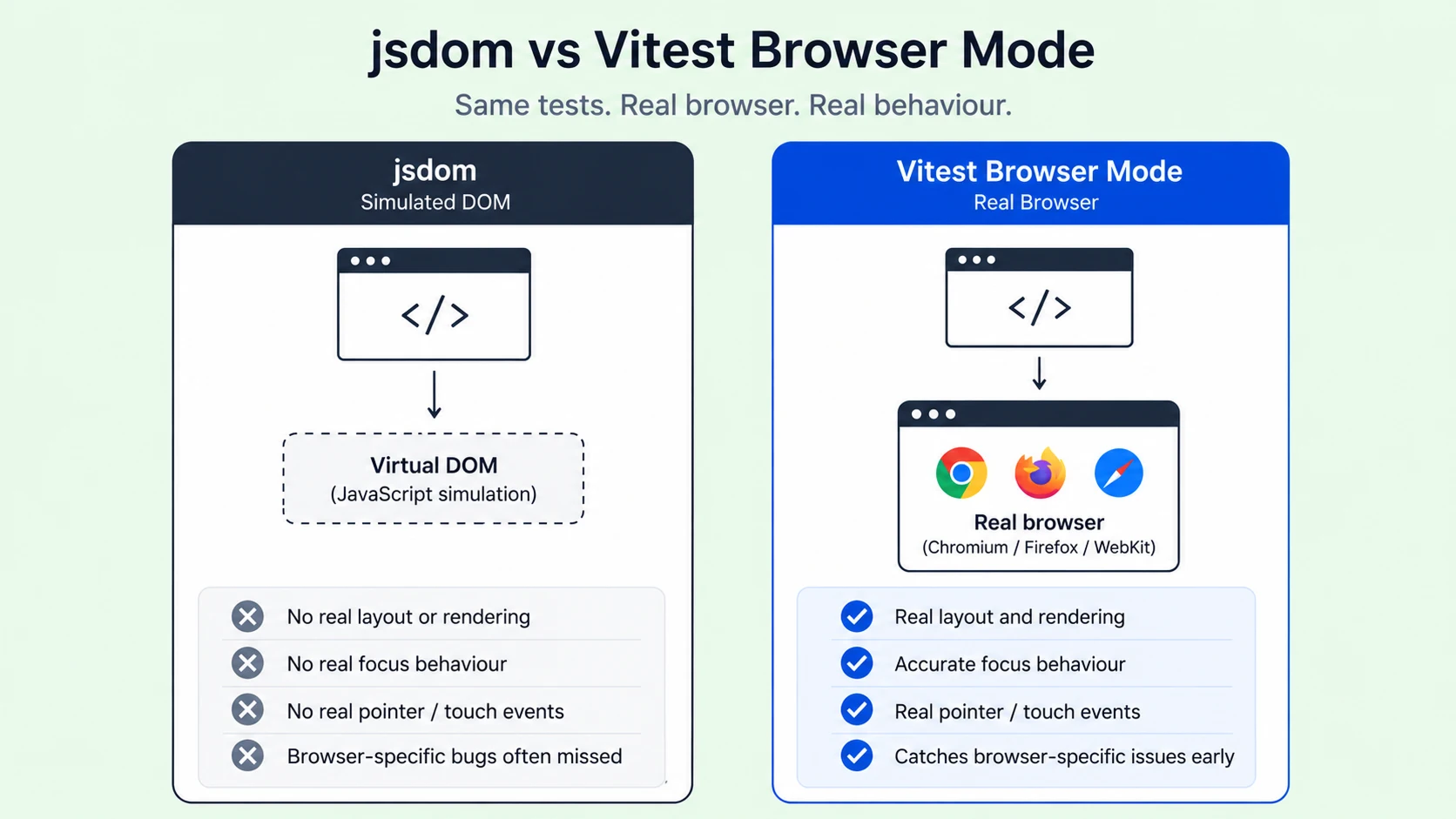
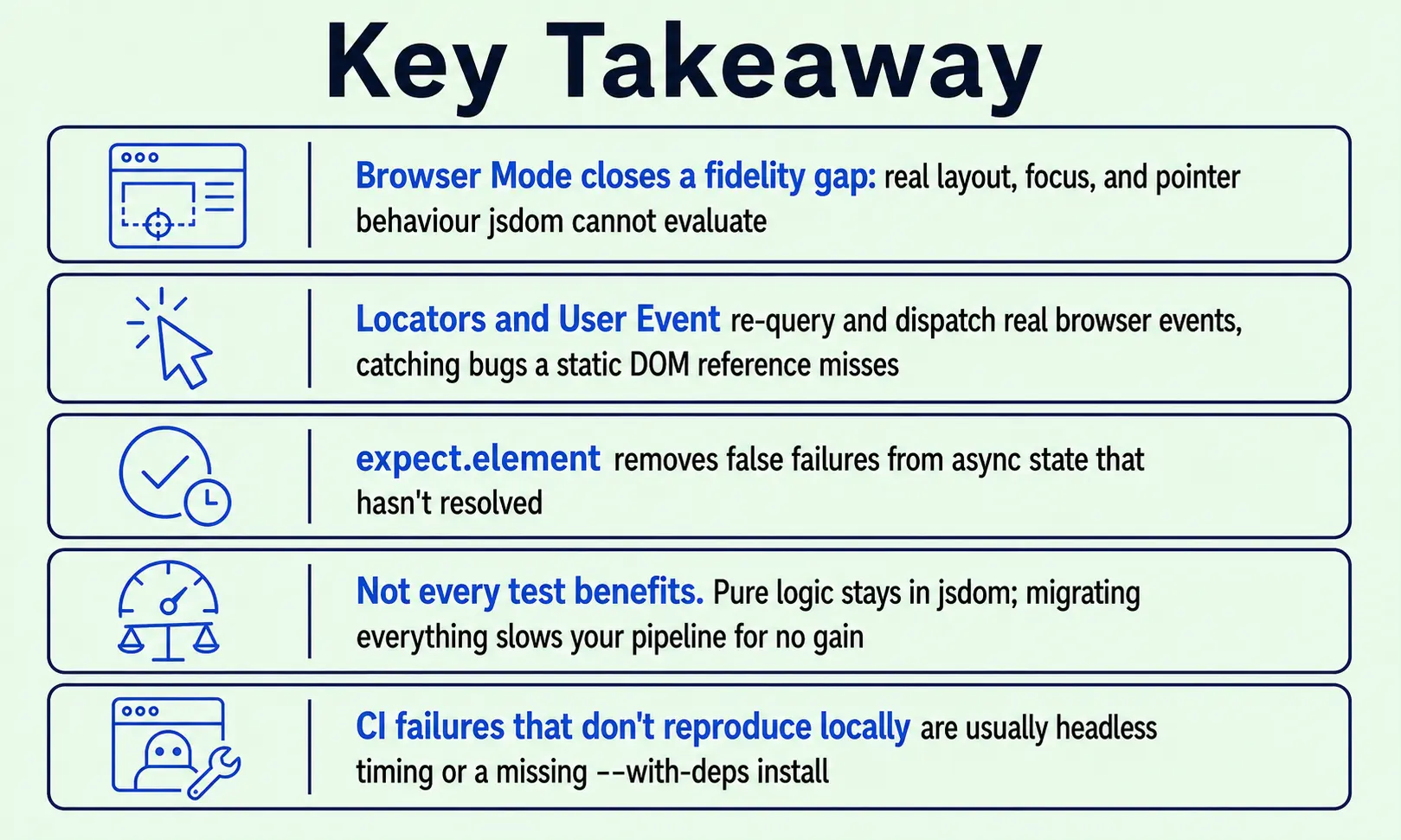
A QA lead we worked with had a jsdom suite that was green across the board. Then a support ticket came in: a checkout button customers couldn't tap on mobile Safari, because a promo banner sat on top. Nothing caught it, because nothing was rendering in a real browser environment. That's the gap Vitest Browser Mode closes: a testing framework capability that runs tests inside a real browser tab (Chromium, Firefox, or WebKit), not a simulated DOM.
Overlays, focus loss, and layout shifts show up in your test results this way, not just production. This piece covers what Browser Mode catches that jsdom can't, how it fits next to Playwright end-to-end testing, and what changes in your test workflow once CI environments are in play.
What Is Vitest Browser Mode?
Vitest Browser Mode extends component testing beyond jsdom's simulated DOM, running your test files inside a real browser instance. It's part of the same testing framework already running your unit tests, not a separate tool. Vitest ships as a single Vitest npm package, so most teams have everything installed once Node and Vite are in place. A provider, either Playwright or WebdriverIO, launches the browser, and Vitest serves your component code through the Vite dev server powering your Vite test suite today.
That matters more than it sounds. You keep the runner, config file, and watch mode you already know from jsdom testing, and the same Vitest API, pointed at a different target. Your existing Vite tests barely need to move, and for teams already using Vite to test their components, the shift is closer to a config change than a rewrite. Many readers searching for what is Vitest land here after hitting jsdom's rendering limits. In short, Browser Mode trades jsdom's speed for real rendering fidelity, using the runner you already have.
How Browser Mode Runs Tests in a Real Browser
Real-browser testing cuts both ways. A real browser is heavier than jsdom, with longer boot time and higher memory use, so most teams keep pure logic tests, reducers, and utility functions with no DOM dependency in a standard Vitest unit testing setup with jsdom, reserving Browser Mode for component-level testing where rendering behaviour matters.
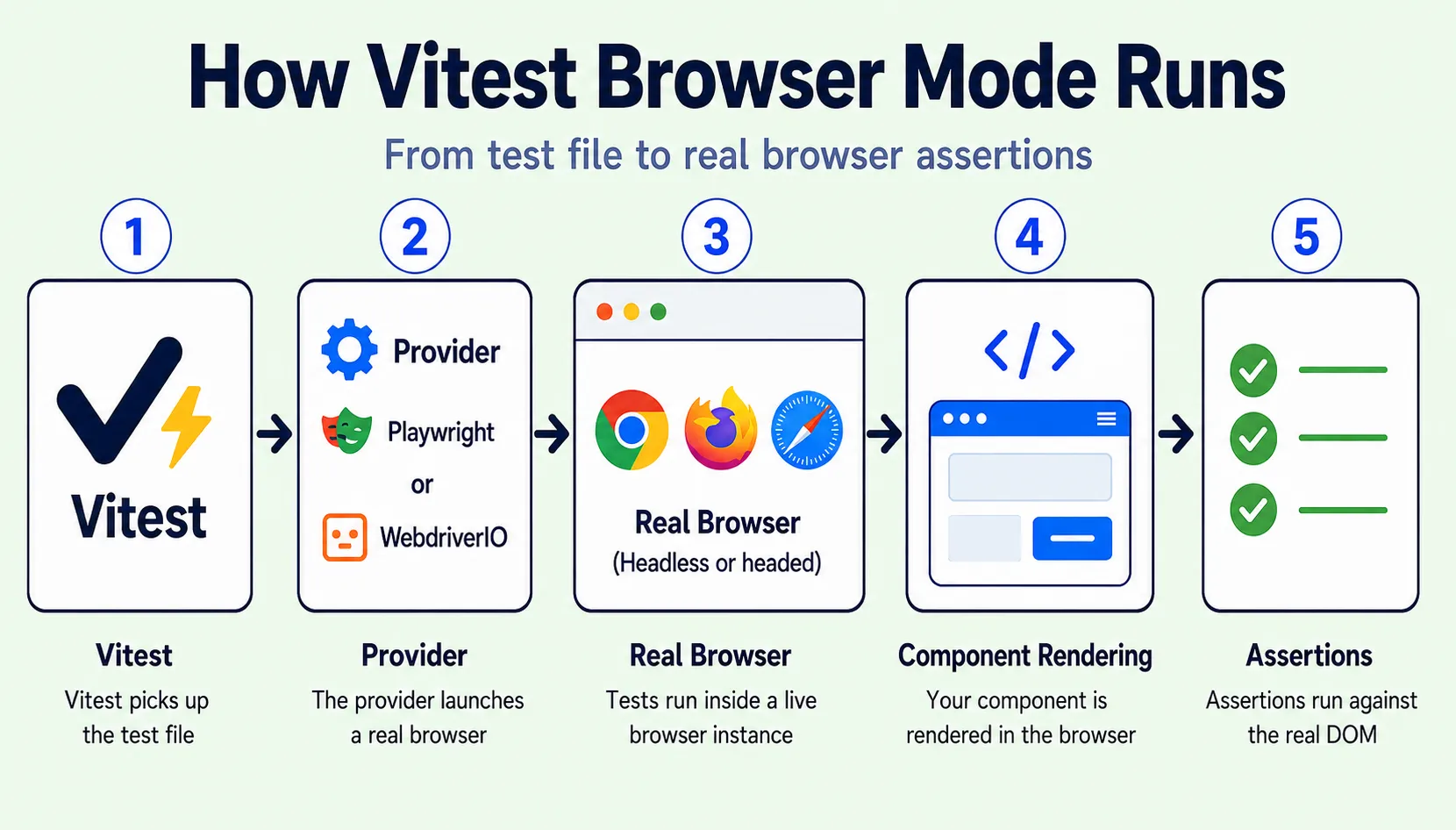
A test run in Browser Mode follows a few steps:
- Vitest hands the test file to the provider.
- The provider opens a real browser, headless or headed, with headless mode as the CI default.
- Component rendering happens next, inside the live browser tab.
- Assertions run against the rendered DOM rather than a JavaScript approximation of one.
The Playwright and WebdriverIO Providers
Playwright is the practical default: one binary, three engines (Chromium, Firefox, WebKit), and cross-browser coverage without juggling separate driver installs. It talks to Chromium directly over the Chrome DevTools Protocol, part of why its automation feels faster than older approaches. WebdriverIO fits teams already standardised on it, and neither is a fallback; the choice comes down to what your team runs.
How vitest.config.ts Defines the Browser Environment
The current stable shape puts the provider inside test.browser, with an instances array naming each browser as its own test project. Here's a Vitest example most teams start with:
// vitest.config.ts
import { defineConfig } from 'vitest/config'
import { playwright } from '@vitest/browser/providers/playwright'
import './vitest.setup' // referenced by relative path

export default defineConfig({
  test: {
    browser: {
      enabled: true,
      provider: playwright(),
      instances: [
        { browser: 'chromium' },
        { browser: 'firefox' },
        { browser: 'webkit' },
      ],
    },
  },
})
A few things worth knowing about this test setup:
- The instances array replaced the older single-browser option, so a Safari-only bug doesn't get buried inside a passing Chromium result.
- Setup files are imported using a relative path from the config.
- Vitest picks this up automatically once browser.enabled is true; no CLI flag needed.
Pick Playwright unless a tool already ties you to WebdriverIO. The official Vitest documentation covers every provider flag, and the vitest examples folder on the Vitest GitHub project has working configs for most setups.
Testing Real DOM Behavior: Rendering, Locators, and Interaction
Most jsdom tests query the DOM once and assume the result holds. Real interfaces re-render mid-interaction, and a stale reference to an already-replaced node will quietly pass a test that should fail.
Locators vs. Direct DOM Queries
Locators solve this by re-querying lazily, part of Vitest's testing API for querying the DOM, the same idea behind how Testing Library encourages querying by role over implementation. A call like page.getByRole('button', { name: 'Checkout' }) re-resolves at assertion time, the mechanism behind our overlay example: a locator finds an element that's present but covered, where a raw document.querySelector check would report success anyway.
A few patterns worth adopting:
- Scope a locator inside a region, a dialog for example, to avoid ambiguous matches without brittle CSS-class selectors.
- Reach for DOM assertions (toBeVisible, toBeInTheDocument) instead of manually inspecting HTML content.
- Let Playwright's actionability checks handle clicks: it waits for an element to be visible, stable, and unobscured.
Simulating Real User Events with userEvent
UserEvent matters for a related reason. It dispatches genuine browser events, so a simulated click moves a real pointer and respects overlay stacking the way a synthetic event never does, exposing a submit button disabled by an overlay, or an input losing focus on re-render.
Why expect.element Matters for Async UI
Async UI needs one more piece: expect.element polls the DOM until an assertion holds, or times out, instead of checking state once and failing immediately. A non-retrying assertion querying an element before a fetch resolves gives a false failure. Together, locators, real events, and retrying assertions close most false-positive problems jsdom tests are prone to.
What Real-Browser Testing Catches That jsdom Can't
Three failure classes show up consistently once teams move DOM-dependent tests into a real browser:
- Real layout and CSS: An element can be present in the DOM and still be invisible, covered, or off-screen, none of which jsdom evaluates since it never paints.
- Real focus management: A jsdom test can assert an input exists without knowing whether a re-render kicked focus away, the bug behind a support ticket about a form that "randomly clears".
- Real pointer and overlay behaviour: A click in jsdom lands where the test says it should, but in a real browser it lands where the pointer actually is, so a modal or spinner can intercept it- what got past the QA lead's suite earlier.
None of this benefits a pure reducer or formatting utility with no DOM dependency, and it matters most for UI component libraries and Web Components, where rendering fidelity is the point.
Running Browser Mode Tests in CI
A team we spoke with had Browser Mode working on every laptop but failing intermittently in CI, and the cause was the runner, not the tests.
A few fixes resolve most of what goes wrong:
- Vitest detects CI automatically and defaults to headless mode, or force it locally with --browser.headless to match CI.
- Install browser binaries with system dependencies: npx playwright install --with-deps, or the pipeline fails on missing shared libraries.
- Treat maxWorkers as a memory budget, not a CPU one, since each worker is a full browser context, limiting concurrency on a shared runner.
According to the Stack Overflow Developer Survey, testing and debugging remain among the tasks developers spend the most time on, and worker limits add to that, so tune maxWorkers down early to save time.
Vitest Browser Mode vs. jsdom vs. Playwright E2E
The three tools solve different problems, and the choice comes down to which layer of your frontend architecture you're testing:
Which one fits the test you're writing?
- Is the code free of any DOM interaction? Use jsdom.
- Does the test verify one component's rendering, focus, or click behaviour? Use Vitest Browser Mode.
- Does the test walk a full journey across pages or a real backend? Use Playwright E2E.
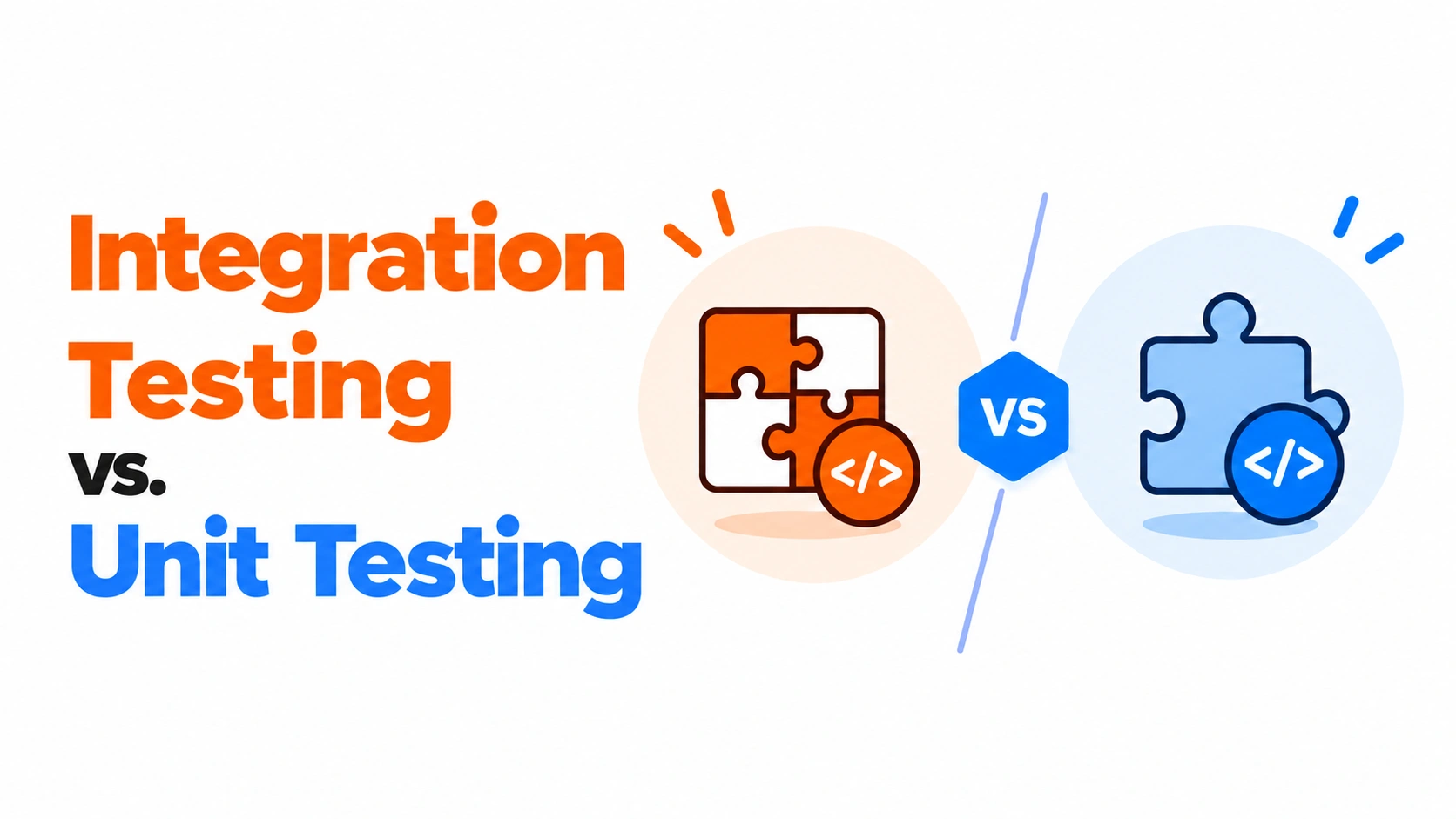
The boundary readers get wrong most often: Browser Mode replaces unreliable jsdom component tests, not Playwright end-to-end testing for login-to-checkout coverage. Trying to make it do so duplicates work belonging to your end-to-end suite.
How Frugal Testing Helps You Test with Confidence
We audit which existing tests are pure-logic and which are DOM-dependent before recommending anything gets moved. That distinction shapes the whole migration, since moving a test that gains nothing from real-browser fidelity only adds runtime and maintenance cost.
Teams that skip this step tend to move everything into Browser Mode at once, then wonder why their pipeline got slower instead of more reliable. A scoped audit avoids that outcome and keeps the migration focused on the tests where it actually matters.
What Our Testing Engagement Looks Like
Four steps:
- Audit the existing suite
- Classify each test as pure-logic or DOM-dependent
- Migrate the DOM-dependent tests
- Hand off a CI config tuned for your runner's memory limits
Who This Is For
At close, your team owns a working setup, a migrated test layer, and a documented split across jsdom, Browser Mode, and E2E. This fits teams whose component tests keep passing while a real DOM bug still ships, whose CI suite has grown too slow to trust, or teams rethinking frontend architecture around Web Components or AI software architecture generating JavaScript code faster than a reviewer can check.
Conclusion
Vitest Browser Mode sits between two tools you already trust: it isn't a replacement for jsdom's speed, and it isn't a substitute for Playwright end-to-end testing. It closes the gap between them, testing components that render, hold focus, and get clicked by a real pointer.
Teams that get the most from it audit first and migrate second, folding the result into their normal testing workflows. As distributed systems behind modern apps grow more complex, skipping that audit just means a slower suite with the same production bugs.
People Also Ask (FAQs)
Q1. Does Vitest Browser Mode support visual regression testing?
Ans: Not out of the box. Vitest doesn't ship built-in screenshot assertions, so teams pairing Browser Mode with visual regression typically add a dedicated screenshot-diffing tool to their setup.
Q2. Can I debug a failing Browser Mode test with breakpoints?
Ans: Yes. Running tests in headed mode lets you use the browser's own DevTools, including breakpoints and the console, the same way you'd debug any page running locally.
Q3. Does Browser Mode work with frameworks other than React, like Vue or Svelte?
Ans: Yes. Browser Mode is framework-agnostic since it renders through the DOM directly, so Vue, Svelte, and Solid components are testable the same way as Vitest React components.
Q4. Does Vitest Browser Mode support mocking network requests?
Ans: Yes, though not through a dedicated Vitest API. Most teams intercept requests using the provider's own network tools, such as Playwright's route handling, inside their test setup.
Q5. How much slower does Browser Mode make a CI run compared to jsdom?
Ans: Real browsers add real overhead, often two to five times slower than jsdom per test. Most teams offset this by scoping Browser Mode to the DOM-dependent slice of the suite.