A product can pass every internal test and still fall over the moment real users touch it. Wrong device, wrong network, wrong assumption about the user experience a stranger has on day one. Most software teams already run some version of both alpha and beta testing before launch, but still treat the second one as optional, or an afterthought squeezed in at the end.
That's usually where things go wrong: Skipping beta entirely and shipping blind, or running it with no finish line and never knowing when to stop. This guide covers the beta testing types worth knowing, how to build a beta testing strategy, the security angle most teams skip, and the beta testing tools and platforms worth using.
What Is Beta Testing?
Beta testing is when real users try a nearly finished product before it officially launches. The goal is simple: Catch bugs and confusing parts before everyone else does. That's the beta testing definition worth remembering: Real users, real conditions, ahead of general release.
It typically follows internal QA and alpha testing, once the people who built the product have already cleared the build internally. What does beta testing mean day-to-day, beyond the definition? A build earns its way into beta once a few beta testing criteria are met:
- Alpha testing is complete: The internal team has already reviewed and approved the build.
- The build is stable: Testers won't get stuck on crashes before they can even give feedback.
- A feedback channel exists: There's somewhere for reports to actually go, not just get lost.
What is a beta tester, in one line? Someone outside the build team who uses the product for real and reports back what breaks, without being told exactly what to look for.
Beta Testing vs Alpha Testing: Key Differences
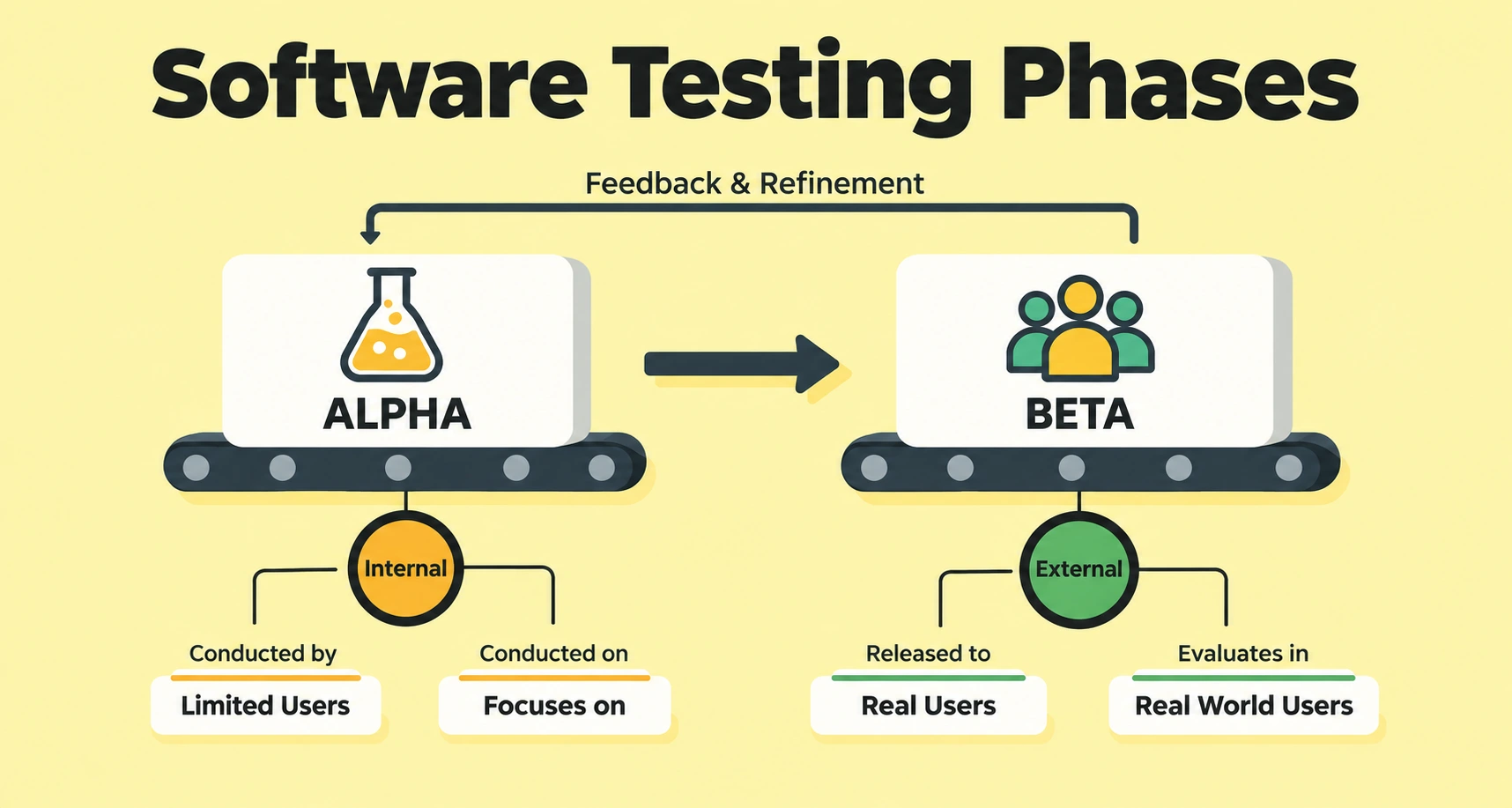
The difference between alpha and beta testing comes down to who tests and what they catch. Here's the alpha testing vs beta testing breakdown:
Why Beta Testing Matters Before a Product Launch
Internal QA passing every check doesn't guarantee a smooth launch. That gap is exactly why beta testing matters:
- Catches real-world friction: Device, network, and carrier combinations that no internal beta testing techniques fully replicate.
- Protects launch trust: According to Centercode's own research, 86% of beta tests wrap up in twelve weeks or less, a small window against the cost of skipping it.
- Surfaces usability gaps early: Onboarding confusion and unclear flows show up before support tickets do.
- Validates consumer behavior: Real usage patterns a lab can't script or predict in advance.
- Reduces post-launch support costs: Bugs caught in beta cost far less to fix than the same bugs found after thousands of users hit them.
- Builds early advocates: Testers who feel heard often become the first users to recommend the product once it goes live.
Types of Beta Testing
Picking the wrong type wastes a good build, and these beta testing methods cover most situations a team will run into. Each beta testing approach fits a different goal:
- Closed (private) beta: A curated group, controlled feedback, higher signal per tester.
- Open (public) beta: Broader reach, more edge cases, lower signal per response.
- Dogfooding: Internal teams use the product before any external exposure.
- Targeted (focused) beta: Validates one feature, built around tight audience segmentation.
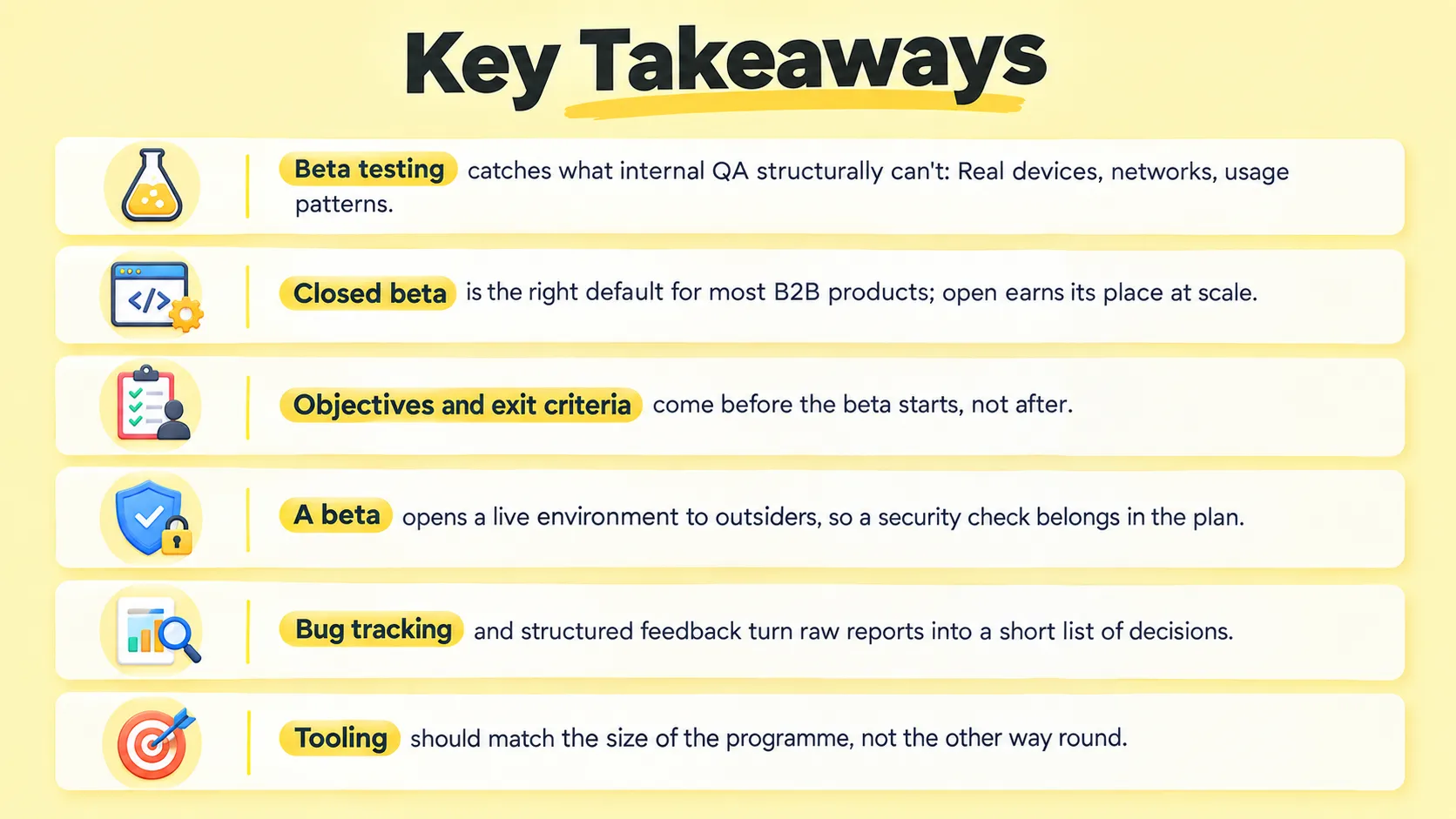
Open Beta vs. Closed Beta Testing
Beta Testing for Mobile Apps
App beta testing adds device fragmentation on top of everything else: TestFlight handles iOS, Google Play's testing tracks handle Android. The real challenge isn't distribution; it's screen sizes, OS versions, and carrier quirks that a beta testing platform for apps has to account for that a desktop-only plan never surfaces. Running a beta across regions also reveals cultural insights, like payment habits or language quirks, a single-market beta would miss entirely.
How to Build a Beta Testing Strategy
Before opening a beta, answer three questions: What needs validating, what "done" looks like, and which beta testing type actually serves that goal. A clear beta testing methodology here saves weeks of wasted feedback later on, and keeps the two sections below from working against each other.
Setting Clear Beta Testing Objectives and Criteria
Beta testing objectives need to be specific: Not "test the app" but "validate checkout across three device tiers." Set beta testing goals and beta testing requirements together with exit criteria up front:
- Severity threshold: Decide upfront which bug categories are release-blockers, like crashes or data loss, versus which ones are minor and can wait for a later patch.
- Stability bar: Set a specific number, such as a crash rate under 2% or a task completion rate above 90%, so the team knows exactly when the build is ready.
- Timeline: Pick a fixed start and end date for the beta instead of leaving it open-ended, so testers and the team both know when feedback collection stops.
Without clear beta testing guidelines like these, a programme runs until someone gets impatient, not until the product is actually ready.
Connecting Beta Testing to Market Research
Beta testing works best when it ties back to market research, not run in isolation. Structuring feedback by customer segmentation, the way audience segmentation shapes market assessments, makes patterns easier to spot than treating every response the same. Some teams pair beta feedback with market data instead of running separate focus groups, using the beta itself as a lightweight validation step before wider investment.
Beta Testing Workflow and Checklist
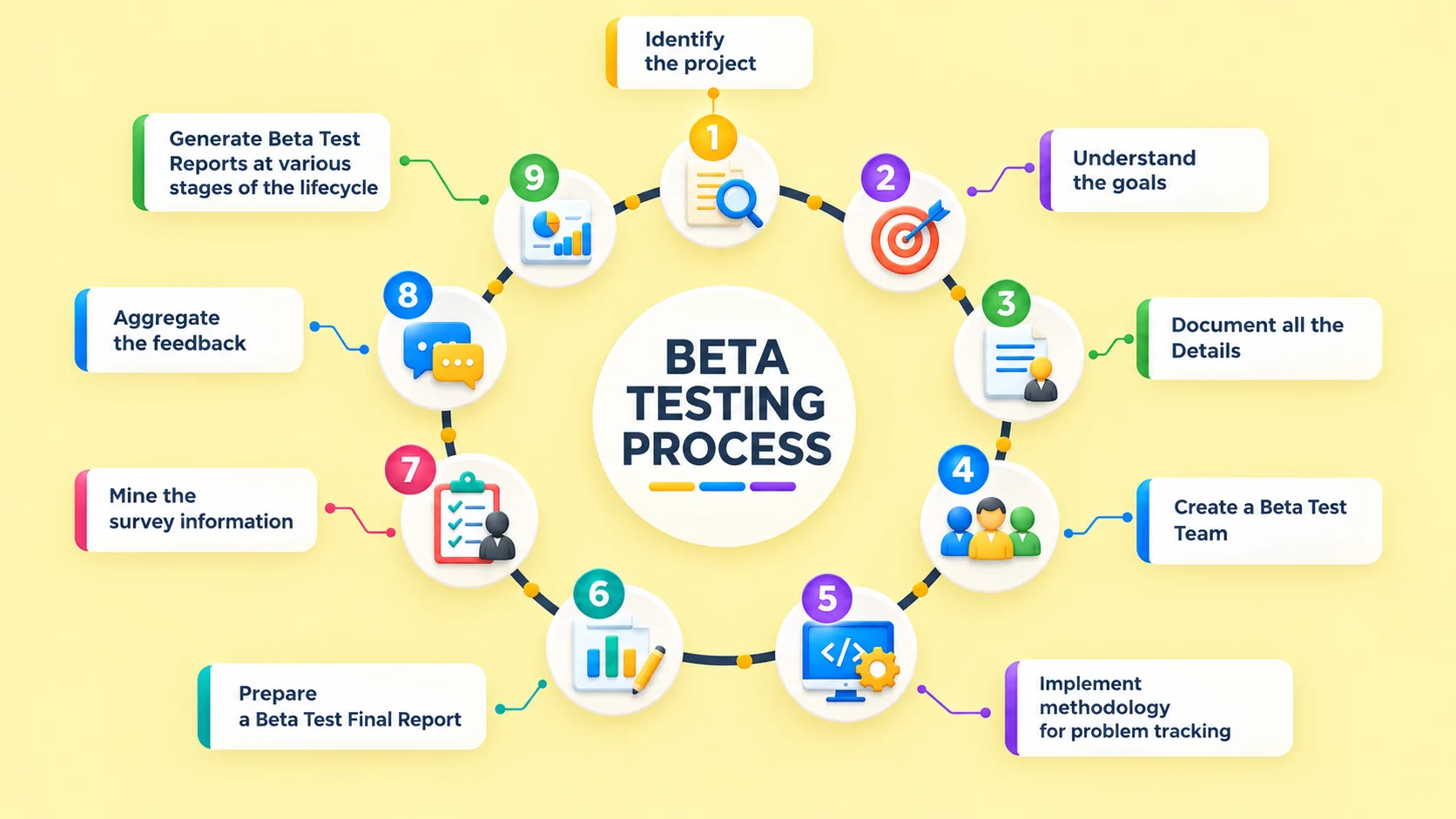
Execution follows a beta testing workflow in a fairly predictable sequence: Distribute the build, confirm testers are on the right version, set a feedback cadence, and triage what comes in as it arrives. A silent, stuck tester is a stronger signal than ten reports of the same bug.
Pre-Launch Beta Testing Checklist
Before opening a beta, run through this beta testing checklist:
- Alpha sign-off: Internal QA has reviewed the build and confirmed there are no blocking bugs left.
- Build stability: Crash rate is low enough that testers can get through the product without giving up early.
- Environment readiness: A staging or production-like setup that mirrors the real conditions testers will actually face.
- Feedback tooling: A channel is already set up before the first tester logs in, so reports don't get lost.
- Tester instructions: Clear, written guidance on what to test and exactly how to report an issue.
- Exit criteria confirmed: Everyone agrees upfront on what "done" looks like before the beta even starts.
Collecting Feedback and Tracking Bugs
The real work is the insight process behind the reports, not the volume:
- Structured questions: Specific prompts beat a generic "any bugs?" ask.
- Bug tracking: Log everything in one system, not scattered spreadsheets.
- Pattern spotting: Business intelligence layered on data analytics turns tickets into a short list of decisions, the insight identification step that separates noise from signal.
- Prioritisation: Separate what's actually blocking from what's just polish.
Security Considerations When Running a Beta
Opening a build to outside testers widens the attack surface, and it's a step most teams skip. A beta is still a live environment, and it needs a real security solution behind it, not an afterthought.
A few things are worth checking before testers get access:
- Malformed data: External testers send unexpected input, and a stray SQL command or malformed data from a broken integration can behave differently outside a lab.
- Production-grade access: Any site owner opening a build to strangers should expect some traffic to include online attacks.
- Test data protection: If testers touch anything resembling customer databases, apply the same access controls used in production.
- Incident response: If malicious activity shows up mid-beta, testers need a clear way to report it.
A basic security service alongside the functional beta catches problems a usability-focused programme would miss. It's a small addition against the cost of a breach later.
Beta Testing Tools and Platforms Worth Knowing
Seven tools worth knowing, ranging from established beta testing tools for software and general app testing tools to lightweight in-app feedback tools, grouped by job rather than brand recognition:
- TestFlight: Apple's tool for distributing iOS beta builds and capturing crash data.
- Google Play Console: Android's built-in tracks for staged, closed, and open testing.
- Centercode: Bug tracking system built around Insights Discovery for enterprise programmes.
- BrowserStack: Cross-browser testing in a shared cloud environment, useful for legacy systems.
- OWASP ZAP: Free tool that scans for malformed SQL commands and malicious activity.
- UserTesting: Artificial Intelligence platform blending market research with customer intelligence.
- TestRail: Test case management linking beta activity to technology partners and QA suites.
Real-World Examples of Beta Testing
Real-world beta testing programs show why the discipline matters more than the theory:
- Gmail: Ran as an invite-only beta for nearly five years before exiting beta in 2009, using that stretch to refine spam filtering and storage limits based on real usage.
- Slack: Quietly ran a private preview beta starting in August 2013, onboarding a small group of companies before its public launch in February 2014.
- Spotify: Leaned on invite-only access during its 2008 European rollout to manage growth while gathering feedback from early testers.
- Superhuman: Kept its beta deliberately small and invite-only for years, using that scarcity to gather detailed feedback before opening up more broadly.
How Frugal Testing Runs Beta Testing Programs Without the Overhead
Most engineering teams can technically run a beta. What a qualified beta testing company adds, compared to other qa outsourcing companies, is the bandwidth to do it properly while everything else on the roadmap moves forward, without pulling engineers off work already on their plate.
That gap is exactly what our beta testing services are built to close, quietly and without duplicating effort a team can already handle. Our broader offering spans beta testing services, qa automation testing services, software testing and qa services, and ecommerce qa testing outsourcing, for teams that want one partner across the QA lifecycle rather than a single one-off engagement booked once and forgotten about later.
What Our Beta Testing Engagement Looks Like
- Week 1: Scope objectives and exit criteria with the client's team.
- Week 2: Distribute the build and onboard testers from the client's existing pool.
- Weeks 3-5: Run execution with daily triage and structured feedback collection.
- Final week: Hand back a prioritised report and a go or no-go call against the exit criteria set at kickoff.
Who This Is For
Teams with a beta-ready build and a launch date on the calendar, where internal QA is exhausted with no spare capacity left, where IT infrastructure already supports fast integrations, and teams already leaning on qa testing services or software qa outsourcing for the rest of their test cycle.
Conclusion
That's the beta testing meaning that actually matters day to day: A near-final build, real users, real environments, a defined finish line, not something complicated in theory. Where teams struggle is discipline: exit criteria set before launch pressure builds, and a live program me actually monitored instead of just counted from a distance.
Get the beta testing types right, build a beta testing framework that fits the team, and the rest tends to follow from there. The part that's left, running it properly alongside everything else already on the roadmap, is usually where the real decision starts.
People Also Ask (FAQs)
Q1. How much does a beta testing program typically cost?
Ans: Costs vary widely. A DIY closed beta with a few testers can run for close to nothing, while a managed programme with daily triage support runs into the low thousands.
Q2. Can beta testing be automated?
Ans: Not entirely. Automated tools distribute builds and flag crashes, but the qualitative feedback that makes beta testing valuable- real opinions on confusion and usability- still needs a human tester.
Q3. How many beta testers do I actually need?
Ans: It depends on the objective, not a fixed headcount. Ten to twenty engaged testers covering key device and use-case segments surface more signal than hundreds of inactive sign-ups.
Q4. What's the difference between beta testing and user acceptance testing?
Ans: User acceptance testing confirms the product meets agreed business requirements. Beta testing checks how real users experience the product in the wild, before requirements are finalised.
Q5. What is bug tracking?
Ans: Bug tracking is the process of logging, prioritising, and monitoring reported issues until resolved, usually inside a dedicated system or a shared board the team can see.

.webp)