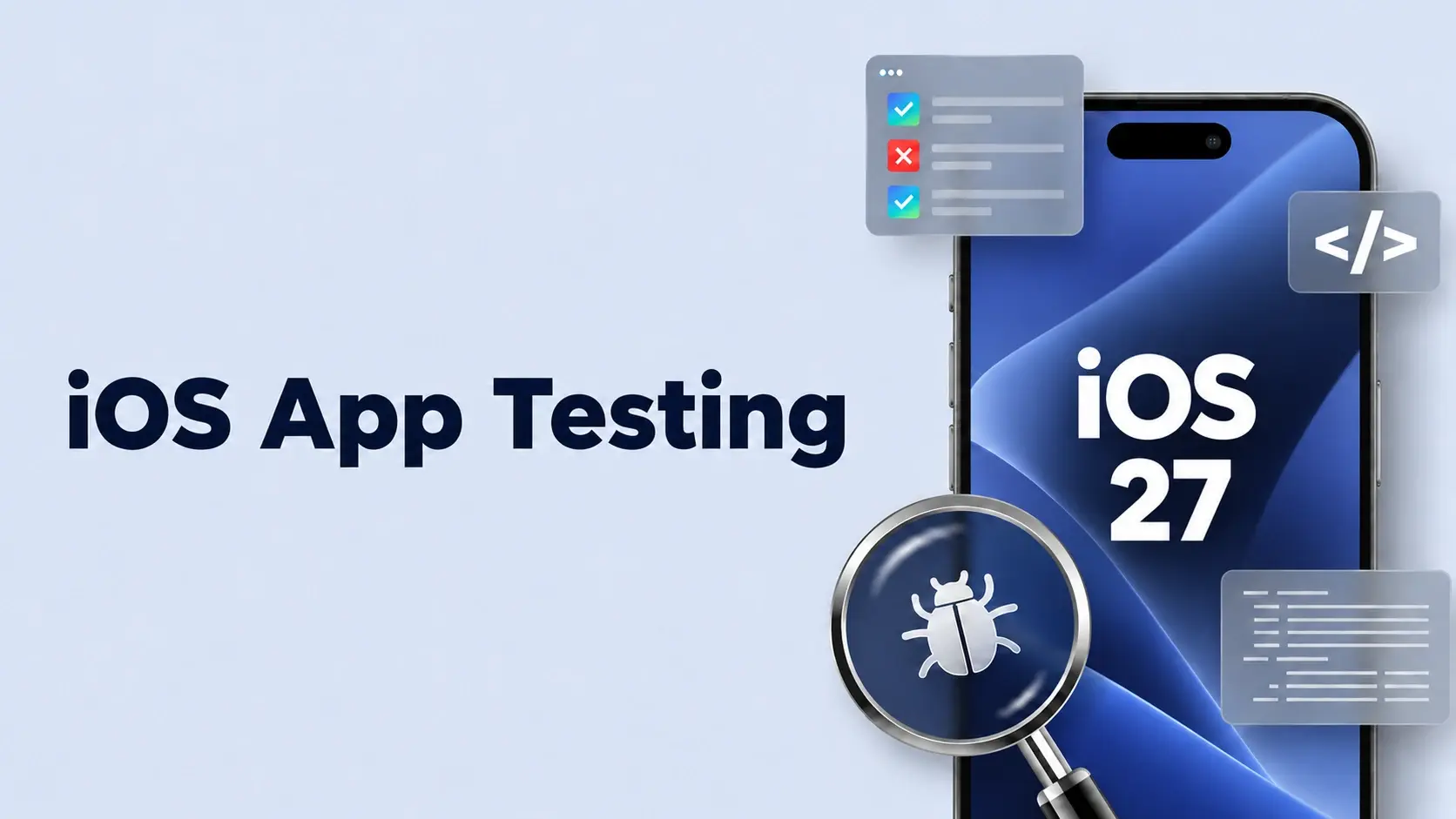
A QA lead at a mid-size fintech app spent the second week of August running their app against the iOS 27 developer beta when a Slack thread lit up: "Beta 3 broke Siri again." The App Intent that let users check a balance by voice had simply stopped firing, no crash, no error log. iOS app testing verifies that an app's functionality, performance, security, and App Store compliance hold up on real Apple devices, and with iOS 27's public release landing around 14 September 2026, that now includes re-checking Siri and App Intents behaviour against the new SDK before it ships.
Most testing checklists get rewritten every year with the same structure and a new version number, whether you call it iPhone app testing, iOS mobile app testing, or iOS mobile application testing. That misses what actually shifted in the API surface. This guide covers the standard checklist, the right testing strategies underneath it, and the part that changes this cycle.
What Is iOS App Testing?
iOS app testing is the process of verifying an app's code, UI, performance, security, and compliance before it reaches real users. It applies to iPhone and iPad apps alike, whether you are testing a single feature or a full release candidate against real hardware, not just a simulator.
Three things separate it from mobile app testing generally, and from system testing on other platforms:
- Adoption speed: Apple pushes OS updates fast, so an iOS 27 change reaches most users within weeks.
- Review depth: App Store reviews check privacy manifests and entitlements in ways other platforms do not.
- Hardware range: Apple's device line is narrow enough that chip and thermal behaviour genuinely matters, unlike iOS app performance testing across thousands of Android models.
Types of iOS App Testing
Eight categories cover almost everything a QA team needs when testing iOS apps; skip one, and it tends to be the one that bites closest to submission.
Performance and compatibility deserve extra attention, since older devices are usually where problems surface first. Mobile app performance testing and mobile device compatibility testing should cover the current iOS release plus one prior version, tested on at least one older handset alongside the newest model.
Security testing extends to the backend too, when your app talks to one, as part of broader mobile application security testing. Whatever security service or security solution sits in front of it should reject malformed data, block SQL command injection, and hold up against routine online attacks, backed by real security architecture, not assumptions. For deeper coverage than the checklist below provides, that sometimes means bringing in mobile app penetration testing services.
Manual vs. Automated iOS Testing
Manual testing handles exploratory work and UX calls a script cannot make. Automated tests handle the regression suite you will run fifty more times before this iOS testing application ships again. This maps onto the testing pyramid: Fast unit tests at the base, fewer UI tests near the top, whether the team calls it iOS automation testing or an automation framework. Teams without spare capacity for the exploratory side often bring in manual qa testing services or manual testing services for that part alone.
XCUITest suites typically run through XcodeBuild tests, triggered on every pull request via Fastlane or Xcode Cloud, where most teams' iOS test automation lives. Automated coverage without a real device in the loop is coverage of the simulator, not the product, so treat any test automation framework as incomplete until it touches real hardware.
Which approach fits which task?
- Repeating the same flow on every build? Automate it.
- Judging whether a new layout actually feels right? Manual, every time.
- Validating hardware-dependent behaviour, camera, biometrics, background tasks? Real device, automated where possible, manual as a final pass.
Real Devices vs. Simulators
Simulators are fast, free, and good enough for early iteration, but they are also a fiction: No simulator replicates real chip behaviour, thermal throttling, or true battery drain. Testing iOS apps on real device labs is the only way to see what happens on hardware your users own, not just in theory.
The practical rule for testing iPhone apps: Simulators for early iteration, real devices once hardware-dependent features stabilize, real devices always before submission. Skipping that last step is a common way a build clears internal QA and then fails at App Review.
What Changes Specifically for iOS 27
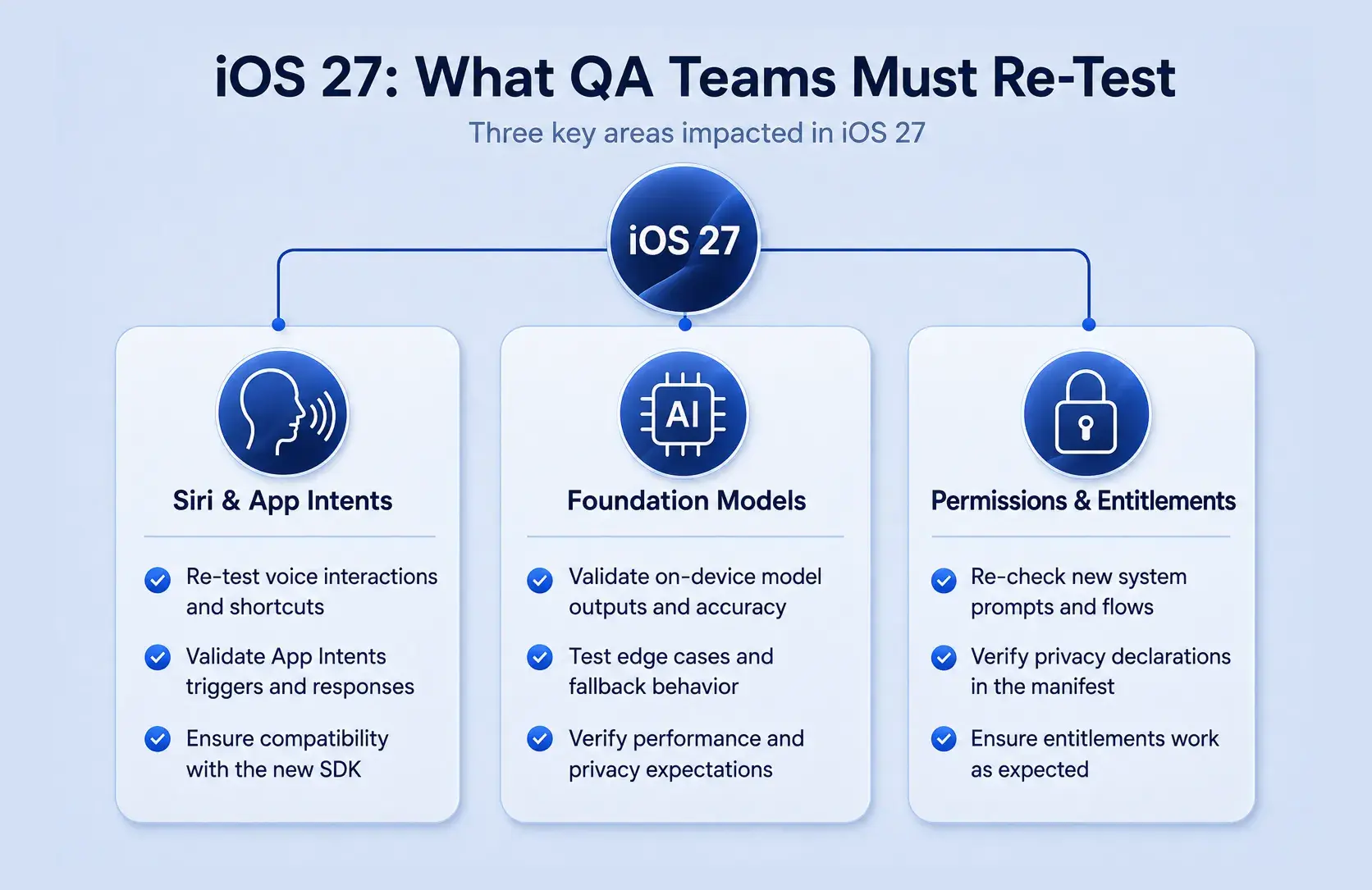
Most testing checklists treat every OS update as a cosmetic UI risk: New icons, a redesigned settings pane, a colour nobody asked for. That framing misses where iOS 27 actually bites: The real risk this cycle is behavioural, with App Intents silently failing to fire without an error.
Three things need a fresh look this cycle:
- Siri and App Intents behaviour, since the integration layer has shifted under apps exposing voice or shortcut actions.
- Foundation Models output, if your app touches Apple's on-device machine learning APIs, some using deep learning to generate results locally.
- Permission and entitlement prompts, since Apple often retimes when a prompt fires relative to app launch.
One thing has not changed: The device support floor. iPhone 11 and the second-generation SE onward remain the practical baseline. iOS 27 is still in beta as this is written, so treat Apple's release notes as the source of truth, and re-verify this section against the final SDK before locking a test plan.
If Your App Uses Siri or Apple Intelligence
The first things to break are structured output mismatches and intents that stop triggering without any visible failure. Apps like Apple Music, leaning on background audio and Siri integration, make a useful stress test for App Intents under iOS 27. Test these changes on a spare device, never your primary daily driver, since a broken beta build can take your calendar and messages down with it.
If Your App Doesn't Touch Apple Intelligence
You are not exempt. The baseline re-test still applies: Permission prompts, deep links, background task behaviour, and accessory pairing all deserve a pass, since Apple's platform-level changes touch apps that never call an AI API.
Tools Used for iOS App Testing
No team needs every tool on this list. What matters is one solid iOS app testing tool stack, with one tool per category, and knowing why you picked it.
- Unit framework: XCTest, for isolated logic.
- UI automation: XCUITest or Appium, for interaction flows.
- Performance profiling: Instruments, for CPU, memory, and battery behaviour under load.
- Beta distribution: TestFlight, for getting builds in front of real testers before submission.
- Device access: an internal device lab or a real-device cloud, depending on team size.
- CI/CD: Fastlane or Xcode Cloud, running build product testing on every new app build.
The stack looks about the same across most teams. CI pipelines catch problems the moment a new build lands, and stitching these tools together during a crunch usually costs more time than the testing itself.
iOS App Testing Checklist Before You Ship
A flat checklist is easy to skim and half-finish; a categorised one forces the gaps into the open.
In-app purchases belong on this list too: Verify them against Apple's sandbox environment before submission, since a flow tested only against production accounts is untested where it matters most. In our experience, the security and compliance row costs teams the most time late in the cycle, since privacy manifest drift happens quietly as features get added, and nobody owns catching it.
Running a short bug bash with the wider team catches issues no single tester finds alone, and flagging anything in the team's staging Slack channel keeps test coverage honest.
How Frugal Testing Helps You Ship iOS 27-Ready
We run a dedicated iOS app testing service, one of several iOS app testing services covering the checklist above, plus a scoped regression pass built around iOS 27's confirmed changes. It sits alongside our broader mobile app testing services for teams needing coverage beyond a single OS cycle, and works just as well as straightforward qa testing outsourcing, including ecommerce qa testing outsourcing for checkout-heavy apps, for teams weighing outsourcing qa testing against hiring in-house.
Delivery runs against a real-device matrix from iPhone 11 onward, scoped to what iOS 27 actually changes, with a prioritised defect list handed back before your ship date. Teams going into past OS cycles describe the same business problem: A nine-week beta window is short, and assembling a device matrix eats days in coordination alone. Once shipped, the conversation shifts from testing to observability vs monitoring: Knowing something broke matters less than why.
What Our iOS App Testing Looks Like
We embed inside your sprint cycle as an extension of your QA team, not a separate vendor in a silo, working directly with your build pipeline and release calendar.
The engagement runs in four stages:
- Weeks 1 to 2: Coverage audit. We map your existing suite against the eight core testing types and flag which flows carry the most risk.
- Weeks 3 to 4: Regression scoping. We build test cases for new APIs, permission flows, and edge-case behaviour most likely to break.
- Weeks 5 to 7: Execution. We run the full suite across a real-device matrix from iPhone 11 onward.
- Week 8 onward: Handover. You get a prioritised defect list and updated test cases in your own repository, with no ongoing dependency on us.
Who This Is For
Teams shipping apps that touch Siri, App Intents, or Apple Intelligence, or with a September release on the calendar, whether you have one iOS app tester or a full QA function, all fit here, along with teams needing technical support scoped to iOS 27 rather than a generic retainer.
Conclusion
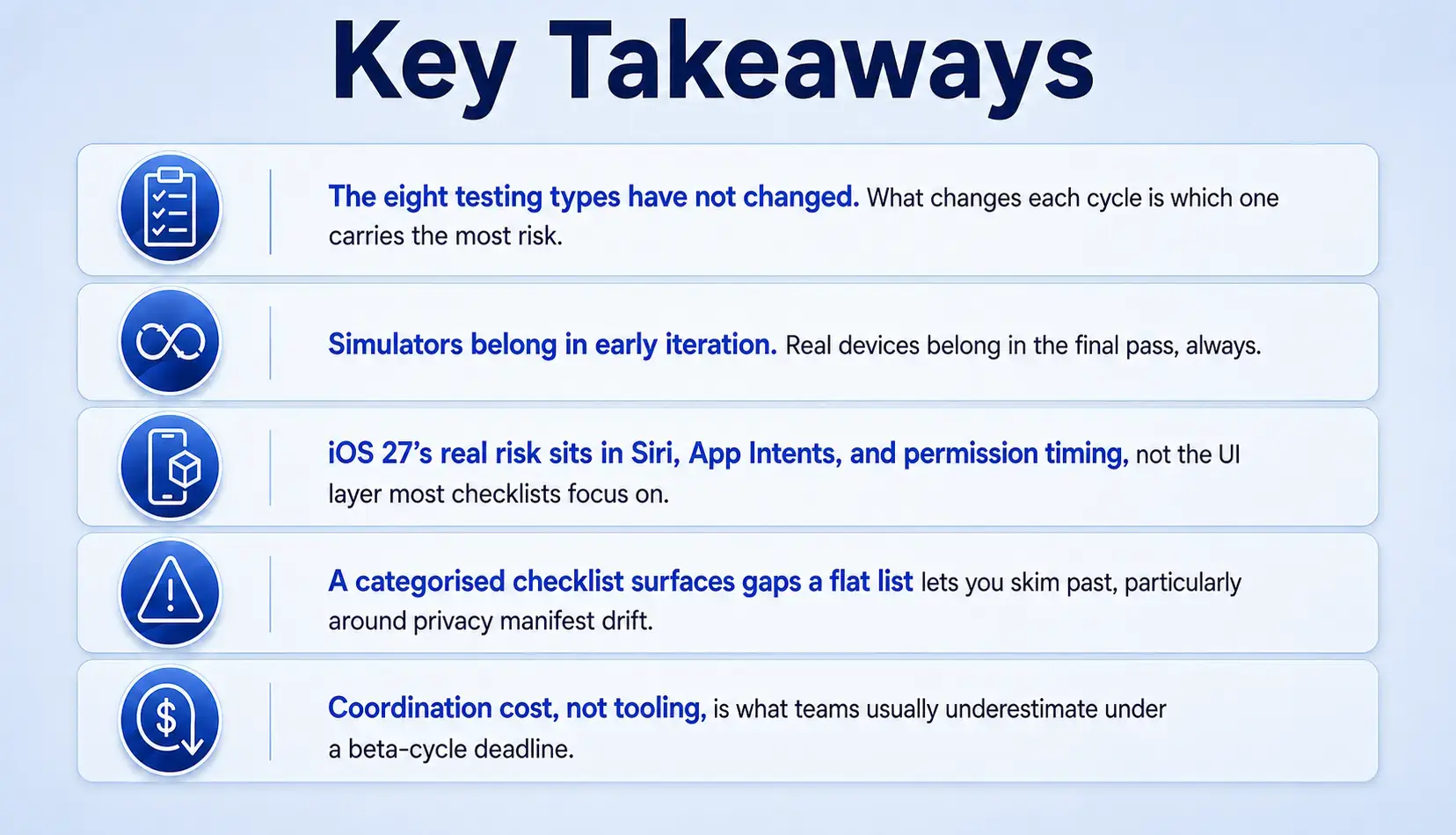
The fundamentals of iOS app testing have not moved. Unit tests, UI tests, device coverage, security checks, all still as necessary as last cycle. iOS 27 adds one clearly scoped layer, mostly in how Siri, App Intents, and permission prompts behave under the new SDK.
Shipping on iOS 27 is a business problem as much as a technical one. Teams that treat this as "the same checklist, one version higher" find out about the gap in a Slack thread during week two of the beta. The ones who scope it properly find out in a test run instead.
People Also Ask (FAQs)
Q1. Do I need a Mac to test an iOS app?
Ans: Yes, Xcode and the iOS simulator only run on macOS, though cloud-based device labs let non-Mac teams test an iOS app on real iPhones remotely.
Q2. Should I outsource iOS QA or keep it in-house?
Ans: Outsourcing suits teams without dedicated QA capacity or facing a tight beta window; in-house testing suits teams needing daily, embedded coverage across every sprint.
Q3. Does Apple require penetration testing before approving an app?
Ans: Apple does not mandate formal penetration testing, but reviewers check baseline security practices, and skipping a deeper pass raises real risk once the app holds real user data.
Q4. Is a TestFlight beta required before submitting to the App Store?
Ans: It is not mandatory, but Apple's own TestFlight beta testing guide in Apple Developer Documentation recommends it, since it catches issues internal QA often misses.
Q5. How long does a full iOS app testing cycle usually take?
Ans: It varies by app complexity, but most teams budget one to two weeks for full regression, device compatibility testing, and a beta testing pass before locking a build.