
.webp)
A company came to us after a release went live with a bug that testing had missed. Customers hit it within hours, developers who had already moved on to the next sprint were pulled back for an emergency fix, and support spent days handling complaints. The fix itself was small, but finding it so late made it expensive.
SDLC testing means testing at every stage of the software development life cycle, not only at the end. Bugs found late cost more because the fix touches more code, needs more retesting, and puts live users at risk. This guide covers the real costs, why bugs keep slipping through, and how to catch them earlier.
The Importance of Bugs in Software Testing
A bug is more than a broken feature. It points back to a mistake made earlier in the project, such as an unclear requirement, a wrong design assumption, or a test that was never written. Looking at each bug this way shows you where your process is letting problems through:
- Weak requirements: The team built what it understood, not what was needed.
- Design gaps: A component could not handle a case nobody had considered.
- Missing tests: Nothing checked the behaviour that broke.
- Lost handovers: Context fell between design, development, and QA.
Each of these problems gets harder to undo the longer it stays hidden. The longer a bug sits, the more code is built on top of it, so a late fix touches work that has already moved on.
Why Bugs Get More Expensive in Each SDLC Phase
Every stage of the SDLC process adds people, code, and context that a fix has to account for. Take a wrong currency rounding rule. Caught in a design review, it is a one-line edit to a spec. Caught in production, it means corrected invoices, refunds, a hotfix, and a regression run. Here is how the cost builds:
- Design: The fix is a change to a document, and nobody has built on the mistake yet.
- Coding: The developer still remembers the code, so most fixes take minutes.
- Testing: Someone has to reproduce the defect, often on a local machine, then log, triage, and retest it.
- Production: The defect is hard to locate, live users are affected, and a rushed fix can break something else. Deeper faults such as memory leaks and race conditions often only surface here.
.webp)
The Cost of Ignoring Bugs Until Release
Late bugs bill you in two ledgers, and only one of them appears on a spreadsheet. Count both before you decide how much early testing is worth.
Costs You Can Measure
- Rework and developer time: Engineers return to code they closed weeks ago.
- Testing overhead: Every late fix needs another round of retesting.
- Deployment delays: The release waits while the fix queue clears.
- Support costs: Tickets, escalations, and emergency hotfixes.
Costs That Are Harder to Measure
- Customer trust: Users who hit a serious bug tend to leave.
- Competitive position: A missed market window rarely comes back.
- Team morale: Engineers burn out on weekend hotfixes and quietly start job hunting.
None of it appears in a sprint report, and each cost lands in a different department. That is why leadership underestimates what a late bug really costs.
Root Causes of Poor Bug Management
One engineering manager ran a large end-to-end suite every night, and some of it failed every time. Failures went to a spreadsheet to be argued over. Within weeks, nobody opened the report. The tests were not the problem; the process around them was. Four causes turn up again and again:
- Testing only at the end: The test phase becomes a bottleneck, so it gets squeezed first when dates slip.
- Poor communication and no shared triage: Developers, testers, and product each rank severity differently, so urgent bugs wait.
- Thin integration coverage: Unit tests pass, then two services disagree about a date format in staging.
- Scattered tracking: Bugs live in chat threads, spreadsheets, and three tools, so duplicates and orphans pile up.
The first is the most common, and the hardest to admit, because it feels like pragmatism. Agile teams are not immune: In an agile SDLC, two-week sprints can hide the same habit behind a hardening sprint at the end. The other three have cheap fixes. Agree on what each severity level means and who triages new bugs, add integration tests wherever two services meet, and keep every open bug in one tracker.
How to Find Bugs Early with SDLC Testing
SDLC testing means running the right checks at each stage, so a defect is caught within hours of being introduced, not weeks. Each check is cheaper to run than the one after it.
Detect Early, Detect Often
The goal is simple: Find defects while the code is being written or reviewed, before it merges. Teams usually call this shift-left testing, and four practices do most of the work:
- Code review before merge: A second pair of eyes catches design flaws that tests cannot.
- Continuous integration with small changes: A small pull request gets a real review. A huge one gets a thumbs-up.
- Coverage thresholds on new code: They stop untested logic slipping in unnoticed.
- Static analysis on every pull request: It flags risky patterns, null dereferences, and known vulnerabilities before anyone runs the app.
More tests are not always better. A smaller, reliable suite outperforms a large, flaky one every time.
Use Unit, Integration, and Regression Tests at the Right Stage
Each type of test earns its place at a different stage of the SDLC, and running one too late wastes most of its value. Smoke testing sits in front of all of them as a quick gate on every build. This table maps the main layers:
Keep regression testing focused on the features customers use most, because the set grows with every release. As a rule, the slower a layer is, the fewer tests it should hold: Many fast unit tests, fewer integration tests, and the fewest full end-to-end tests.
Automate Tests in Your CI/CD Pipeline
A test automation framework only pays off once its tests run without anyone pressing a button. The pattern is simple:
- Run smoke and unit tests on every pull request, kept under five minutes.
- Run automated regression testing on every release candidate.
- Start with five critical journeys, such as login, checkout, and data export, rather than chasing 100% automation.
The best tool is the one your team will keep running. Most teams need one from each of three groups:
- Test runners and frameworks: Playwright, Cypress or Selenium.
- CI servers: GitHub Actions, Jenkins or CircleCI.
- Performance testing tools: K6 or JMeter, for load and response times.
In practice, the pipeline runs the fast tests on every pull request and blocks the merge if any of them fail. Anything slower waits until later in the pipeline, so developers get quick feedback.
Retries are not a flakiness fix. They are a flakiness mask, and a test that fails one run in ten teaches the team to ignore red builds. Pick your CI tool with this path:
- If you already work on GitHub, use GitHub Actions.
- If you need custom build agents or on-premises runners, use Jenkins.
- If you want hosted speed with little upkeep, use CircleCI.
Our Take: Fix or delete a flaky test within one sprint. Past that, it is noise, not a test.
Track Defect Escape Rate to See If It Is Working
You cannot tell if early testing works without numbers. Three metrics cover most of what a team needs, and all of them come from your bug tracker:
- Defect escape rate: Defects found in production ÷ total defects found × 100. If testing found 45 defects and customers found 8, that is 8 ÷ 53, or 15.1%.
- Defect removal efficiency: The mirror view, 45 ÷ 53, or 84.9% caught before release.
- Resolution time: How long a bug takes from report to verified fix.
Define 'escaped' the same way every time, or the trend means nothing. Review the numbers by severity, because rising critical escapes matter more than a healthy overall percentage.
Bug Prevention Strategies
Detection finds bugs. Prevention stops them being written. Security follows the same pattern, so threat modelling and dependency scanning belong in the plan. Here is how the main controls compare:
Test-driven development suits clear logic and fits poorly with exploratory UI work. Pick the two controls your team will actually sustain, because four half-followed habits catch fewer bugs than two consistent ones.
How Frugal Testing Helps You Catch Bugs Before Release
Our QA engineers work inside your CI/CD pipeline, so functional and regression testing run where developers already look. That targets the root causes we covered earlier: Testing starts earlier, severity rules and triage are agreed, and integration gaps are covered. Our test automation strategy work sets up those foundations first.
For teams short on capacity, our QA outsourcing services fill the gap without a hiring cycle. Whether we run the suite for you or alongside your engineers, you keep clear reporting, steady releases, an outside view of release risk, and a suite your team can take over.
What Our SDLC Testing Engagement Looks Like
We start by reading your current setup before we write a single test. Every engagement then follows four steps, and each one leaves your team with something it keeps:
- Assess current test coverage and where bugs escape.
- Set up automation in your CI/CD pipeline.
- Run regression on every release candidate.
- Report escape rate each sprint.
You finish owning the suite, a documented pipeline, and a live escape-rate view. Your team can then run and extend it without us.
Conclusion
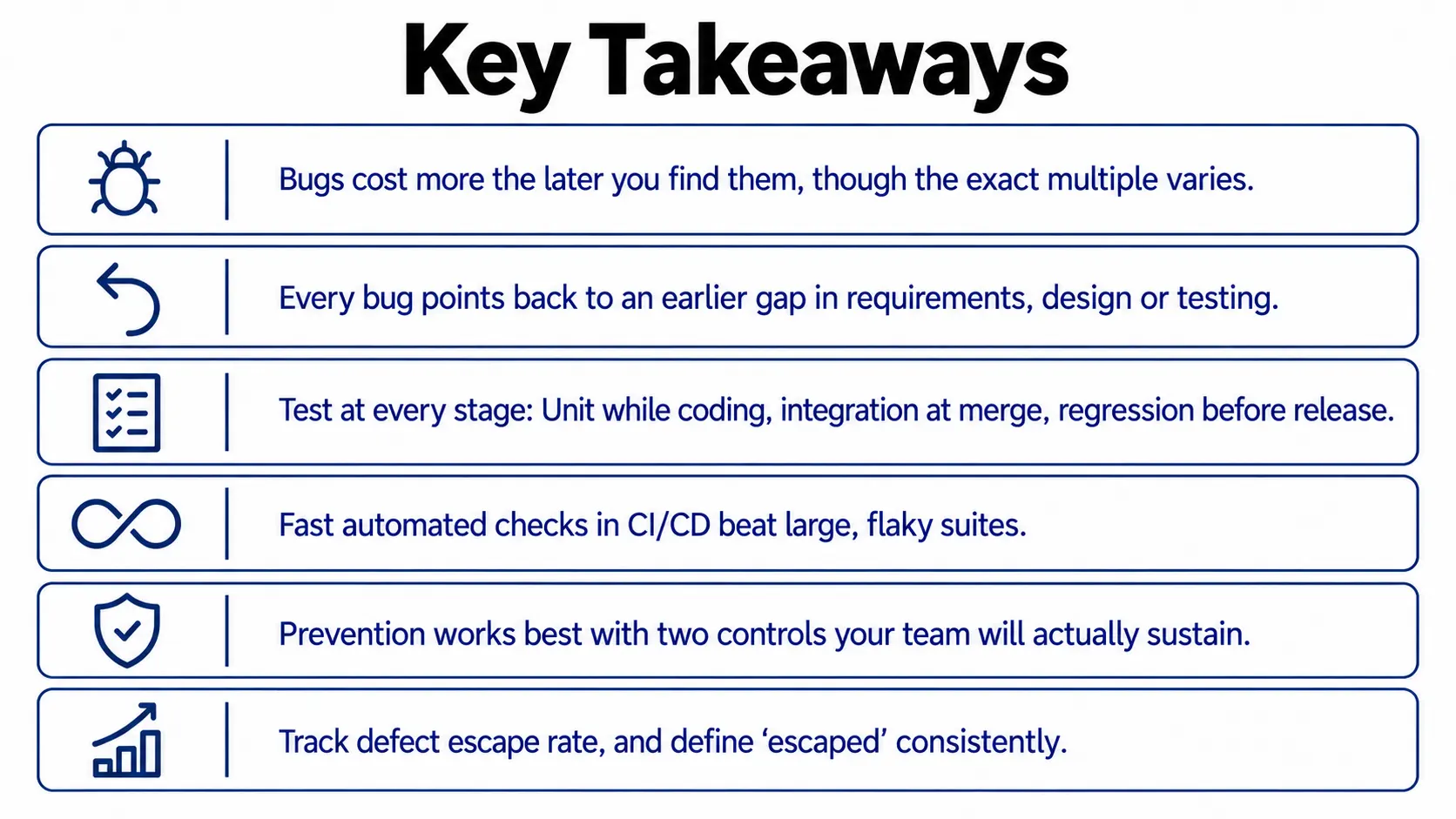
Nobody budgets for the Monday after a bad release, which is why it keeps happening. SDLC testing is not about more process. It is about moving checks to where they are cheap and measuring whether they work.
Pick one stage you currently skip, add one automated check there, and track your escape rate for a quarter. After a quarter, the numbers will show whether early testing is working and which stage to strengthen next.
People Also Ask (FAQs)
Q1. What is SDLC?
Ans: SDLC stands for software development life cycle, the structured path a product follows from planning and design through coding, testing, release, and maintenance, usually run as waterfall or agile.
Q2. What are the types of software bugs?
Ans: Common types are logic errors, integration faults, performance regressions, security flaws, usability slips, and compatibility issues. Each is cheaper to fix when caught early, so timing matters more than type.
Q3. What is a test automation framework?
Ans: It is the structure that organises automated tests: Shared libraries, conventions, test data, reporting, and CI hooks. Good ones keep scripts reusable and cheap to maintain as suites grow.
Q4. How does quality assurance outsourcing work?
Ans: A partner's QA engineers take over test planning, automation, and reporting, embedded in your team or as a managed service. Pricing is usually per sprint, project, or engineer.
Q5. What is software quality assurance?
Ans: Software quality assurance is the set of planned activities that prevent defects across the whole lifecycle, covering standards, reviews, test strategy, and process audits. Testing is one part of it.