A finance team moved four million customer records from an on-premises SQL Server to a cloud warehouse. Row counts matched. On Monday, invoices arrived with no customer attached, because a length limit on the name column had quietly rejected the parent rows they pointed to.
That gap is what data migration testing closes. Whether the migration process involves legacy systems, a data center migration, an EHR migration, or a cloud migration, it only holds up if tested at every stage. This guide covers the phased approach, checklist, and examples.
What Is Data Migration Testing?
Data migration testing is the process of verifying that data moving from a source system to a target system arrives complete, accurate, and with its relationships intact, checked before, during, and after the move. It proves three things:
- Data completeness: Every record arrived.
- Accuracy: Every value arrived unchanged, or transformed exactly per the transformation rules.
- Working relationships: Keys, data dependencies, and business rules still behave once the data lands.
Source is where data leaves, target is where it lands, and "intact" means a query against the target gives the same answer the source did. According to Gartner, poor data quality costs organisations $12.9 million a year. Matching row counts proves little; it shows volume arrived, not accuracy.
Data Migration Testing vs. Data Conversion Testing
Data conversion testing is often confused with this. Conversion testing checks that values and formats transform correctly, a date stored as text becoming a proper date type. Migration testing includes that and goes further, covering the load, data integration between systems, the error logs, and rollback.
The Three Phases of Data Migration Testing
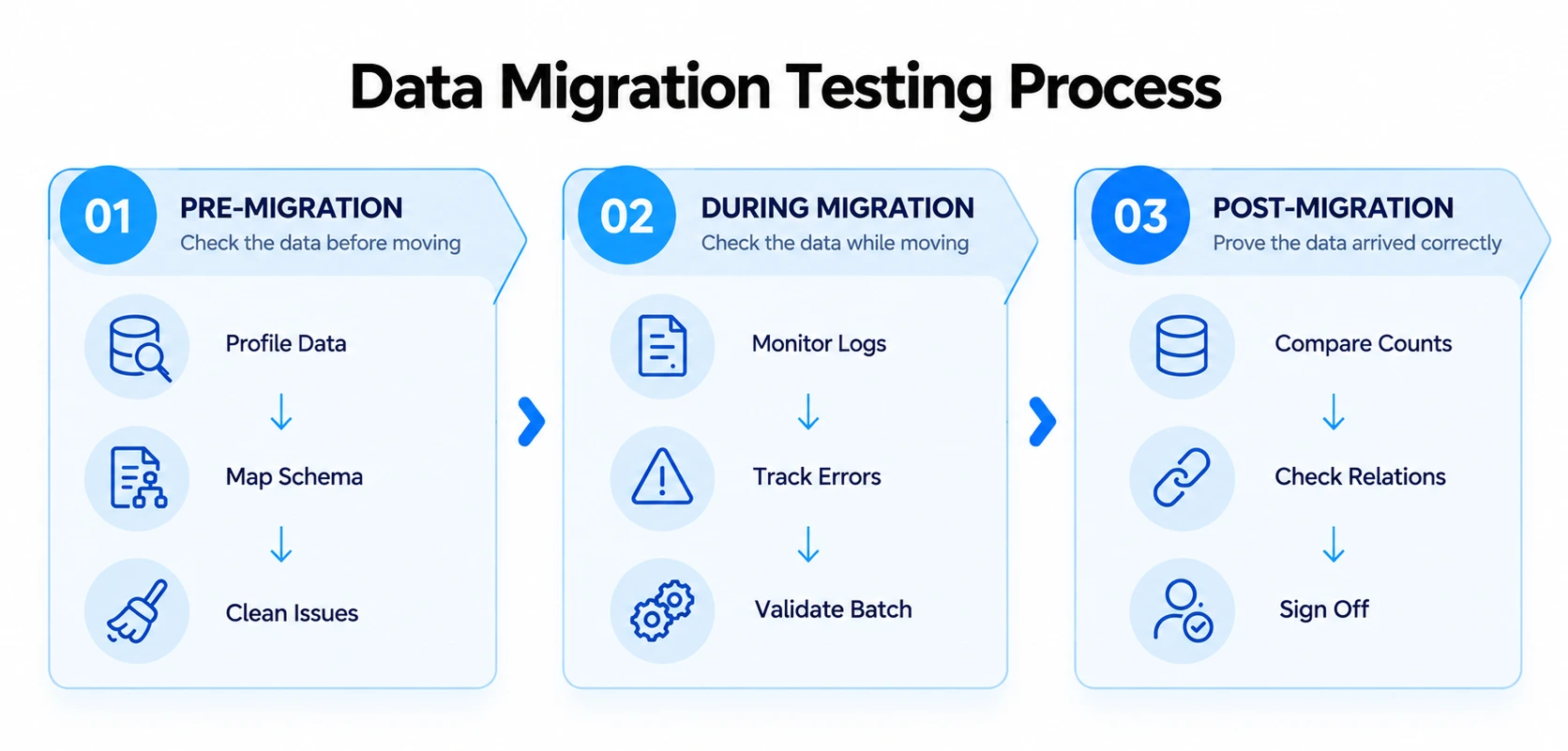
Pre-migration, during migration, and post-migration are three phases with three jobs. Skip one, and the discovery moves from a test environment to production.
Pre-Migration: The Analysis Phase
This is where most risk gets removed.
- Profile source data for nulls, duplicates, and orphaned records; data quality issues are cheaper to fix here.
- Run data cleansing on anything that fails profiling.
- Complete schema mapping against target system requirements, exactly where our opening story went wrong.
- Confirm transformation rules and data dependencies before the load starts.
- Build a production-like environment, take a verified backup, and write the rollback plan.
- Get business owner sign-off on scope and risk.
During Migration: Watching the Run
Once the migration starts, the job shifts to watching.
- Monitor the ETL run through its logs, not just its dashboard.
- Make sure rejected records land in an error repository rather than vanishing.
- Run partial-batch validation with sample tracking, so a bad mapping costs one batch instead of the whole load.
- Confirm workflow automation between source and target is triggering.
Post-Migration: Proving It Worked
This is where reconciliation happens, proving confidence rather than assuming it.
- Reconcile row counts, then checksums on the columns that matter to the business.
- Check referential integrity: Keys still hold, rules such as "every invoice has a customer" are true.
- Confirm workflow integrity across dependent systems and reporting tools.
- Review audit trails to confirm every change is logged and traceable.
- Run rollback testing, because an untested rollback plan is a hope, not a plan.
- Close with sign-off from the same business owner who approved the scope.
Data Migration Testing Checklist
A checklist only earns its keep if every item has an owner and a clear pass-or-fail result.
Before You Migrate
Lock down the fundamentals:
- Profile source data for nulls, duplicates, and encoding issues.
- Complete schema mapping and get it reviewed by someone else.
- Confirm data security and security protocols cover the whole path.
- Take a verified backup and write the rollback plan.
- Build a sandbox that mirrors production.
While You Migrate
Keep watching rather than waiting for a final report:
- Monitor logs for warnings, not only outright failures.
- Check the error repository after every batch.
- Run source-to-target validation on a sample from each batch against agreed validation criteria.
After You Migrate
Close the loop with evidence, not assumptions:
- Reconcile row counts and checksums.
- Check primary and foreign keys for orphaned records.
- Run business-rule queries and performance tests under realistic data volume.
- Verify audit controls and electronic signatures, if the workflow requires either.
- Fold these into your regression testing pack as ongoing validation cycles.
- Collect sign-off from the business owner.
Core Types of Data Migration Testing
Four types cover most of the risk, and the fourth is the one teams forget.
Data validation runs across all four, and data integrity, meaning intact keys and relationships, is what accuracy and integration checks protect.
Data Migration Testing Tools and Automation
When to Automate Data Validation
Manual comparison works for a handful of tables, but stops once a migration has hundreds. Automation earns its keep once data volume or repeat cycles make manual checks impractical, though edge cases still need a person. A few paths get teams there:
- Extend what you already run: A test automation framework or test automation platform used for functional testing often stretches to cover migration checks.
- Let AI generate the scripts: AI test automation and codeless test automation tools produce comparison scripts without hand-written SQL.
- Bring in outside capacity: Software test automation services or test automation solutions can build the harness when bandwidth runs short.
Tools for Cloud Data Migration, Including AWS DMS
Data migration tools fall into a few groups:
- ETL tools move and transform data between on-premises systems and cloud deployment targets.
- Database migration services handle the transfer itself. AWS and Google Cloud are common landing points for cloud data migration work, and the AWS Database Migration Service, generally known as AWS DMS, is the best-known name; it can land data in a target such as AWS S3, and its documentation describes a built-in data validation feature that automatically compares source and target records after the load.
- Script-based comparison, usually SQL or Python, checks results independently of the tool that moved the data.
Where Migrations Actually Go Wrong
A team we spoke with ran a dry migration that finished clean. A week later, finance found three thousand customers missing; the error log had held the records, but nobody had read it. According to McKinsey, large IT projects run roughly 45 per cent over budget, and none of the modes below show up in a success message:
- Data quality issues, where schema differences or skipped data cleansing corrupt values during transformation.
- Compatibility problems, where source and target use different technologies and business logic breaks on data that transferred fine.
- Inadequate test environments, where a sandbox that does not mirror production lets issues through.
- Data security gaps, where sensitive data moves without the security protocols and regulatory requirements HIPAA and SOC 2 expect.
- Broken reporting, where ESG reporting or impact reporting dashboards downstream show numbers nobody can reconcile.
Data Migration Testing Best Practices
A data migration strategy generally takes one of three shapes, and the right methodology depends on how much downtime the business can absorb.
- Big-bang cutover: The whole dataset moves in a single scheduled window, then the old system goes dark; it suits a short downtime window and a modest dataset.
- Incremental trials, then cutover: Batches move and get validated in stages before the next one runs; it fits many tables, live users, or regulated data.
- Ongoing sync with continuous reconciliation: Source and target run in parallel until the target proves reliable; it is the choice when the source system has to stay live throughout.
Which one fits your team?
- A downtime window of a few hours and a modest dataset? Big-bang cutover.
- Many tables, live users, or regulated data? Incremental trials, then cutover.
- The source system has to stay live throughout? Ongoing sync with continuous reconciliation.
A few practices separate a clean cutover from a Monday-morning surprise:
- Favour incremental trials: Use them over a big-bang cutover for anything above a handful of tables.
- Mask personal data: Do this in lower environments too; HIPAA and SOC 2 auditors do not treat "it was only a test" as a defence.
- Apply the same logic to a data center migration: Swap cloud risks for rack dependencies.
Data Migration Testing Examples
Example 1: On-premises SQL to a cloud warehouse. Mostly a volume problem: Reconciliation catches checksum issues, key checks catch orphaned rows like our opening story, and performance testing catches queries that crawl under real data volume.
Example 2: EHR migration to a health information network. A meaning problem instead. Status codes and date formats differ across systems; EHR contracts often specify validation criteria, and Health IT teams need accuracy testing on mapped fields more than raw volume.
Sampling is fast; full comparison is thorough and slow.
How Frugal Testing Helps You Validate Data Migrations Without the Overhead
Most teams do not lack the skill to validate a migration; they lack the hours. The engineers running the cutover are usually the same people who would need to test it, and nobody should be grading their own work under deadline pressure.
As a QA services company, our data migration testing service brings an independent pass to the process. We check completeness, accuracy, and integrity, then hand back evidence rather than a verbal "looks fine," so you know exactly where the migration stands before go-live.
What Our Data Migration Testing Engagement Looks Like
The engagement runs in b, so nothing gets validated for the first time on go-live day:
- Week 1: We profile the source data and review your schema mapping.
- Week 2: We build reconciliation checks scripted to your data and business rules.
- Week 3: We run trial migrations before go-live and log defects by root cause.
- Week 4: We close with a sign-off pack, and you keep the scripts, reports, and rollback evidence.
Who This Is For
This fits engineering managers, PMs, and IT directors running a costly-downtime migration: A legacy ERP cutover, an EHR migration, or a cloud warehouse move with a hard go-live date. A short conversation usually settles whether it's worth it.
Conclusion
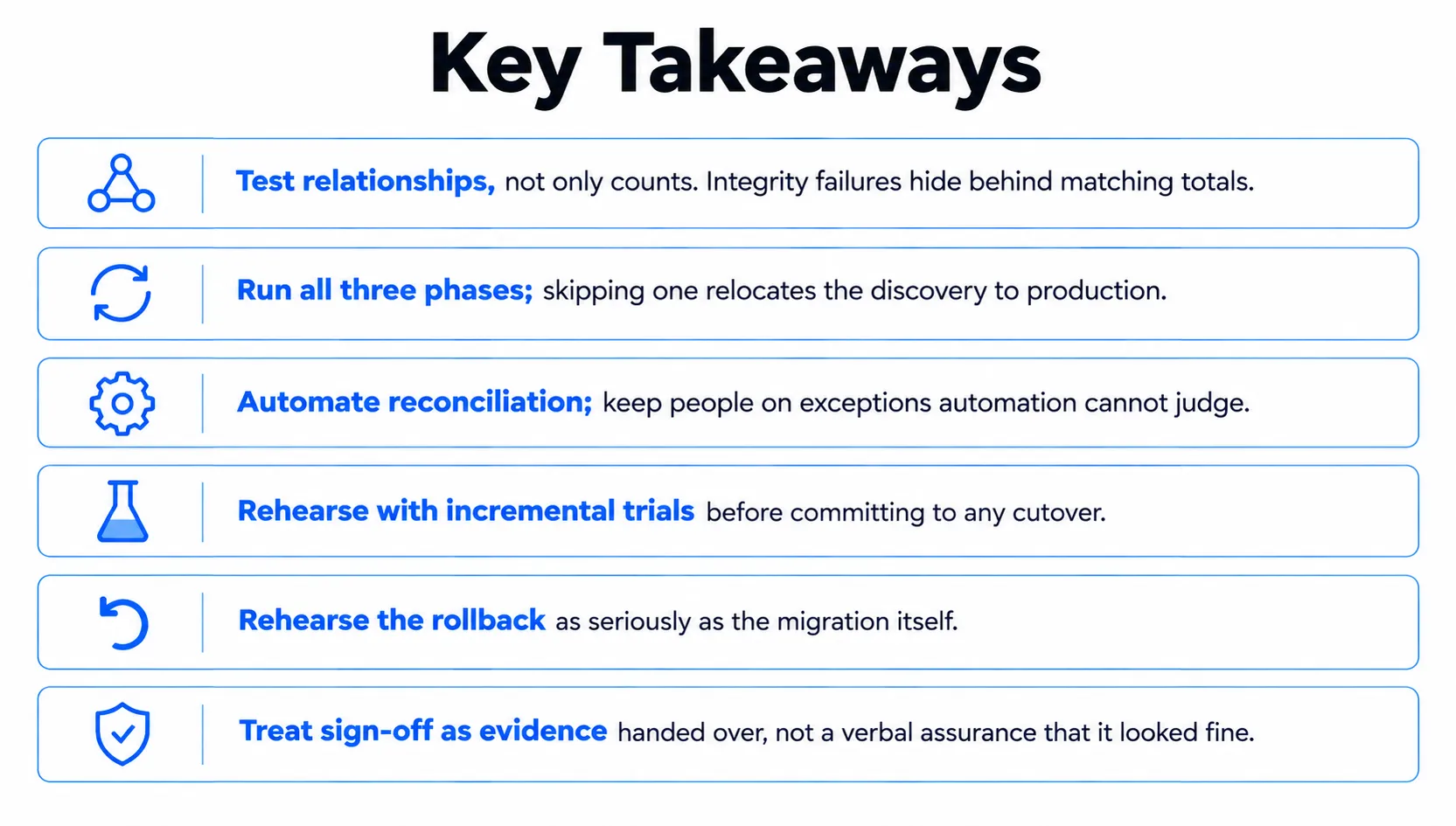
Data migration testing is less about hunting every bug and more about earning the right to switch the old system off. Row counts alone prove volume arrived, not that the data is trustworthy. Teams that treat validation as a deliverable with evidence attached go live with confidence.
The three phases, checklist, and practices in this guide exist to make that evidence easy to produce, whether it's a cloud migration, an EHR migration, or a data center migration. Teams that skip it find out on a Monday morning, from a customer.
People Also Ask (FAQs)
Q1. What is data integrity?
Ans: Data integrity means data stays accurate, consistent, and trustworthy across its lifecycle. It covers structural rules and business logic, not just whether a value copied over correctly.
Q2. What is data migration?
Ans: Data migration is the process of moving data between storage systems, formats, or environments, such as an on-premises database moving to a cloud warehouse, or one application replacing another.
Q3. What is test automation in software?
Ans: Test automation uses a test automation framework or platform to run test cases automatically, relying on test automation tools and scripts to check functionality faster than a person could.
Q4. How is a data center migration different from a cloud migration?
Ans: A data center migration moves infrastructure between physical facilities, while a cloud migration moves data and workloads to hosted infrastructure such as AWS or Google Cloud.
Q5. What is the difference between a data migration plan and a data migration strategy?
Ans: A data migration strategy sets the overall approach, big-bang, incremental, or ongoing sync, while a data migration plan details the schedule, owners, and tools used to carry it out.

.webp)