A QA lead at a mid-size fintech company told us their team found out about a slow checkout endpoint the way most teams do: A customer complained on Twitter. The load test that would have caught it sat in a shared drive, run manually, weeks before release.
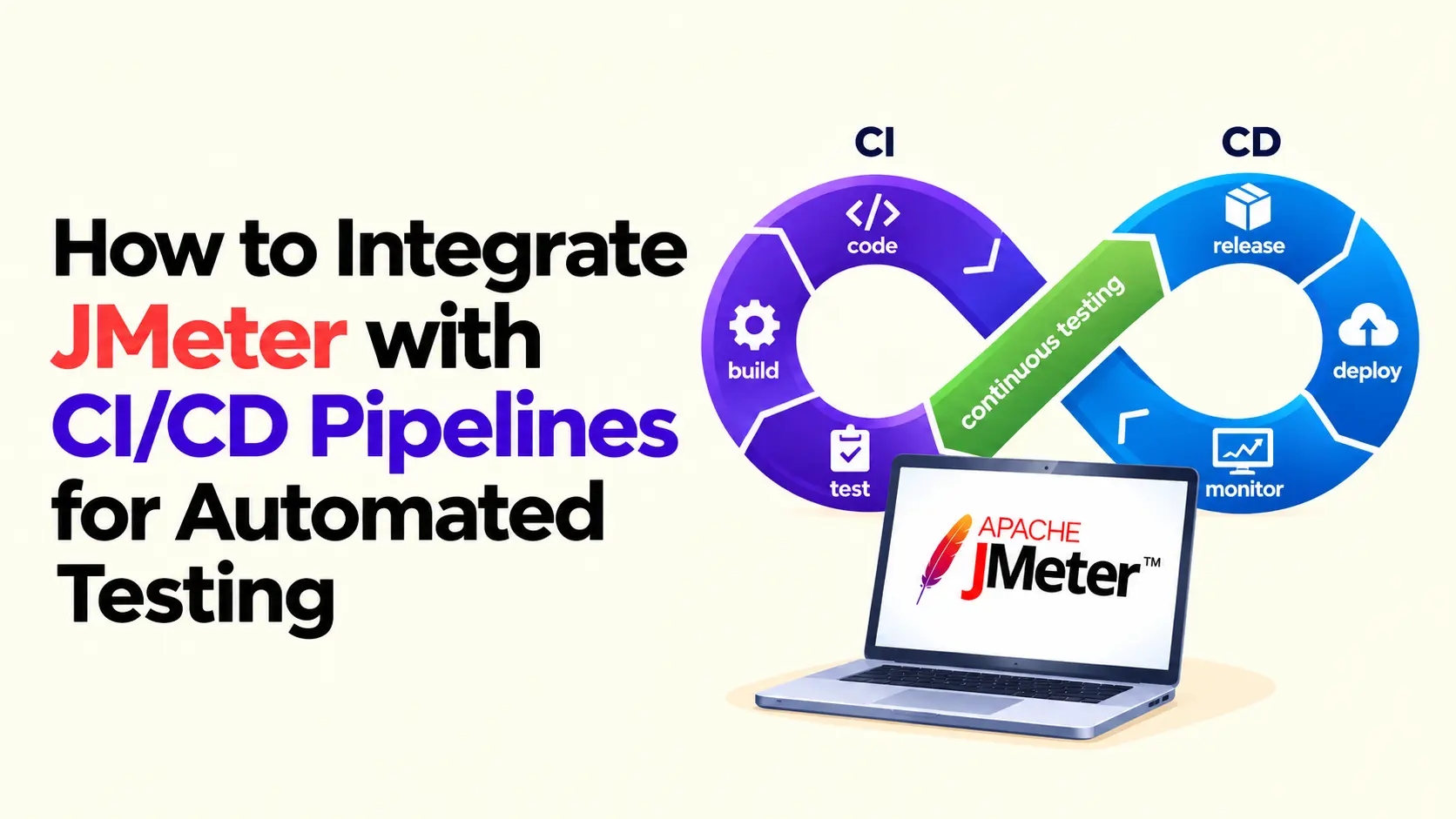
That gap, between testing once and every build, is where regressions slip through. JMeter in a Continuous Integration pipeline closes it. It runs in non-GUI mode from the JMeter command line, so any build step in your CI/CD lifecycle can trigger a load test and fail on a performance drop.
What Is JMeter?
Apache JMeter is an open-source tool for load and performance testing, built to simulate concurrent users and measure how an application holds up. It sits next to functional and regression testing, not replacing either. Regression confirms a feature still works; JMeter confirms it's fast, answering the question of what regression testing versus performance testing is.
What It's Used For: Load, Performance, and API Testing
JMeter's coverage spans three use cases:
- Load testing: Realistic traffic to find where response times start climbing
- Stress Testing: Pushing past expected capacity to find the breaking point, not the slow point
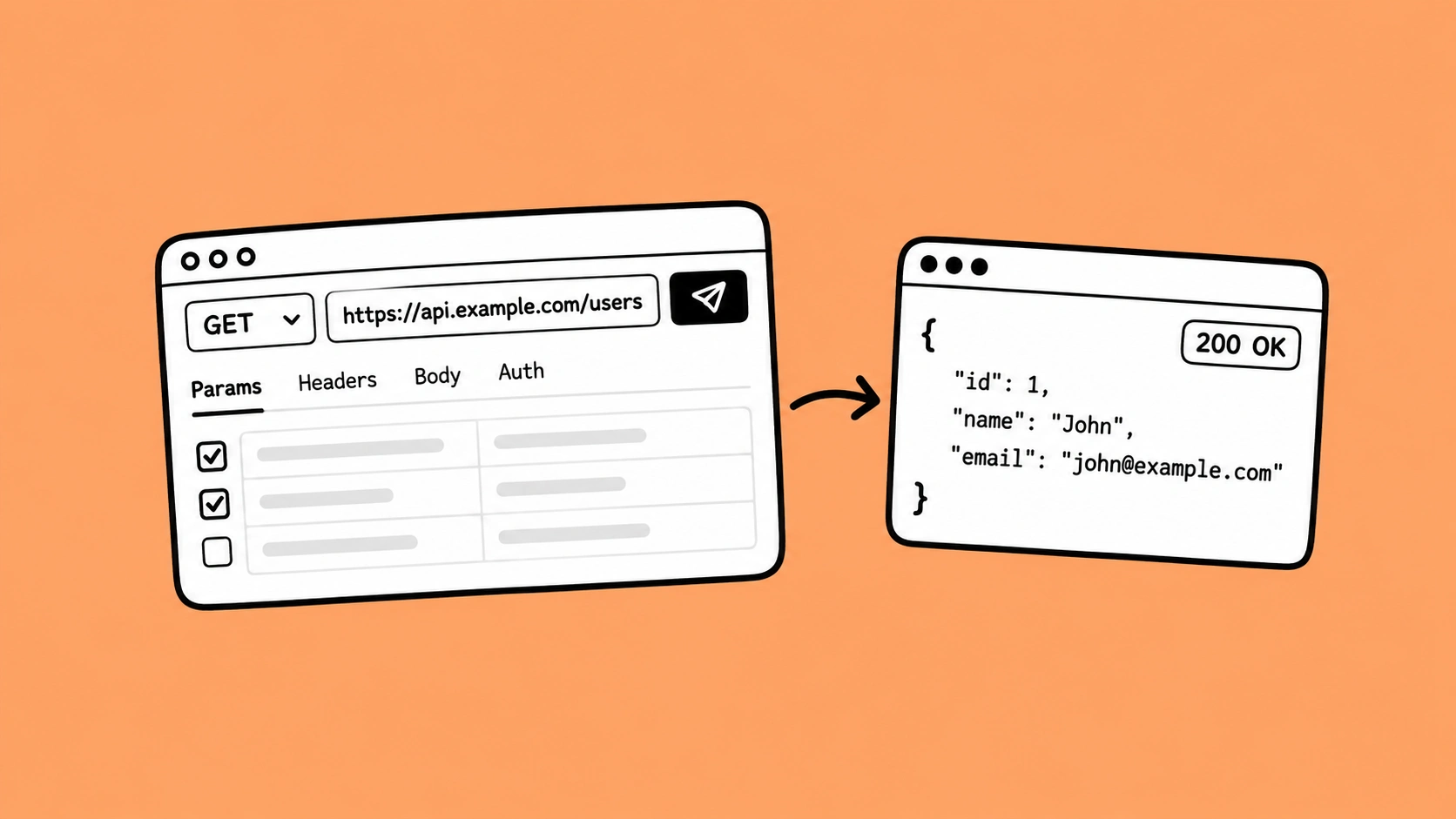
- API Performance Testing: Checking response codes, payload structure, and latency against a REST API, no browser involved
A team shipping a public API might run the same JMeter test plan nightly to watch for latency creep, treating that api testing run as routine. The value is in running the suite consistently, not one result.
Why Integrate JMeter with Your CI/CD Pipeline
Running performance tests by hand works fine until the release calendar gets tight; then it's the first to get skipped. Wiring JMeter into automated delivery pipelines means the test runs regardless of deadline pressure:
- Catching a regression at commit time costs one engineer twenty minutes.
- Catching the same regression in a production environment costs an incident review, a rollback, and an awkward retro.
That's what Continuous Performance Testing buys a team. A Continuous Delivery Pipeline that skips performance checks isn't continuous; it's just fast at shipping untested code.
What Happens When Performance Testing Stays Manual
The pattern we see most often: A solid JMeter script that runs great on someone's laptop before a major release. Then a sprint gets busy, the test slips, and three releases go out with no check. The fourth ships a query that turns a 200ms endpoint into a 4-second wait, nobody noticing until tickets pile up.
More tests run manually isn't more coverage. A smaller suite that runs automatically beats a large one that runs occasionally.
Preparing Your JMeter Scripts for Automation
The JMeter GUI is for building and debugging scripts. It should never run inside a pipeline; it's resource-heavy and not built for headless execution. Most ci cd tools expect the same: a script that runs cleanly from the command line, no window required.
Before a script is ready for Continuous Testing:
- Parameterize inputs: Replace hardcoded values with ${__P(threads,10)} so Thread Groups, hostnames, and load levels change per environment
- Version everything: Keep the JMeter test plan (.jmx), .csv data, and .properties files in a version control system.
- Know your controller structure: Each Thread Group acts as a JMeter controller for virtual users; group HTTP Request samplers under logical controllers.
- Verify headless first: Run jmeter -n -t script.jmx -l results.jtl locally before it touches a pipeline
- Debug with View Results in table: Use that GUI listener for local debugging only, then disable it before CI.
Parameterizing an existing script takes under an hour; from scratch, closer to half a day. Treat this as part of test automation, not a task before release.
How to Integrate JMeter into a CI/CD Pipeline
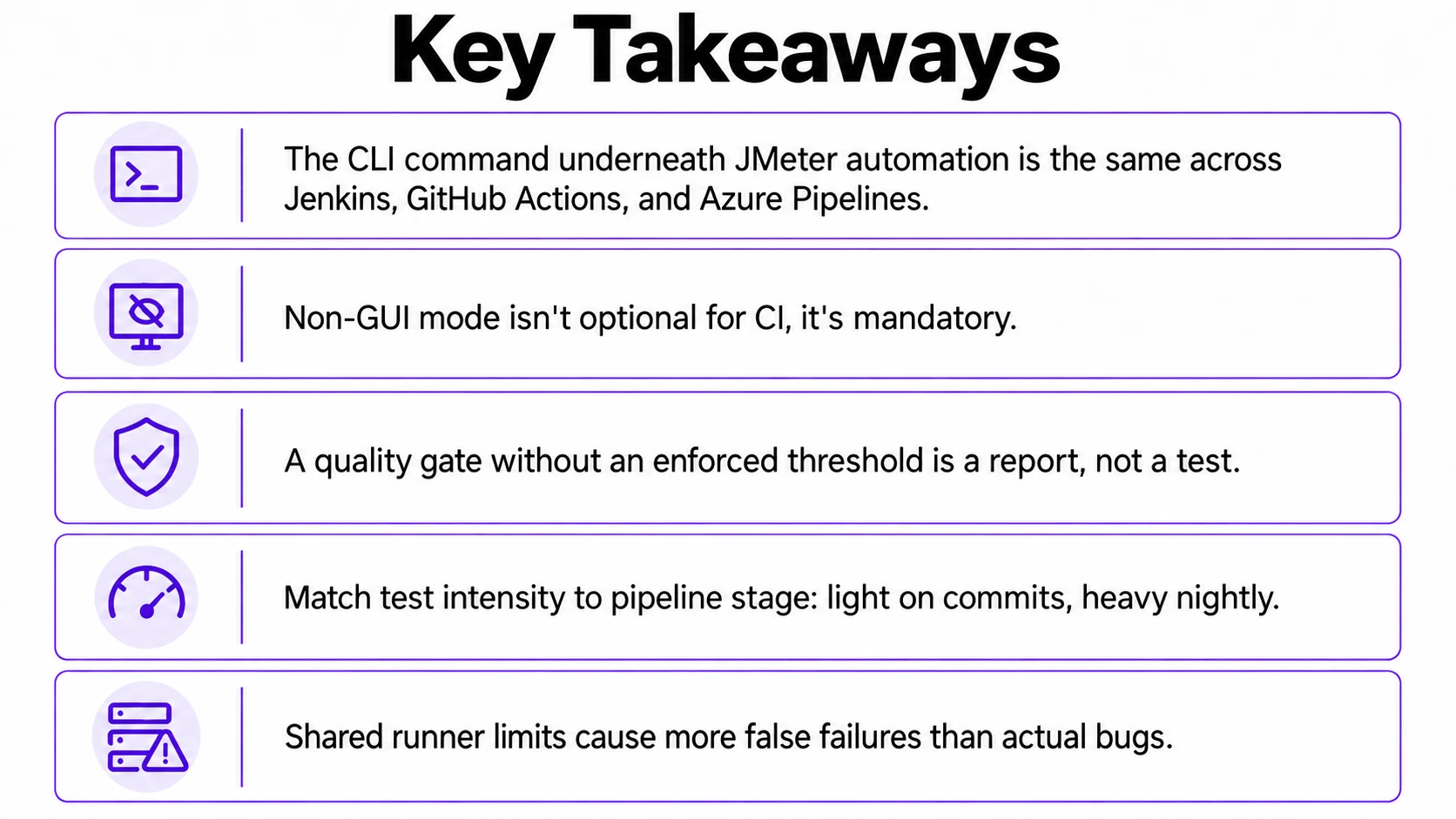
Ask ten engineers what a CI/CD pipeline is day to day, and you'll get ten tool names, one idea underneath. The underlying JMeter command line call is identical everywhere: jmeter -n -t test.jmx -l results.jtl -e -o report/. -n runs non-GUI mode, -t points at the test plan, -l writes raw JMeter report data, and -e -o builds an HTML dashboard. What changes between platforms is how each wraps the command.
.webp)
Jenkins
pipeline {
    agent any
    stages {
        stage('Run JMeter Load Test') {
            steps {
                sh 'jmeter -n -t tests/checkout.jmx -l results/results.jtl -e -o results/report'
            }
        }
        stage('Publish Results') {
            steps {
                perfReport sourceDataFiles: 'results/results.jtl'
            }
        }
    }
}
That perfReport step comes from the Jenkins pipeline plugin. It parses the .jtl file, fails the build on defined thresholds, and surfaces a Performance Trend report and Build Pipeline View. Every run joins the build queue.
GitHub Actions
name: JMeter Load Test
on: [push]
jobs:
  load-test:
    runs-on: ubuntu-latest
    steps:
      - uses: actions/checkout@v4
      - name: Set up Java
        uses: actions/setup-java@v4
        with:
          distribution: 'temurin'
          java-version: '17'
      - name: Download JMeter
        run: |
          wget https://dlcdn.apache.org/jmeter/binaries/apache-jmeter-5.6.3.tgz
          tar -xzf apache-jmeter-5.6.3.tgz
      - name: Run test
        run: apache-jmeter-5.6.3/bin/jmeter -n -t tests/checkout.jmx -l results.jtl -e -o report
      - uses: actions/upload-artifact@v4
        with:
          name: jmeter-report
          path: report/
The workflow uploads the report as a build artifact, so anyone can check the JMeter report data without rerunning locally. Small step, real time saved.
Azure DevOps
Whether you call it Azure Pipelines or an Azure DevOps pipeline, it authenticates through a service principal against your Azure subscription. Teams often pair this with Azure Load Testing.
One command underneath, three platforms: Differences sit in setup and artifact publishing. Once dialed in, adapting the same JMeter integration is mostly copy-paste, whichever ci/cd tools your org runs.
Defining Quality Gates and Automated Failures
A pipeline that stays green while response times triple is worse than no automation; it gives false confidence until the moment it doesn't.
Configuring Assertions in JMeter (Response, Duration, Size)
Assertions live inside the test plan, catching problems in the raw test run metrics before they're aggregated into a summary that might mask them:
- Response Assertion: Checks status codes or body content.
- Duration Assertion: Fails a sample past a set millisecond threshold.
- Size Assertion: Catches payloads that have quietly bloated.
Enforcing Pass/Fail Criteria with Taurus
Taurus, from BlazeMeter, wraps JMeter and adds a cleaner threshold layer:
execution:
  - executor: jmeter
    scenario: checkout-load
    concurrency: 50

reporting:
  - module: passfail
    criteria:
      - avg-rt>2s, stop as failed
      - fail%>1%, stop as failed
That passfail block reads cleaner than chained plugin config. It works the same in Jenkins, GitHub Actions, or on a laptop.
.webp)
Scripted Threshold Checks Against .jtl / summary.json
For teams that skip Taurus, a short script parsing errors from the .jtl output works fine:
import csv

error_count = 0
total = 0
with open("results.jtl") as f:
    for row in csv.DictReader(f):
        total += 1
        if row["success"] == "false":
            error_count += 1

error_rate = error_count / total
if error_rate > 0.01:
    raise SystemExit(f"Error rate {error_rate:.2%} exceeds 1% threshold")
It isn't as polished as a dedicated framework, but it adds no dependency and slots into almost any pipeline. Good enough for most teams.
How and When to Run JMeter Tests
Choosing the Right Stage: Every Build, Nightly, or Pre-Release
Running a full-scale 500-user load test on every commit makes teams hate CI. A tiered approach works better:
Which one fits your team?
- Multiple releases a day? Run the smoke tier on every build.
- Weekly cadence? Nightly medium-load runs plus a pre-release run cover most risk.
- Infrequent, high-stakes releases? Invest in the pre-release full-scale run.
Setting Pass/Fail Thresholds So Builds Actually Catch Regressions
This ties back to quality gates above: Nightly thresholds should be stricter than a smoke test, since nightly conditions sit closer to production.
Common Challenges with Running JMeter in CI/CD
Running the same JMeter suite inside CI/CD surfaces problems rarely seen on a laptop:
- Shared runner limits: A hosted runner with two vCPUs and 4GB of RAM lies about your performance; the bottleneck is the runner.
- Environment flakiness: Tests sharing infrastructure with functional suites skew numbers.
- Scaling high load: A distributed setup with one JMeter controller coordinating multiple JMeter agent nodes, or containerized runners, solves this.
Distributed testing's setup cost is easy to underestimate, and performance issues resurface right when traffic peaks. None of this is unique to JMeter: any DevOps pipeline under real load hits the same limits.
Best Practices for Automated JMeter Testing
These best practices come up in nearly every engagement, regardless of the ci cd tools in use, or what is ci/cd pipeline for a given team:
- Never run GUI mode in a pipeline.
- Keep the JMeter test plan, .csv, and .properties files in a version control system next to the app.
- Set explicit pass/fail thresholds; don't rely on someone reading the dashboard.
- Isolate performance test infrastructure from functional test infrastructure.
- Match load level to pipeline stage: Light on builds, heavy nightly or pre-release
None of these need new tooling, mostly discipline: Version everything, define numbers early, keep performance testing separate from other noise.
How Frugal Testing Helps Teams Automate JMeter in CI/CD
In our Performance Engineering engagements, the issue isn't the tool; nobody owns thresholds after setup, so they drift and stop catching anything real. Some teams are still settling on ci cd meaning; others know what it is and just want their ci cd pipeline tuned.
Frugal Testing offers software testing and qa services as a qa services company: software qa services, qa and testing services, automation qa services. That covers test automation tools, test automation solutions, what is test automation in software, api testing tools, postman api testing, DevOps testing, performance testing tools, api security testing, automation testing.
What Our Engagement Looks Like
We audit existing scripts, parameterize what's usable, wire the suite into the team's CI platform, and set thresholds against real baselines. At a larger scale, this extends into Load Testing Services, including cloud runs through Azure Load Testing. The client owns a suite they can maintain.
Conclusion
Getting JMeter into a pipeline isn't a tooling problem. The command is the same everywhere, and YAML differences are minor. The harder part is deciding what counts as a failure and who owns that decision later. That's the real ci/cd pipeline meaning: not tooling, discipline. Automation without ownership becomes another dashboard nobody checks, whether that's one nightly job or full continuous deployment.
People Also Ask (FAQs)
Q1. What is CI/CD in software development?
Ans: CI/CD stands for Continuous Integration and Continuous Delivery, or Deployment. It builds, tests, and releases code through a pipeline on every commit, reducing the risk of manual releases.
Q2. What is regression testing?
Ans: Regression testing checks whether new code changes broke existing functionality. It usually runs alongside performance and load testing, confirming both correctness and speed after a release.
Q3. What is software performance testing?
Ans: Software performance testing measures how an application behaves under expected and peak load, covering response time, throughput, and stability. Load testing tools like JMeter automate these checks.
Q4. What is shift left testing?
Ans: Shift-left testing means moving quality checks, including shift left security scans, earlier into development instead of right before release, catching defects while they're cheap to fix.
Q5. What is a test automation framework?
Ans: A test automation framework is a structured set of tools, conventions, reusable scripts, and reporting used consistently across a team, replacing ad-hoc scripts built per project.



.webp)