A QA lead at a SaaS company came to us with a familiar complaint: Their regression suite used to run in twenty minutes, and now it took two hours, with nobody able to point to the exact day that happened. It is the pattern behind most complaints about regression testing in software testing: Not a tooling gap, but test suites that had grown faster than anyone was managing them. The result wasn't better coverage; it was slower test execution, weaker code coverage where it mattered, and a quiet loss of trust in what the suite was telling the team.
Regression suites slow down because tests pile up faster than teams retire them: Redundant regression test cases, flaky tests nobody has time to fix, and no risk-based test selection for what runs on every commit. This guide walks through why that happens, how to measure it, and the hygiene framework we use to keep a regression test suite fast as it grows.
What is regression testing?
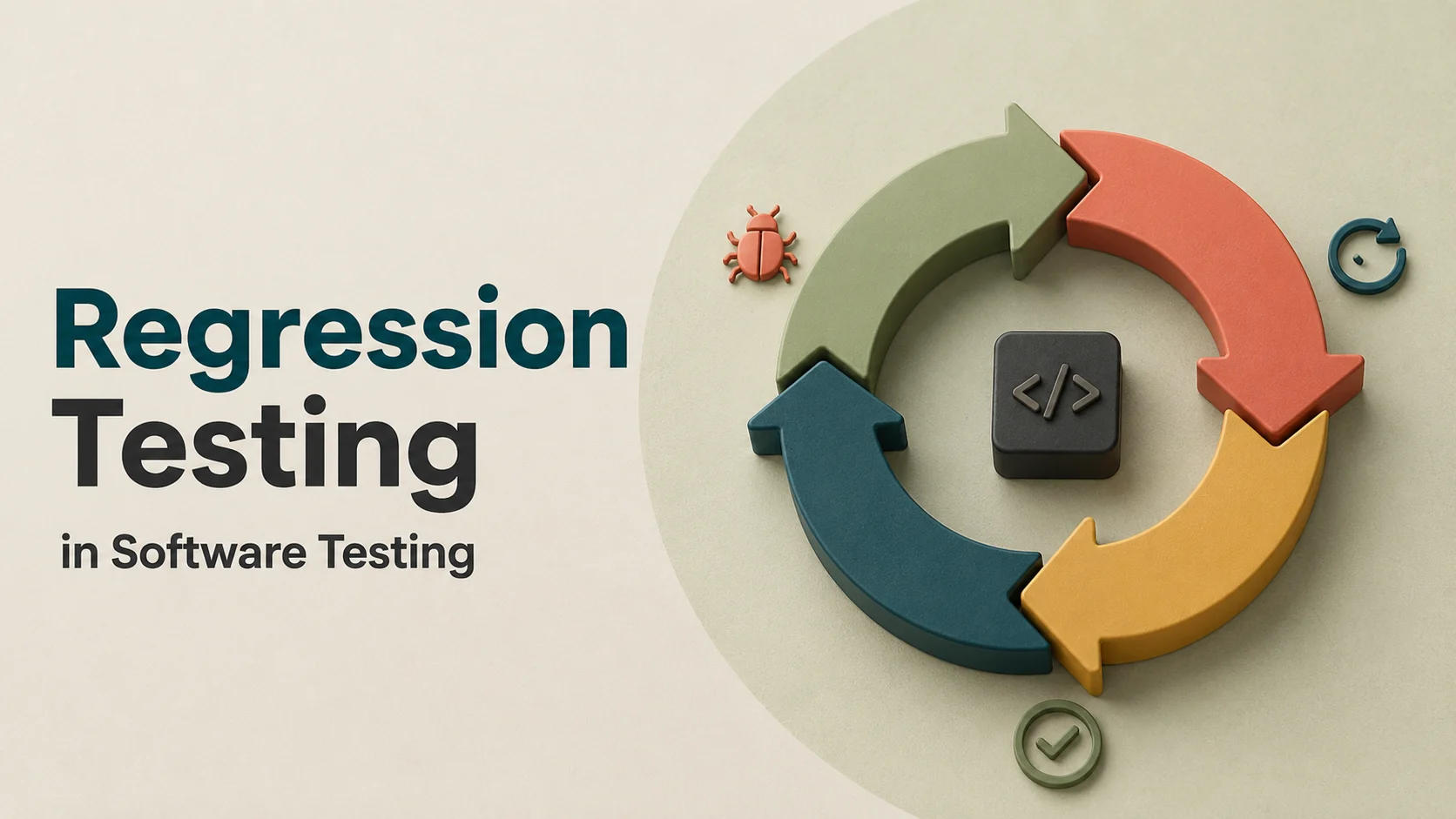
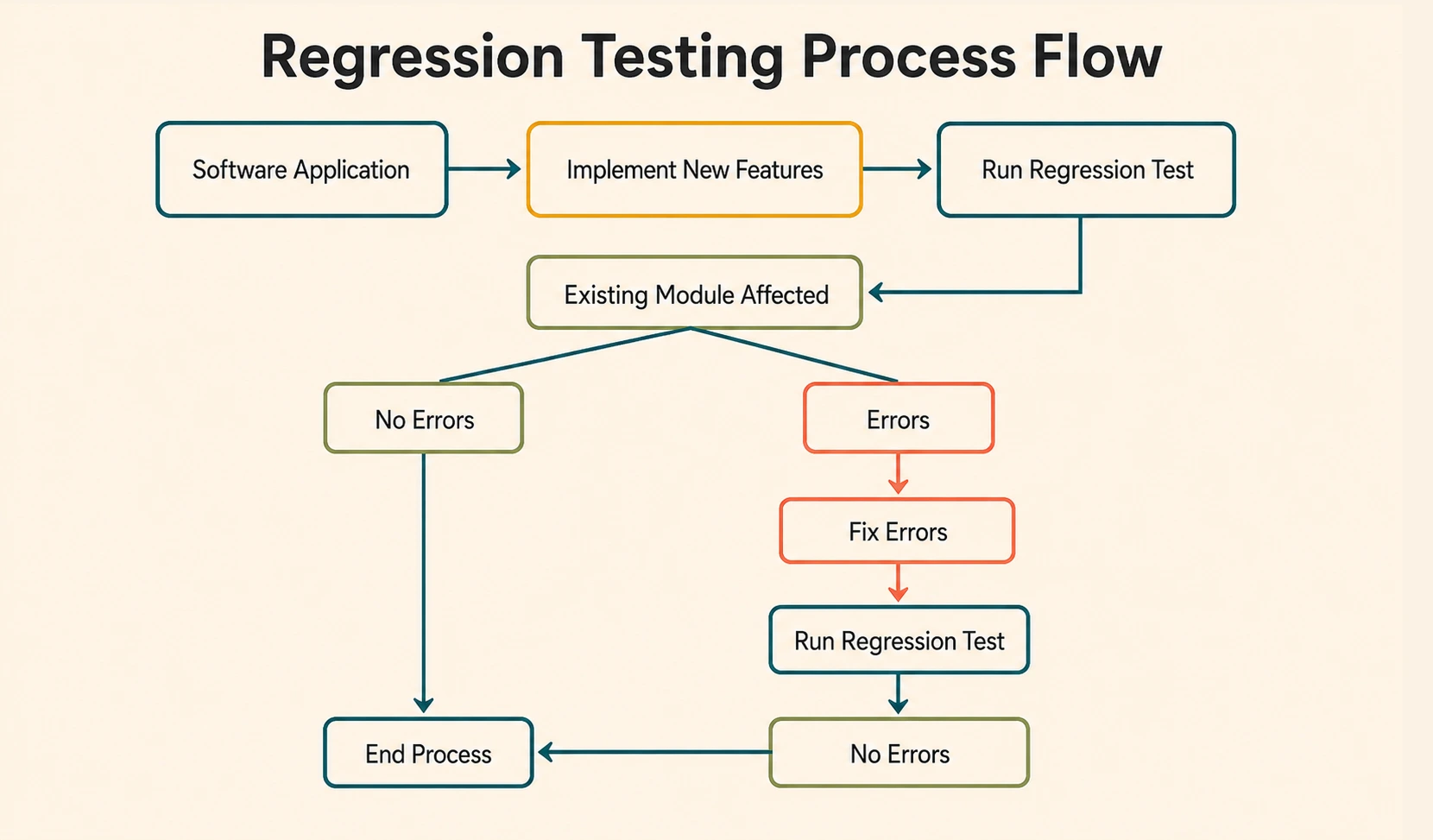
So what is a regression test? It's a check that reruns after every code change to confirm existing functionality still works. Some teams call this qa regression testing or system regression testing, but the idea stays the same: Run a full regression testing pass before a release, or scope it down to just the modules that changed.
It exists to catch one specific problem: A change in one module silently breaking a dependency in another. Done well, it protects the user experience across every release.
What regression testing actually protects
Regression testing doesn't verify a new feature works; that's what functional tests are for. It verifies that shipping the new feature didn't quietly break something old. A regression testing example: A "forgot password" flow ships, and the suite's job is checking the existing login flow still works.
- Code coverage tells you what's tested, not what's safe; a well-covered module can still break a poorly-covered one downstream.
- Regression coverage that hasn't been reviewed in years is often testing paths the product no longer even uses.
Regression testing vs. retesting vs. smoke testing
The terms get conflated constantly, and the line is simpler than it looks:
Confusing regression testing with retesting or smoke testing usually leads teams to over-scope their suite, and that over-scoping is where a lot of the slowdown below actually starts.
The three root causes of regression suite slowdown
This is a well-documented problem in software engineering: Suites decay in predictable, avoidable ways. Three causes account for most regression failures teams actually see.
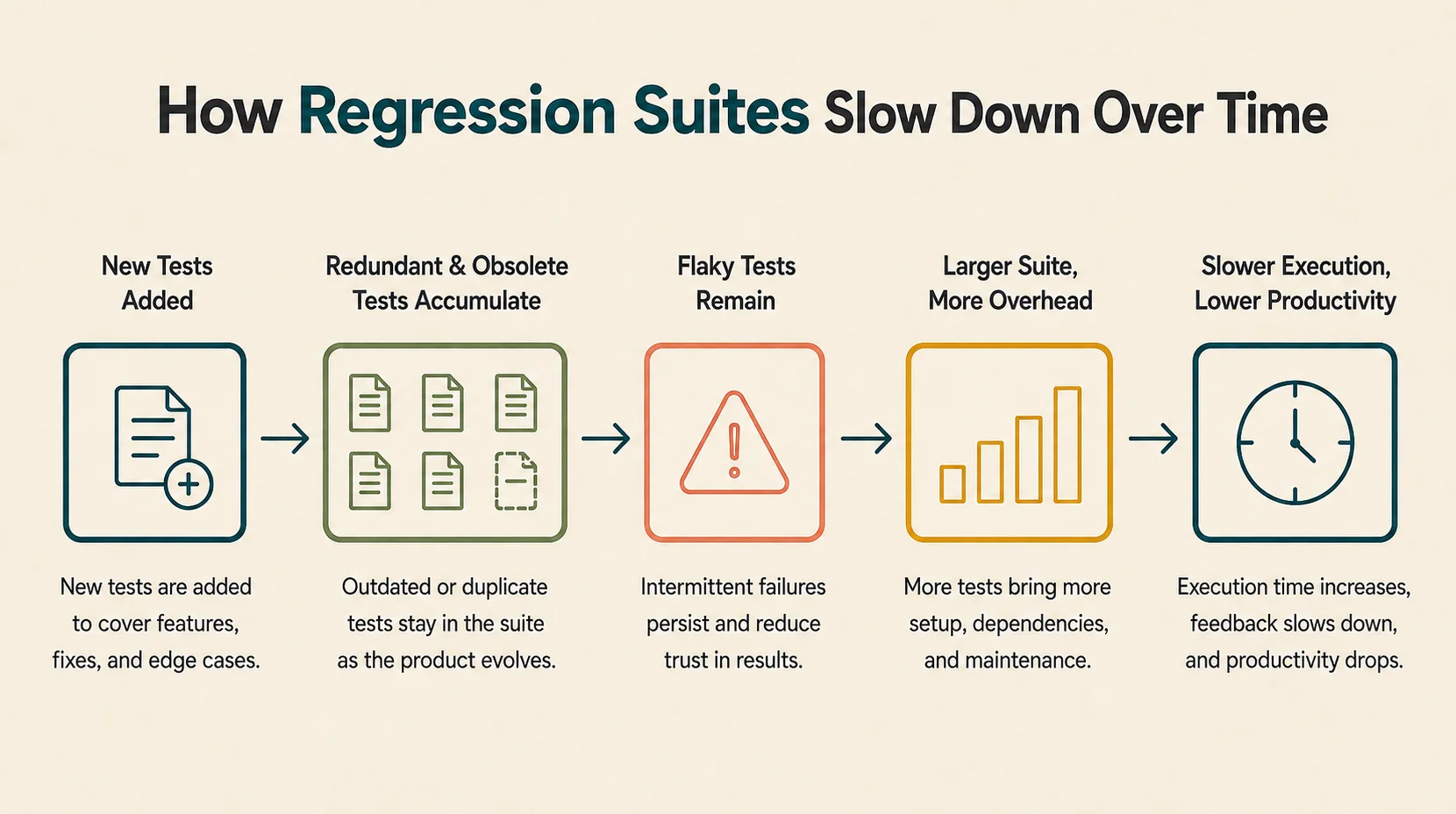
Suite Bloat: Redundant and Obsolete Test Cases
Tests accumulate every sprint, but almost nobody schedules time to retire the ones that no longer earn their place. This is the pesticide paradox: A static suite catches fewer new bugs over time even as regression growth continues, testing the same paths against the same assumptions. AI-generated tests make this worse when teams generate coverage faster than they can maintain it. More test scenarios do not mean more protection.
Flaky Tests and the Trust Problem
A test that intermittently fails, for reasons unrelated to the code changed, trains the team to ignore failures, including real ones. Common sources:
- Race conditions and timing dependencies in UI testing.
- Environment drift between local and CI/CD pipelines.
- Shared test data, or an SQL command in test setup that seeds slightly different data depending on execution order.
No Risk-Based Test Selection
Every test runs on every commit, regardless of what actually changed. A one-line CSS fix triggers the same three-hour suite as a database migration.
More tests isn't always better. A smaller, reliably maintained suite consistently outperforms a large, flaky one, and most teams only discover this after the large one has already cost them a release cycle.
How to tell if your regression suite is actually the bottleneck
Before assuming automation testing itself is broken, pull four numbers from the test harness and CI dashboard; they give a clearer read on suite health than a gut feeling about "slow CI."
The Metrics Worth Tracking Every Sprint
- Pass rate trend over the last few sprints; a slow decline usually points to flakiness rather than genuine regressions.
- Average test execution time; rising duration with a flat test count means individual tests have gotten slower.
- Flake rate per test; isolate the worst 5% of offenders rather than treating flakiness as suite-wide.
- Time-to-feedback, the number developers actually feel and the one that decides whether they trust the pipeline enough to wait for it.
This is a case of observability vs monitoring: Monitoring tells you a build failed, while observability, built from these four metrics, tells you why, and whether the cause is the code or the suite itself. Reviewing them takes about thirty minutes a week and catches decay long before a quarterly check would.
A practical framework for regression suite hygiene
A recurring audit, scheduled rather than reactive, is what keeps a suite from becoming the thing everyone quietly works around. The core of it is a sunset policy: A test that hasn't caught a real regression within a defined window gets flagged for retirement.
Quarterly audits and the sunset rule
A hygiene session covers four things in one sitting:
- Dedupe overlapping test scenarios.
- Retire tests flagged by the sunset rule.
- Tag survivors by business criticality and test design quality.
- Re-baseline expected run times and update the regression plan.
Done quarterly, this rarely takes more than a day. Done never, it becomes a multi-week project nobody wants to own.
Parallel execution and risk-based prioritisation
Tagging tests by business-critical path, checkout, authentication, and billing lets a team run a fast, targeted subset on every commit and reserve the full suite for a nightly run. This is Test Impact Analysis in practice: identifying risk areas from the change itself, not running everything by default. AI-assisted test case selection helps narrow down what runs based on what changed, as a useful accelerant on top of a disciplined process, not a substitute for one.
Which cadence fits your team?
- Suite under 200 tests, low flake rate? A monthly review is enough.
- Suite past 200 tests with CI stretching past thirty minutes? Quarterly audits, non-negotiable.
- Flake rate climbing and nobody owns it? Start there before anything else.
In our experience across QA engagements, teams that stick to this cadence are the ones where continuous integration stays a tool developers trust, built into continuous delivery pipelines rather than routed around.
Manual, automation testing, and autonomous regression testing compared
Regression coverage spans several layers: Unit tests, integration testing, UI testing, and API testing, all feeding into the same regression testing suite, and each layer degrades differently.
According to the World Quality Report 2025-26, the average share of test cases currently automated across organisations sits at just 33%, and only 8% have a fully established, KPI-driven automation strategy. That gap tracks suite hygiene more closely than which regression testing tools a team picks. Teams with a disciplined maintenance cadence get more out of scripted automation testing than teams without one get out of any tool.
How Frugal Testing keeps your regression suite fast, without the overhead
We run regression suite audits and ongoing maintenance as a recurring engagement, not a one-off cleanup, structured as automated regression testing services rather than a project with an end date. A single cleanup buys a team a few good months before the same bloat and flakiness creep back in.
What our regression suite engagement looks like
- Audit the existing suite and classify every test as keep, fix, or retire.
- Apply risk-based tagging and set up parallel execution where the CI/CD pipelines allow it.
- Hand off a documented test plan and maintenance cadence the internal team owns going forward.
- Pair regression coverage with a broader security solution where enterprise software demands it, so quality control and security service work reinforce each other.
Who this is for
- Enterprise software teams whose regression suite has outgrown what one QA engineer can maintain alongside new feature work.
- Teams watching CI feedback loops stretch past sixty minutes for no clear reason.
- Engineering leads who suspect bloat but lack the metrics to prove it.
- Teams in fast-moving agile workflows, where a suite that once kept pace with agile development now lags behind it.
Suite hygiene competes for time against feature work, and it consistently loses. That's a reasonable outcome of how priorities get set, not a failing unique to any one team, and it's exactly the gap our QA regression testing services are built to close.
Conclusion
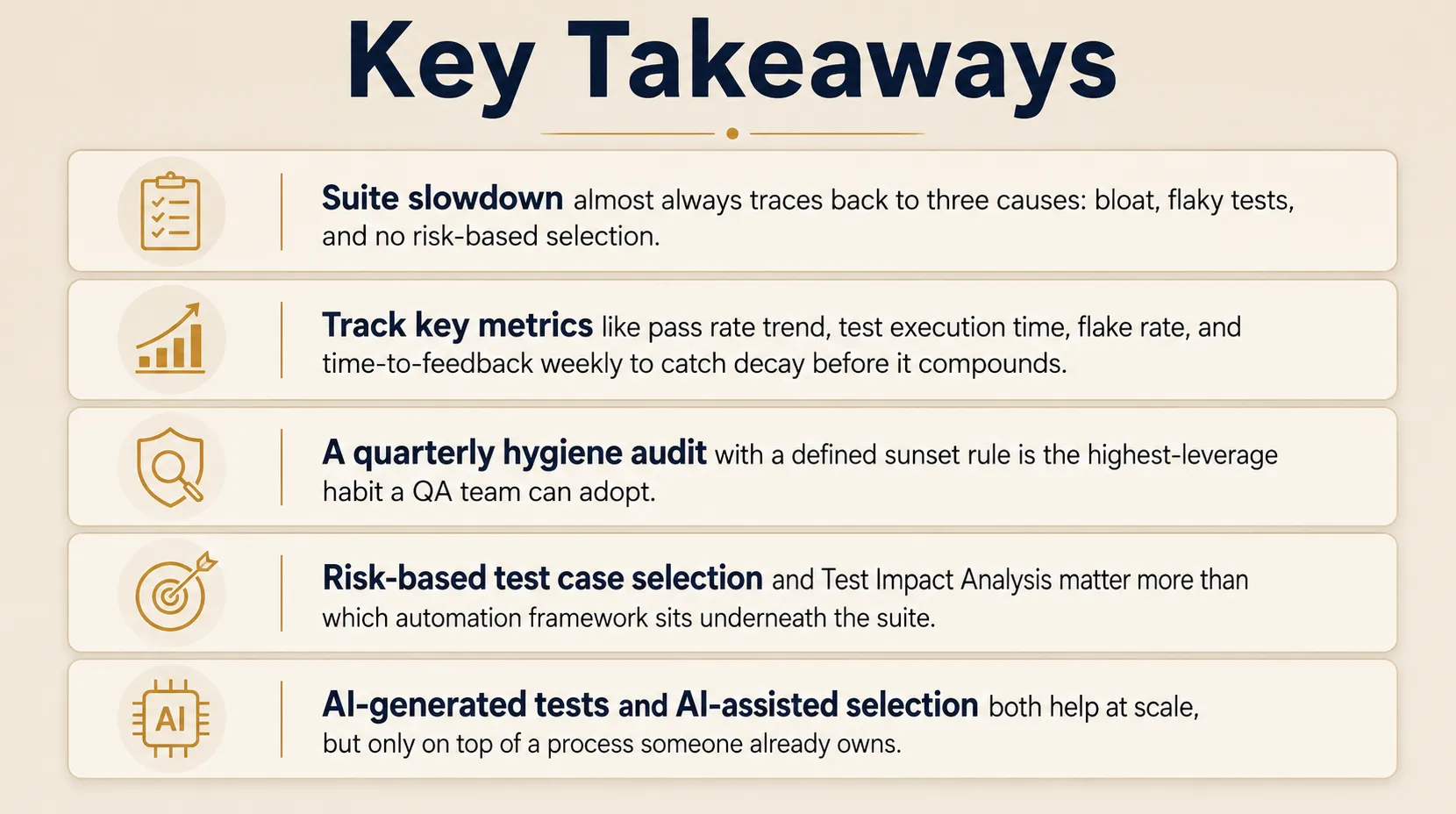
Suite slowdown has identifiable causes, and every one of them is measurable before it becomes a crisis. Regression testing in software testing was never meant to be the part of the pipeline everyone silently tolerates. It exists to protect software quality release after release, not to slow teams down.
That protection only holds when someone treats the suite as something that needs maintaining, not just running. The suites that stay fast aren't the ones with the biggest CI/CD pipeline budget. They're the ones somebody actually owns.
People Also Ask (FAQs)
Q1. Is regression testing part of QA, or a separate testing discipline?
Ans: Regression testing typically sits inside QA rather than as its own discipline. It works alongside functional, integration, and performance testing to keep releases stable without duplicating other test types.
Q2. How long does a full regression testing cycle typically take?
Ans: Cycle length depends on suite size and CI/CD pipelines, but many teams aim for a full regression testing pass under an hour, reserving longer, exhaustive runs for pre-release checkpoints only.
Q3. What's the difference between building regression testing in-house versus using regression testing services?
Ans: In-house regression testing keeps full control but competes with feature work for engineering time. Regression testing services bring dedicated bandwidth and an outside perspective without adding permanent headcount.
Q4. Does automated regression testing replace the need for manual testing altogether?
Ans: No. Automated regression testing handles stable, repeatable checks well, but exploratory testing, usability judgment, and rapidly changing UI flows still need a human tester's eye for context.
Q5. What tools are commonly used for automated regression testing?
Ans: Teams commonly use Selenium, Playwright, and Cypress for scripted checks, alongside AI-assisted platforms such as BlazeMeter, sometimes marketed under its Blaze AI capabilities, for faster, self-adjusting regression test generation.