


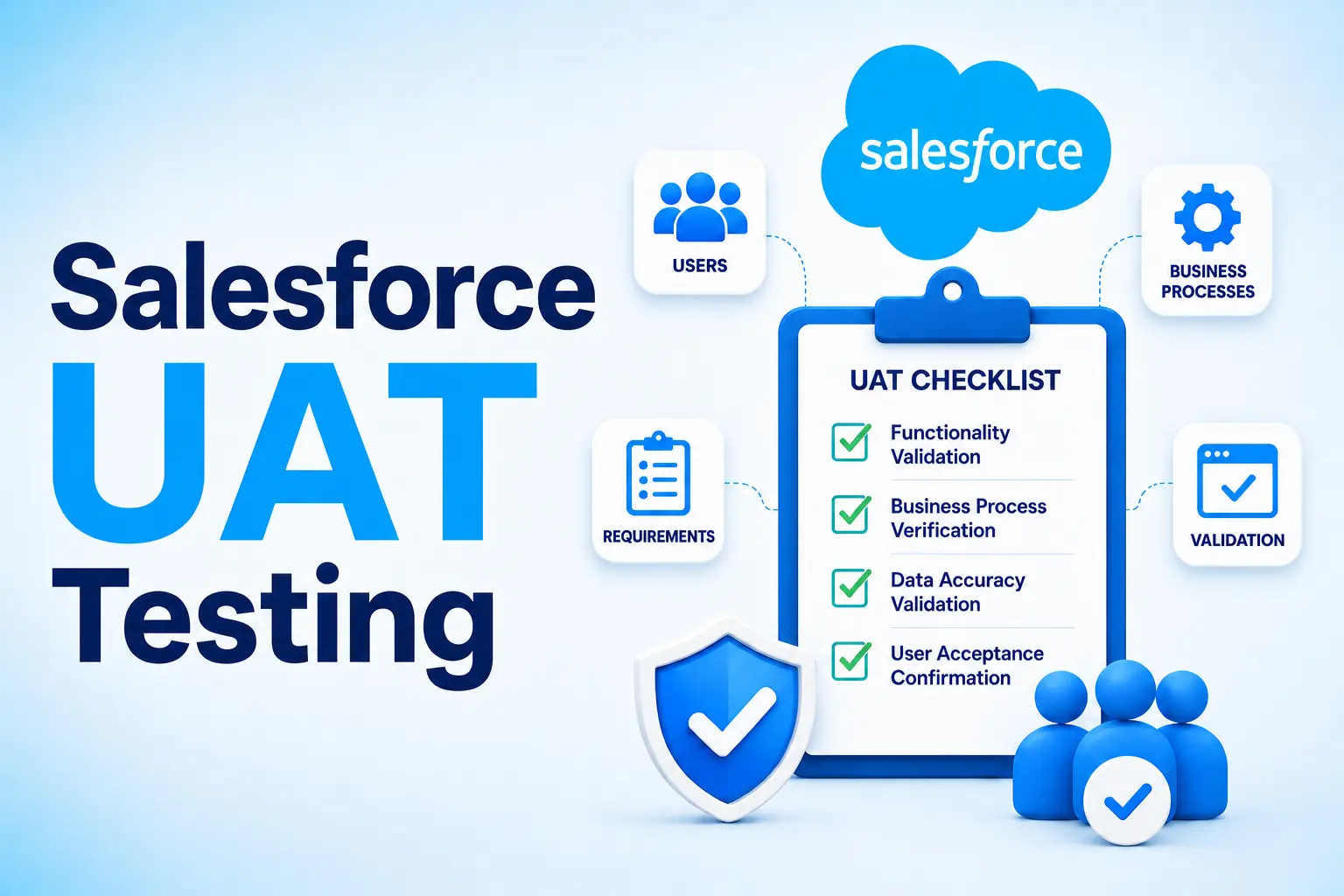
A company came to us after a Salesforce release passed every automated check and still broke for the sales team on day one, because nobody tested it against how reps close a deal. That gap, "it works" versus "it works for our team," is what UAT exists to catch. Salesforce UAT testing is the final validation stage before a release goes live, run by business users, not QA, confirming a build on the Salesforce CRM supports daily work.
We have seen the same gap play out across 150+ companies. Skip UAT, and the bill arrives later: Fire drills, distrust, and rework eating the next sprint. This guide draws on industry insights, not product news, covering what UAT is, sandbox setup, the process, and how Frugal Testing runs it, whether the org leans on off-the-shelf software or a custom build.
What Is Salesforce UAT Testing?
Salesforce UAT testing is the final stage of testing before a release goes live, where actual business users, not QA engineers or admins, confirm that a Salesforce release works the way their daily processes require. Functional testing checks whether something works; UAT checks whether it works for the people who use it.
Who owns what: Business users run UAT itself, working through real scenarios inside Salesforce Lightning or Salesforce Classic. QA confirms the code behaves correctly through unit testing, system testing, and API testing before UAT even starts. Business User Leadership signs off only when the platform genuinely supports day-to-day work, not when a checklist is complete.
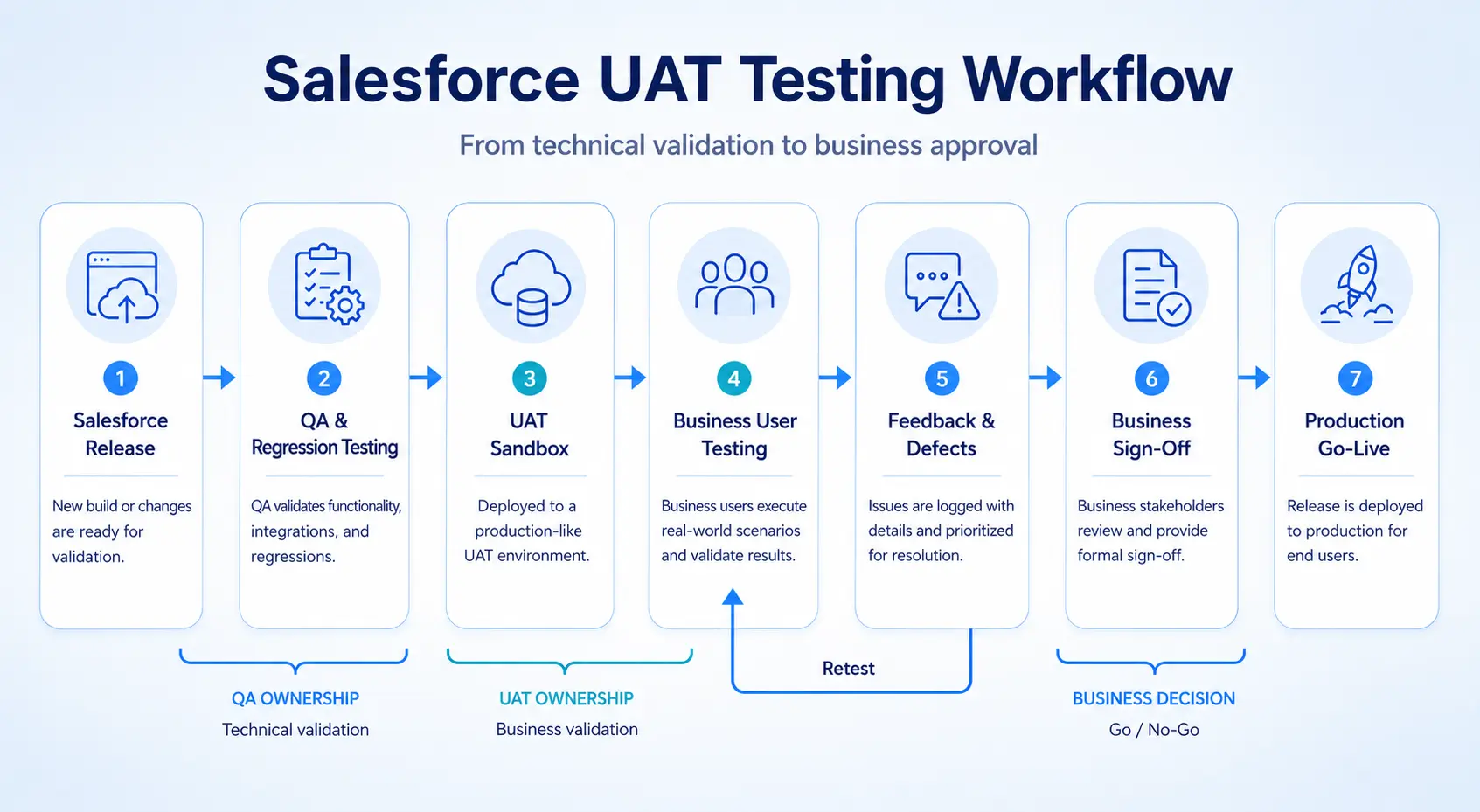
Why Enterprise Teams Can't Treat UAT as a Formality
UAT sits exactly where release risk gets caught, or missed entirely, and rushed sign-off never actually removes that risk; it just relocates it downstream. More than 70% of digital transformation efforts fail to meet their goals, and poor user adoption is a consistently cited cause, according to McKinsey. That risk tends to show up in the same three places:
- At the moment, a rep opens the org on a Monday and finds a broken workflow.
- To the support queue, once users lose trust in changes they were never asked to test.
- To the very next release, where the same gap resurfaces because nobody owned it the first time around.
Types of Salesforce UAT Testing
Not every release needs the same depth of testing, and Salesforce UAT testing covers more ground than the black box versus beta debate most guides stop at. Six distinct types show up across enterprise Salesforce projects, and picking the right mix for a release matters more than defaulting to whichever one a team already knows.
Main Types of Salesforce UAT Testing
- Alpha Testing: Done early in the development cycle by an internal team, developers, and business analysts, in a sandbox environment to catch initial bugs before real users ever see the build.
- Beta Testing: Conducted later by a select group of actual end-users who test real-world scenarios and provide feedback on usability, closer to how the release will actually get used.
- Black Box Testing: Performed by users who enter data and check outputs without looking at the internal code or configuration, the fastest default for a single workflow change.
- Operational Acceptance Testing (OAT): Evaluates whether the system is ready for production by testing security rules, backups, and system stability, not just whether the feature works.
- Contract Acceptance Testing: Confirms that the delivered Salesforce build matches every criterion specified in the vendor or project contract, which matters most when an external partner built the release.
- Regulation and Compliance Testing: Verifies that the platform complies with industry data privacy laws such as GDPR or HIPAA, a step enterprise orgs cannot treat as optional.
Most teams default to black box testing for everything because it is fastest to set up. That works for a single-object change. It does not work for a release touching lead routing, Opportunity workflow, and three integration dependencies at once. Visual Testing and Production Testing still matter after go-live, catching what these six types are not designed to.
Setting Up and Accessing Your Salesforce UAT Sandbox
Most first-day friction comes from logging in, not from the testing itself, so a clear setup process saves more time than any other single fix.
Sandbox environment options, by scope:
- Full Sandbox: A complete copy of production, all data included, for major releases or org-wide changes.
- Partial Copy Sandbox: A sample of production data, sized right for most standard UAT environments.
- Developer or dedicated UAT sandbox: Lighter weight, fine for a single-feature test environment.
Key steps to set up and access a UAT sandbox:
- Refresh the sandbox and deploy the latest metadata using the Salesforce CLI, so the UAT environment matches the current release.
- Load production-like data refreshed test data, with data masking applied to any real customer or financial information.
- Apply deliberate Test Data Strategies so the same Production-Like Data set gets reused, not rebuilt, next release.
- Log in using the production username with the sandbox name appended after a period, for example username@company.com.uat.
- Reset the sandbox password separately, since it does not carry over automatically from production.
- Send the exact login steps in the kickoff email; sandbox login Salesforce issues almost always come down to username format, not a broken sandbox.
The Step-by-Step Salesforce UAT Testing Process
UAT rarely fails because a step is missing. It fails because one step gets rushed under a tight release deadline. The process below moves from planning through sign-off in four clear stages, each with a named owner, so nothing quietly slips through right before go-live.
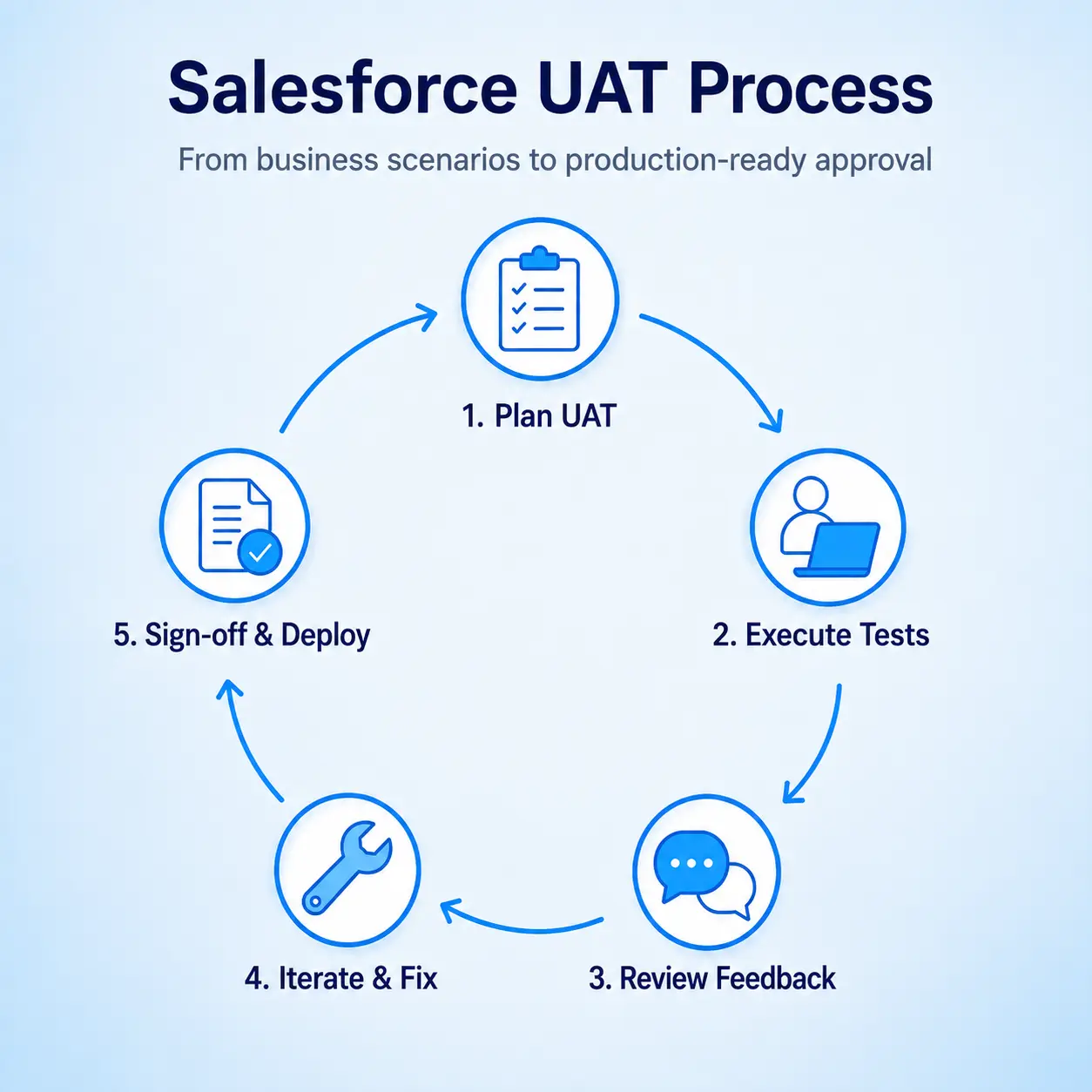
Planning UAT Scope and Acceptance Criteria
Acceptance criteria decide whether a release passes UAT, so they must describe business outcomes, not technical checks. A QA criterion confirms a feature works in isolation, for example, "the conversion form loads." A UAT criterion describes a real task a business user completes, for example, "a rep converts a qualified lead into an Opportunity in under two minutes, unaided." That difference is what makes UAT meaningful.
Start small: Run a UAT pilot on one process as scenario definition in miniature, then scale org-wide once the criteria hold up.
Writing Test Cases From Real Business Scenarios
Pull use cases from how sales, support, and marketing teams actually work, not from the requirements document. Start by interviewing the business users who run each process daily, then map every use case to a specific screen or Lightning Web Component. Write each scenario as a task a person completes, not a technical statement about the system. A requirements doc describes what was built; it never describes how a rep actually moves a deal through the pipeline.
Executing UAT and Capturing User Feedback
Run scenarios with real end users, on both desktop and the Salesforce Mobile application where relevant, rather than assuming desktop behaviour alone. Log every issue by business impact rather than technical severity, capture a screenshot or short note wherever something feels unclear, and flag blockers as they happen instead of batching them for a wrap-up call. A cosmetic bug that blocks a rep mid-quote matters more in practice than a backend error nobody will ever notice.
Sign-Off and Go-Live Readiness
Real sign-off means business-critical issues are closed and a named stakeholder has approved the release, not that the testing window simply ran out. Confirm that every business-critical issue is resolved or explicitly accepted, then get written approval from that named stakeholder rather than a verbal nod in a hallway. Only after both should the change move through the CI/CD pipeline into production. A sign-off with no named owner behind it is closer to a hope than an actual decision.
Test Cases to Cover in Salesforce UAT
Enterprise orgs should run a consistent baseline of UAT test cases every release, since gaps here are exactly what turn into fire drills later:
- User roles and permissions, confirming each role sees only what it should, and Single Sign-On logs users in without friction.
- Opportunity workflow and lead-to-opportunity conversion, checking that validation rules actually block bad or incomplete data.
- Custom objects and automation, including approval processes that route to the right person at the right stage.
- Lightning components and Lightning Web Component behaviour, tested across Salesforce Lightning and, where still in use, Salesforce Classic.
- Reports, dashboards, and the Salesforce Mobile application, since a report that renders fine on desktop can still break on a phone.
- Salesforce APIs and API endpoints feeding any connected system downstream.
- Security and compliance, including SOC 2 or HIPAA requirements, tested as their own line item.
How Frugal Testing Runs Salesforce UAT Without the Overhead
Enterprise teams increasingly weigh outsourcing QA testing against building it in-house, though the two are not really mutually exclusive. Frugal Testing offers Salesforce QA outsourcing services and test automation services for Sales Cloud, Service Cloud, and custom application development builds alike, sitting alongside an existing team rather than a generic software testing consulting engagement bolted onto unrelated work.
Most software testing consulting companies still treat UAT as an afterthought layered onto regression work after the fact. Whatever you call the engagement, the deliverable stays the same: A signed-off record and a reusable test library, not a stack of scripts nobody maintains.
What Our Salesforce UAT Engagement Looks Like
We start with a workflow discovery session, then build the UAT test case library and sandbox test plan around what those workflows actually require:
- UAT scenario execution stays with real business users, coordinated as a standing part of every release.
- The regression layer underneath gets automated, so coverage never needs rebuilding from zero.
- The client leaves with a documented UAT record and a reusable test library, not a one-off report.
Automation here means Salesforce test automation, automated testing, CI/CD pipelines, Salesforce DevOps, and test automation tools, keeping every regression suite lean.
Tools Behind the Engagement
UAT Automation on our side pairs Selenium frameworks with the Page Object pattern, so suites stay maintainable as pages change. Elements shifting inside the Shadow DOM get handled through Self-Healing Stability rather than brittle selectors that break every release.
API and Integration Testing covers Metadata APIs and any connected system, while User provisioning runs alongside functional coverage rather than as an afterthought. Test Performance Monitoring flags flaky steps early, and AI-native platforms increasingly handle the repetitive parts, cutting Test maintenance.
Who This Is For
Teams running frequent Salesforce changes without a dedicated UAT owner, and teams already burned by a release that broke for end users after passing QA, tend to get the most value here. Most failures come down to an ownership gap, not a testing gap, and that pattern repeats across almost every engagement we take on.
Conclusion
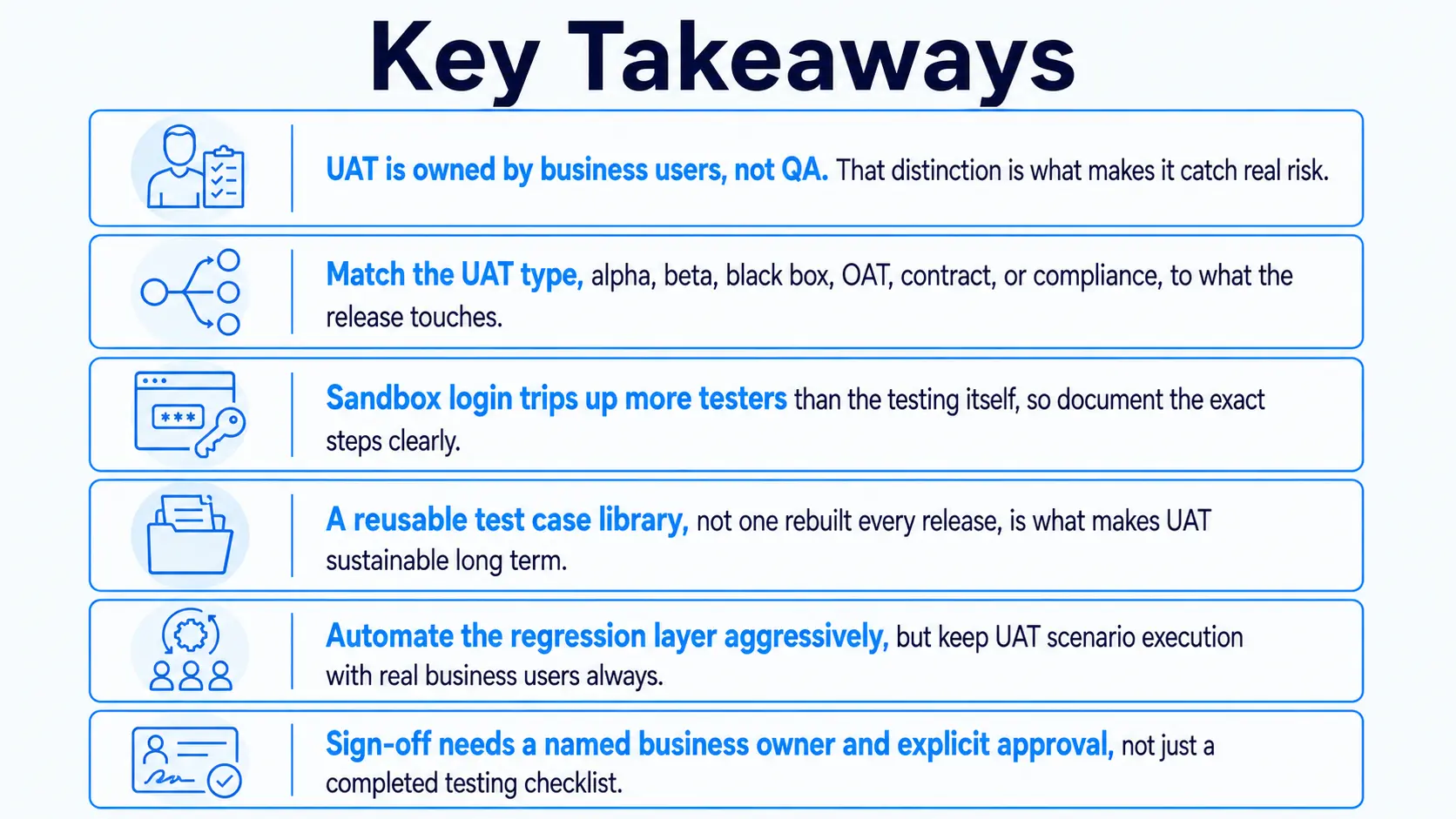
Salesforce UAT testing is not a formality between QA and go-live. It is the last checkpoint the business actually owns, and usually the first thing teams cut when a release calendar gets tight. That trade-off rarely shows up as a line item; it shows up three weeks later, in support tickets and a sales team that has stopped trusting the platform.
Teams that get this right are not running the most tests or using the most tools. They are the ones whose UAT process survives being rushed, because the criteria and test library were built before the pressure ever hit.
People Also Ask (FAQs)
Q1. How long does a typical Salesforce UAT cycle take?
Ans: Most enterprise UAT cycles run one to two weeks per release. Smaller configuration changes can wrap up in days with testers and a ready sandbox.
Q2. What happens if UAT uncovers a critical bug close to go-live?
Ans: The release is typically delayed until the fix is verified, since shipping a known business-critical issue defeats the point of UAT. Exceptions resurface as production incidents.
Q3. Can Salesforce UAT run in parallel with regression testing?
Ans: Yes, in most cases. Regression testing runs against the code before deployment, while UAT runs against the deployed sandbox with real users, so the two can overlap without conflict.
Q4. Does every Salesforce release need a full UAT cycle?
Ans: Not always. Minor configuration tweaks with no workflow impact can often skip full UAT, but anything touching automation, layouts, or integrations should go through a scaled-down version.
Q5. Should UAT itself be automated, the way regression testing often is?
Ans: No. UAT depends on human judgement about whether a workflow feels right, which automated scripts cannot assess on their own. Automate the regression layer underneath it instead.

.webp)


.webp)
