.webp)
“Not every valuable moment in a livestream needs to stay inside a two-hour recording.” For many creators, the challenge is not producing live content but finding effective ways to reuse it after the broadcast ends. Turning a long livestream into short clips requires selecting the right moments, adjusting the visual style, and making sure the final video fits the expectations of different audiences.
Runway model on Pollo AI can be used as part of this workflow. Instead of manually rebuilding every clip from the beginning, creators can start with existing livestream footage and use AI video generation features to experiment with different visual presentations.
How Can Creators Prepare Live Stream Content Before Using Runway model on Pollo AI?
Before creating clips, creators should first decide what type of content they want to produce. A livestream usually contains many different sections, but only some moments are suitable for short-form videos.
For gaming creators, useful clips may include important gameplay moments, unexpected events, or strong emotional reactions. For brands, livestream recordings often contain product introductions, customer questions, or demonstrations that can be separated into shorter promotional videos. Educational creators may focus on explanations, examples, or answers to common questions.
Choosing the right source material is an important step. A clip with a clear topic and complete context usually works better than a random short section. Creators should also consider the target platform before editing. A tutorial highlight, a social media teaser, and a product announcement may require different video lengths and presentation styles.
Preparing several shorter segments instead of uploading an entire livestream can also make the editing process easier. It allows creators to test different ideas and focus on specific moments.
How to Create Live Stream Clips with Runway model on Pollo AI?
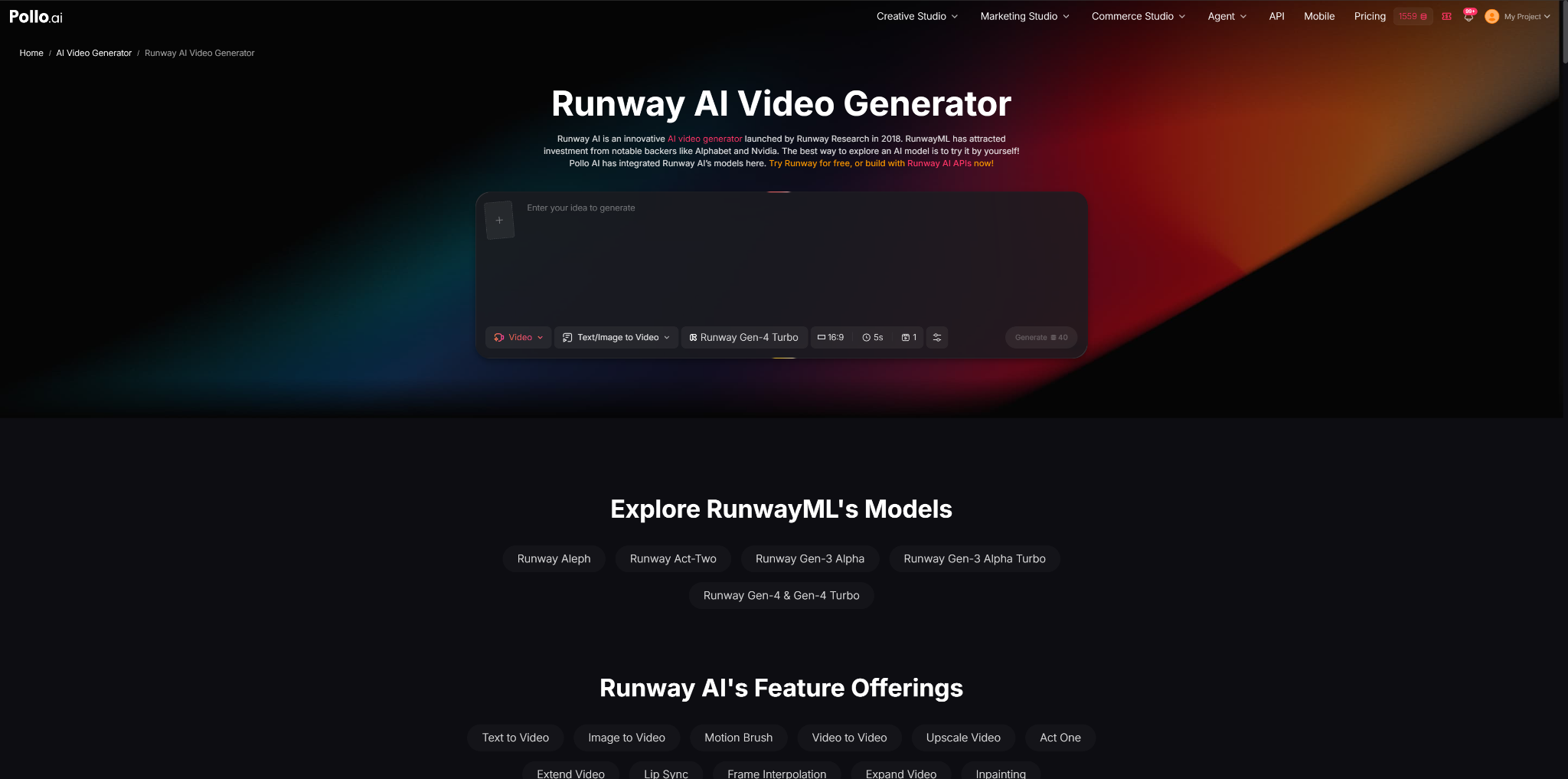
1. Upload the Selected Livestream Footage
The first step is to prepare the selected livestream segment and upload it to Pollo AI with the Runway model option.
Runway model on Pollo AI works with existing video materials, allowing creators to start from real footage rather than creating a completely new scene. This makes it suitable for creators who already have livestream recordings and want to create additional content from them.
For example, a streamer may upload a short gameplay highlight instead of the entire broadcast. A business may select a product explanation from a live event and create a shorter version for future promotion.
2. Describe the Desired Style Through Prompts

After uploading the footage, creators can provide instructions describing the expected visual direction. These prompts can include details such as atmosphere, camera movement, lighting, or overall style.
A simple prompt may only provide a general idea, while a more specific description usually gives clearer guidance. For example, a creator working on a gaming highlight can describe a fast-paced cinematic style with dynamic movement. A brand creating a product clip may request a cleaner and more professional visual presentation.
The purpose of using prompts is not to completely change the original content, but to guide the visual treatment of the clip according to the intended use.
3. Create Different Versions for Different Content Needs
A single livestream recording can often serve multiple purposes. With an AI video maker workflow, creators can experiment with different versions of the same footage based on where the clip will be published. A creator may need one version for social media, another for a community update, and another for a promotional page.
With Runway model on Pollo AI, creators can test different visual approaches based on where the clip will be published. For example, a livestream interview can be adapted into a short highlight focusing on one important answer, while a product launch stream can be turned into several clips featuring different product features.
Creating multiple versions also helps creators compare which style better matches their audience’s preferences.
4. Review and Adjust the Final Clip
After generating a clip, creators should check whether the result still communicates the original message clearly. Visual effects should support the content rather than make it difficult for viewers to understand what is happening.
For livestream clips, several details are worth checking:
- Whether the opening seconds quickly explain the topic.
- Whether the important moment appears early enough.
- Whether captions or additional edits are needed.
- Whether the generated style matches the creator’s usual content.
A short clip should be easy to follow even for viewers who did not watch the original livestream.
Why Can Runway model on Pollo AI Help Creators Repurpose Live Stream Content?
Many livestream recordings contain useful content that may only receive attention during the original broadcast. Repurposing these recordings into shorter videos can help creators make better use of existing materials.
Runway model on Pollo AI can be useful for creators who want to explore different visual styles without spending the same amount of time on traditional editing methods. It is especially suitable for situations where the main content is already available, but the creator wants to present it in a different format.
Different types of users may use this workflow in different ways:
- Gaming creators can create highlight clips from long sessions.
- Businesses can reuse livestream events as product-focused videos.
- Educators can extract shorter learning materials from longer classes.
- Content creators can turn interviews or discussions into shareable posts.
However, the final result still depends on the quality of the original footage, the selected scenes, and the creator’s editing decisions. AI-generated adjustments cannot replace the need for good storytelling and clear content planning.
Conclusion
Runway model on Pollo AI can be a practical option for creators who already produce livestream content and want to reuse their recordings in new formats.
It may be suitable for streamers, brands, educators, and content teams that regularly collect video materials but need a more efficient way to create additional clips. Users who require detailed manual editing control or complex professional post-production workflows may still prefer traditional video editing software.
For creators looking to turn selected livestream moments into shorter, more visually varied videos, this type of AI-assisted workflow can provide another way to manage content production.