A solo Roblox developer we spoke with last month pushed a combat update out on a Friday afternoon. By Saturday morning, avatars on older Android phones were rendering as floating limbs, and the DevForum thread had forty replies before anyone on the team noticed. Nobody had tested outside a high-end desktop build, and the bug reached thousands of players first.
Overcoming Roblox testing challenges means combining Roblox Studio's built-in tools with structured QA testing, regression, performance, and security checks, plus a bug-tracking workflow, so failures surface before players find them. This matters across Roblox games of every size, since titles like Rainbow Friends see huge concurrency spikes during seasonal events, exactly when a weak test rhythm shows itself clearly.
Why Testing Roblox Experiences Is Harder Than Traditional Software
Testing a Roblox game differs from testing a typical web or mobile app, since Roblox blends a game engine, a social platform, and a UGC marketplace into one product. Each layer breaks in its own unfamiliar way, and most QA plans only cover one well.
The Roblox Studio Development Environment and Its Constraints
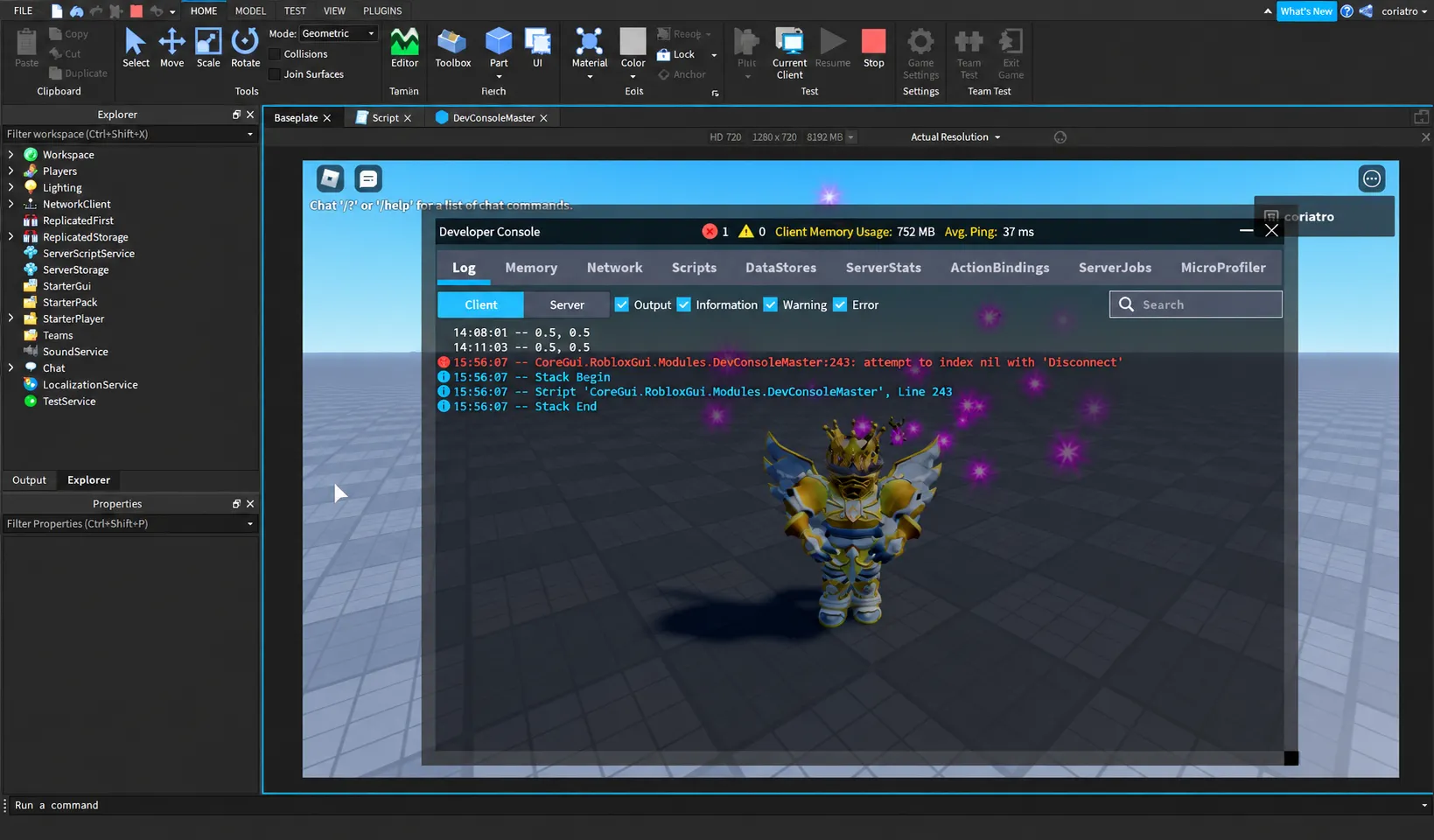
Roblox Studio's play-test modes help early iteration. Solo play, local server mode, and the developer console catch obvious breaks, script errors, and missing assets, and the Roblox Creator Hub documents most of what they cover. None of it validates production-scale behaviour, though. These Roblox Studio testing tools are built for iteration speed, not for the load, device spread, or player volume a live title faces.
User-Generated Content and Unpredictable Player Behavior
Roblox experiences ship with user-generated content, unscripted movement, and a player base actively hunting for exploits and cheats. A fixed test suite cannot anticipate every off-path action a determined player will try. Cheating during testing is common too, as exploiters probe for script injection and unfair advantages before a title even ships. Traditional QA assumes a finite set of user paths, and Roblox simply doesn't offer that luxury.
Common Testing Challenges Roblox Developers Face
Four failure categories show up again and again across the Roblox QA engagements we've run, and each one traces back to a gap in how most teams approach testing today. None of them are exotic, and all are easily avoidable.
Login and Authentication Failures Across Devices
Session handling for Roblox login often breaks on specific device and OS combinations, and failures tend to surface right after a client update ships mid-week. A login flow that works fine on your own test account can quietly fail for other players entirely.
- Testing login across device types before release catches this earlier than waiting on Roblox Support tickets, and it's far cheaper than a wave of angry reviews after a broken launch.
Character and Avatar Rendering Inconsistencies
A Roblox character or avatar can render correctly on a development workstation and still break on a player's actual device. GPU tier variance is the usual culprit, and it's a direct UX (user-experience) problem, not a cosmetic detail worth deferring.
- Roblox avatar assets should be tested across two or three GPU tiers, not just your own machine, since catching this before launch avoids a wave of confused tickets once players report it.
Cross-Platform Compatibility (PC, Mobile, Console, VR)
PC, mobile, console, and VR each bring different input schemes and performance ceilings, and a control scheme tuned for keyboard rarely survives contact with a touchscreen untouched. Device diversity is expanding fast, with early Roblox support now reaching smartwatch and smart glasses hardware.
- Camera sensitivity and default Roblox settings behave differently on a tiny screen, so cross-device testing should cover whichever emerging hardware your player base actually uses today.
Network and Access Issues (Region Blocks, Unblocked Access Points)
Regional restrictions and unusual network configurations affect who can actually reach your experience, including players trying to reach Roblox unblocked through school or workplace networks. Most teams never validate around any of this until a support ticket forces the question days after launch.
- Testing across common unblocked access points catches availability issues before players report them, and it's a cheap check that's easy to skip and expensive to ignore once a game scales.
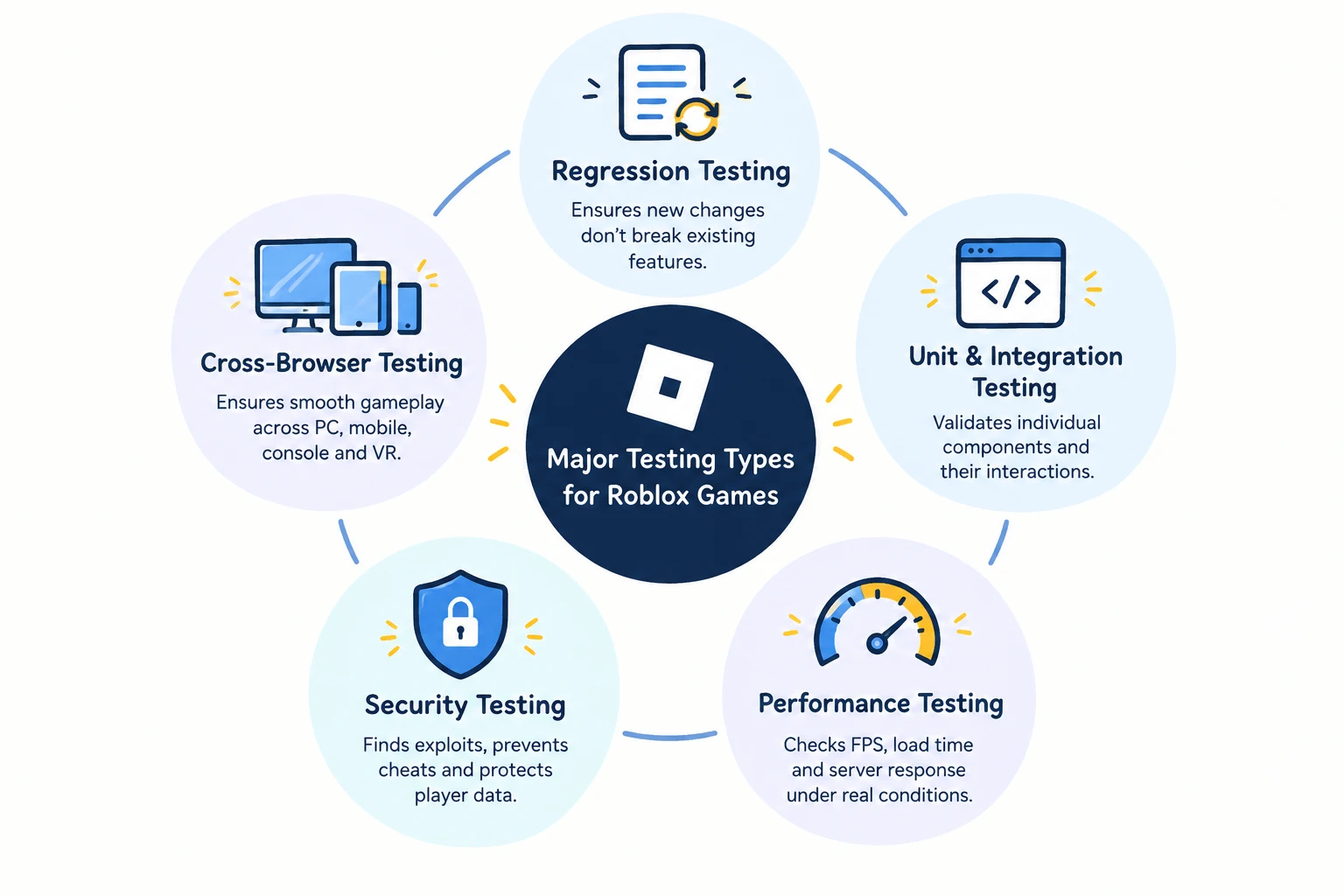
Types of Testing Every Roblox Game Needs
Each testing type below catches one of the failure categories above, and skipping any one of them means that failure mode ships to players completely unnoticed. Together they cover the full path from a broken script to a broken launch.
Regression Testing for Roblox Games
A regression suite built around core systems (spawning, inventory, matchmaking) catches updates that quietly break last month's feature while shipping this month's. This is where shift-left testing pays off, since catching a regression inside Studio costs far less than after release.
- Re-run the suite against every update, not major releases alone, since small patches cause most regressions.
- Test rhythm in sync with your update cadence lets regression testing scale naturally into test automation.
Unit and Integration Testing for Roblox Scripts
Unit testing and integration testing cover the code itself rather than the finished experience. Lua script debugging in Studio checks that a single function behaves correctly in isolation, before it ever touches a live server.
- Integration testing verifies your systems talk to Roblox's own APIs, and to each other, correctly once combined.
- A lightweight test automation framework keeps these checks running on every script change, catching bugs exploratory playtesting misses in multi-developer codebases.
Performance Testing for Roblox Games
Performance testing measures FPS, load time, and server response under real concurrent-player load, not the five-person test server most teams settle for. Target a specific FPS floor, roughly 30 on mobile and 60 on PC, instead of a vague "runs smoothly" benchmark.
- What is software performance testing worth on a quiet server with no traffic pattern?
- A basic load-test harness takes days to build; device farm testing across hardware tiers closes real gaps.
Security Testing for Roblox Experiences
Security testing covers Roblox exploits, cheats, script injection, and online attacks specific to Roblox's client-server model. What is software security testing worth if it only checks what players see?
- Check for malformed data or a stray SQL command sent to backend endpoints, not client-side exploits alone.
- Bringing in outside penetration testing services catches exploits an internal team stops noticing after months on the same codebase, especially around in-game currency and trading systems.
Cross-Browser and Cross-Device Testing for Roblox
Cross-browser testing checks that the browser client, the mobile app, and console builds all behave the same way. Running the identical test pass across every build type matters, since most rendering and input problems from earlier sections show up exactly here.
- Treat this as the last check before a release, not the first, since it depends on the other four testing types already holding up.
Ten Practical Tools for Roblox QA Testing
- Roblox Studio's native test tools cover solo play, local server mode, and the developer console, backed by the Roblox Creator Hub, but stop short of production validation.
- Roblox Developer Dashboard tracks player counts, session length, and crash reports, showing whether complaints line up with an update or region.
- Device farm testing platforms run your build against real phones, tablets, and consoles, catching GPU-tier rendering bugs early.
- Emerging device and wearable checks cover Roblox's early support on smartwatch and smart glasses hardware, where camera sensitivity and Roblox settings differ.
- Lua script debuggers step through function calls inside Studio, catching logic errors unit tests alone might miss.
- API testing tools and integration testing tools verify your systems talk correctly to Roblox's APIs.
- Load and performance testing tools simulate concurrent-player traffic to measure FPS and server response, paired with AI testing tools.
- Penetration testing tools and vulnerability scanning services probe for exploits, script injection, and online attacks, including malformed data or a stray SQL command.
- Bug tracking software turns scattered reports into a triaged queue by player impact, ahead of glitches.
- Player feedback tools like a Google Forms multiple-choice exam-style survey turn comments into a correction list; the answering process gives real game-design feedback.
Bug Tracking and Automation for Faster QA Cycles
Finding a bug is rarely the hard part. The real cost is how slowly it moves from report to an actual fix while a live title ships weekly updates. A bug tracking workflow, paired with the right bug tracking software, keeps that gap closed.
Setting Up a Bug Tracking Workflow for Live Roblox Updates
Triage starts the moment a bug is captured, tagged by player impact rather than by which system it touches. Critical, player-blocking issues get same-day attention, while cosmetic issues queue into the next scheduled update.
- Bug tracking software that supports severity tagging keeps this process consistent as a team grows, and feeding Roblox Support channels and DevForum reports directly into the same queue closes the loop between players and engineers fast.
Where Test Automation Fits in the Development Pipeline
Automated testing fits where the task is repeatable, and the outcome is binary: Does login work, does inventory persist correctly, does the developer console throw an error on load? Continuous testing, run through a proper test automation framework, keeps checks current with every update.
- Running a version A/B rollout for a major feature catches issues automation alone won't, while exploratory playtesting for feel and balance stays manual.
Monitoring Uptime and Handling Outages
One question comes up in almost every Roblox QA engagement: Is this outage Roblox's problem or ours, and how fast can we actually tell? Checking Roblox status separately from your own server health is what answers that question in minutes, not hours.
Tracking Roblox Status and "Is Roblox Down" Moments
Monitor Roblox's own platform status alongside your server health, and alert on each independently rather than assuming one covers the other. Roblox-wide services down but your servers healthy means a waiting game, not an incident.
- As the site owner of your experience, you're explaining downtime to players, even when it isn't your bug, so a quick check of Roblox status before opening a ticket with Roblox Support saves time.
How Frugal Testing Helps You Ship Reliable Roblox Games
We're a software testing company running qa automation services and software qa services for live-ops Roblox titles, built around the failure modes covered above rather than a generic checklist repurposed from web apps. Our work extends into full penetration testing when a title's economy or backend genuinely needs that extra layer of coverage.
Unlike many penetration testing companies, our security testing is built specifically around Roblox's client-server model, not treated as a bolted-on afterthought once other testing wraps up. Whether a studio needs continuous testing, dedicated security coverage, or both, the engagement scopes around whatever the title is actually missing today, not a generic template.
What Our Roblox QA Engagement Looks Like
A typical engagement runs across four weeks, from scoping straight through to a repeatable process the studio owns.
- Week 1: We scope test coverage and find the gaps costing you player trust.
- Week 2: We build a regression suite around your update cadence and set up automation.
- Week 3: We run performance and security testing across a device farm testing setup mirroring your player base.
- Week 4: We hand off a documented test cycle your team runs independently.
Who This Is For
This fits studios scaling past a few hundred concurrent players, teams shipping frequent content updates, or any site owner who's traced a launch-week incident back to a device nobody tested. Teams already using test automation but missing dedicated security coverage are a common fit here too.
.webp)
Conclusion
Roblox testing challenges don't resolve with a bigger playtest group or a longer pre-launch checklist. They resolve with structured regression, performance, and security testing, running alongside a bug-tracking workflow built for a live, constantly-updating game, plus monitoring that clearly separates your own bugs from Roblox's own outages when something breaks during a busy release week.
Studios that treat this as an ongoing discipline ship fewer incidents than the ones treating it as a box to tick before launch day. The tools and testing types above aren't a one-time checklist; they're a process worth repeating with every update, and that habit protects players from the failures nobody catches in Studio alone.
People Also Ask (FAQs)
Q1. Should I outsource Roblox testing or build an in-house QA team?
Ans: It depends on scale. Solo developers and small teams usually manage with internal playtesting, while studios shipping frequent updates typically catch more bugs with dedicated QA support.
Q2. How do studios measure success after a QA engagement ends?
Ans: Common measures include a drop in live incidents, faster bug turnaround, and whether the internal team can keep running the process independently once the engagement wraps up.
Q3. What is the biggest blind spot in most Roblox testing strategies?
Ans: Most teams playtest on their own high-end setup and call it done, missing exactly the device and network variance where real players experience failures first.
Q4. Why is penetration testing worth including in Roblox QA testing?
Ans: It surfaces exploit and injection risks that regular functional testing misses entirely, which matters most for titles with an in-game economy or real-money transactions involved.
Q5. Why do device-specific bugs slip through most internal playtesting?
Ans: A five-person internal playtest rarely covers the GPU tiers, screen sizes, and network conditions real players actually use, so device-specific bugs only surface after launch.