Automating SaaS testing without code means using a codeless test automation platform to record user journeys, generate repeatable tests, and connect them to CI/CD pipelines so quality runs continuously without scripting skills or dedicated automation engineers.
My first week at a SaaS startup, I watched a senior engineer lose three full days to broken test scripts. Not broken features broken tests. The product had shipped a minor UI update. Seventy automated test cases collapsed overnight because a handful of button IDs changed. Three days. Gone. Not on shipping something new. Not on fixing an actual bug. On maintenance.
I think about that a lot. Because the whole point of automated testing is to save time and catch real problems. When your automation frameworks become the problem, you've just swapped one headache for another and the new one is harder to explain to your manager.
That's the gap codeless testing fills. And if you're running a SaaS product where releases go out weekly, integrations pile up fast, and your cloud infrastructure serves hundreds of tenants at once this might be the most immediately useful thing you read this quarter.
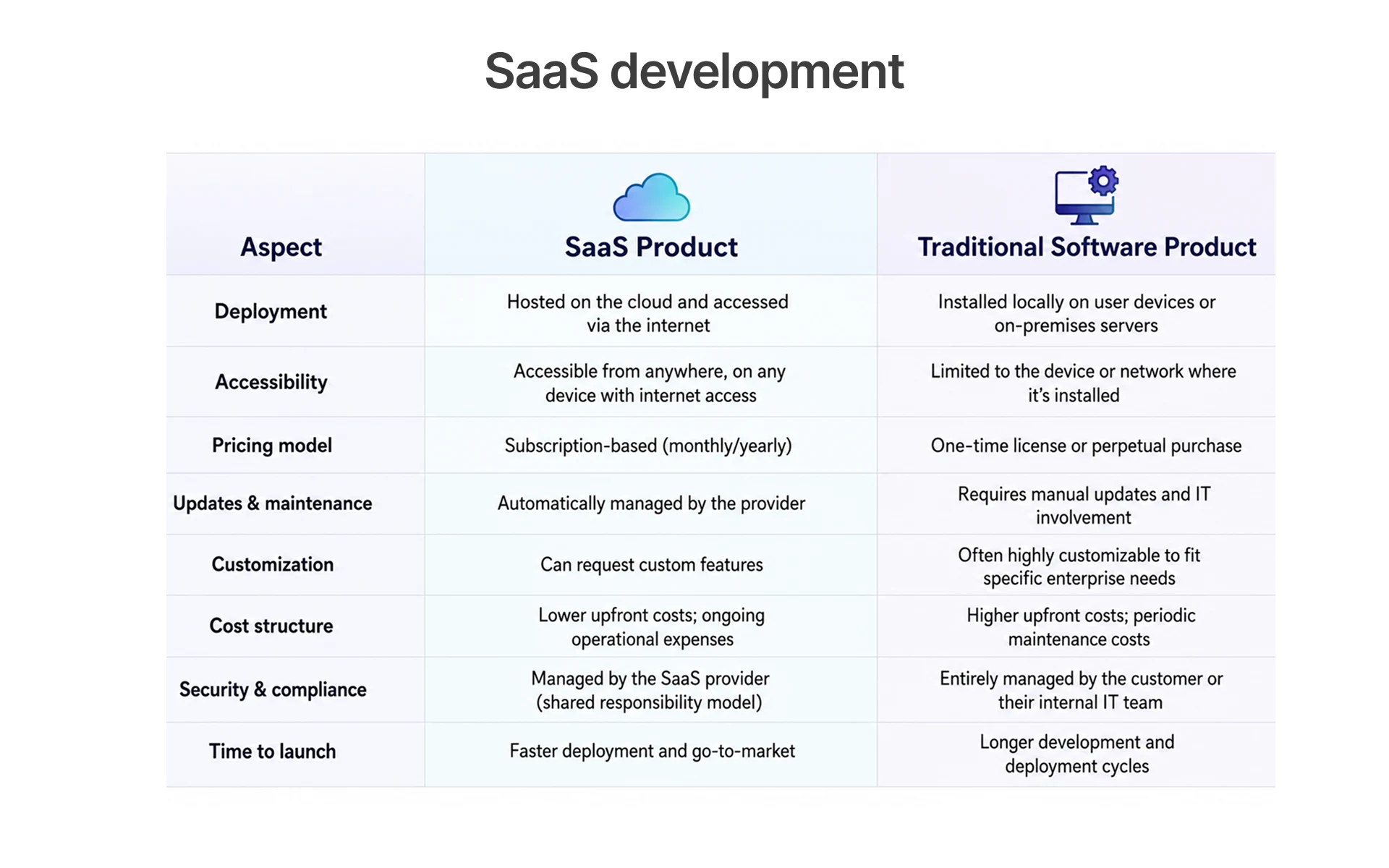
Why SaaS Products Need a Different Testing Approach Than Traditional Software
I've talked to QA leads who moved from traditional enterprise software into SaaS, and almost all of them said some version of the same thing: "I had to unlearn almost everything." That's not an exaggeration. Testing a packaged desktop application and testing a Software as a Service platform are genuinely different jobs different risk profiles, different cadences, different failure modes.
A bug in a traditional app hits whoever installed that version. A bug in a SaaS product built on shared cloud infrastructure hits every customer at the same time. That changes everything the urgency, the cost, and the software testing methods that are actually fit for purpose.
The Hidden Cost of Bugs in a Multi-Tenant SaaS Environment
A colleague once described multi-tenant architecture as "one kitchen, a hundred restaurant owners." Everything shares the same infrastructure. When the kitchen catches fire, every restaurant feels it not tomorrow, right now.
Multi-tenant architecture means one codebase, one deployment. When something breaks, it breaks across every tenant account simultaneously. Research cited by IBM's Systems Sciences Institute found that fixing a bug in production costs up to 15 times more than catching it during development. For teams running multi-tenant SaaS test automation, that multiplier stings because the blast radius is enormous.
The costs that actually hurt never make it onto a bug ticket:
- Customer churn enterprise users don't send polite emails asking for timelines; they open tabs with your competitors while you're still reading the Slack alert
- Support overload the same broken flow gets reported from fifty accounts within a couple of hours; your support team spends the day copy-pasting the same response
- Reputation damage a single incident thread on G2 can sit on page one of Google for a year after you've shipped the fix
- SLA violations cloud products under enterprise contracts carry real financial penalties when uptime or core functionality commitments aren't met
- Test data contamination weak test data management in multi-tenant systems is exactly how one customer's data ends up visible to another, which is a completely different category of problem from a regular bug
In Frugal Testing's QA automation engagements with SaaS teams, shifting regression execution to every commit reduces defect escape rate by 40–60% within the first two sprints issues that used to surface Friday afternoon get caught Tuesday morning before they're anywhere near staging.
SaaS Application Testing Challenges: Frequent Releases, Integrations, and User Scale
Ask any QA engineer who's been around the block what makes SaaS application testing genuinely hard, and they'll give you the same answer it's not one thing, it's the combination. The speed, the integrations, and the scale all arriving at the same time, every sprint.
Most SaaS teams ship weekly. Some daily. Every release touches a product connected to a web of third-party services payment processors, CRMs, analytics platforms, communication APIs. Every connection is a potential failure point. And all of it has to work consistently for users on different browsers, different devices, different subscription tiers, and increasingly, different countries.
The things that actually slow SaaS software testing teams down:
- Continuous deployment pressure manual QA can't keep pace with daily releases without becoming the release bottleneck nobody wants to admit it is
- API integration testing gaps each third-party API is its own failure surface that needs real validation, not optimistic assumptions
- Cross-browser functionality something that works perfectly in Chrome will occasionally break quietly in Safari, and your customers notice before you do
- Mobile testing requirements a growing share of SaaS users are on mobile; they expect the same experience, not a degraded one
- User scale variation a free user, a trial account, and an enterprise admin often move through completely different UI states for the exact same feature
- Data isolation in a multi-tenant architecture, keeping tenant data separated isn't optional; it's a compliance requirement that shows up in procurement questionnaires
Automated testing solutions that run continuously are the only realistic answer to all of this happening at once.
Why Traditional QA Scripts Break Faster in SaaS Than Other Software
Here's a pattern I've seen play out at SaaS teams of every size. They invest real time building out traditional scripted test automation. The suite grows. Coverage numbers look good. Then the product ships a UI refresh, or an A/B test moves a button, or a feature flag changes a page layout and thirty test scripts fail overnight. Not because the product is broken. Because the scripts were written against the old page.
That's test maintenance. In a fast-moving SaaS environment, it will quietly eat your QA capacity if you let it.
No-code QA solves a real problem for SaaS teams, not a theoretical one:
- Self-healing test logic modern codeless tools track elements using multiple attributes simultaneously; when one changes, the test adapts instead of throwing a failure
- No scripting required your QA analyst, product manager, or customer success lead can build test cases without ever touching automation frameworks
- Faster test generation recording a user journey takes minutes; writing and debugging equivalent scripts takes hours you probably don't have
- Natural language test creation the better platforms let you describe what you want to test in plain English and generate the steps from that description
- Less framework overhead you're not managing dependencies, custom drivers, or framework-level failures that have nothing to do with your actual product
None of this makes traditional scripted QA obsolete it still earns its place in API integration testing, performance testing, and security testing where you need precision that a recorder can't match. But for the daily functional testing cadence most SaaS teams actually live inside, it's not the right default.
What Is Codeless Testing and How Does It Work for SaaS Products?
The most accurate description I've heard: "You show it what to do, and it remembers." You interact with your application the way a real user would clicking, typing, navigating and the tool converts every step into a repeatable automated test case. No-code automation removes the scripting layer entirely, which means the people who understand your product best can build tests without waiting on engineering to have a free sprint.
For SaaS teams where QA bandwidth is always thinner than it should be and release cycles don't slow down for anyone, that's a meaningful shift.
How Codeless Automation Testing Tools Record and Replay User Actions
The first time most people see a codeless automation testing tool actually work, the reaction is almost always: "Wait, that's it?" You click through a flow, the tool captures every interaction as structured test data, and a few minutes later you have a repeatable automated test that didn't require a single line of code. Tools like Playwright Recorder push this further they generate clean, reusable test scripts from recorded sessions that plug directly into existing CI/CD pipelines without any manual coding on top.
Under the surface, here's what's actually happening:
- Action capture every click, input, scroll, and page transition gets recorded and stored as structured test data
- Element mapping the tool identifies UI elements using multiple attributes simultaneously, which is what makes UI validation hold up when the page structure changes
- Assertion building you define what success looks like: a message appears, a redirect fires, a value matches what you expect
- Test suite organisation related tests group into suites, which makes test management and selective re-running much more practical
- Execution and reporting tests run on your schedule or on a trigger, and failures surface with enough context to understand what actually went wrong
Non-technical team members can build, review, and extend this coverage without pulling a developer away from something else. That's the part that genuinely changes how SaaS teams think about who owns functional testing.
Codeless Test Automation vs Traditional Scripted QA: A Side-by-Side Breakdown
There's a version of this comparison that frames one approach as obviously superior. It's not that simple. Both have real strengths; the question is which fits how your team actually works and how fast your SaaS product actually moves.
Traditional scripted QA earns its keep in security testing, performance testing, visual regression work, and API integration scenarios where custom scripting precision matters. But for the functional testing, user acceptance testing, and day-to-day coverage that SaaS teams need to keep pace with their own release velocity no-code automation for SaaS is where the ROI actually lands.
How to Pick the Best Codeless Testing Tool for Your SaaS Stack
Every codeless testing platform demos beautifully on their own example application. The real question is whether it holds up against your specific SaaS product your multi-tenant architecture, your authentication flows, your CI/CD pipelines, your test data management requirements. Those are the things that separate a tool you'll still be using in a year from one you'll be replacing in six months.
Before committing to anything, push on these specifics:
- Multi-tenant environment support can it genuinely isolate test execution across tenant accounts, or is it quietly assuming a single-tenant world?
- Cross-browser testing depth does it validate cross-browser functionality across all major browsers in a real parallel run, or is it sequential and slow?
- Mobile testing on real devices there's a real gap between emulator testing and testing on actual hardware; know exactly which category you're getting
- Machine learning behind self-healing ask vendors specifically how their platform uses ML to adapt when UI changes, and what happens when it can't
- GitHub Actions compatibility your tests are most valuable running inside your actual deployment workflow, not as a separate manual trigger
- Test data management how does it handle isolation between environments and tenants, and can it handle the data volume your product actually generates?
Frugal Testing was designed around these exact requirements from the start not as afterthoughts. Visual testing, AI-powered self-healing, and native CI/CD integration are defaults, not premium add-ons.
How to Automate SaaS Testing Without Code: A Step-by-Step Process
My grandmother always said, "Technology is a tool, not a replacement for human judgment." That's worth keeping in mind before you open any test automation tool. The tool records what you show it. Show it the wrong things, and you get automated coverage of the wrong flows. The human judgment piece deciding what actually deserves to be tested has to come first.
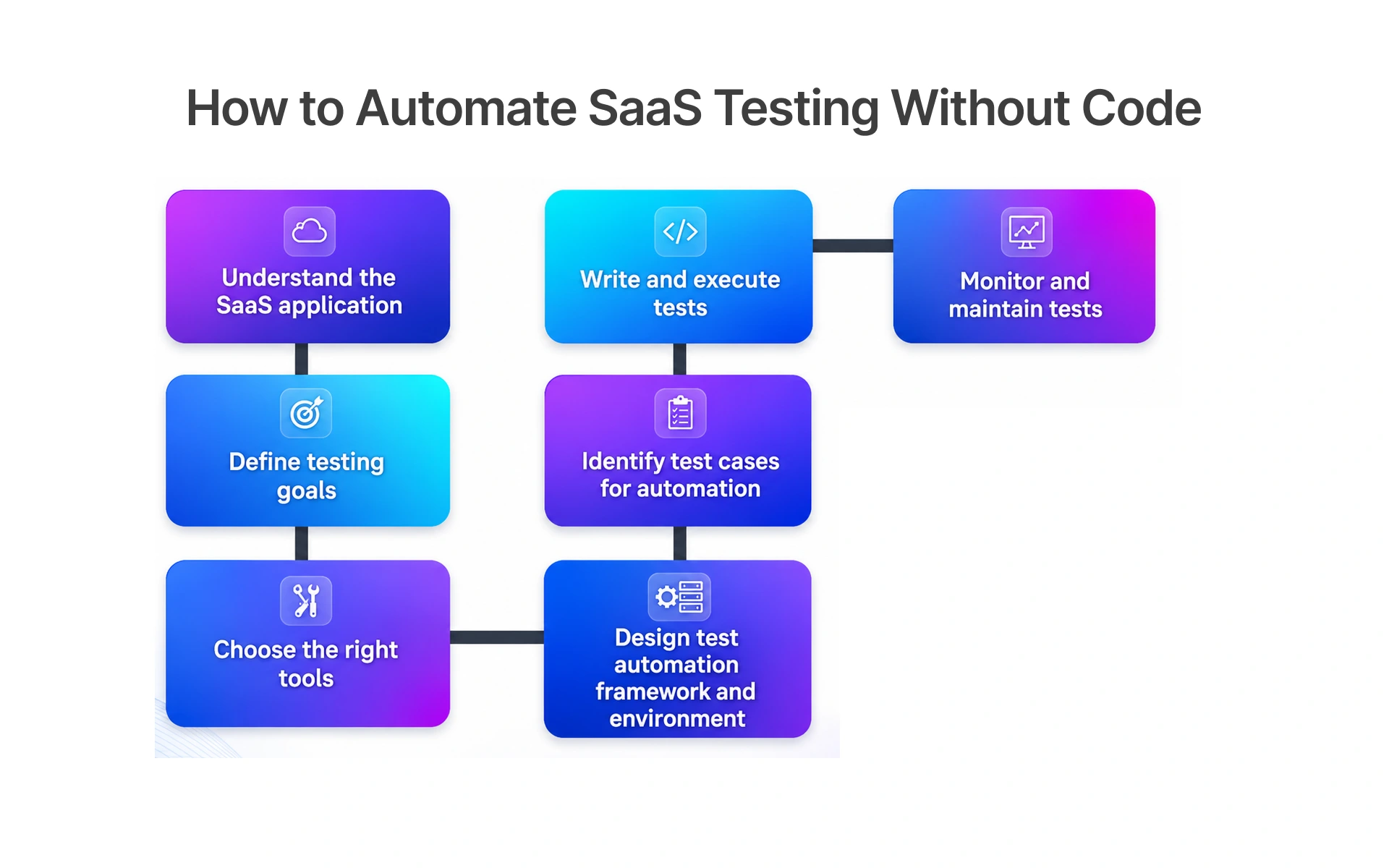
Step 1 Map Your Critical User Journeys Before Touching Any Tool
Open your support ticket queue and your product analytics before you open any automated SaaS validation software. Those two sources will tell you more about where your QA effort should actually focus than any framework methodology or testing theory will.
Critical user journeys are the sequences users follow to get real value from your SaaS product signing up, completing onboarding, processing a payment, generating a report, configuring an API integration. These are the flows that cause immediate churn if they break. Not eventually. Immediately.
Doing this mapping well:
- Start with support tickets patterns in your queue are a direct map of where your product most commonly fails real users; that signal is too valuable to ignore
- Pull your product analytics the highest-traffic flows in your SaaS platform deserve automated test coverage far more than edge cases do
- Rank by business impact prioritise flows connected to revenue, retention, and activation over everything else
- Write each journey out step-by-step this becomes the direct blueprint for your test cases and the foundation for how your test suite gets structured
- Think through user acceptance testing scenarios what would a real user need to verify before trusting a new feature enough to actually rely on it?
This is where human judgment does its most important work in the whole process. Get it right here and everything that follows becomes significantly easier.
Step 2 Set Up Your Codeless QA Tool and Connect It to Your SaaS Environment
Once you know what you're testing, setup is faster than most teams expect. Most modern platforms give you a browser extension or lightweight desktop recorder that you're running within minutes. The configuration that follows is where teams actually invest timeand where skipping steps causes problems that are annoying to debug later.
The steps that get skipped most often and cause the most regret:
- Choose your recorder type deliberately browser extension vs. desktop client has real implications depending on what your test automation tools need to access
- Set up environments properly from day one staging and production behave differently in ways that matter for test execution and test data management; configure both if you're planning shift-right monitoring
- Handle authentication before recording anything SaaS platforms almost always require login before any testable flow begins; get this working before you record a single step or you'll redo everything
- Connect your CI/CD pipelines during setup link to GitHub Actions, Jira, or Slack while you're already in the configuration; it's harder to wire in cleanly later
- Isolate test data from the start separate test data per environment and per tenant prevents an entire category of false positives that are infuriating to untangle
Frugal Testing handles this without requiring a DevOps engineer to babysit the setup. Most teams have their first environment connected in under thirty minutes.
Step 3 Build and Run Your First Codeless End-to-End Test
Pick the single most important user journey from your Step 1 mapping. Not the most interesting one the most business-critical one. Open the recorder, go through the flow exactly as a real user would, and let the tool capture every action. If your platform supports it, tools like Playwright Recorder add an extra layer of precision capturing browser interactions and generating clean, reusable test scripts that integrate directly into your pipeline.
A solid first end-to-end test for a SaaS product typically covers:
- Login and authentication does it work correctly across different user roles, account types, and subscription tiers?
- Core feature interaction the primary thing your product actually does, tested start to finish without shortcuts
- API integration testing do the third-party services your product depends on respond as expected inside this flow?
- Visual testing and UI validation are there any unintended UI changes visible between this build and the previous one?
- Test data validation do outputs, values, and content match expectations across different tenant accounts?
- Success state does the flow land exactly where it should, with the right result or confirmation?
Run it immediately after recording. If it passes, share it with your team no one needs to read code to understand what it's doing. If it catches something broken, you've found your first production bug before it shipped.
Step 4 Plug Your Tests Into the CI/CD Pipeline for Continuous Coverage
A test that only runs when someone remembers to trigger it is not a safety net. It's a suggestion. The real value of codeless testing in a SaaS environment comes from tests that fire automatically on every deployment whether your QA lead is at their desk, at lunch, or on holiday.
GitHub Actions makes this connection more straightforward than it used to be. You define what triggers the test run, what it can block, and who gets notified when something fails. Then it just works, every time code moves.
What makes an automated testing pipeline genuinely reliable:
- Choose your trigger deliberately every commit, every pull request merge, or every staging deployment are all valid; pick what actually matches how your team works
- Set hard pass/fail gates critical test cases should stop a deployment when they fail, not log a polite warning that gets ignored under release pressure
- Wire notifications to the right people failing tests need to reach whoever can act on them before the build advances anywhere
- Run test suites in parallel sequential execution doesn't scale as coverage grows; parallelism keeps your pipeline fast
- Enable cross-browser testing inside the pipeline one CI/CD run should validate cross-browser functionality across multiple browsers simultaneously, not as a manual step someone does separately
When this is working, testing stops being a phase. It's just something that happens automatically, every time, without anyone having to remember.
Best Codeless SaaS Testing Tools and Services Compared
Here's what the comparison articles don't mention: almost every codeless testing platform looks excellent in a demo. The gaps that actually matter show up three months into real daily use in how the tool handles your specific product's complexity, what happens when self-healing fails quietly, and whether the pricing model still makes sense as your test suite grows.
Top Codeless Testing Tools for SaaS Teams: Features and Use Cases
When you're seriously evaluating SaaS testing tools, don't stop at the homepage or the sales demo. Get access to a trial environment and test your actual product flows not their example app. The best automated testing solutions in 2026 all claim AI, visual testing, and CI/CD integration. The real differences live in the details that demos are designed to hide.
What to actually push on when you're shortlisting:
- How does the recorder handle your actual flows? Dynamic content, complex dropdowns, multi-step modals, and iframes trip up tools that look polished on simpler applications
- How does visual regression actually work? How are baseline screenshots managed? How does the tool tell intentional UI changes from accidental regressions?
- What does machine learning specifically do? Ask vendors to explain exactly how their self-healing mechanism works, and what it does when it can't confidently map a changed element
- How real is the cross-browser coverage? Parallel execution across browsers is a different thing from sequential; make sure you understand which one you're getting
- Does mobile testing use real devices? Emulators miss bugs that only surface on actual hardware running a real operating system
- How is test management organised? A tool that makes it hard to find and review your test suites creates compounding friction over time
- How seamless is the GitHub Actions integration? "We integrate with GitHub Actions" and "it fits naturally into your workflow" are two very different claims
Frugal Testing was built for SaaS teams who need enterprise-grade no-code automation without the enterprise-grade price tag or the enterprise-grade complexity. Book a demo to see it working against a real product yours.
SaaS Application Testing Checklist: What to Validate Before Every Release
Most SaaS teams technically have a pre-release checklist. In practice, it usually lives in someone's head, or in a Notion doc that was last updated two product managers ago. The problem isn't that informal checklists don't work it's that they only work consistently when the right person is available and happens to remember to run through them.
Here's a baseline that covers the full range of software testing methods worth automating before every release:
- Functional testing do core features work correctly for every user role and subscription tier?
- User acceptance testing do end-to-end journeys match what real users actually expect?
- API integration testingare all third-party API calls returning the right responses at acceptable speeds?
- Visual regression testing have any unintended UI changes crept into this release?
- Cross-browser testing is cross-browser functionality solid across Chrome, Firefox, Safari, and Edge?
- Mobile testing do critical flows work on real devices, not just a desktop browser?
- Performance testing does the application hold up under realistic load without degrading?
- Security testing are authentication, authorisation, and data access controls all behaving exactly as they should?
- Test data management is test data properly isolated per tenant and per environment, with nothing leaking into production?
Run this automatically through a codeless test automation platform on every deployment and it stops being a checklist. It becomes infrastructure.
When to Use a SaaS Testing Service vs Building Codeless QA In-House
I get asked this a lot, and the honest answer is messier than people want. Both approaches work. The decision almost always comes down to timing and internal capacity not a principle about which approach is philosophically superior.
A SaaS testing service makes more practical sense when:
- You need automated testing solutions in place fast and your team doesn't have the bandwidth to build from scratch
- Your product is heading into an enterprise sales motion where quality needs to be demonstrably solid, not aspirationally solid
- Your team hasn't worked extensively with CI/CD pipelines and needs guidance on agile testing practices before committing to long-term infrastructure
- You want someone with an external perspective who doesn't carry the internal assumptions that accumulate inside every product team over time
Building codeless QA in-house makes more sense when:
- You have a dedicated QA function that can genuinely own the test suite, test data strategy, and test management end-to-end
- Your roadmap is stable enough to justify investing in long-term infrastructure and visual regression baselines
- Ownership and control of your test scripts and automation frameworks matter more than speed of initial coverage
A lot of teams end up in the middle they bring in a service like Frugal Testing to build the initial foundation and get everything connected, then gradually hand ownership over as their internal team grows into it. That's not a compromise. It's actually a pretty sensible sequence.
Continuous Testing for SaaS: Shift-Left, Shift-Right, and DevOps Strategy
Continuous testing doesn't replace QA judgment it extends its reach into every part of the development and deployment cycle automatically. The two principles that define a mature SaaS DevOps testing strategy are shift-left and shift-right: catch bugs as early as possible, and keep monitoring after you ship. Together they turn quality from a pre-release scramble into something that runs in the background whether your team is watching or not.
Shift-Left Testing in SaaS: Catching Bugs Before They Reach Staging
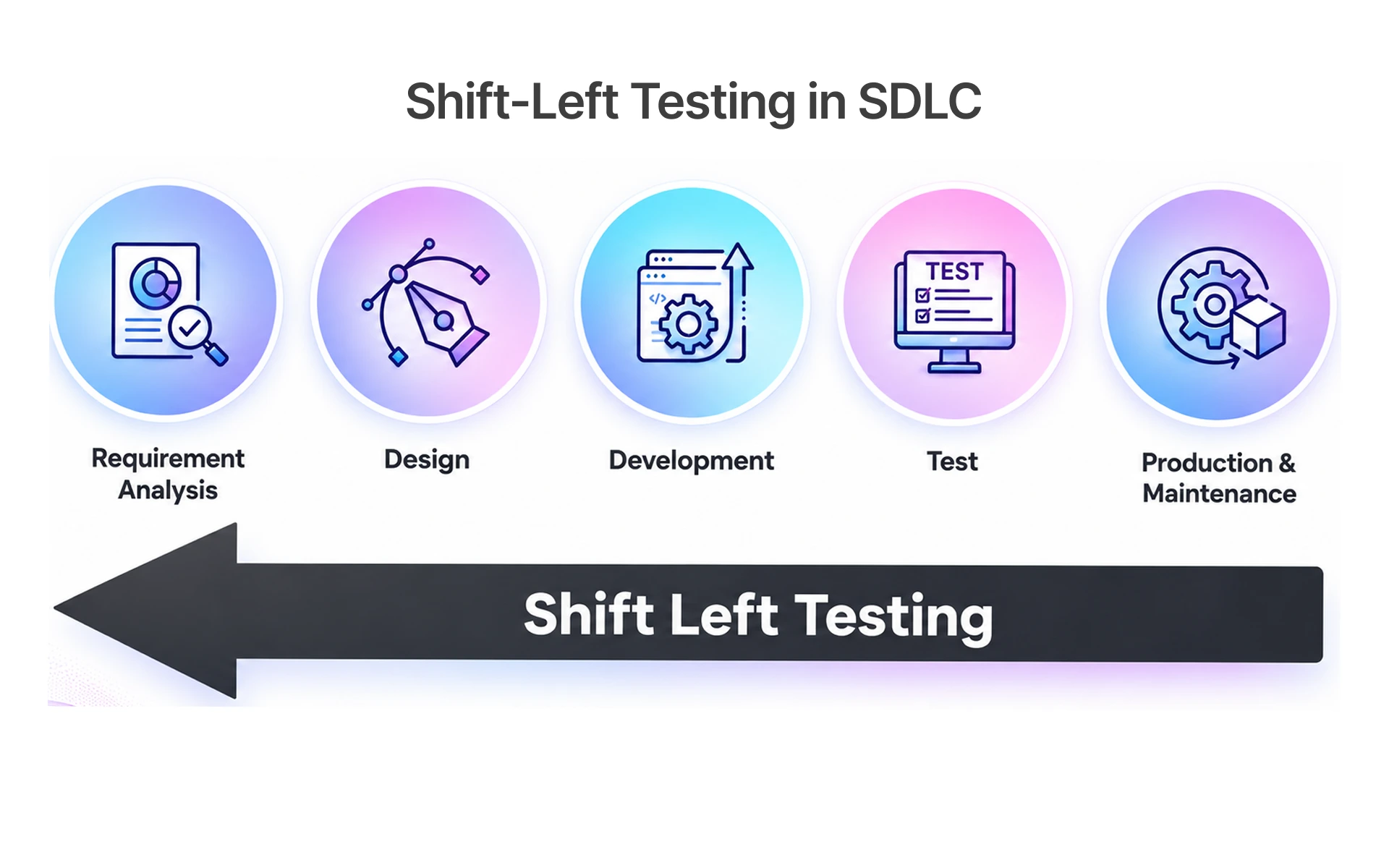
Shift-left testing in SaaS means quality checks happen when code changes, not at the end of a sprint when everyone is already tired and the release date is tomorrow. When codeless tests are wired into pull request workflows through GitHub Actions or similar CI/CD pipelines, developers get feedback within minutes while the change is still fresh in their head before it becomes anyone else's problem.
Teams that do this well consistently report the same things:
- Faster feedback developers know within minutes if their change broke a test case, while they still remember exactly what they changed
- Lower fix cost a bug caught in a pull request takes minutes; the same bug caught in production takes days and costs real customer relationships
- Less staging congestion fewer regressions make it to the staging environment, which speeds up the whole release cycle for everyone
- Cleaner test data management data issues surface early, before they contaminate shared environments that multiple people are using simultaneously
- Quality baked in, not bolted on teams with commit-level test coverage consistently ship without the pre-release scramble that marks QA as an afterthought
Shift-Right Testing in SaaS: Monitoring Real User Behaviour Post-Release
Experienced QA leads know something that doesn't get said often enough in testing guides: no staging environment is actually production. Traffic patterns are different. Data volumes are different. The paths real users take through your product are different from anything your test cases can fully anticipate.
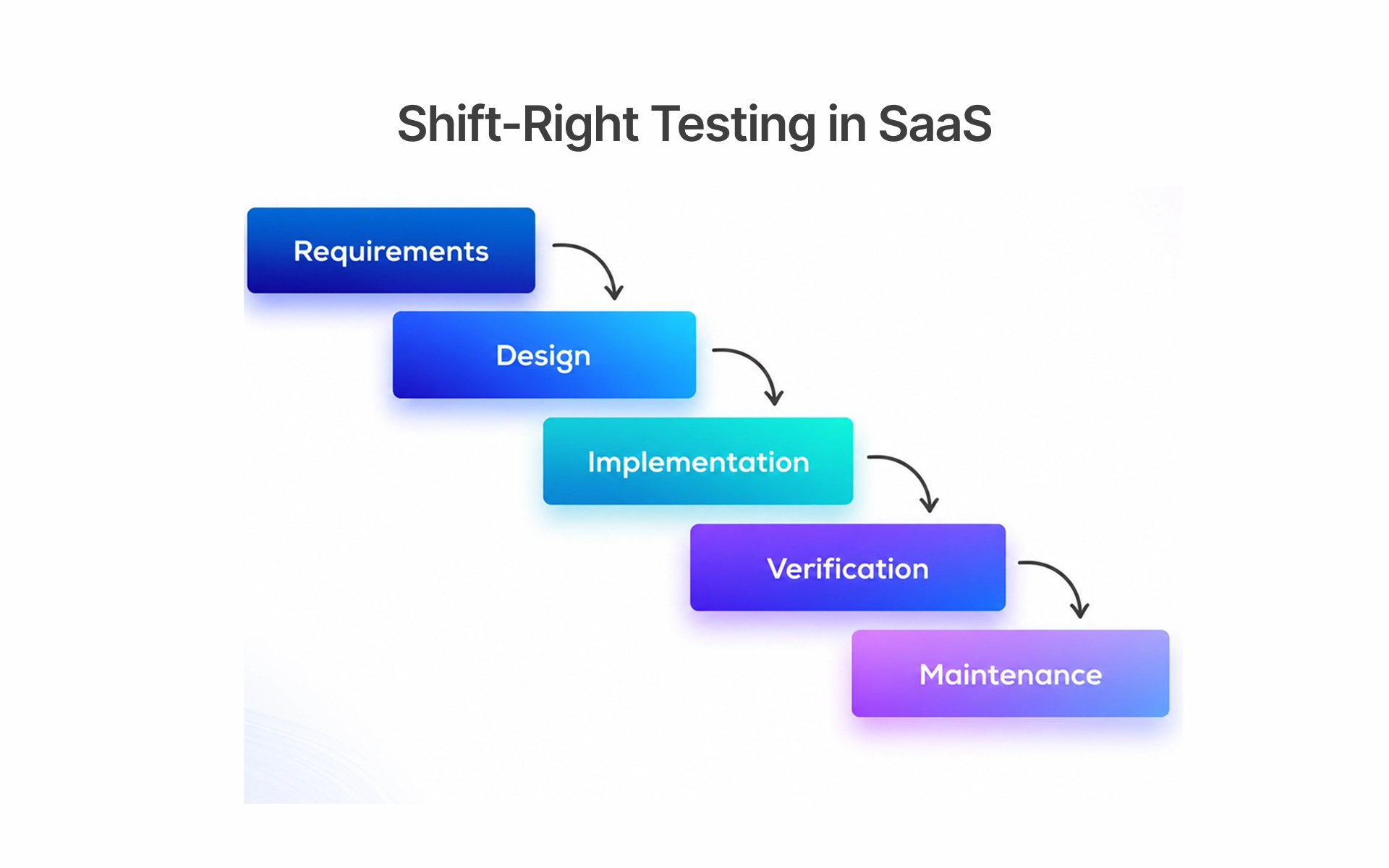
Shift-right testing means quality monitoring continues after deployment watching real user behaviour, tracking real API performance, and catching the issues that only emerge at actual production scale.
Practical shift-right practices worth building into your SaaS QA process:
- Synthetic monitoring automated tests scheduled to run against your live production environment throughout the day, not just once right after deployment
- Visual testing post-deployment visual regression tools that catch UI changes which only appear on production infrastructure
- Session recording review where real users encounter friction tells you things no synthetic test suite ever will
- API performance monitoring response times and failure rates for API integration testing need ongoing tracking after release, not just pre-release spot checks
- Feature flag validation on real devices features behaving correctly in a controlled test environment doesn't guarantee they work when real users interact with them on actual phones
How AI-Powered Test Automation Keeps Your SaaS Pipeline Self-Healing
If I had to name the single biggest frustration that traditional test automation creates for SaaS teams, it's this: you build a test suite you're proud of, the product ships a UI update, and half your tests fail. Not because anything is actually broken because a class name changed or a button shifted slightly. You spend the next day on test maintenance instead of building new coverage. Again.
AI test automation for SaaS addresses this directly. Machine learning genuinely earns its place in a testing platform here not as a marketing claim, but as a practical solution to a real problem. Instead of recording a test against a specific selector and treating that selector as permanent, AI-powered tools learn the intent behind each test step. When the UI changes, they adapt quietly instead of throwing failures that require someone to manually update the test.
What machine learning is actually doing inside modern SaaS testing pipelines:
- Self-healing tests element references update automatically when the UI changes; test maintenance becomes the exception rather than the daily reality
- Natural language test generation describe what you want to test in plain English; the platform generates steps and assertions from that description
- Intelligent test prioritisation ML analyses recent code changes and prioritises the test cases most likely to surface regressions from those specific changes first
- Visual regression detection automated screenshot comparison flags visual testing issues before users encounter them in production
- Anomaly detection patterns in test results that suggest deeper problems in your cloud infrastructure get flagged before they turn into incidents
Frugal Testing has machine learning at the centre of its platform architecture not as a feature added later, but as the foundation the test management and maintenance system was built on. The result is that functional testing and security testing coverage stays reliable even as your product ships changes every week.
Conclusion
Things don't slow down in SaaS. The release velocity stays high, the integration complexity keeps growing, the customer base scales, and the cost of bugs in production keeps compounding.
Codeless testing isn't a magic fix. It's a practical, accessible way for SaaS teams of any size to build real automated test coverage without the overhead that has historically made serious automation feel out of reach. Functional testing, cross-browser testing, mobile testing on real devices, visual regression, API integration testing, performance testing, security testing all available to a team that includes people who have never written a test script in their lives.
Map your user journeys. Build your test suite with no-code automation. Connect it to your CI/CD pipelines. Shift left. Shift right. Let machine learning handle the maintenance while your team focuses on shipping.
If you're ready to stop treating quality as a pre-release scramble and start treating it as a continuous practice Frugal Testing is built for exactly that. Start your free trial and have your first automated SaaS test running in under 30 minutes. No scripts. No setup headaches. No dedicated automation engineer required.
People Also Ask (FAQs)
Q1.What is the difference between codeless testing and low-code testing?
Ans: Codeless testing requires zero programming you build tests entirely through a visual interface with no code involved at any point. Low-code testing reduces how much scripting you need but still expects you to write some code for complex scenarios. For non-technical SaaS QA teams, codeless is the faster and more accessible place to start.
Q2.Can codeless testing handle complex SaaS integrations?
Ans: Yes modern codeless platforms support API integration testing, webhook validation, and third-party service checks without writing a single line of code. They're built specifically for the kind of integration-heavy environments that most SaaS products actually run on.
Q3.How does AI improve test automation for SaaS products?
Ans: AI improves test automation for SaaS products primarily through self-healing when your UI changes, the tool adapts automatically instead of breaking and requiring manual intervention. It also uses machine learning to prioritise which tests to run based on recent code changes, which cuts down pipeline time significantly.
Q4.How do I build a SaaS testing strategy from scratch?
Ans: Start by mapping your most critical user journeys, then build codeless end-to-end tests for those flows first. Connect everything to your CI/CD pipeline and layer in API, performance, and security testing as your coverage matures over time.
Q5.Is codeless testing cost-effective for early-stage SaaS startups?
Ans: Codeless testing is highly cost-effective for early-stage SaaS startups because it removes the need to hire dedicated automation engineers with deep scripting skills. Your existing team can build and own test coverage from day one, keeping quality high without inflating headcount.


.webp)