
Fast release cycles and frequent UI updates make traditional automation hard to maintain. AI-native cloud-based UI testing tools address this challenge by adapting automatically to UI changes while running at scale in the cloud.
These platforms support capabilities such as self-healing tests, intelligent object recognition, and CI/CD integration, helping teams improve test stability and defect detection. Frugal Testing focuses on cost-effective, AI-driven testing solutions that enable reliable releases while meeting security, performance, and accessibility requirements.
What Is AI-Native Cloud-Based UI Testing
AI-native cloud-based UI testing is an advanced software testing approach where artificial intelligence is built into the testing lifecycle from the start and executed entirely on cloud infrastructure. Unlike traditional automation tools, AI-native platforms continuously learn, adapt, and optimize test coverage.
- Built with AI-native features, not bolt-on intelligence
- Executes tests using cloud-based virtual devices
- Designed for modern CI/CD pipelines
- Supports scalable cross-browser testing
This approach enables faster releases while maintaining high quality and reliability.
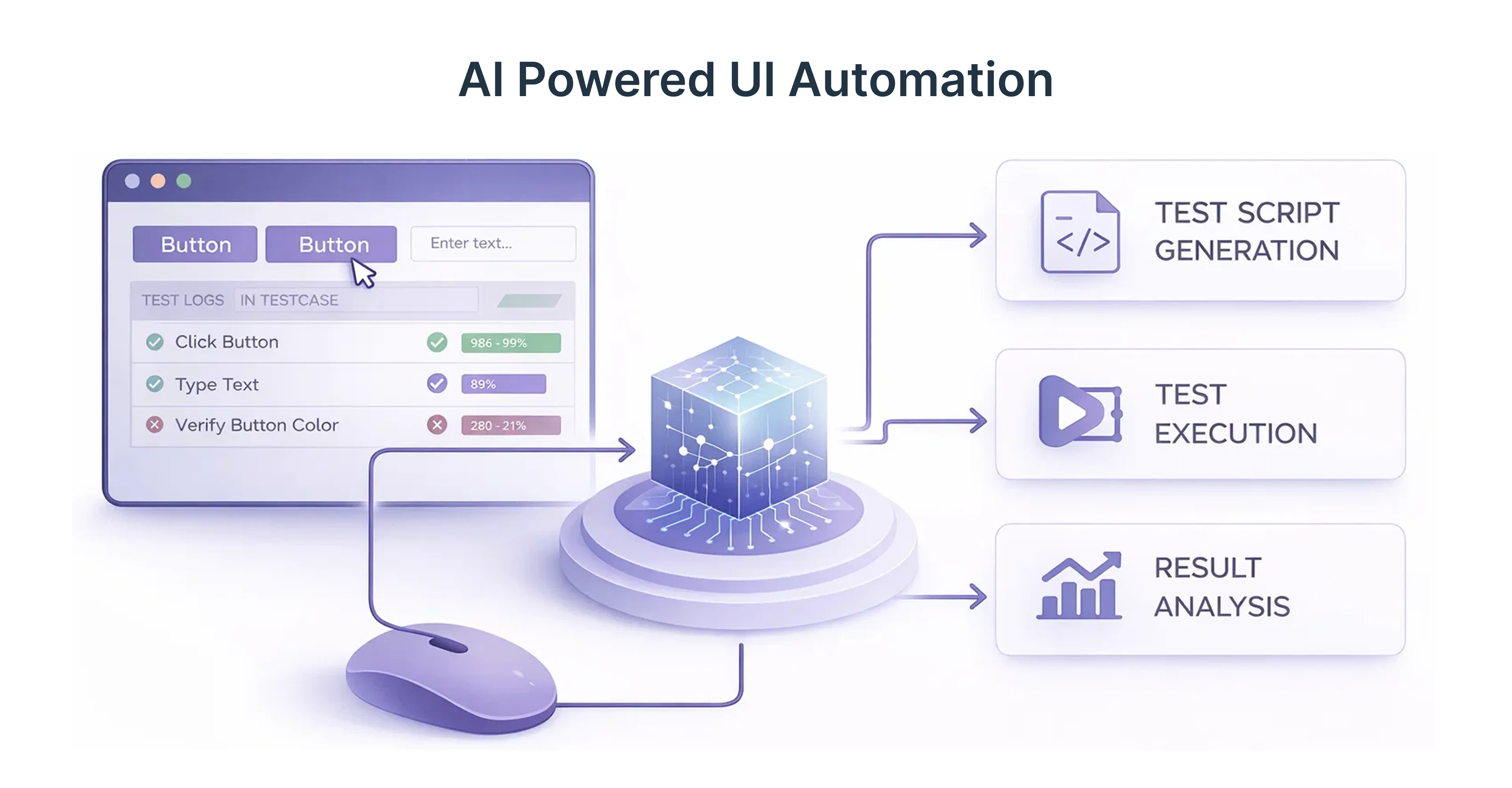
UI testing, web UI automation, and cloud-based execution
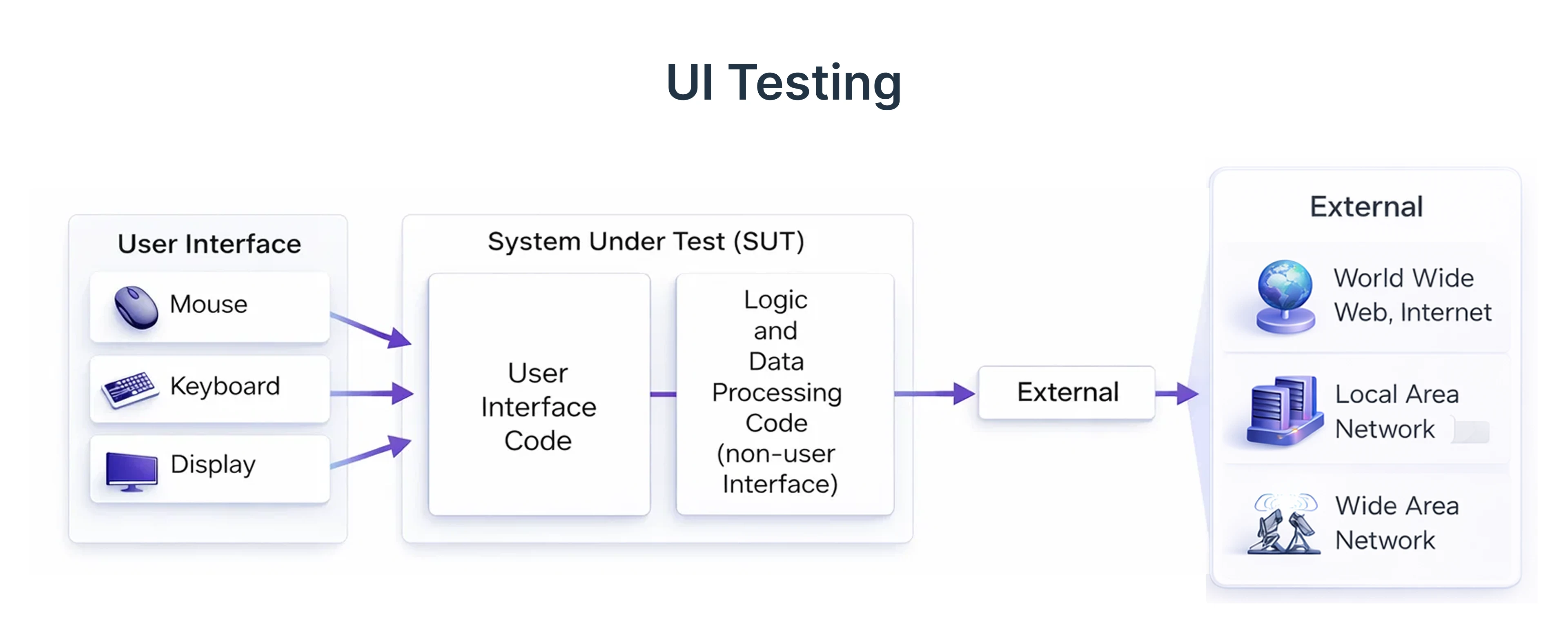
UI Testing verifies an application's visual elements, ensuring user-friendliness and consistency across devices and browsers. The goal is to confirm that interactive components function as intended for an optimal user experience. Methods include manual and automated testing, with automation favored for speed and accuracy.
Web UI automation simulates human interaction using scripts, enhancing efficiency by reducing manual effort and minimizing human error. Challenges include maintaining scripts due to frequent UI changes.
Cloud-based execution runs tests on virtual infrastructure, offering scalability, accessibility, and cost-effectiveness. Teams can access varied devices for cross-browser and cross-platform testing, leading to improved development cycles, higher application quality, and better user satisfaction.
How AI tools for QA transform software testing
AI tools for Quality Assurance (QA) are transforming software testing from a manual, bottleneck process into a proactive, intelligent, and autonomous workflow.
Key Transformations Driven by AI in QA:
- Self-Healing Automation: AI, such as tools like testRigor and Applitools, reduces maintenance by automatically adapting test scripts to UI changes, eliminating the constant need for manual script updates.
- Generative Test Creation: Generative AI generates test cases, scenarios, and scripts from user stories and functional requirements, significantly accelerating test development, notes Alten.
- Predictive Analytics & Risk Mitigation: AI analyzes historical data to identify high-risk areas, allowing testers to focus on critical paths and reducing production defects by up to 25%, according to Levitation Infotech.
- Enhanced Visual & Functional Testing: AI-powered visual testing detects UI inconsistencies across devices that human eyes might miss.
- Shift-Left in CI/CD Pipelines: AI integrates into CI/CD pipelines, enabling immediate feedback on every code change and ensuring continuous testing throughout development, explains DigitalOcean.
Test automation process, test cases, and test scripts
Traditional test automation requires constant updates to test cases and test scripts. AI-native tools simplify this by understanding application workflows.
- Test cases generated from user journeys
- Test scripts maintained automatically
- Regression suites evolve with the application
This reduces maintenance while improving test coverage.
Machine learning, natural language processing, and computer vision
AI-powered testing relies on multiple AI technologies working together.
Intelligent recognition, locators, and user interaction.
Instead of relying on fixed locators, they use intelligent recognition to understand UI elements based on context, structure, and visual appearance. This means the system recognizes a “Login” button as a login button - even if its position, ID, or styling changes.
How this improves UI testing
- Elements are identified by context and appearance
AI understands what an element represents, not just where it lives in the DOM. This allows tests to survive UI changes without constant updates. - User interactions are validated holistically
Rather than checking only clicks or inputs, AI evaluates the full interaction flow - did the action actually produce the expected user outcome? - Flaky tests are significantly reduced
Because tests adapt to UI changes automatically, failures caused by minor layout or design updates are minimized.
Self-Healing Tests and Intelligent Automation
One of the biggest challenges in traditional test automation is constant maintenance. Even small UI changes - like renamed buttons, layout updates, or modified workflows - can break test scripts and slow down releases.
Self-healing tests solve this problem.
AI-powered automation platforms continuously monitor application changes and automatically adjust test logic when the UI evolves. Instead of failing immediately, tests “heal” themselves by identifying the correct elements or paths and continuing execution.
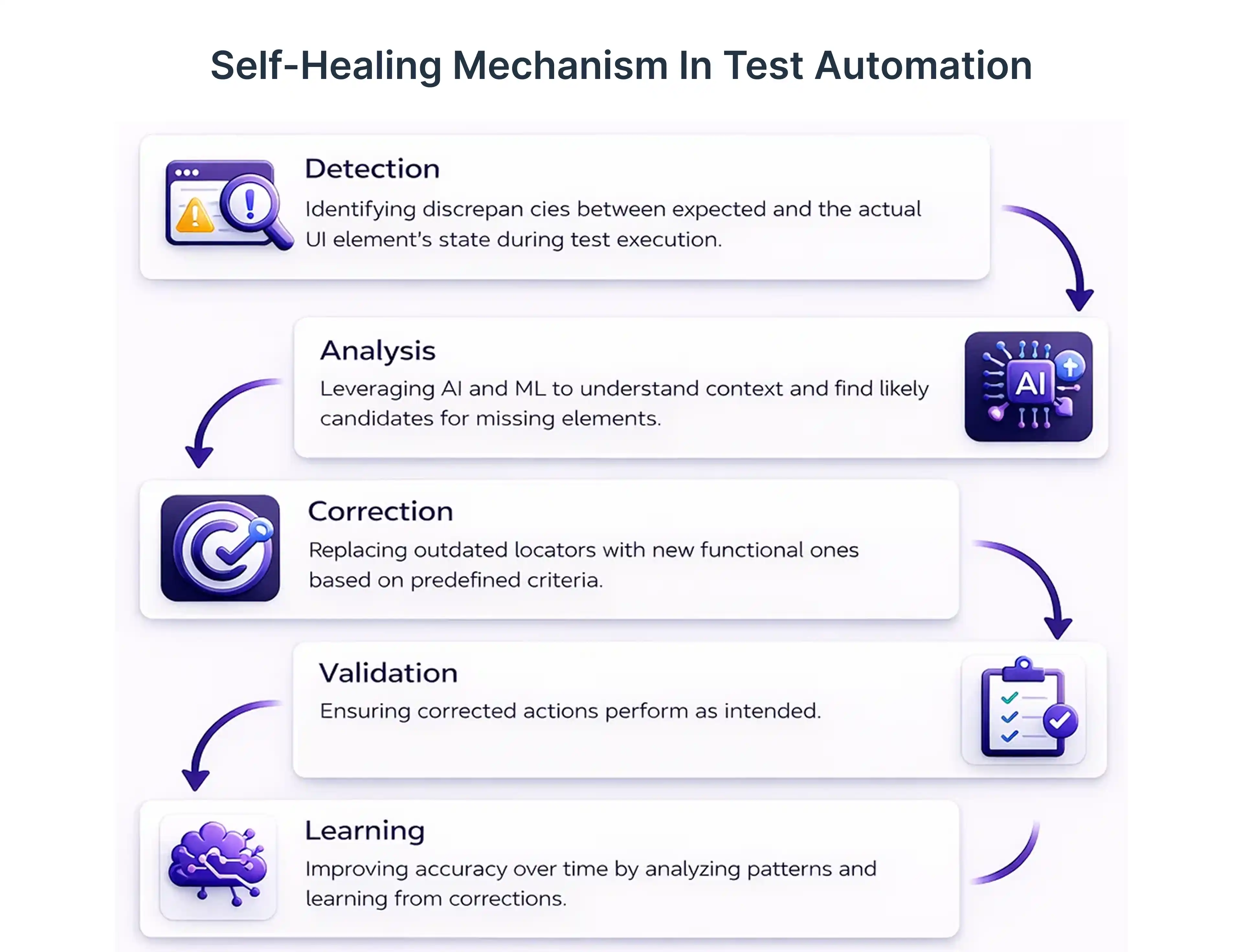
How self-healing tests work
- Automatic test repair
When an element changes, the system intelligently finds an alternative match based on context, behavior, or visual cues. - Reduced manual intervention
QA teams spend less time fixing broken scripts and more time focusing on improving product quality. - Adaptive learning over time
The more the system runs, the better it becomes at recognizing patterns and handling change.
Object recognition, and coverage gaps
Object recognition: understanding the UI, not just the code
AI-based object recognition identifies UI elements based on context, behavior, and visual appearance, rather than fixed technical identifiers. This allows tests to remain stable even when layouts, labels, or underlying code change.
Closing coverage gaps
By combining self-healing and intelligent object recognition:
- Tests stay functional despite UI updates
- Previously untested or unstable flows are consistently validated
- Automation expands naturally into areas that were earlier avoided due to fragility
Reducing maintenance in regression testing
Regression testing often consumes the most QA effort. Self-healing tests reduce this burden.
- Fewer false failures
- Less manual rework
- Faster feedback cycles
At Frugal Testing, this translates to lower testing costs and faster delivery.
Cloud-Based UI Testing for Scale and Speed
Cloud-based UI testing has become essential for modern software development, allowing organizations to achieve high speed and massive scale by moving away from on-premise infrastructure constraints
Core Benefits of Cloud-Based UI Testing
- Instant Scalability & Parallelization: Cloud platforms allow for the immediate scaling of test infrastructure to handle 10 or 10,000 tests simultaneously, transforming test execution time from hours to minutes.
- Zero Infrastructure Maintenance: Eliminates the burden of updating browsers, OS patches, or maintaining physical mobile device labs.
- Comprehensive Coverage: Provides access to 3,000+ real browser, OS, and mobile device configurations (e.g., Sauce Labs, BrowserStack).
- Geographic Distribution: Enables testing from different global locations to validate latency, performance, and localization.
- Cost Efficiency: Shifts infrastructure from Capital Expenditure (CapEx) to Operational Expenditure (OpEx), enabling pay-as-you-go pricing.
Cross-browser testing and virtual devices in the cloud
Cross-browser testing ensures consistent user experiences.Cloud-based cross-browser testing enables developers and QA teams to verify that web applications perform consistently across various browsers, operating systems, and devices, using on-demand virtual machines, emulators, or real devices. Platforms like BrowserStack, Sauce Labs, and pCloudy provide access to 3,500+ configurations, eliminating the need to maintain an in-house device lab.
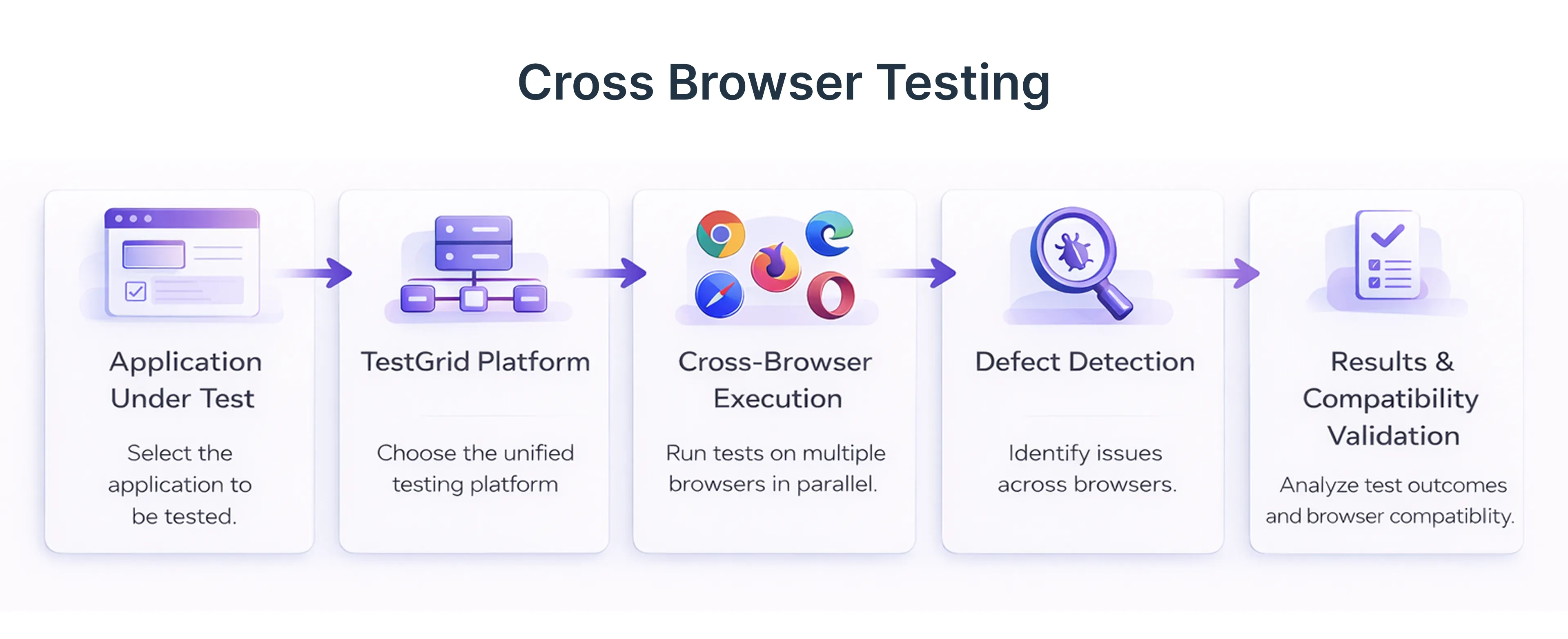
- Chrome, Firefox, Safari, Edge coverage
- Virtual devices simulate real users
- Regional browser testing supported
Performance, scalability, and accessibility testing
Modern UI testing extends beyond functionality.
- Performance and scalability testing validate responsiveness
- Accessibility testing ensures inclusive user experiences
- UI automation simulates real-world usage
Secure connection, authentication, and validation process
- Secure connection handling
Cloud-based UI testing relies on encrypted connections to safely transmit data between test environments and applications. This prevents unauthorized access and data interception during test execution. - Authentication and authorization validation
Cloud-based testing validates login flows, user roles, and access permissions across the UI. It ensures only authorized users can access specific features or data. This helps identify issues such as broken authentication or improper access controls early. - Protection of sensitive workflows
Sensitive user journeys like payments, account settings, or data submissions are handled securely during testing. Test data is isolated, masked, or restricted to prevent exposure of real user information.
CI/CD Integration and Continuous Testing Pipelines
- Test automation is a cornerstone of modern Continuous Integration/Continuous Delivery (CI/CD) pipelines, enabling rapid, reliable software delivery by providing fast feedback on code changes, detecting defects early, and ensuring consistent product quality.
- he core purpose of test automation in a CI/CD pipeline is to automate the validation of code changes throughout the development lifecycle, ensuring that the software remains in a deployable state.
Test automation in CI/CD pipelines
Test automation in CI/CD pipelines ensures quality at every stage.
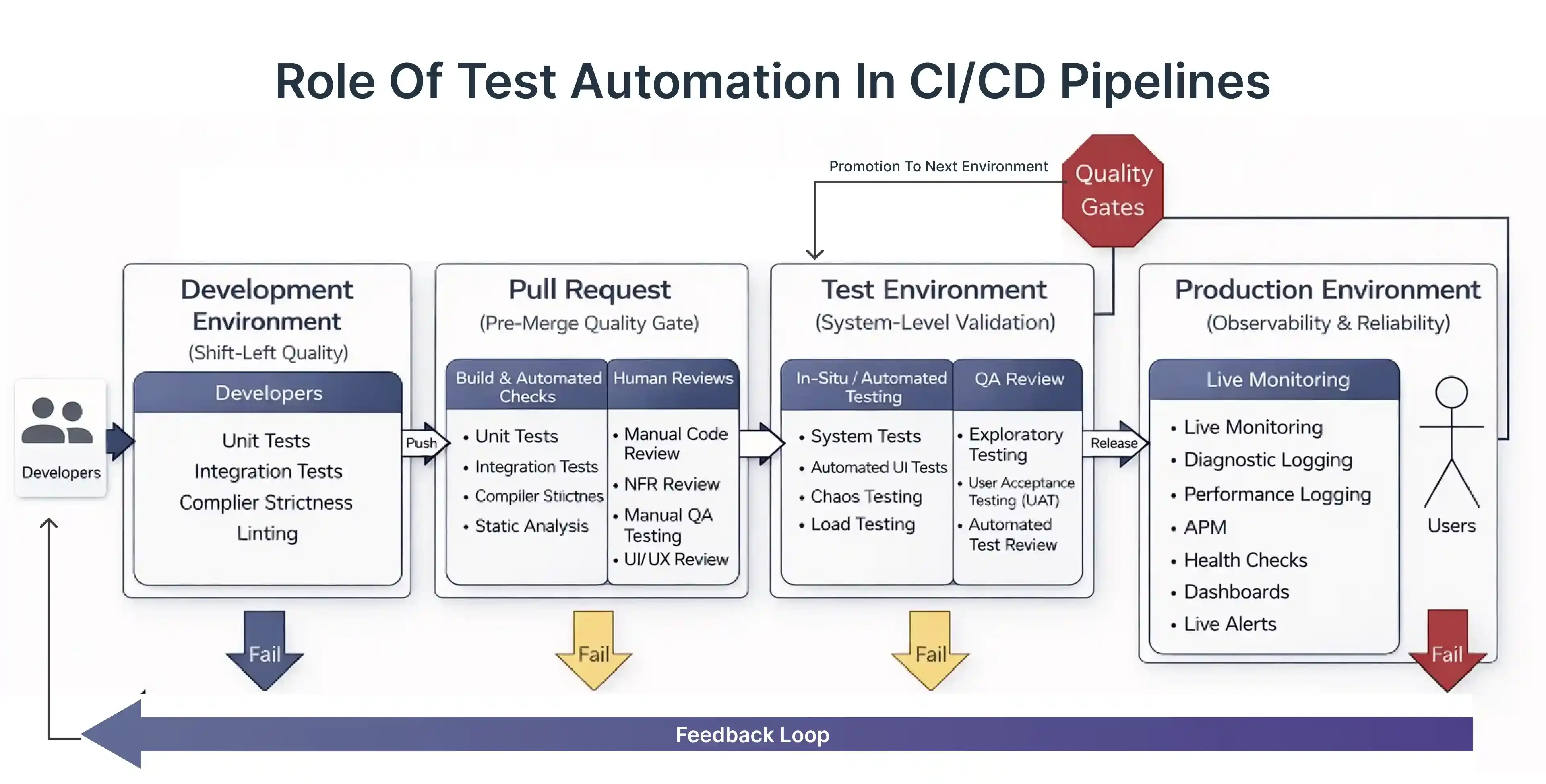
- Automated regression suites
- Immediate defect detection
- Predictable software releases
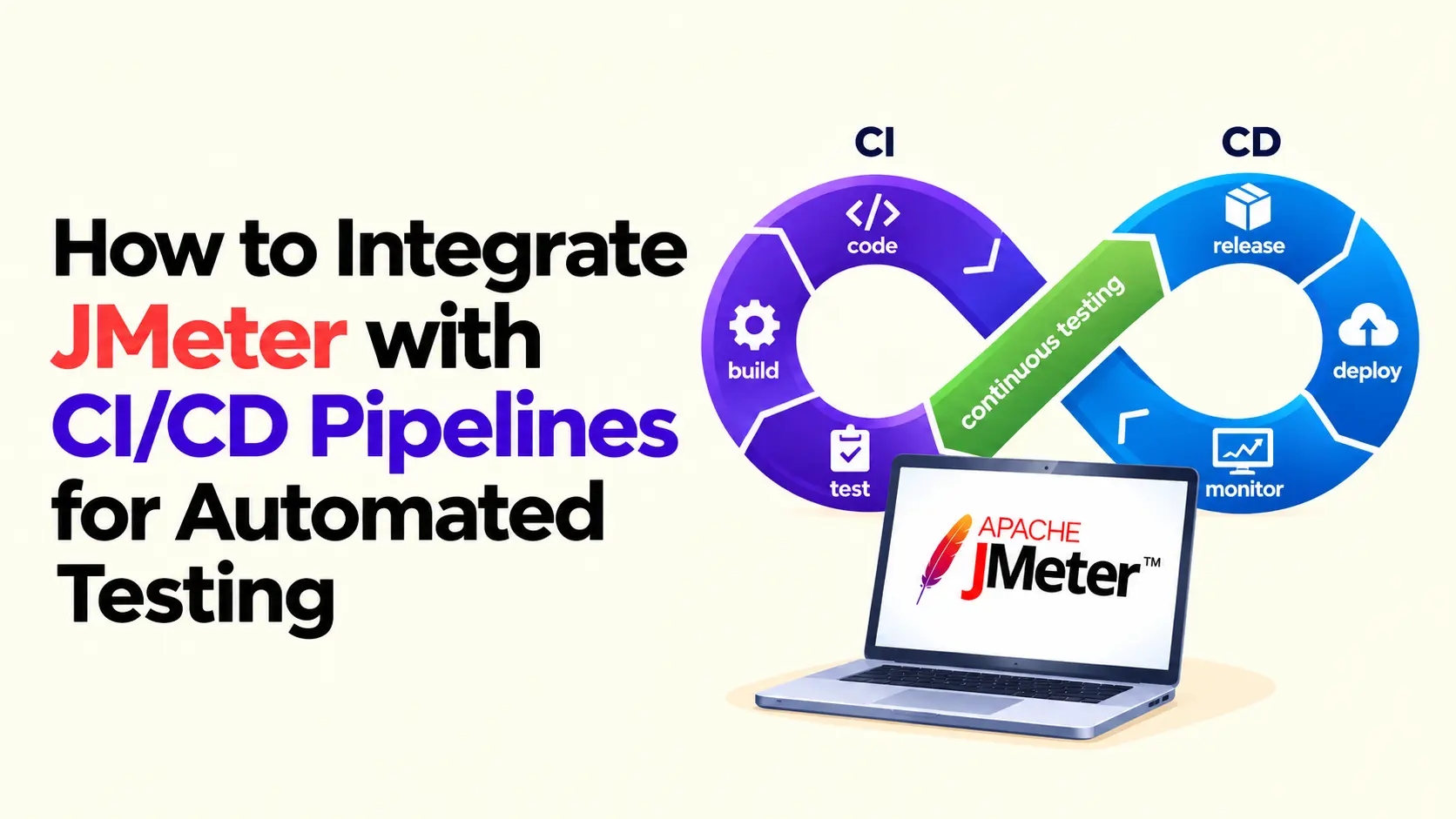
CI/CD integration with Jenkins and GitHub Actions
Tools like Jenkins and GitHub Actions enable seamless CI/CD integration.
- Automated triggers
- Cloud-based execution
- Centralized reporting
- Better customer satisfaction
Conclusion: Why AI-Native Cloud-Based UI Testing Is the Future
AI-native cloud-based UI testing represents a fundamental shift in how modern applications are tested and delivered. By combining intelligent automation with the scalability of the cloud, it overcomes the limitations of traditional, fragile test frameworks and manual infrastructure.
With capabilities like self-healing tests, intelligent object recognition, and broad cross-browser execution, AI-native platforms reduce maintenance effort while improving test reliability and coverage. Teams can adapt quickly to UI changes without slowing down releases or increasing costs
Frequently Asked Questions
Q1. How is an AI-native UI testing tool different from traditional automation tools?
Ans: AI-native tools are built with intelligence at their core, not added later. They adapt to UI changes automatically, reduce flaky tests, and require far less maintenance than traditional script-based frameworks.
Q2. Can AI-native UI testing tools handle frequent UI changes without breaking tests?
Ans: Yes. These tools use intelligent object recognition and self-healing mechanisms to adjust tests automatically when UI elements change, keeping automation stable even in fast-moving products.
Q3. Do AI-native cloud-based testing tools require coding expertise?
Ans: Most AI-native platforms support low-code or natural language test creation. This allows QA teams, product owners, and even non-technical users to create and maintain tests with minimal coding effort.
Q4. How secure is cloud-based UI testing for sensitive applications?
Ans: Enterprise-grade cloud testing platforms use encrypted connections, secure authentication, and isolated environments to protect sensitive workflows and data throughout the testing process.
Q5. Can AI-native UI testing scale for large enterprise applications?
Ans: Yes. Cloud-based execution enables massive parallel testing across browsers, devices, and regions, making it ideal for enterprise-scale applications with complex UI requirements.

.webp)