An engineering lead at a 200-person B2B SaaS company put it plainly: three engineers, a Playwright script that broke every time a vendor updated their portal UI, and a backlog of manual data pulls nobody had counted. Rule-based browser automation was never designed to handle pages that change. That is the exact gap an agentic browser fills.
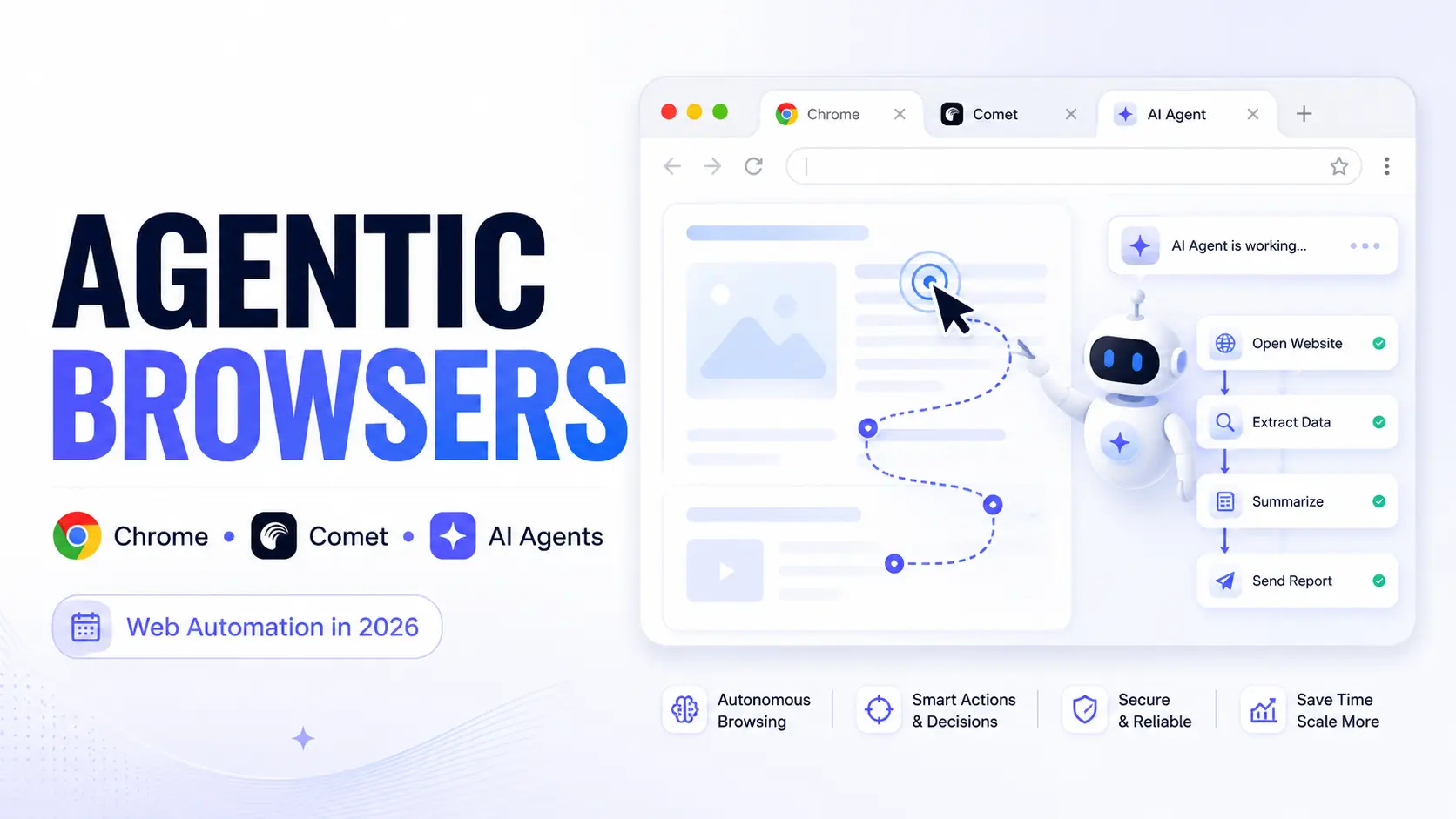
Google Chrome is no longer just a browser. At Google I/O 2026, Google unveiled a sweeping Gemini integration across Chrome, turning it into an agentic AI platform capable of handling multi-step tasks like travel planning, tax documents, and calendar scheduling. Perplexity launched Comet. OpenAI has Operator. The agentic web is arriving faster than most enterprise teams have prepared for. The question is not whether AI browser automation is real. It is determining which platform fits your stack and whether your security posture can support it.
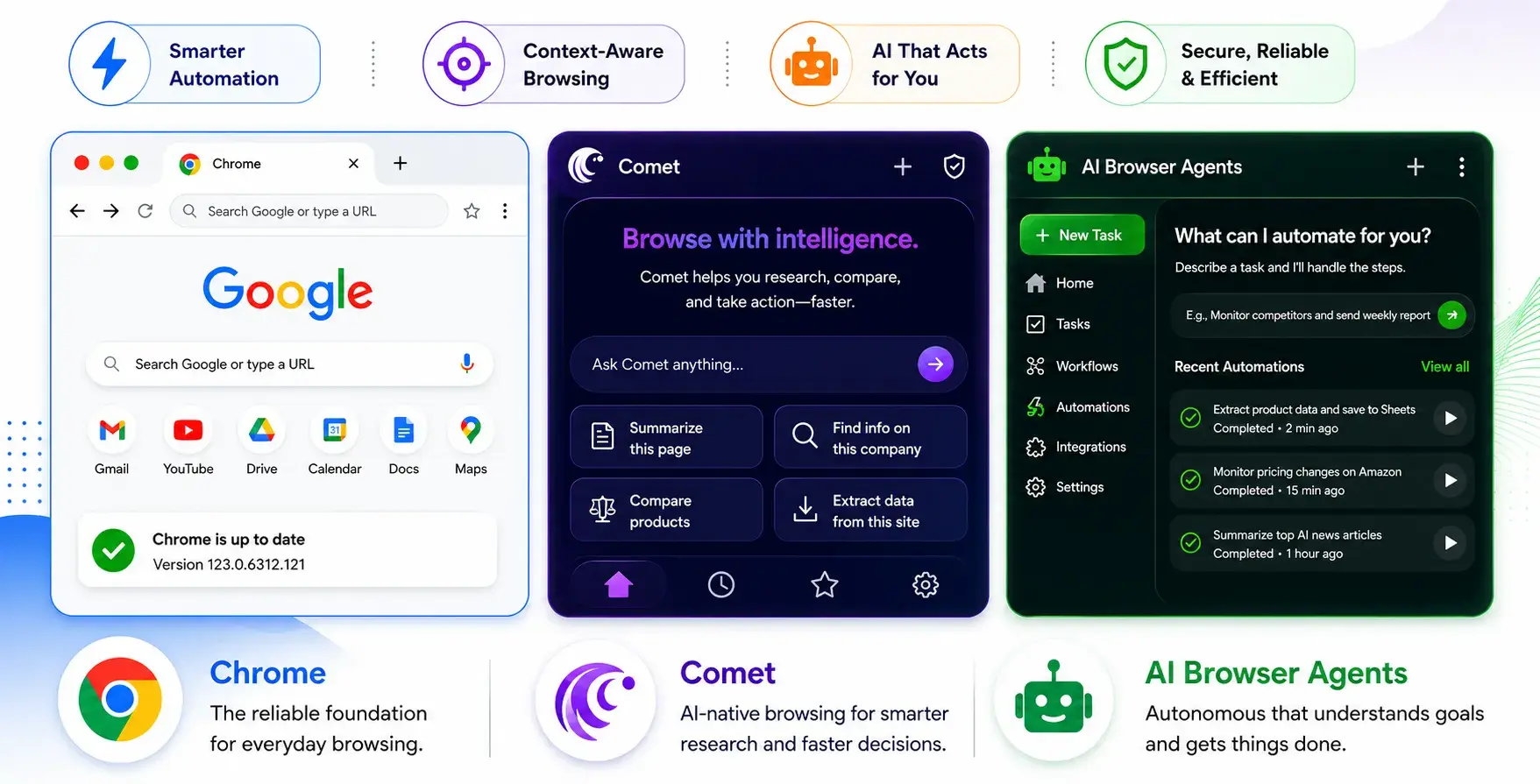
What Makes a Browser 'Agentic': The Architecture That Changes Everything
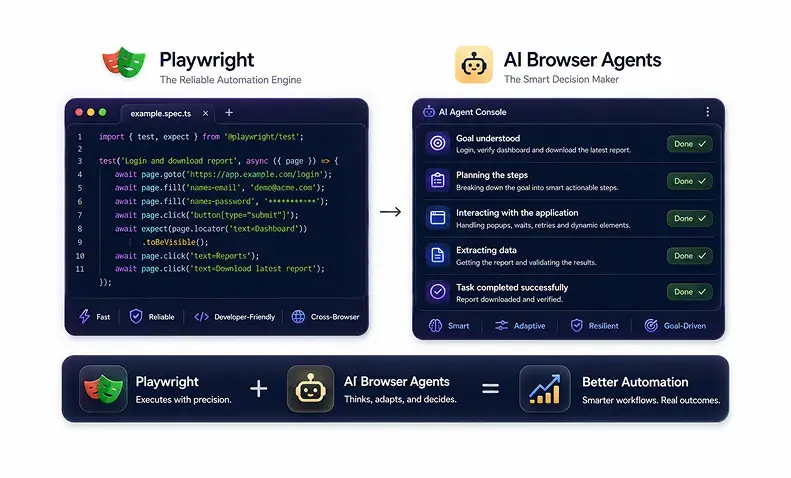
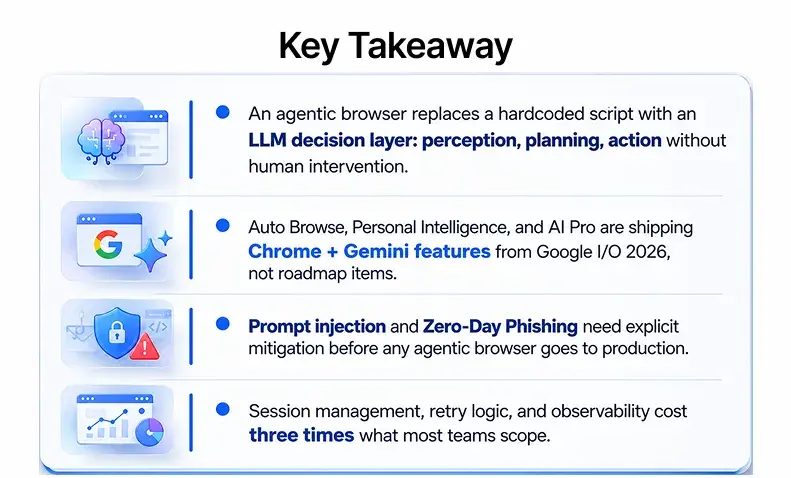
Traditional tools like Selenium and Puppeteer run on hardcoded scripts. Change the UI, and the script breaks. An agentic browser replaces the script with an LLM as the decision layer. Three components: perception (reading the page), planning (decomposing the task), and action (clicking, typing, navigating). No human required between steps. That is agentic browsing capability in its simplest form.
Perception, Planning, Action: The Core Model
The Browser Use open-source framework is the most common starting point. It connects Playwright to an LLM for LLM-powered browser automation. Here is what a basic task call looks like:
python
from browser_use import Agent
from langchain_anthropic import ChatAnthropic

llm = ChatAnthropic(model="claude-3-5-sonnet-20241022")
agent = Agent(
    task="Go to the vendor portal, log in, and extract this month's invoice total",
    llm=llm,
)
result = await agent.run()
print(result)
No hardcoded selectors. Anthropic's Claude, accessed via AI APIs, powers the reasoning layer in many production stacks.
DOM Parsing vs. Vision-Language Models: The Cost Decision
Anthropic's Computer Use API uses screenshot-based VLM perception rather than DOM parsing. DOM parsing is cheaper but breaks on dynamic pages. VLM-based agents cost more per task but handle UI changes without code changes. For teams running 500 to 10,000 automated web tasks per day, that cost difference is not trivial.
According to McKinsey, organisations deploying AI in production automation report a 20 to 30 per cent reduction in process cycle time within six months.
Chrome + Gemini: What Google Announced at Google I/O 2026
Google did not just add a Gemini feature to Chrome. It redesigned the browser around AI workflows. The announcements from Google I/O 2026 signal a fundamental shift in how Chrome competes for market share against Edge Copilot Mode, Sigma AI Browser, and Prisma Browser.
Auto Browse, Personal Intelligence, and Gemini in Chrome
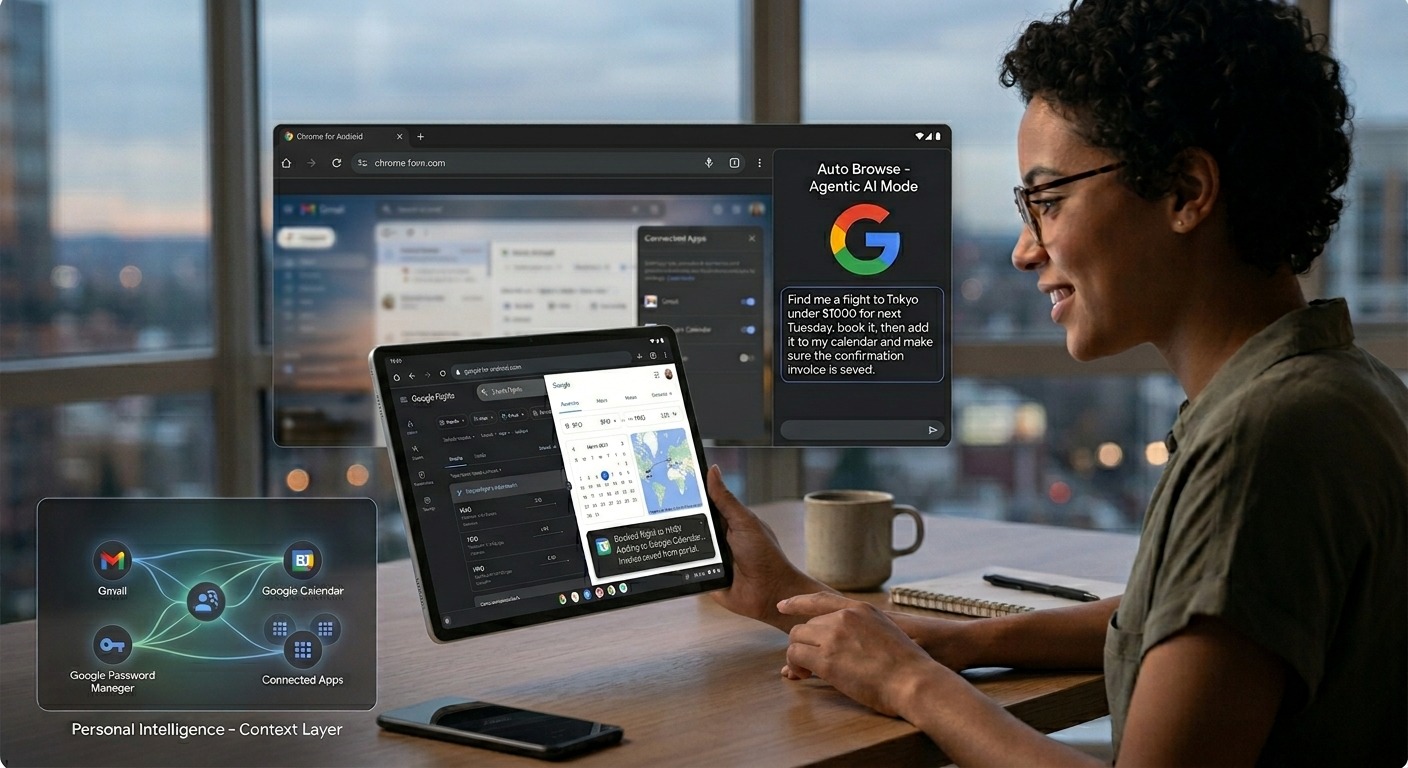
Auto Browse is Chrome's new agentic AI mode: book on Google Flights, pull invoices from a portal, schedule in Google Calendar, all from a plain-language prompt. Personal Intelligence is the persistent context layer underneath, learning preferences across Google Workspace, Google Password Manager, and Connected Apps.
Gemini Nano (internally called 'Nano Banana' during testing) runs on-device for low-latency tasks. Chrome DevTools now exposes session telemetry for developers, and the Chrome browser extension ecosystem has been updated for the Connected Apps framework. AI Pro is the new subscription tier for enterprise teams needing higher usage limits and audit trails, available on Google Cloud Marketplace.
Claude for Chrome: Anthropic's Competing Sidebar
Anthropic's Claude for Chrome is a sidebar assistant competing directly with Gemini in Chrome and Edge Copilot Mode. Where Gemini has deep Google Workspace and Google Analytics API hooks, Claude for Chrome suits teams using Anthropic's Claude for agentic AI software development services outside the Google ecosystem. The sidebar assistants category is fragmenting across the web ecosystem, and IT teams need to pick a standard before users pick for them. At the same time, choosing the right web hosting control panel can help organizations maintain better management, consistency, and operational control across web environments.
The Agentic Browser Platform Landscape: Comet, Atlas, MultiOn, Skyvern
Perplexity Comet and ChatGPT Atlas: Different Jobs
Comet is optimised for research, synthesis, and source aggregation. Transactional automation and system integration are not where it competes. ChatGPT Atlas (OpenAI Operator in enterprise form) handles booking on Google Flights, purchasing, and form-filling. Evaluate how it handles ambiguity before committing to compliance-sensitive workflows.
MultiOn and Skyvern: Developer-First Options
The multion AI browser agent integrates via REST API into LangChain and LlamaIndex graphs, the natural choice for embedding browser use AI agent calls into a multi-agent pipeline. Human confirmation steps are required for some task classes.
Skyvern's LLM plus Playwright architecture means Skyvern AI's browser automation handles UI changes without script rewrites. No built-in observability; significant engineering required to reach production reliability.
Which approach fits?
- Research or synthesis? Perplexity Comet.
- Transactional automation with a managed API? ChatGPT Atlas.
- Embedding into an existing AI pipeline? MultiOn.
- Self-hosting for cost or data residency? Skyvern.
Our Take: MultiOn is faster to production. Skyvern is cheaper at scale. Teams building from Browser Use from scratch underestimate the observability engineering by a factor of three.
Security Standards, Prompt Injection, and the Risks Nobody Is Talking About
Agentic browsers are a security problem. An agent with local file access, application data rights, and authenticated sessions creates an attack surface that traditional browser security was never designed to cover.
Prompt Injection: The High Severity Security Vulnerability in Every Agentic Browser
Prompt injection is a high-severity security vulnerability in every production agentic browser. A malicious page embeds instructions to hijack the agent's task, exfiltrate session data, or redirect form submissions. Researchers have demonstrated this against MultiOn, Browser Use, and OpenAI Operator. The phishing UI variant leads the agent to a fraudulent login page, where it completes credential submission.
The HTML-in-Canvas API vector is newer: attackers render malicious instructions inside a canvas element that VLM-based agents read as page content. Canvas API tokens may also leak context that fingerprints agent capabilities.
Here is a basic input sanitisation layer teams should add before any user-controlled content reaches the agent:
python
import re

INJECTION_PATTERNS = [
    r"ignore previous instructions",
    r"disregard your system prompt",
    r"you are now",
    r"act as",
    r"new task:",
]

def sanitise_page_content(content: str) -> str:
    """Strip known prompt injection patterns before passing to the agent LLM."""
    for pattern in INJECTION_PATTERNS:
        content = re.sub(pattern, "[REDACTED]", content, flags=re.IGNORECASE)
    return content
Zero Trust, DLP, and Advanced Web Protection for Agentic Workflows
Treat the agent as an untrusted endpoint. Zero Trust applies: authenticate on every session, restrict local file access and application data to task scope, and maintain an auditable trail. Data Loss Prevention policies for human browsing miss machine-speed exfiltration. Zero-Day Phishing protection via a Browser Security Platform like Prisma Access monitors session telemetry at the network level. Advanced Web Protection and Core Web Vitals monitoring need agent-aware configs; automated requests corrupt Google Analytics API signals.
How to Deploy an AI Browser Agent Without Breaking Production
An AI operations lead at a financial services firm came to us after their first deployment. The agent worked. The pipeline did not.
Session Management and Credential Injection
Credential injection is not handled by default in any open-source framework. Here is a minimal pattern that avoids exposing secrets in your task prompt:
python
import os
from playwright.async_api import async_playwright

async def create_authenticated_session(browser_context):
    page = await browser_context.new_page()
    await page.goto("https://vendor-portal.example.com/login")
    # Load from environment or vault: never hardcode credentials
    await page.fill("#username", os.environ["VENDOR_USER"])
    await page.fill("#password", os.environ["VENDOR_PASS"])
    await page.click("#login-btn")
    await page.wait_for_url("**/dashboard")
    return browser_context
Observability and Structured Action Logging
Action logs, screenshot traces, and outcome validation are three layers every production browser agent needs:
python
import json, datetime

def log_agent_action(task_id: str, step: int, action: str, outcome: str, confidence: float):
    entry = {
        "task_id": task_id,
        "step": step,
        "timestamp": datetime.datetime.utcnow().isoformat(),
        "action": action,        # e.g., "click", "fill", "navigate"
        "outcome": outcome,      # e.g., "success", "timeout", "unexpected_modal"
        "confidence": confidence # 0.0-1.0 agent self-score
    }
    # Ship to Datadog, CloudWatch, or a local JSONL file
    print(json.dumps(entry))
Cost Optimisation Across LLM Providers
According to Forrester, AI infrastructure costs are underestimated by 61 per cent of firms. Swap providers between Anthropic's Claude, Google Gemini, and GPT-4o without touching agent logic:
yaml
# agent-config.yaml: swap LLM provider without touching agent logic
llm:
  provider: anthropic
  model: claude-3-5-sonnet-20241022
  max_tokens: 1024
  temperature: 0.1

browser:
  headless: true
  perception_mode: dom       # dom | vlm | hybrid
  retry_budget: 3
confidence_threshold: 0.75Common Pitfalls That Kill Agentic Browser Projects Before They Scale
A developer team spent three months building a Playwright plus LLM stack, went live with 200 daily tasks, and hit a wall at month four when their vendor updated the portal UI. DOM selectors were gone. Without a VLM fallback, every affected task failed silently.
The DOM-Only Trap and Declarative Partial Updates
DOM-based AI web automation is cheaper per task, but modern portals using Declarative Partial Updates change visible content without a full page reload. Teams without a VLM fallback end up maintaining scripts again.
Skipping the Task Audit and Treating Deployment as a Finish Line
Not every workflow is automatable. CAPTCHA handling and MFA flows complicate session management for most frameworks. Any AI agent browser automation project needs a task audit first. Task completion rates degrade within 60 to 90 days for teams that deploy and move on.
"The agentic browser is not faster automation. It is automation that does not break when the page changes."
The Build-vs-Engage Decision
The agentic web is live. Chrome is an AI platform. The open-source path suits teams with strong infrastructure experience and a security team ready to own prompt injection mitigation. The managed path gets you to production faster. Teams that fail underestimate both.
People Also Ask (FAQs)
Q1. What is an agentic browser?
Ans: An agentic browser uses an LLM as the decision layer. Unlike Selenium, it adapts when the UI changes instead of breaking.
Q2. What did Google announce at Google I/O 2026?
Ans: Auto Browse, Personal Intelligence, and the AI Pro tier: Gemini now handles full agentic AI workflows across Google Workspace, Google Flights, and Google Calendar inside Chrome.
Q3. How serious is prompt injection for agentic browsers?
Ans: High severity. Every production agentic browser is vulnerable. Input sanitisation, Zero Trust, and Prisma Access are the minimum viable defences.
Q4. Can I build a production agentic browser with open-source tools?
Ans: Yes. Browser Use plus Playwright plus an LLM works. Observability, session management, and retry logic cost three times what teams initially scope.
Q5. How do Claude for Chrome and Gemini in Chrome compare?
Ans: Gemini wins on Google Workspace depth. Claude for Chrome suits teams outside the Google ecosystem with a clearer privacy posture.