A cloud-based test automation pipeline combines CI/CD orchestration, containerized test environments, and scalable cloud infrastructure to automate software testing across development stages.
Manual testing is unable to meet the pace of software development today. A failing CI/CD pipeline is a direct threat to the speed and quality of software releases to QA teams that are involved throughout the software development lifecycle.
According to Google Cloud's 2024 DORA research, the top teams deploy 182x more frequently with lead times of less than an hour. It's not about the number of people but the pipeline deployment architecture.
What a Production-Ready Cloud-Based Test Automation Pipeline Actually Looks Like
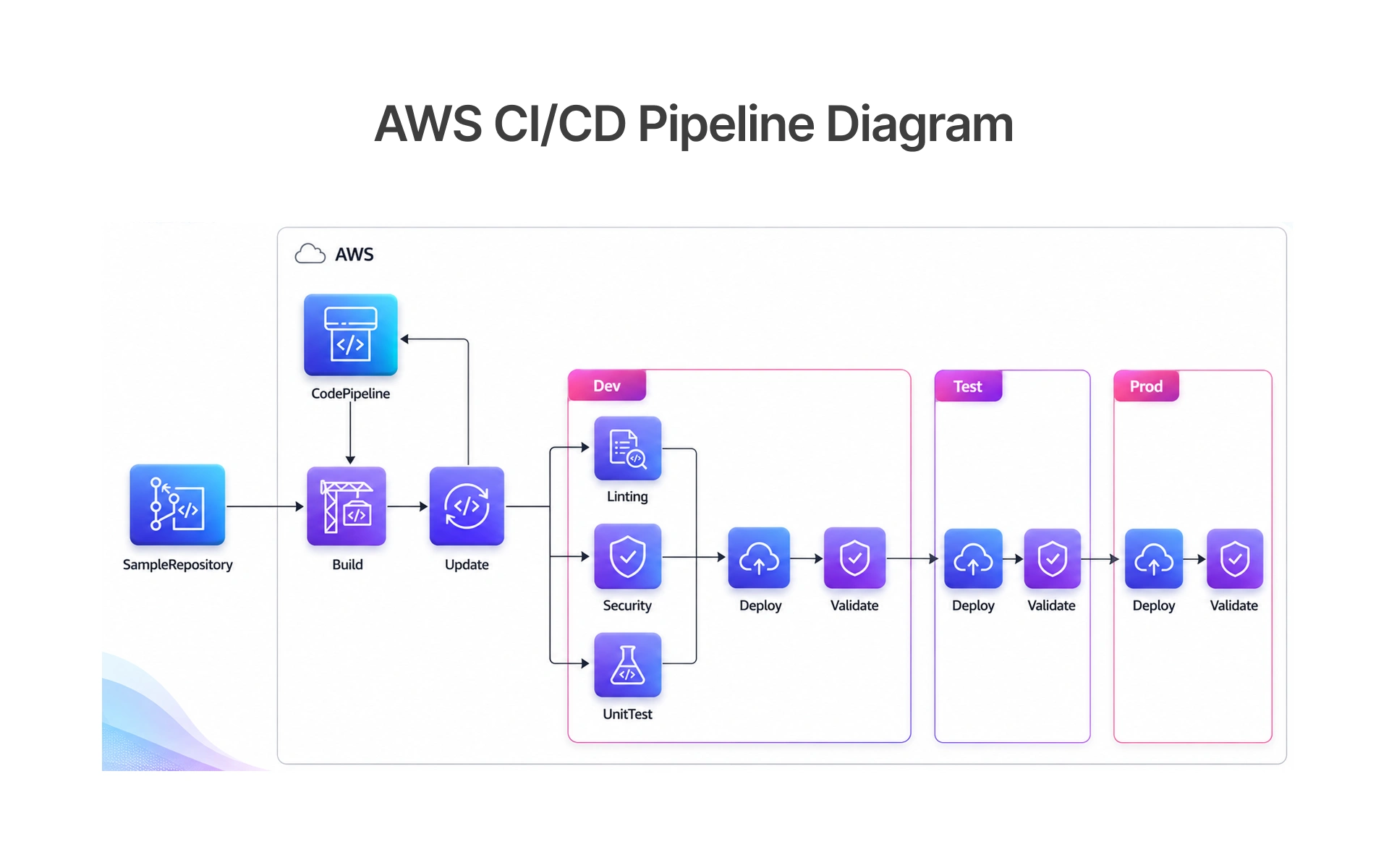
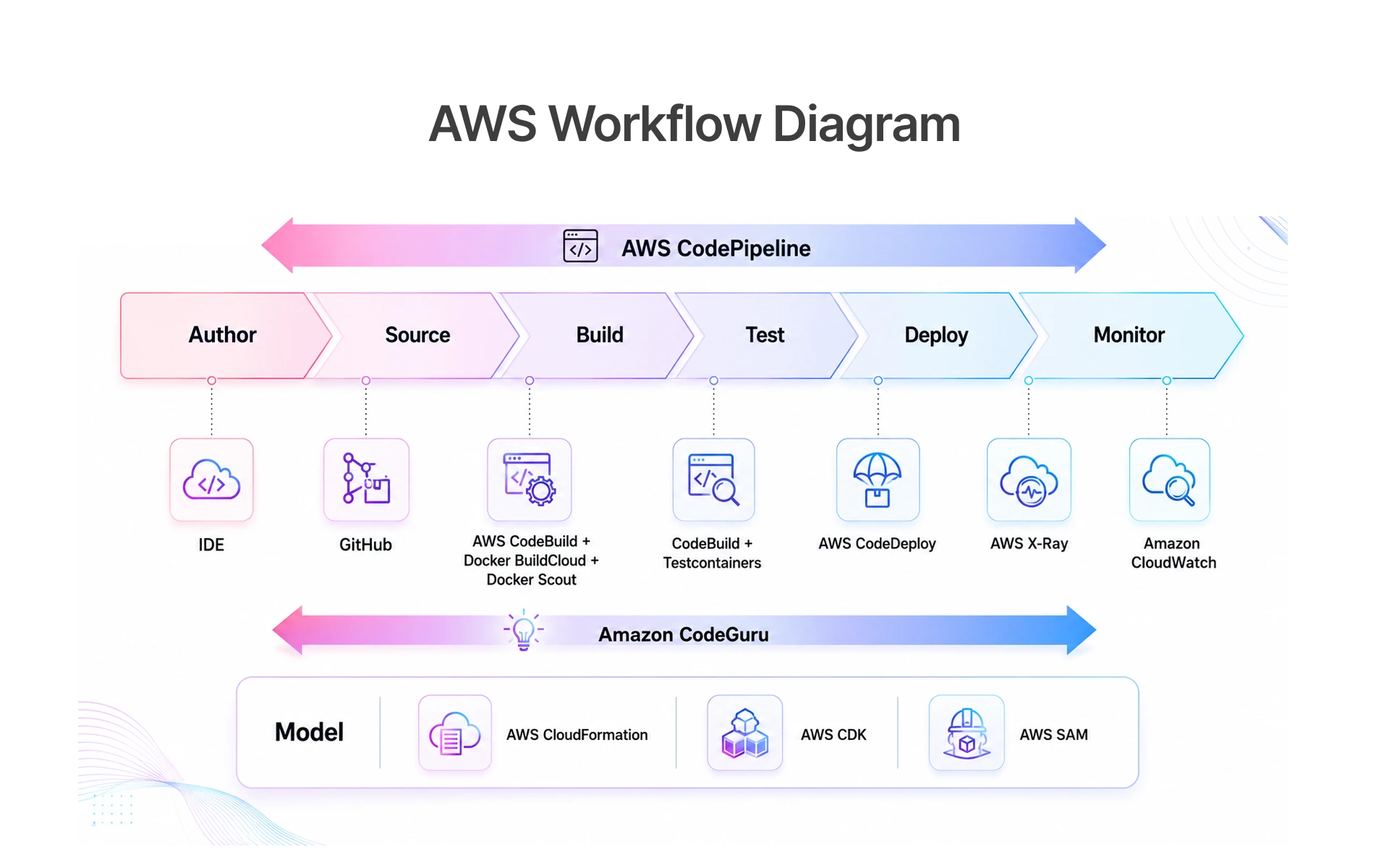
The cloud-based test automation pipeline integrates version control, CI/CD orchestrator, containerised test environments and cloud execution layer in a single automated test pipeline, providing Continuous Integration, Continuous Delivery and Continuous Deployment.
There are five layers in an enterprise-grade pipeline:
• Source layer: Code and tests scripts in Git, triggers based on branches.
• CI/CD orchestration layer: GitHub Actions, GitLab CI or Jenkins (with Blue Ocean for visualisation) that are listening for triggers and running jobs.
• Containerisation layer: Docker images containing the browser, driver and test framework runtime, which is reproducible.
• Cloud execution layer: AWS, GCP or Azure on demand VMs or containers that scale in accord with the test load.
Together they form a complete QA automation pipeline running automated testing without human intervention aligned with CNCF cloud-native best practices. Well-structured CI/CD Pipelines are the backbone of any mature Quality Assurance strategy.
The Real Cost of Slow, Broken, or Manual Testing in 2026
Manual testing teams spend 40% of their time on regression cycles and release 60% of the time. If a P1 defect escapes to production, it is 10-100 times more expensive to fix than when it is found in the CI.
Choosing the Right Test Automation Framework for Cloud CI/CD
The structure you use is the foundation to the rest. The consequences of poor choice are a maintenance debt, inflexible test and pipeline teams that do not trust.
Framework Principles: Modularity, Scalability, Maintainability
Each framework decision must be based on three principles:
• Modularity - Tests should be independent, each should generate its own data, and run separately. Adopt the Page Object Model: Locators in the page objects, logic in the test file.
• Scalability - Parallel execution in the cloud. Your framework needs to be able to run hundreds of tests concurrently without any shared state and collisions.
• Maintainability - Lint and shared utilities for patterns. Pin dependency versions.
These three are the pillars on which you maintain the trustworthiness of your framework as it scales. Clear test strategies and testing layers (unit, integration, end-to-end) help keep your automation strategies coherent as you add more tests.
Playwright vs Cypress vs Selenium: Which Works Best in Cloud Pipelines?
It is really dependent on your application, team and tech stack:
With playwright's documentation, over 80% of possible flaky tests due to timing are eliminated. Playwright is the default option for cross browser testing when dealing with new projects, while Selenium Grid is the preferred option for cross browser testing and performance testing in CI for legacy stacks.
Step-by-Step: Setting Up Your Cloud-Based Pipeline from Scratch
Cloud Provider Selection: AWS vs GCP vs Azure for Test Automation
It all comes down to existing infrastructure:
AWS has the most extensive community documentation for test automation setup, and if you don't have a cloud commitment, it's a great option. Save up to 90% on compute costs with Spot Instances for test runners based on AWS Spot Instance pricing data. GCP teams can deploy workloads to Google Compute Engine or Google Cloud Engine, from Google Container Registry. In Serverless Architectures (AWS Fargate or other equivalent), there are no virtual machines to sit idle. Create infrastructure as Code (AWS CloudFormation, Terraform scripts) to achieve complete reproducibility. Adopt Ansible playbooks for configuration management, and document infrastructure plans that any Engineer can recreate a Production environment from scratch. Embed deployment strategies blue/green, canary or rolling into the pipeline.
Version Control Setup and Repo Structure (GitHub / GitLab)
This pattern is valid for Playwright, Cypress and Selenium.
- tests/ - all test files, organised by type (e2e/, api/, component/)
- pages/ - Page Object Model classes for UI tests
- fixtures/ - shared test data and factory functions
- utils/ - shared helper functions and custom commands
- config/ - environment configuration files
- .github/workflows/ or .gitlab-ci.yml - pipeline definition
- Dockerfile - container definition for test runners
- playwright.config.ts or cypress.config.js - framework configuration
Never delete the main branch and protect it with a CI pass before merge, and smoke test feature branches. A proper branching strategy, commit conventions, pull requests reviewed with a robust Version control system – is the root. The Build stage should correspond to a distinct quality gate and the build should be repeatable via build automation. Azure DevOps users have similar rules applied with Azure Pipelines.
CI/CD Configuration: Writing Your First Pipeline YAML File
A Playwright fully configured GitHub Actions pipeline! The syntax is the same to GitLab CI, Azure DevOps Pipelines and Jenkins (Blue Ocean), except for minor syntax differences.GitHub Actions
# Replace ${{ matrix.shard }} with your CI's matrix variable syntax
name: Test Pipeline
on:
  push:
    branches: [main, develop]
  pull_request:
    branches: [main]
jobs:
  test:
    runs-on: ubuntu-latest
    strategy:
      matrix:
        shard: [1, 2, 3, 4]
    container:
      image: mcr.microsoft.com/playwright:v1.44.0-jammy
    steps:
      - uses: actions/checkout@v4
      - name: Install dependencies
        run: npm ci
      - name: Run tests (shard ${{ matrix.shard }} of 4)
        run: npx playwright test --shard=${{ matrix.shard }}/4
        env:
         BASE_URL: ${{ secrets.BASE_URL }}
         CI: true
      - name: Upload test results
        uses: actions/upload-artifact@v4
        if: always()
        with:
          name: playwright-report-${{ matrix.shard }}
          path: playwright-report
Sharding distributes tests into four parallel runners, reducing run time by up to 75% based on Playwright's official sharding documentation.
A fintech QA team running 2,000 Playwright tests reduced execution time from 52 minutes to 14 minutes after implementing Dockerized parallel runners with GitHub Actions sharding. This freed developers from waiting on test results, reduced merge delays, and accelerated their release cycle from weekly to daily deployments.
Setting Deployment Gates and Quality Thresholds
Flaky tests are automated tests that produce inconsistent results passing and failing unpredictably without any code changes.
Set thresholds prior to writing tests:
• Never add a skip without creating a bug ticket.
• Log every retry with timestamp and failure reason.
• Review flakiness report every sprint.
Implementing Continuous Testing in Production
CI catches regressions before deployment, Production testing catches what shows up under real load both are necessary to a full-grown DevOps process that incorporates End-to-end testing at each and every stage.
• Synthetic monitoring: execute critical-path tests on production on a 5-minute cadence.
• Canary testing: test your suite against the new version, deploy to 5%, smoke test and proceed.
They are the business operating principles of actual Continuous Deployment.
Shift-Left Testing, Data Management and Environment Consistency
Shift-left is structural: Tests are executed with each and every commit; failures are exposed before merges; QA is not a bottleneck.
Test Data Management: Keeping Environments Clean and Consistent
Bad test data leads to flaky tests, tests sharing data collide in parallel runs. Test Driven Development or Behavior Driven Development, the System Under Test should be isolated: Integration testing, system tests and end-to-end flows must never share state. The solution is segregated and uses test data that is generated.
• Factory pattern: Use the factory pattern to create a new instance for each test entity, based on a UUID. Call in set up, delete in teardown.
• Environment-specific config: Inject URLs and credentials from CI secrets. List required variables in .env.example file.
• Database isolation: Per-test database schemas or transaction rollback for unit-level isolation.
In Frugal Testing's enterprise QA engagements, 60% of the environment-related test failures are found as the result of shared test data in parallel testing runs and hard coding environment values.
Dockerizing Your Test Environment for Consistency Across Cloud Runners
The main source of broken pipelines is environment inconsistencies (e.g. different versions of browsers, nodes or libraries). Docker gets rid of it by encapsulating the whole runtime in a repeatable image. Pin the Playwright version in FROM, layer caching saves ~90 seconds per run based on Docker's official layer caching documentation.
FROM mcr.microsoft.com/playwright:v1.44.0-jammy
WORKDIR /app

# Layer cache optimization — install dependencies first
COPY package.json package-lock.json ./
RUN npm ci
# Copy project files
COPY . .
# Create non-root user for safer execution
RUN useradd -m testuser
USER testuser
# Default test execution
CMD ["npx", "playwright", "test"]
Monitoring and Maintaining Your Pipeline
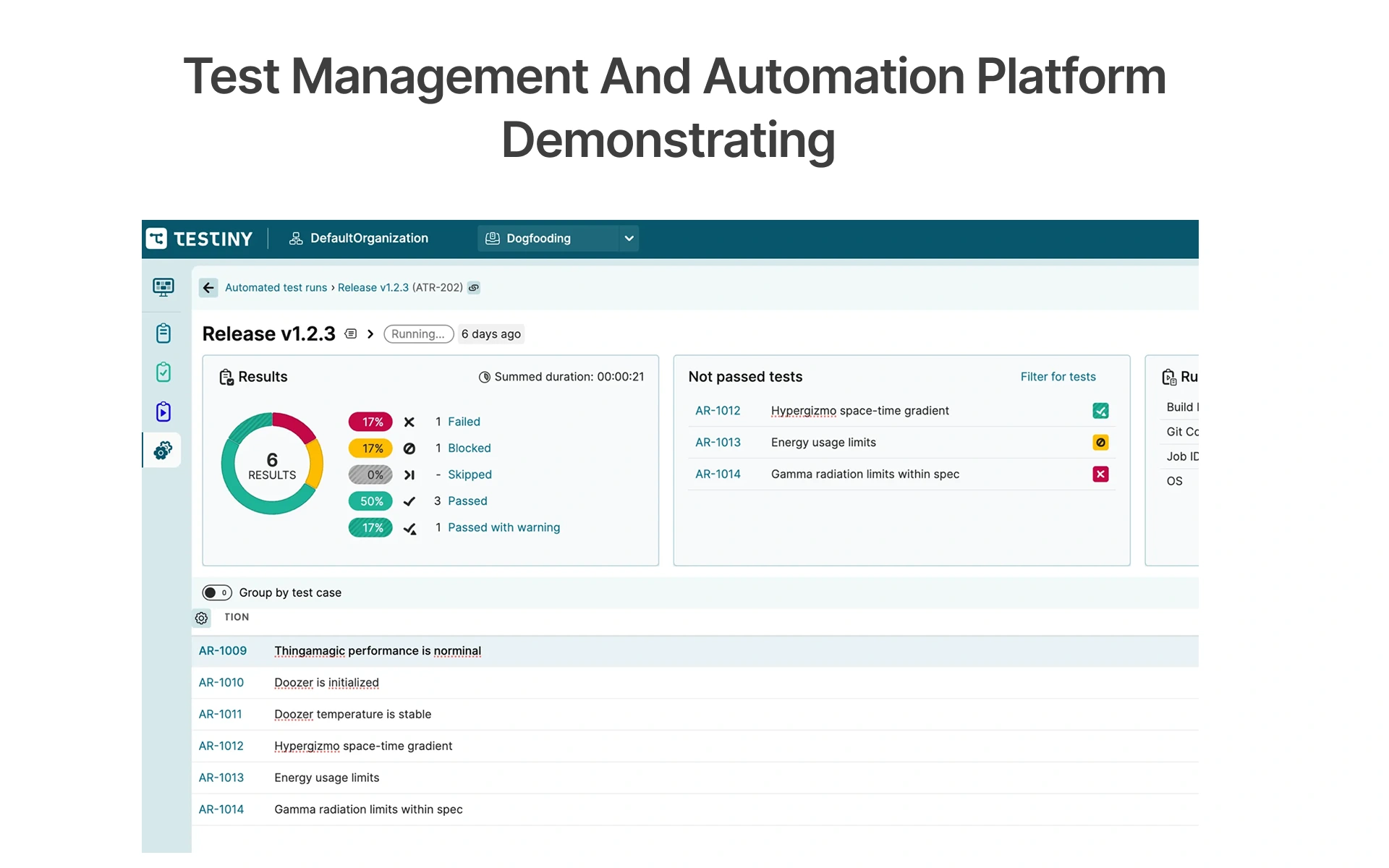
You don't know what you can't measure. Make sure you have monitoring tools that send the results to your collaboration stack, whether it's a Slack plugin or a Microsoft Teams webhook, you want everyone in the team in the loop. In an event-driven architecture with a message broker such as Apache Kafka, publish pipeline notifications via the same Kafka topology. Centralise artifact management to enable reporting, logging and build artifacts to be stored and accessed for post-release audits.With AWS Fargate, runners do not incur an idle charge and automatically scale on demand.
The 5 Metrics That Show Your Pipeline Is Production-Ready
Monitor these five indicators from the very beginning:
• Pass rate (target: 99%+): Number of runs that pass without retries on the main branch.
• Flakiness rate (target: < 2%): tests that fail in the first attempt but pass in the second attempt, within a rolling 7-day period. Above 5% - quarantine immediately.
• Duration of pipelines (target): Less than 15 minutes, from commit to result. When it is more than 45 minutes, developers will merge without waiting for a signal.
• Mean time to detection -MTTD (target: less than 10 minutes): Time between defect introduction and detection in the pipeline. Test first for high value, quick tests.
• False failure rate (target: below 1%): below 1% false failure rate (not defect) High rates make developers ignore failures which is a serious risk.
In Frugal Testing's pipeline monitoring engagements, teams that track all five metrics improve false failure rate by 40% in 60 days.
When and How to Refactor Test Scripts Without Breaking CI
Refactoring tests is a must. Framework updates, API contracts change, and UI changes. It's not about not refactoring but about making the refactoring safe. DevOps testing strategy guide
• Run old and new versions for one sprint in CI to ensure parity.
• One file at a time and never the complete suite in a single PR.
• Never change a failing test in the same PR as the refactoring and fixing.
• Tag changed tests with the new signature: @refactored, and then run it no longer with the old version before removing it.
• Review versions of the framework on a quarterly basis.
Refactoring discipline maintains the trustworthiness of CI.
The Future of Cloud-Based Test Automation Pipelines
Whereas today, AI is still experimental QA tooling, it is now making its way into the production release pipeline to solve the most difficult challenges in cloud QA automation pipeline management; namely, test selection efficiency, locator maintenance, and failure triage.
• Predictive test selection: ML models predict which tests are likely to fail per code change, and only execute high-risk tests when pushing.
• Self-healing selectors: Testim, Mabl, and Applitools update selectors automatically when the UI changes, avoiding one of the big maintenance pain points.
• Smart resource scaling: AI-powered CI orchestrators allocate more runners to high-risk tests, maximizing the cost and coverage of your tests.
• Automated environment triage: AI classifies failures as test, application, or infrastructure, automatically, with a time-saving, reduction from hours to minutes.
With AI-assisted test selection and auto-healing selectors, teams using Frugal Testing have achieved a 45-55% decrease in pipeline execution time while maintaining the same level of coverage.
Building a Future-Proof Cloud QA Automation Strategy
Early decisions to use a coordination platform, to standardise the use of Test Automation Tools, to agree to standardising approaches to QA methodologies, reap benefits throughout the whole software delivery cycle. SaaS applications that release software regularly: Automate provisioning steps and standardise the container image to avoid environment drift throughout software stages with the Python SDK.
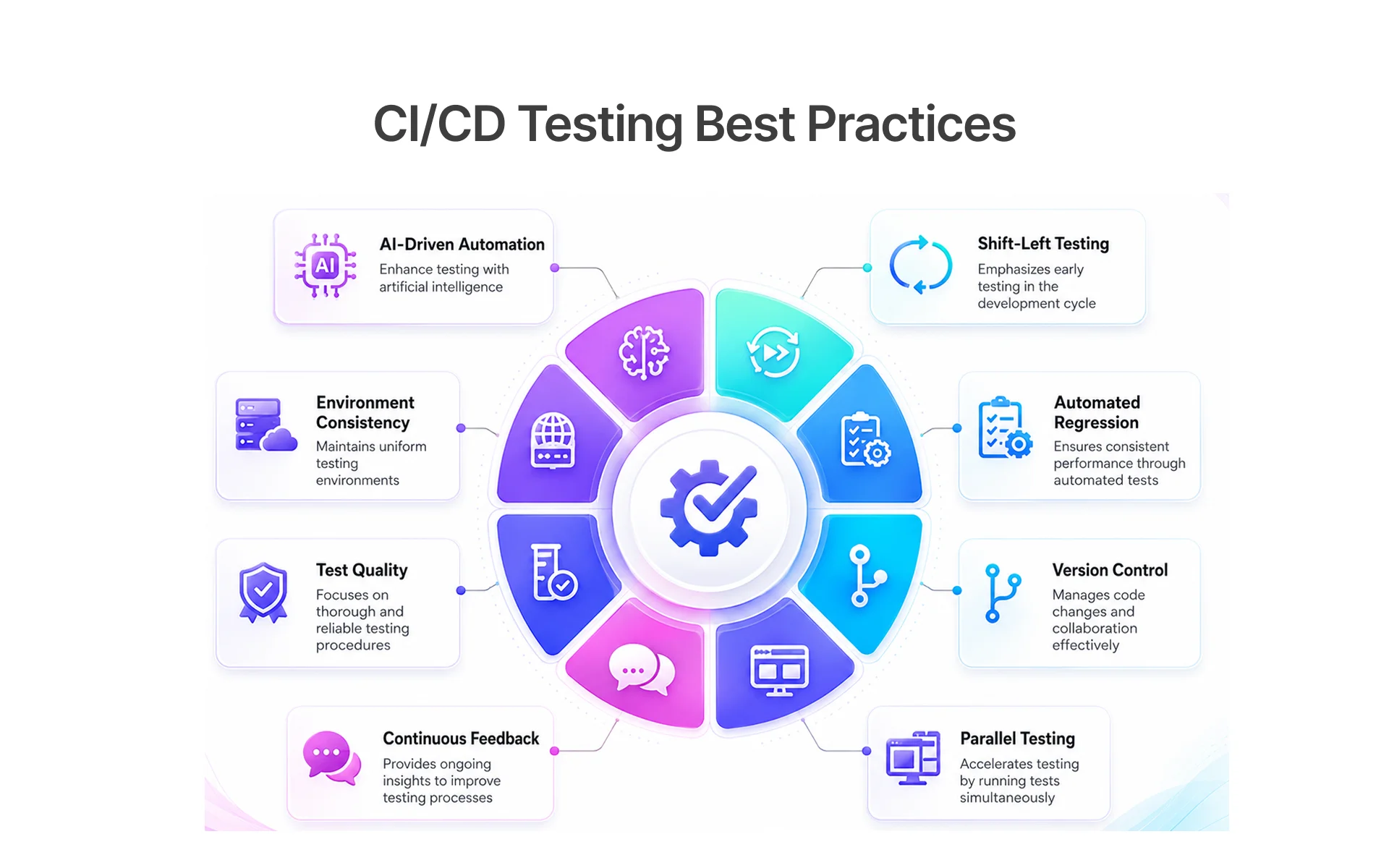
• Utilize AI-powered QA automation tools with auto-healing and intelligent waits.
• Share ownership of pipelines between dev and QA; flakiness is a team issue.
• Move the left: Identify problems at feature level – not at release time.
• Monitor pipeline KPIs (pass rate, flakiness rate, MTTD) each sprint.
Teams that apply these principles create pipelines that are able to withstand pressure.
Conclusion
The right cloud-based test automation pipeline enables teams to ship quickly, with confidence. These software solutions – throughout the entire Software Development Life Cycle – turn into a competitive edge:
• Choose - Playwright for new projects, Selenium for legacy stacks.
• Structure - organise the repo from the start for the CI.
• Containerise - specify the version of your Docker image.
• Configure - Shardify, gate and collect artifacts in the YAML upfront.
• Isolate - run tests and generate test data for each run. Flakes are caused by shared data.
• Measure - monitor the 5 health pipeline metrics from week 1.
• Maintain - treat test maintenance as first class engineering.
Discipline makes the difference.
Avoiding these mistakes is as important as following best practices. Here are the most common pitfalls QA teams face:
- Shared test data - Causes collisions in parallel runs. Fix: Use factory pattern with unique UUID per test.
- Hardcoded waits - Creates flaky, slow tests. Fix: Replace with explicit waits and auto-retry.
- Unstable environments - Tests fail due to infrastructure, not code. Fix: Use Docker to pin runtime versions.
- Missing retry logging - Can't diagnose flakiness patterns. Fix: Log every retry with timestamp and reason.
- Overloading smoke suites - Slows down the fastest feedback loop. Fix: Keep smoke suite under 5 minutes.
- Running UI tests before API validation - Wastes time on slow tests first. Fix: Validate API layer first, then UI.
Ready to Build Your Cloud Test Automation Pipeline?
Cut false failure rates by 70%+ within two sprints.
Get your free pipeline audit today →
People Also Ask (FAQs)
Q1.Which CI/CD tool should I pick if I have no DevOps background?
Ans: GitHub Actions is the easiest CI/CD tool for teams with no DevOps background. It requires no server setup just commit a YAML file and it runs automatically. For teams already using GitLab, GitLab CI works the same way with identical YAML syntax.
Q2.How do I run this pipeline on AWS without paying for a dedicated server?
Ans: AWS Fargate lets you run containers serverlessly you only pay per test run, with no idle server costs. It automatically scales up when tests run and scales down when they finish. For non-time-critical runs, Spot Instances reduce compute costs by up to 80%.
Q3.Can I use Playwright instead of Selenium for cloud-based cross-browser testing?
Ans: Yes, Playwright supports cross-browser cloud testing across Chromium, Firefox, and WebKit natively. It also includes built-in auto-waiting and retry mechanisms that reduce flaky test failures in CI/CD pipelines. For legacy browsers like older Edge or IE, Selenium Grid remains the better choice.
Q4.Can I run cross-browser testing without paying for BrowserStack or LambdaTest?
Ans: Yes, Playwright includes built-in browser engines for Chromium, Firefox, and WebKit no BrowserStack subscription needed for standard cross-browser testing. This makes it a cost-effective option for teams running tests entirely within their CI/CD pipeline. BrowserStack is still recommended for smoke testing on real devices before major releases.
Q5.What is the fastest fix for flaky tests breaking my pipeline right now?
Ans: The fastest fix is to quarantine flaky tests immediately and exclude them from the main CI branch. Add retry logging with timestamps so you can identify patterns causing the failures. Replace all hardcoded timeouts with explicit waits this alone eliminates the majority of timing-related flakiness.

.webp)

.webp)