ERP systems end up handling a lot more than people expect. Finance, HR, procurement, inventory it all connects back somewhere. So when something breaks, it usually doesn’t stay in one place. It might start small. A transaction fails, or a report number looks off. At first it doesn’t seem like much. Then someone else flags something, and it starts spreading across teams.
In a few cases, it even hits payroll. That’s when it stops being “just another bug.”
Testing ERP systems doesn’t really fit into a neat phase. It just… continues. You start early, when requirements are still being discussed, and you’re still testing after releases go live. Some scenarios are automated because they have to be repeated. Others aren’t. They need someone to actually go through them and see what’s happening.
Also, small changes don’t behave the way you expect. A minor config update or a quick fix can affect something completely unrelated. And you don’t always see it immediately, which makes it worse.
One thing that comes up a lot is integration issues. The ERP might look fine on its own. No obvious errors. But once the data moves out to reporting tools, dashboards, or downstream systems things don’t match. Field mappings are slightly off, or values don’t line up the way they should.
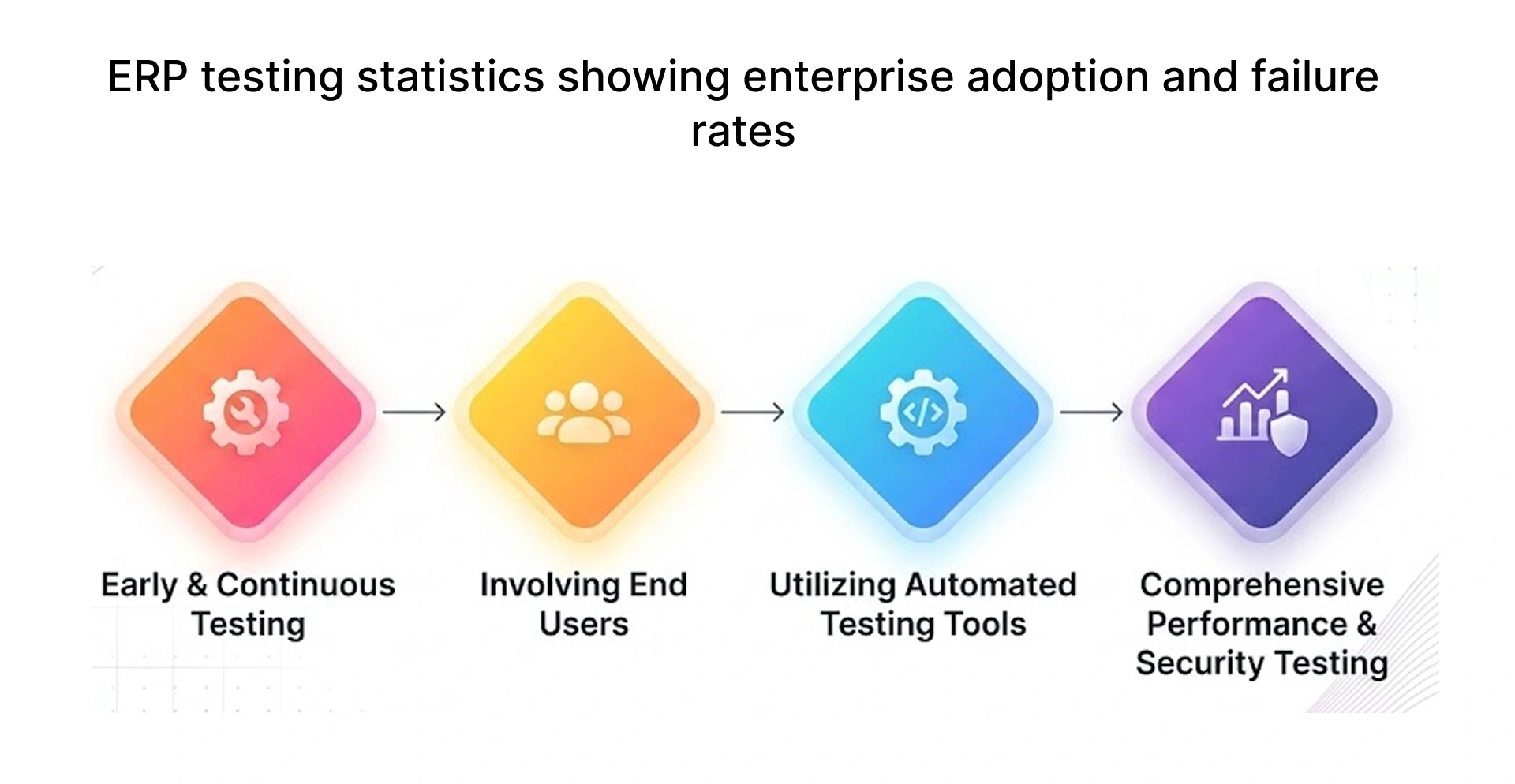
The best ERP testing tools for enterprise environments include Tricentis Tosca, ACCELQ, Opkey, and Worksoft Certify for automated testing, along with tools like TestRail and Zephyr for test management. The right tool depends on your ERP platform (SAP, Oracle, Dynamics 365), your team’s automation maturity, and how your CI/CD pipelines are structured.
ERP Functional Testing: What Matters in Real ERP Systems
ERP functional testing validates that every module works correctly under real business conditions. It checks inputs, outputs, business rule calculations, and end-to-end workflows against the requirements documents produced during design. Unlike unit tests, which check isolated code, ERP functional testing mirrors actual user stories: a finance clerk entering an invoice, a warehouse manager confirming a shipment, or a payroll officer running end-of-month processing.
ERP functional testing prioritises high-impact workflows such as invoice processing, payroll execution, purchase approvals, and inventory updates the scenarios that drive the majority of business transactions.
Key Features of ERP Functional Testing
The table below summarises the core features of ERP functional testing, what each validates, and the business impact if it is skipped.
Why ERP Functional Testing Is Critical for Business Workflows
A single failed ERP workflow can delay payroll, block purchase orders, or corrupt financial reports. ERP functional testing catches these failures before go-live.
Key reasons to prioritize ERP functional testing:
- Prevents revenue-impacting errors in live systems.
- Reduces post-deployment defect costs in production environments.
- Ensures regulatory compliance across finance and HR workflows.
- Validates system stability after upgrades and configuration changes.
Common Challenges in ERP Functional Testing
ERP systems are among the most complex environments in enterprise software. Testing them requires managing several challenges that do not exist in simpler web or mobile applications.
ERP Testing Process Breakdown: From Planning to Launch
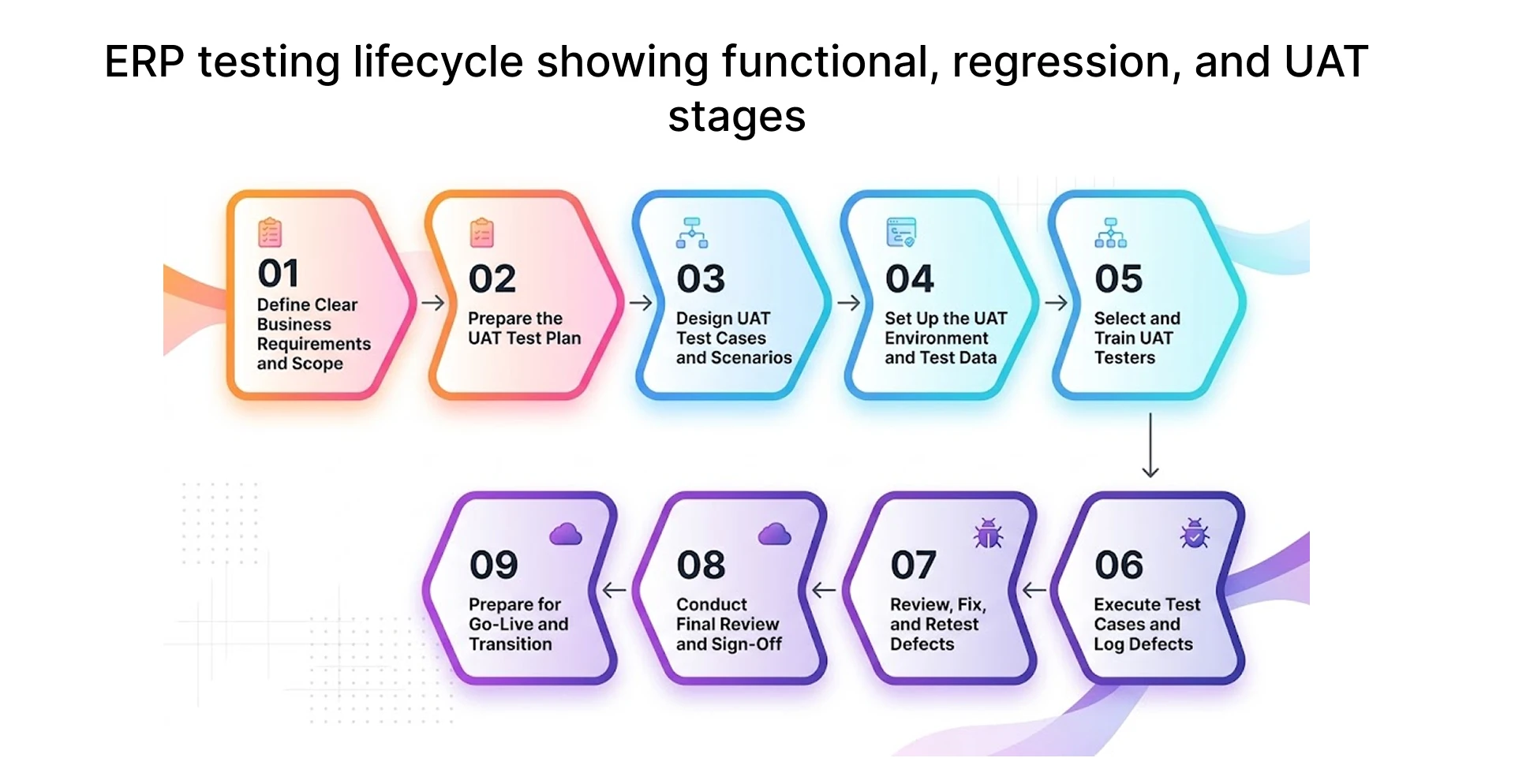
A structured ERP testing process reduces risk at every stage of a release. The process is not a single phase that runs just before go-live. It begins during test planning when the scope is defined, environments are prepared, and test cases are written and continues through execution, defect resolution, regression validation, and final User Acceptance Testing. Each phase has clear entry criteria, exit criteria, and sign-off requirements.
Preparation and Test Environment Setup
Before writing a single test case, the environment must be stable and representative of production.
Steps in this phase:
1. Define testing scope and module priority
2. Set up a dedicated ERP test environment
3. Configure test data aligned with business scenarios
4. Define entry and exit criteria for each phase
5. Assign roles testers, business SMEs, and leads
Test Execution and Issue Logging
Execution follows a structured sequence. Testers work through each scenario, log results, and document defects immediately.
Every defect should capture: module, steps to reproduce, expected result, actual result, and severity.
Issue Resolution and Regression Verification
After developers fix a defect, the fix must be verified before the test case is closed. Regression validation then confirms the fix did not introduce new failures elsewhere. In complex ERP systems, a fix in one module often has unintended side effects in a connected module, which is why regression testing must span beyond the immediate area of change.
Automated regression testing handles this efficiently. A well-maintained automation framework can re-run hundreds of test cases overnight and deliver test results to the QA lead before the next working day. Tools like Tricentis Tosca, ACCELQ, and Opkey support self-healing tests that continue running correctly even when minor UI changes occur after a fix is deployed.
Regression validation should be treated as a non-negotiable gate. No build should move to UAT until regression results meet the agreed exit criteria typically zero critical defects and a defined percentage of high-severity defects resolved.
Final UAT and Sign-Off
User Acceptance Testing is the final validation gate before go-live. Business users not QA engineers execute test scenarios using real business data and confirm that the system meets their actual operational needs. UAT focuses on completeness, usability, and business correctness rather than technical defect detection.
UAT for enterprise applications often runs in parallel with performance testing and integration testing. The UAT environment should be a production-equivalent setup same data volumes, same configuration, same API integrations active. Any significant difference between the UAT environment and production introduces risk that will only surface after go-live.
ERP Testing Tools That Actually Work in Enterprise Setups
The tools listed below are proven in enterprise ERP environments. Each one addresses specific challenges common to ERP testing: complex UI elements, deep API integrations, high volumes of regression test cases, and frequent upgrades that alter UI changes across the system. The right tool depends on the ERP platform, the team's technical skill level, and the existing CI/CD pipeline.
Automated ERP Testing Tools for High-Volume Scenarios
The table below compares leading automated ERP testing tools by use case, ERP compatibility, and key strengths. Use it alongside the decision framework that follows to select the right tool for your environment.
How to Pick the Right Tool for the ERP Stack
Tool selection should be driven by the specific ERP platform, the team's automation maturity, and the CI/CD workflow already in place. There is no universal best choice. A tool that performs well for SAP GUI automation may have limited value for a cloud-based Dynamics 365 implementation. The three dimensions below guide the decision.
Writing ERP Test Cases That Cover Real Business Scenarios
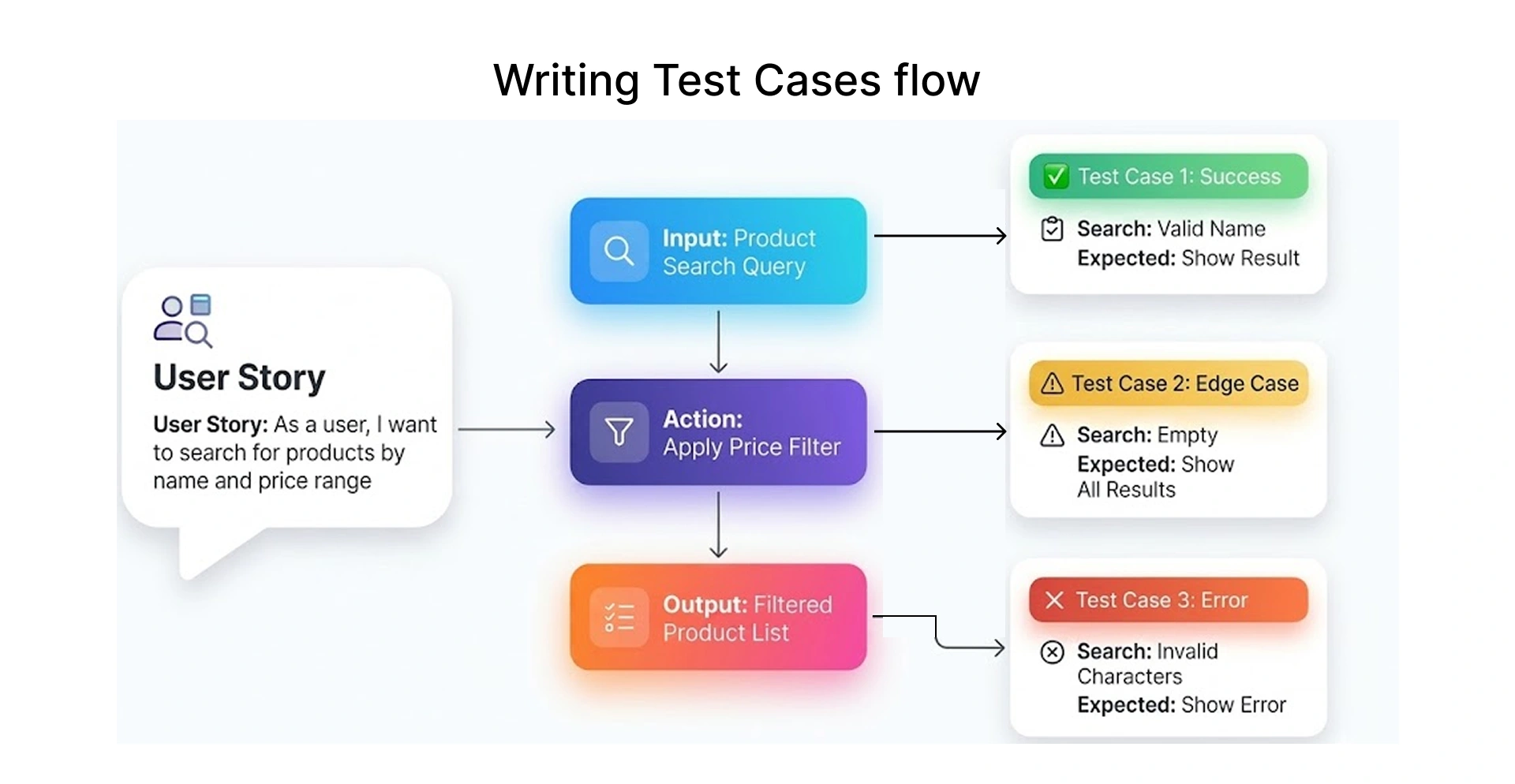
Each ERP test case should clearly define the module, business scenario, execution steps, test data, and expected result to ensure consistency across manual and automated testing.
Test cases written at too high a level, such as 'verify invoice processing works,' cannot be executed consistently by different testers or reliably automated. Specificity is what makes test cases reusable across projects and upgrade cycles.
A test case that does not reflect a real business scenario may pass repeatedly and still miss critical defects such as payroll failures during end-of-month processing.
Real ERP Test Case Examples Across Modules
Finance Module Accounts Payable
In this scenario, the goal is to validate how a vendor invoice is processed and matched against a purchase order.
- The tester starts by creating a purchase order for a vendor
- Once the goods are received, the receipt is recorded in the system
- The vendor invoice is then entered into the ERP system
- Finally, the system attempts to match the invoice with the purchase order and post it
The expected outcome is that the invoice gets posted successfully without any errors, and the general ledger reflects the correct financial entry. Since this directly impacts financial reporting, this test case is considered high priority.
Procurement Module Purchase Order Approval
This test case focuses on validating the approval workflow for purchase orders that exceed a defined threshold.
- A purchase order is created with a value higher than the approval limit
- The PO is submitted for approval
- It then moves through multiple approval levels based on predefined rules
The system should trigger the correct approval workflow, and the purchase order status should update at each stage until final approval. This ensures that spending controls and authorization rules are working as expected. Due to its impact on procurement governance, this is also a high-priority scenario.
HR Module Payroll Processing
This scenario validates the payroll process, which is one of the most critical functions in any ERP system.
- The tester begins by setting the payroll period
- Employee data, including attendance and salary details, is verified
- Payroll is processed for all employees
- Generated payslips are reviewed for accuracy
The expected result is that net salary is calculated correctly for each employee, with accurate tax deductions applied based on configured rules. Since payroll errors directly affect employees, this test case is marked as critical.
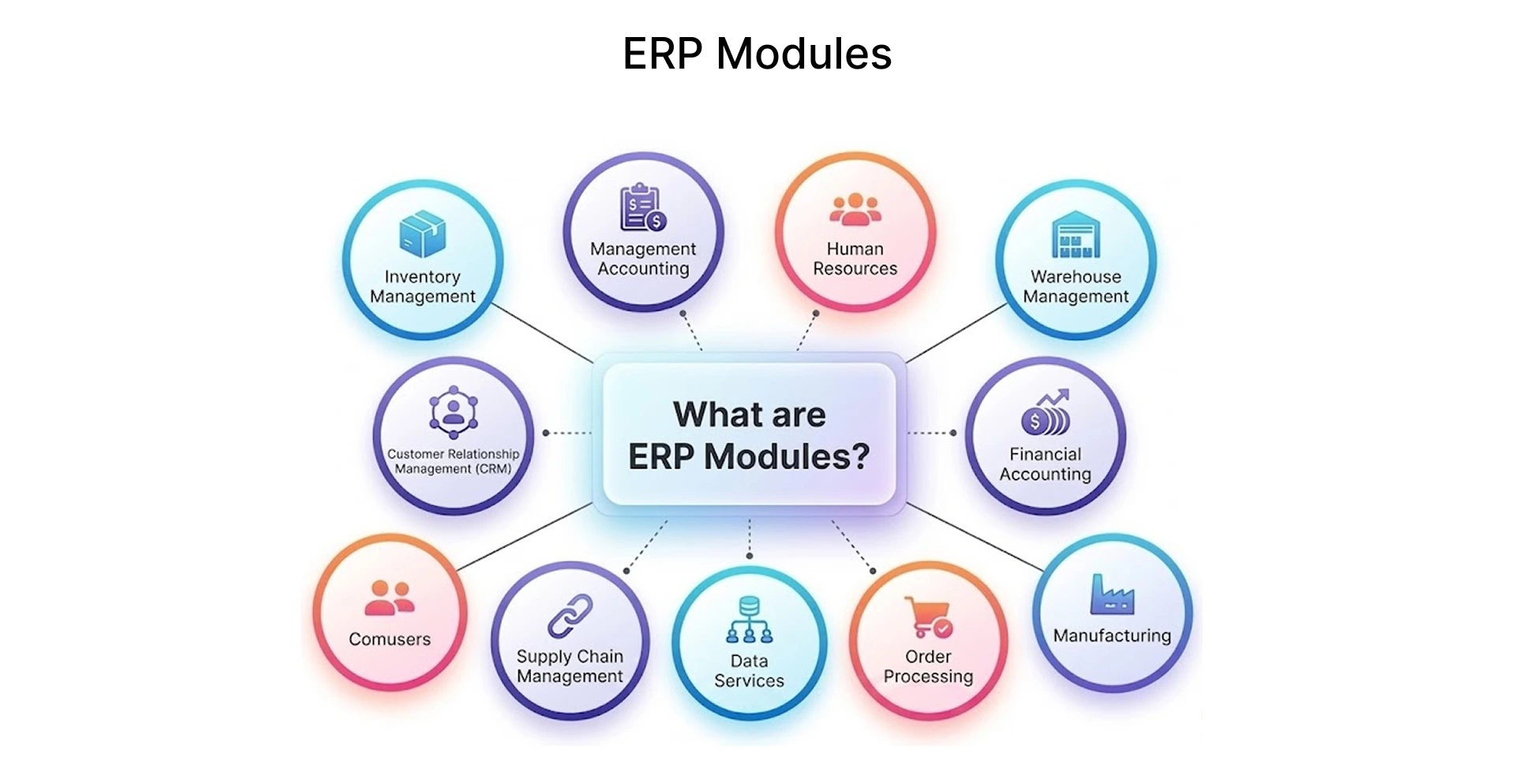
Which ERP Modules Need the Most Rigorous Test Cases
Not all modules carry equal risk. Focus intensive test coverage on:
- Finance and accounting errors here impact audits and compliance
- Payroll incorrect outputs directly affect employees
- Procurement and inventory data mismatches cause supply chain disruptions
- Integration points failures occur when ERP connects with external systems and are often hard to trace
ERP integration testing steps to cover these points:
1. Map all integration touchpoints between modules and external systems
2. Define data contracts for each interface
3. Test with valid, invalid, and boundary data sets
4. Validate error handling when the external system is unavailable
5. Check data formats and field mappings
How Frugal Testing Helps Streamline ERP Testing
Frugal Testing delivers end-to-end ERP testing consulting and managed ERP testing solutions for enterprise teams running SAP, Oracle EBS, Microsoft Dynamics 365, Salesforce, and Workday. The approach covers every phase of the testing lifecycle from test planning and ERP test case development services through to automation framework setup, regression execution, and UAT sign-off.
The approach covers:
- ERP test case development services built around actual business workflows
- ERP automation framework setup using tools like Tosca, ACCELQ, and Opkey
- ERP regression testing services that run inside existing CI/CD pipelines
- SAP testing support services and Oracle ERP QA services for complex enterprise platforms
- ERP UAT testing services with structured sign-off processes
In our ERP automation projects, teams consistently underestimate framework setup effort. For example, a stable SAP automation framework typically takes 6–8 weeks to achieve reliable regression coverage, compared to the 2–3 weeks often assumed in project plans. This gap leads to rushed implementations and unstable automation suites.
For organisations exploring ERP quality assurance outsourcing, Frugal Testing brings structured processes, proven automation testing services, and domain expertise across finance, manufacturing, retail, and logistics verticals. The engagement model adapts to project-based needs, ongoing managed services, or hybrid arrangements where Frugal Testing augments an in-house QA team.
Conclusion
ERP systems are not static every upgrade, module addition, or integration expansion introduces new risk that must be addressed through structured functional, regression, integration, and UAT testing. The right tools accelerate test execution and cut manual effort. Well-written test cases built around real business scenarios catch the defects that matter most. For teams that need end-to-end ERP test coverage without building everything from scratch, Frugal Testing provides the expertise, tooling, and process support to get there faster.
People Also Ask (FAQs)
Q1. How is ERP functional testing different from UAT?
Ans: ERP functional testing differs from UAT in that it is executed by QA teams against documented requirements, while UAT (User Acceptance Testing) is performed by business users to validate real-world usability and workflows.
Q2. Can ERP functional testing be done without business knowledge?
Ans: Not effectively. Testers without domain knowledge miss logic errors in finance, payroll, and procurement modules. Business SME involvement is essential during test case review and execution.
Q3. How do you ensure complete coverage in ERP functional testing?
Ans: Complete coverage in ERP functional testing requires mapping every business process to a test case, prioritized by business risk and transaction frequency. Track this coverage using test management tools like TestRail, Zephyr, or PractiTest to ensure no critical workflows are missed during execution.
Q4. How often should ERP functional tests be updated?
Ans: Update test cases after every system change, configuration update, or business rule change. Stale test cases produce misleading results.
Q5. Can ERP functional testing be reused across projects?
Ans: ERP test cases can be reused across projects or upgrade cycles, especially for standard modules, but custom workflows and configurations require updates.