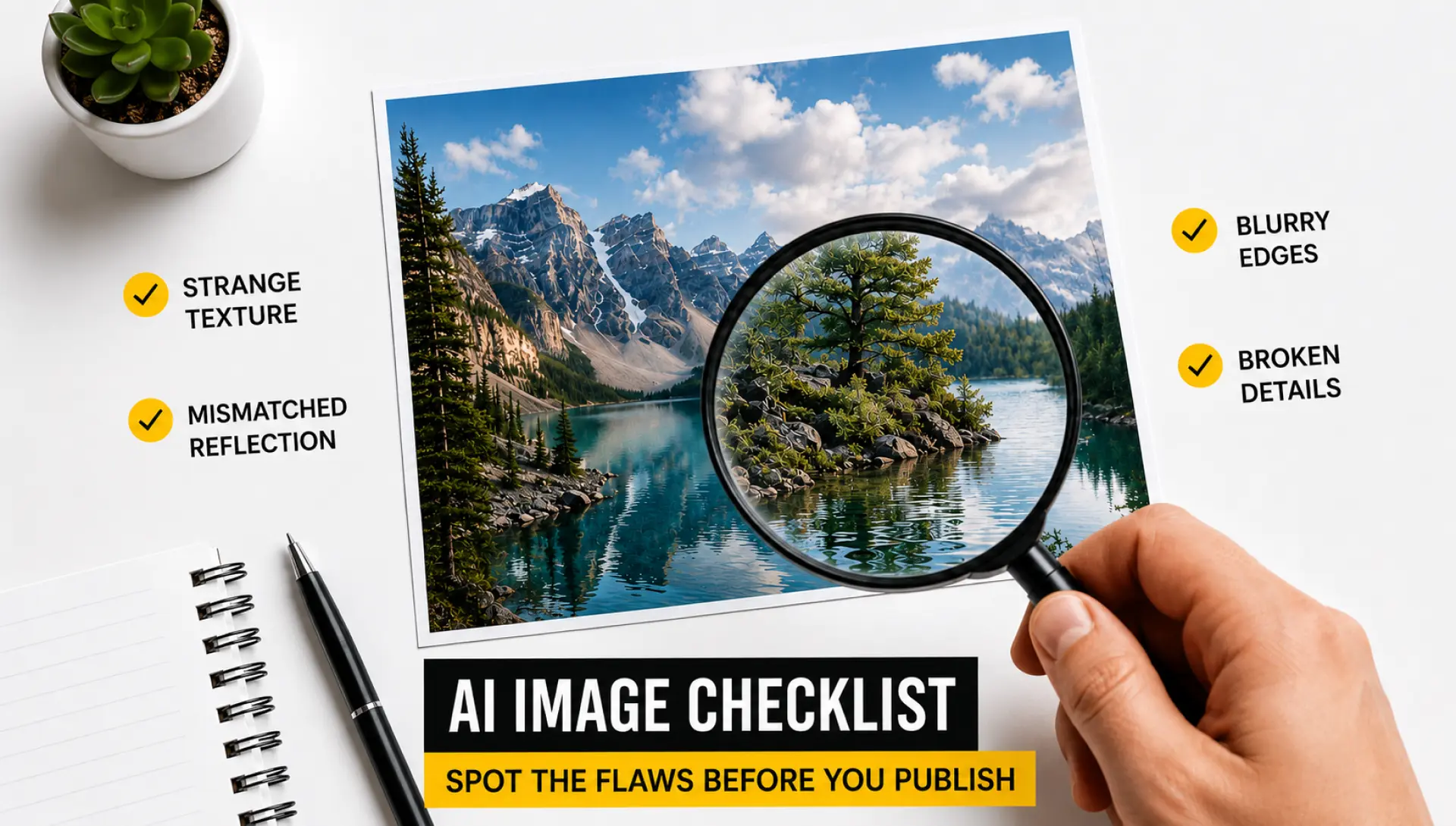
Not long ago, spotting a fake image was straightforward: blurry edges, mismatched lighting, or an obvious Photoshop job. Now, with Artificial intelligence, you could end up with a perfect portrait, news photograph, or scene of some non-existent event.
What's the outcome of this development? The web is saturated with AI-generated photos that look exactly like their originals, but in fact do not exist. In the modern world, these pictures help to manipulate people's opinions, create false identities, and distribute misinformation.
But so are the ways of spotting it. We are going to discuss seven methods that help you detect fake and AI-generated photographs.
7 Proven Methods to Detect AI-Generated Images
As AI technologies become easier to access and the content they generate becomes more realistic, having a means to tell reality from falsehood is important.
Here are seven strategies to spot fake and generative photos.
Perform a Visual Search
Sometimes an image looks perfectly real, making it difficult to determine whether it is authentic or AI-generated. Using a reliable AI reverse image search tool can help investigate where an image came from and find similar or identical images online.
Once the image has been verified, an Image Poll Maker can be useful for turning visual content into interactive polls. For example, creators can present two images and ask audiences which design, photo, or visual they prefer. This encourages engagement while helping users share their opinions about visual content. If the search results show no credible source or reveal multiple altered versions, the image may require further investigation before being used or shared.
Analyzing the Hands and Fingers
Hands tend to give away AI-generated images because creating realistic hands in AI software is extremely complicated. Despite considerable progress in AI technology, the system may sometimes fail to generate properly formed, correctly positioned fingers. The hand itself may have an incorrect number of fingers. The fingers’ joints may not be well defined. Zooming in on the picture might reveal these defects. Pay attention to how natural the fingers' appearance looks. It is especially necessary when there are visible hands in a picture.
Use an AI Detection Utility
When visual inspection isn't enough, a purpose-built AI image detector provides a powerful second layer of verification. It uses machine learning models trained to identify the statistical fingerprints. The tool scans images across 17 distinct detection dimensions, examining texture patterns, lighting anomalies, pixel-level inconsistencies, metadata traces, and statistical irregularities that set AI-generated content apart from real photographs. It also combines forensic techniques with advanced machine learning to deliver high accuracy. This deeper level of analysis provides valuable insights.
Search for Inconsistencies in Text and Typography
Another way to find AI-generated images is by evaluating the text contained in them. If the text is too small or blurry to inspect, an AI image enlarger can upscale the image while preserving all details, making it easier to spot misspelled words, small letters, and other typography inconsistencies that often appear in AI-generated images. For businesses that need to create and modify large volumes of visuals programmatically, an Image Automation API can also automate image generation from templates and dynamic data. Signs, labels, product packaging, and other forms of messages can appear distorted, incorrectly spelt, and/or blended letters. The reason for this problem is that AI models try to replicate patterns without comprehending the language. Therefore, while the text would seem realistic from afar, a closer look would reveal the problems with the message in the image. When analyzing an image for signs of artificial intelligence, do not forget to check all the text on it.
Carefully Check the Eyes and Face Structure
It is true that AI-generated faces can be highly realistic; however, minor inconsistencies may still be present in the image. One thing you should look into is the eyes, since there are many aspects of the eye region that can be challenging to generate correctly. In this case, it would be wise to examine the eyes, which may vary in size, be mismatched, or have fuzzy lashes. For instance, in the picture, one ear of that person is placed above the other, or there is a distortion in the chin line.
Scrutinize the Background Details
While the focal point of AI-generated pictures appears realistic, certain signs in the background indicate their artificiality. The elements in the background could be distorted, repeated, and impossible. For instance, you could observe peculiar structures for buildings, bizarrely shaped trees, and crowds with duplicate faces. Moreover, mirror, window, and water reflections in the picture might also lack coherence with the scene. Given that AI focuses on the image's primary subject, background details sometimes receive less attention. It would do you good to give some thought to the background in your observation.
Study Light and Shadow Directions
Photographs captured by humans are bound to obey the laws of light. Light directions, shadow directions, and light intensities must remain consistent throughout the entire picture. However, AI-generated photos may lack this ability, and shadows can point in different directions. For instance, the light on someone's face might come from one angle, while the surrounding objects show a different direction. Reflections may not be natural either. Observing how light interacts with people and objects will help you identify if something is off in an image.
Final Thoughts
As AI technology continues to improve, detecting fake images is becoming more challenging. Relying on a single method is no longer enough. Instead, using a combination of visual checks, contextual analysis, and technical tools gives much better results. By applying these methods together, you can more confidently judge whether an image is real or AI-generated. It is worth noting that not all AI-generated images carry deceptive intent many businesses legitimately use tools like an AI poster maker to produce branded visuals, which is categorically different from generating images to mislead. The distinction lies in transparency and context.