Introduction: Why Test Automation Frameworks Matter in 2026
We've seen this firsthand: a team ships a new feature, the CI suite hangs for 40 minutes on flaky Selenium waits, and the release window closes. Pick the wrong automation stack, and your deployment cadence suffers before a single line of product code is written. Teams running 3,000+ tests on GitHub Actions have started time-boxing their suites simply because they can't wait for green. Selenium has been the backbone of enterprise test automation across multiple sectors, but not limited to finance and insurance companies. It was introduced in 2004. Microsoft has made web application development easier by introducing a new automated testing framework called Playwright, which was first released in 2020. Most of the clients we work with at Frugal Testing arrive at this question after a painful moment usually a 4 am production rollback or a QA bottleneck that derailed a sprint. This article is the answer we give them.
Selenium Automation Framework Overview
Selenium turned 20 last year. That's ancient by software standards, and yet it's still running regression suites at some of the largest banks in the world. Longevity like that isn't luck it's architectural stability.
Selenium WebDriver in Enterprise Automation
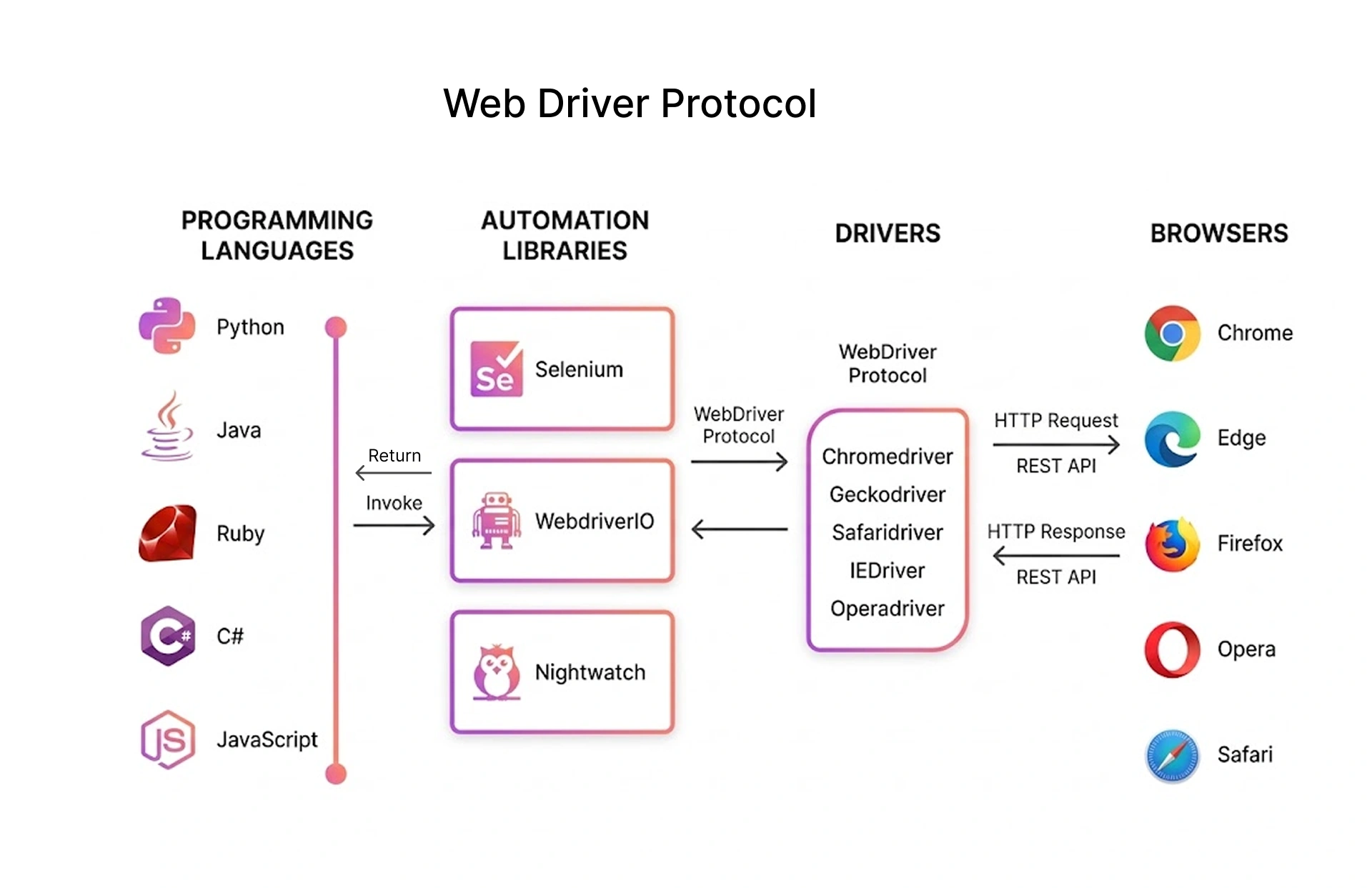
Selenium WebDriver uses the W3C WebDriver protocol, which is a standardised HTTP interface between your test script and the browser driver. It makes an HTTP request to the driver for every command, which makes it slower but extremely stable.
Below is a simple example of a Selenium WebDriver test in Python using pytest to check a login form:
python

import pytest
from selenium import webdriver
from selenium.webdriver.common.by import By
from selenium.webdriver.support.ui import WebDriverWait
from selenium.webdriver.support import expected_conditions as EC

@pytest.fixture
def driver():
    driver = webdriver.Chrome()
    yield driver
    driver.quit()

def test_login(driver):
    driver.get('https://….')
    wait = WebDriverWait(driver, 4)
    wait.until(EC.visibility_of_element_located((By.ID, 'username'))).send_keys('admin')
    driver.find_element(By.ID, 'pwd').send_keys('secret')
    driver.find_element(By.CSS_SELECTOR, 'button[type=submit]').click()
    assert 'dashboard' in driver.current_url
Core Components of the Selenium Automation Framework
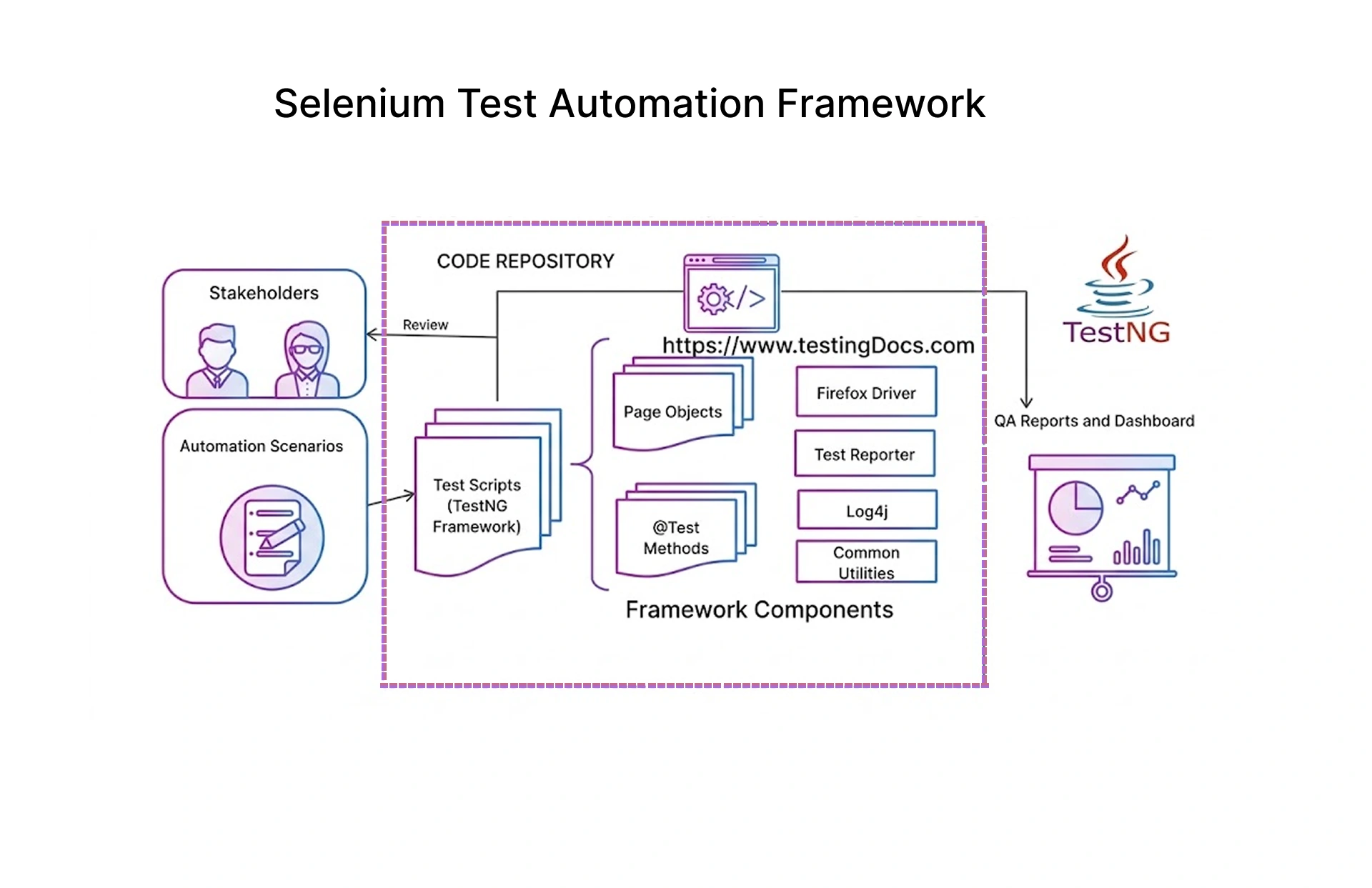
The Selenium ecosystem knowledge can prove to be beneficial for designing a scalable automation infrastructure. Each piece of the infrastructure has a specific role to play in the entire process.
- Selenium WebDriver: Executes your test scripts against any W3C-compliant browser driver. It's the engine that everything else in the ecosystem depends on.
- Selenium Grid: Distributes tests across multiple machines or containers. Essential once your suite grows past a few hundred tests though the setup cost is real.
- Selenium IDE: A Chrome/Firefox extension that records interactions and exports them as test scripts. Useful for prototyping; rarely used in production suites.
- Browser Drivers: ChromeDriver, GeckoDriver, and EdgeDriver act as an intermediary between the WebDriver commands and the browser.
Selenium Use Cases in Enterprise Testing
Where Selenium still wins outright: IE11. No other major testing tool maintains IE support. If you're supporting a government portal or a healthcare system that mandates IE compatibility, Selenium isn't optional it's the only call.
Playwright Automation Framework Overview
Microsoft shipped Playwright in 2020, and it landed differently from most Microsoft dev tools the open-source community actually adopted it. By 2023, it had overtaken Cypress in GitHub stars, and teams that moved to it rarely went back.
How Playwright Works in Modern Automation
Unlike the HTTP round-trip approach used in Selenium WebDriver, Playwright uses a persistent WebSocket connection to the browser. This direct connection allows for fast execution, real-time network interception, and access to the entire browser internals, including local storage, the window object, shadow roots, and micro frontends.
import pytest
from playwright.sync_api import sync_playwright

@pytest.fixture
def open_browser():
    with sync_playwright() as pwr:
        chromium_browser = playwright.chromium.launch(headless=True)
        browser_context = chromium_browser.new_context()
        login_page = browser_context.new_page()

        yield login_pg

         browser_context.close()
         chromium_browser.close()


def test_user_can_login(open_browser):
    page_obj = open_browser

    page_obj.goto("website link")

    user_input = page_obj.locator("#uname")
    pass_input = page_obj.locator("#pwd")
    submit_btn = page_obj.locator("button[type='submit']")

    user_input.fill("adm")
    pass_input.fill("secret")
    submit_btn.click()

    page_obj.wait_for_url("dashboard_link")

    current_page = page_obj.url
    assert "dashboard" in current_page
Core Features of Playwright for Production Testing
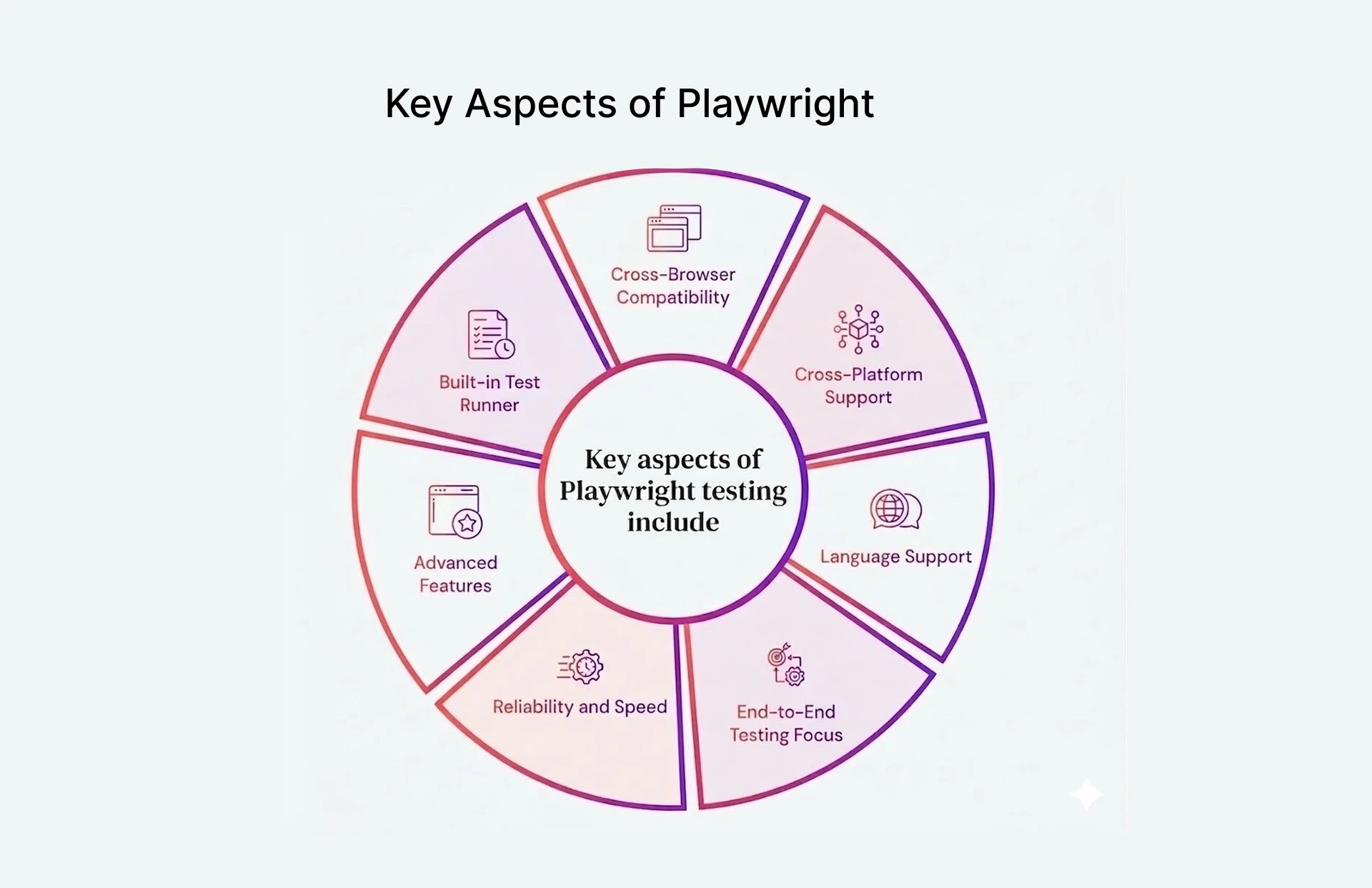
Playwright comes with an extensive set of features that make third-party plugins unnecessary for most testing use cases.
- Auto-wait: Playwright watches the DOM and waits for elements to be actionable before touching them. In practice, this eliminated about 70% of the explicit waits we had to maintain in equivalent Selenium suites for one of our fintech clients.
- Browser contexts: Chained browser instances in a single process, allowing for true parallel testing without the need for Selenium Grid setup.
- Network interception: Inspect, stub, or modify HTTP requests at the network level – essential for API automated testing and authentication scenarios.
- Playwright Inspector: Native debugging environment with step-by-step execution, trace console, and element selector.
- Playwright MCP server: The Playwright MCP server enables AI agents to control browsers programmatically, supporting Playwright MCP-based workflows for synthetic monitoring.
Playwright Use Cases in Modern Web Applications
Playwright's visual regression caught a font rendering difference on a client's checkout page that the dev team had introduced with a CSS variable change. Startups and scale-ups deploying on Vercel, Heroku, or AWS standardise on Playwright for its infrastructure-less parallel testing using browser contexts – no Selenium Grid, no additional servers.
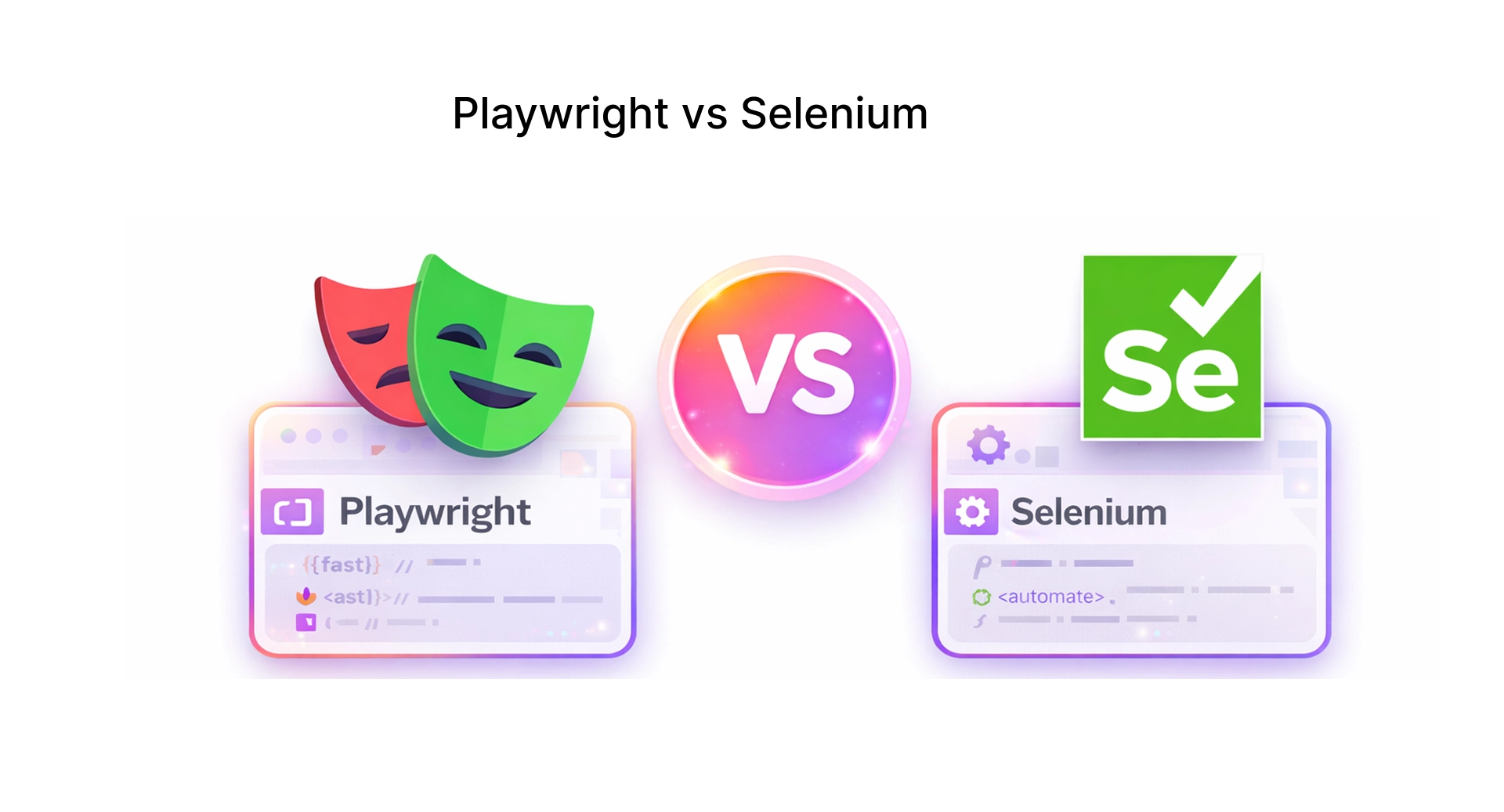
Selenium vs Playwright: Complete Framework Comparison
The table below provides a side-by-side comparison of Selenium and Playwright.
Architecture Comparison: WebDriver Protocol vs DevTools Protocol
The architectural gap between Selenium and Playwright is the single largest contributor to the performance and feature parity gap.
- Selenium WebDriver Protocol: Every browser action (click, type, get) is an HTTP request to a driver process, which then converts it to a browser-native action.
- Playwright Chrome DevTools Protocol: Playwright establishes a persistent WebSocket connection to the browser’s debug interface.
For a client running 5,000+ tests on GitHub Actions, migrating the new-feature suite to Playwright shaved roughly 25 minutes off each build. That's not a benchmark — it's a specific engagement. Your mileage will depend on test complexity and parallelisation setup.
Test Execution Speed
Speed of test execution is a key concern in today’s CI/CD pipelines, where developers demand feedback cycles of less than 10 minutes.
- Playwright parallel execution: Browser contexts are in-process, without forking new browser processes. A standard 4-core CI runner handled 14 parallel Playwright workers in our setup, with CPU staying under 70%. With Selenium Grid, the same runner saturated at 6 workers before test reliability degraded.
- Headless mode performance: Headless is where Playwright's lead becomes obvious. No flags, no ChromeDriver version pinning, no 'headless=new' workarounds.
In our internal benchmark of a 500-test login/checkout suite, sequential Playwright ran in 4.2 minutes versus 17 minutes for Selenium. The bigger win is that Playwright parallelism doesn't require spinning up a Grid.
Handling Dynamic Web Elements in Web Applications
Most modern web applications built with React, Angular, or Vue frameworks use asynchronous rendering. Dealing with dynamic web elements is where Playwright has the strongest advantage over Selenium.
Developers have to manually use WebDriverWait with ExpectedConditions or rely on third-party libraries like Self Healing Selectors. Playwright's FrameLocator and native shadow root support eliminate the need to inject JavaScript, which is necessary in Selenium.
javascript
await page.locator('[data-testid="submit-btn"]').click();


await page.route('**/api/checkout', route => {
  route.fulfill({ status: 201, body: JSON.stringify({ success: true }) });
});

const shadowEl = page.locator('my-component').locator('css=.inner-button');
await shadowEl.click();
CI/CD and DevOps Integration
The CI/CD integration gap between these tools is bigger than it looks on paper. Compatible isn't the same as painless.
- Jenkins: Playwright's Jenkins footprint is Node.js plus one install step. Selenium pipelines typically need a separate stage for driver version management and if ChromeDriver gets out of sync with the browser binary, tests start failing in ways that aren't immediately obvious.
- GitHub Actions: Pull mcr.microsoft.com/playwright and you're running. Selenium container setups usually involve either Selenium Grid's official images (which are fine but heavyweight) or hand-rolled Dockerfiles that break when browser versions drift.
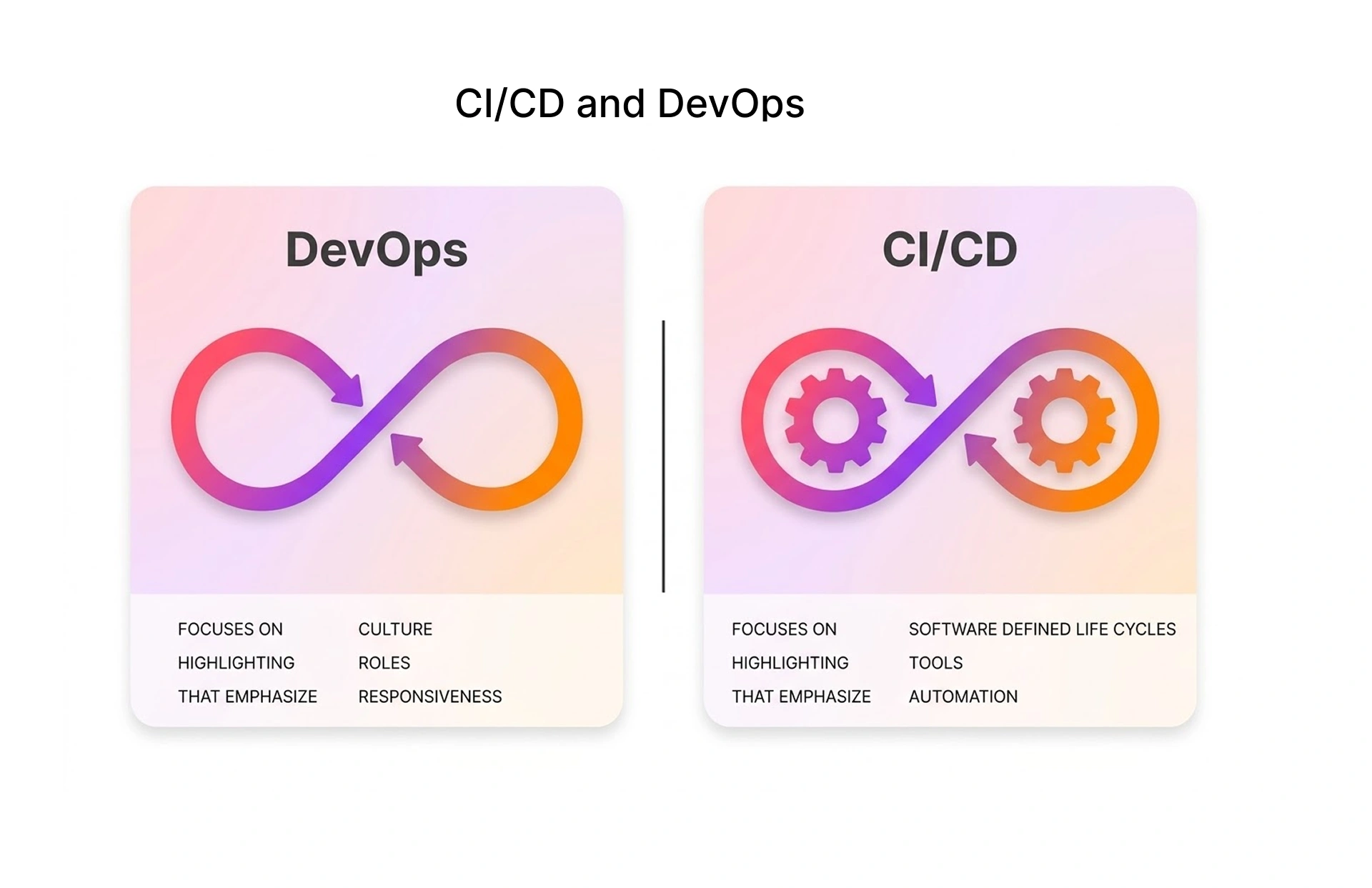
- Docker: Playwright comes with official Docker images, where browsers are already installed. Selenium requires a custom Dockerfile or third-party images.
Choosing the Right Automation Framework in 2026
The right tool is boring to say: it depends on what you're testing. What's less boring is why, which is what the rest of this section covers. Most teams we work with end up somewhere between 'Playwright for everything new' and a hybrid that keeps Selenium for legacy systems.
When to Use Selenium in 2026
Selenium is still the correct choice in many well-defined scenarios that are still prevalent in large corporations today. There is no other tool that supports IE11 as Selenium does.
Katalon Studio or Rapise users: These commercial tools are built on top of Selenium WebDriver. If your team is already licensed and trained on these tools, it is beneficial to stay within the same ecosystem.
When to Use Playwright in 2026
Playwright is the new default for most greenfield projects and teams working on modern web applications.
New QA team setup: Playwright provides a much lower adoption threshold due to its batteries-included features and great support within VS Code.
AI automation tool integration: Playwright MCP Server is the basis for AI test automation agents, synthetic monitoring tools, and browser-based AI automation.
End-to-end testing with API layer: Playwright provides native support for API testing using the request function.
Playwright has become the new default for fast-growing SaaS businesses, fintech start-ups, and cloud-native teams where dev experience and pipeline speed are paramount.
Hybrid Automation Strategies Using Selenium and Playwright
However, many organisations' teams are not faced with this binary choice. With a hybrid approach, we run both frameworks in one pipeline, using each for what they're best at.
Playwright is best for new feature test coverage, API automated testing, visual regression testing, and new JavaScript framework testing.
At Frugal Testing, we have successfully deployed this hybrid strategy for various clients in the banking and insurance domains. For one insurance client, routing new feature tests to Playwright while keeping their legacy IE11 Oracle suite on Selenium cut overall regression time by around 60%.
Industry Adoption and Market Trends
The retention number is what actually matters. TestGuild's 2025 survey puts Playwright at 45.1% adoption among QA professionals a fine number, but the 94% retention rate is the one worth writing down. Lots of frameworks get trialled. Fewer get kept. Selenium is at 22% and dropping. Cypress at 14%. Playwright passed both from a 2020 launch.
3.2 million weekly npm downloads. 74,000+ stars. 424,000+ repositories. Nobody's evaluating it anymore. It's already the default.
CONCLUSION: Selenium vs Playwright for Enterprise Automation
After running migrations, audits, and greenfield builds across both tools, our honest conclusion is this: Playwright is the better tool for most things you're likely to build in 2026. Selenium is still the better tool for some specific things.
Choose Selenium when legacy browser support, multi-language teams, or large codebases are involved.
Choose Playwright when building on modern JavaScript frameworks, focusing on CI/CD speed, or leveraging AI-powered test automation.
Choose both when your app portfolio consists of both legacy and modern systems.
The teams that frustrate us to work with aren't the ones who picked Selenium when they should have picked Playwright. They're the ones who picked a tool, got it half-integrated, and then blamed the tool when the suite stayed flaky.
How Frugal Testing Helps Businesses Implement Modern Test Automation
Frugal Testing is a specialist QA and automation consultancy that helps engineering teams implement, migrate, and improve test automation frameworks. Are you standardising around Playwright, managing a Selenium environment, or developing a hybrid strategy? Frugal Testing has framework and implementation expertise to help you achieve your automation goals.
We're actively rolling out Playwright MCP server-based test authoring with a handful of clients. Early results show meaningful reductions in manual authoring time, though the gains vary widely depending on application type and test complexity.
Contact one of our automation specialists today to arrange a complimentary automation health check for your team.
People Also Ask (FAQs)
Q1. How Do Selenium and Playwright Impact Automation Scalability in Enterprise CI/CD Pipelines?
Ans: Selenium scales by utilising Selenium Grid, which runs the test suites in parallel across multiple nodes. Playwright scales by utilising browser contexts and sharding, which can run in process without the need to maintain additional infrastructure.
Q2.Which Framework Provides Better Stability for Large-Scale Regression Suites in Production Environments?
Ans: Selenium has been used in production regression suites for years. Its WebDriver protocol has been extensively tested, and its failure modes are well understood. Playwright's auto-wait has greatly mitigated issues with flaky tests in dynamic applications. Although Playwright is relatively new, there are fewer community-documented fixes for edge cases.
Q3.What Are the Infrastructure and Maintenance Costs of Selenium vs Playwright for Enterprise Automation Teams?
Ans: Selenium's cost of ownership involves Selenium Grid, browser driver versioning, and explicit wait maintenance. Playwright's cost of ownership involves browser binaries, which auto-update, and no Grid or flaky test maintenance.
Q4.How Well Do Selenium and Playwright Integrate with Modern DevOps Toolchains Like Jenkins, GitHub Actions, and Kubernetes?
Ans: Both Selenium and Playwright support Jenkins, GitHub Actions, and Kubernetes. However, the integration process is much smoother with Playwright. Playwright has official GitHub Actions, Docker images pre-installed with browsers, and a test reporter, which reduces the configuration overhead that Selenium has.
Q5.When should I choose Selenium over Playwright in 2026?
Ans: Selenium remains the better choice for legacy systems, especially when Internet Explorer support or multi-language testing is required. It also has a mature ecosystem and is widely adopted in enterprise environments. Playwright is better suited for modern web applications where speed, developer experience, and CI/CD efficiency are critical.

.webp)