Most likely, problems would not appear because of the ERP system itself, since everyone already knows what issues could occur. Salesforce, HubSpot, and Microsoft Dynamics 365 use their APIs and middleware to communicate constantly. Potential issues created by this type of communication may become visible only after 1-2 days.
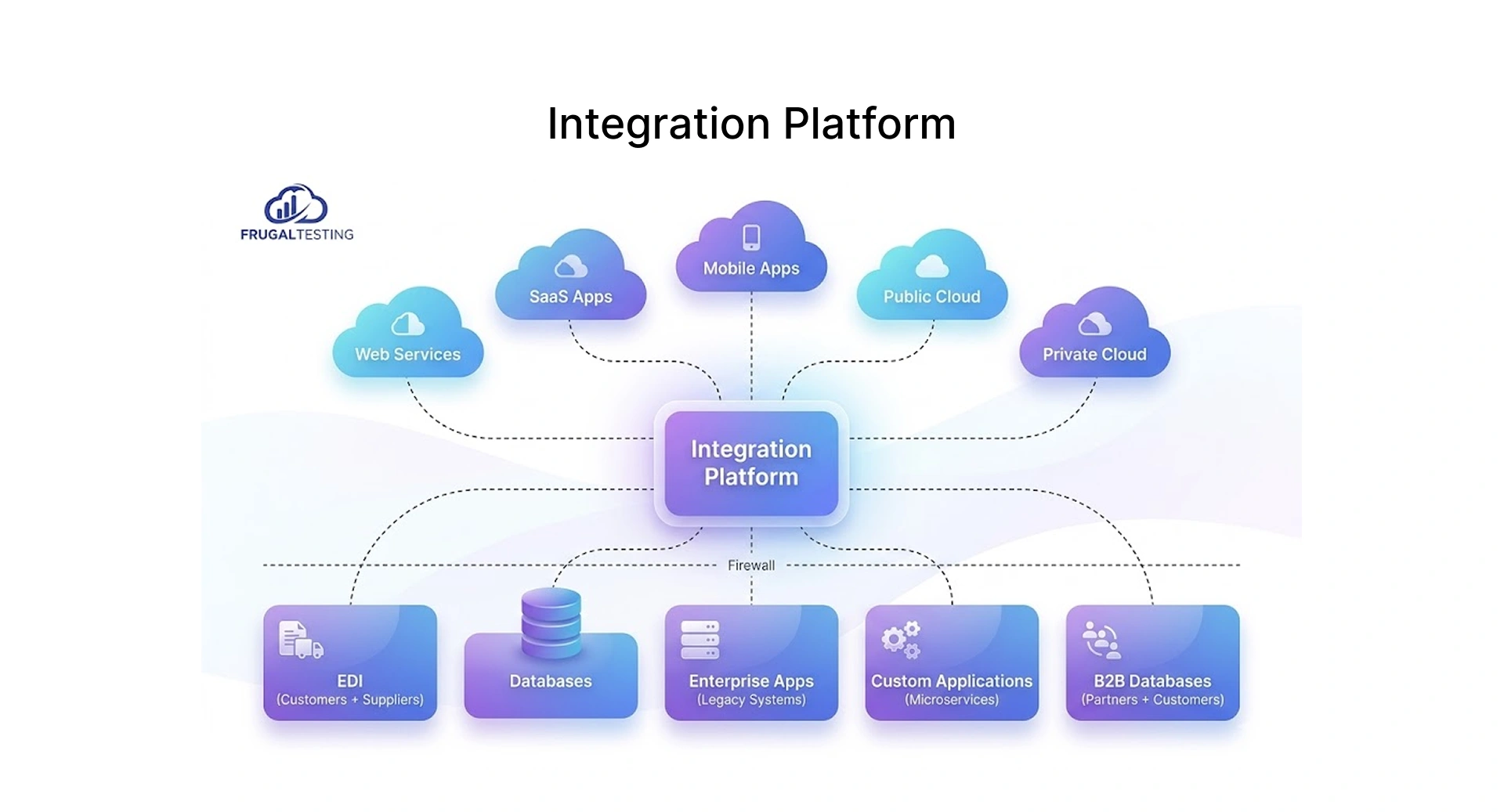
These issues aren’t always easy to catch early. A small delay or mismatch can spread across systems, and after a while, the data may not feel completely reliable.
ERP integration testing validates how data actually moves across connected systems in real business scenarios, not just whether each system works in isolation, but whether the handoffs between them hold up under real conditions.
Key Challenges in End-to-End ERP Integration Testing
The seven challenge areas below represent the most common sources of ERP integration testing complexity, ranked by risk level based on their impact on go-live stability.
How to Perform End-to-End ERP Integration Testing (Step-by-Step Guide)
.webp)
Prepare Test Environments and Synthetic Data Sets
ERP testing should begin well before test cases are created. Otherwise, you could learn during the go-live that your tests didn't accurately represent reality due to the quality of your testing environment and synthetic data sets.
Map Complex Business Workflows and Integration Points
Before writing a single test case, map how data actually moves across your enterprise systems, not the IT architecture version, but what the data means at each stage and what breaks when it doesn't arrive correctly. This would be wrong, since the first step should be to understand how data flows through enterprise systems. What this data means to the business and, therefore, what could cause problems if this flow is broken.
- How it connects: API, iPaaS, batch file, point-to-point integration
- What data moves through it and how often
- What business process uses this information – finance, supply chain management, inventory, production scheduling, or agricultural operations managed through ERP for agriculture platforms.
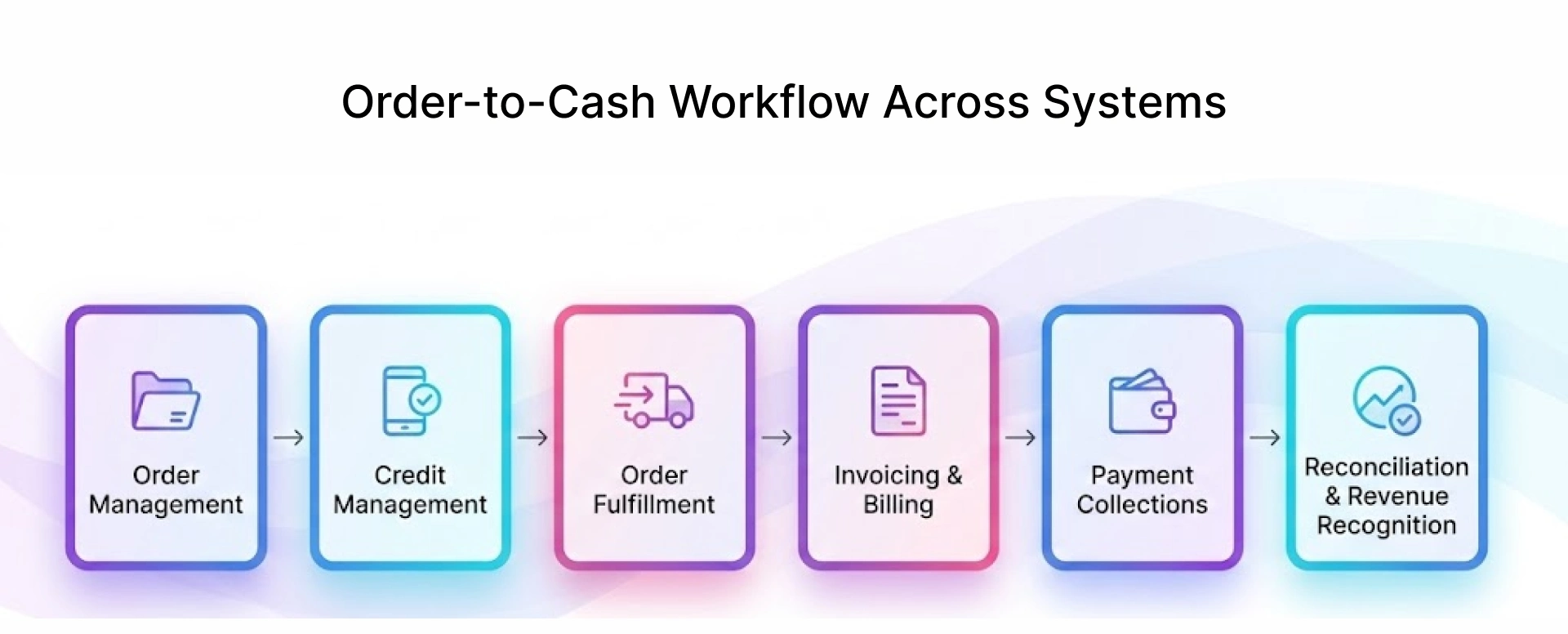
Trace each business workflow from the initial trigger to its final system of record within the on demand business model. Each order-to-cash workflow connects CRM, ERP, fulfillment, and finance systems to streamline operations and customer demand. This integration improves efficiency, automates execution, and ensures accurate financial and operational management.
Design Comprehensive Happy & Negative Path Scenarios
Happy path scenarios are relatively common, while negative path testing is rarely done, but it is where most integration problems hide.
Execute Cross-System Test Cases & API Validations
When testing ERP solutions, execution entails more than just executing test cases; multiple systems, multiple teams, and possibly third parties are all involved in some form.
Starting ERP integration testing from the trigger provides an opportunity to detect if there are delays, lags, missing updates, or incorrect sequences. All integration processes must involve testing endpoints, verifying the data payload, data mapping checks, and checking authentication methods.
Checkpoints in API Validation:
- Endpoint: Proper API URL, methods, and version have been selected
- Payload: API request has been formed with correct parameters and data types
- Authentication: Validity of the token is verified
- Response mapping: Data mapping is done properly
- Error handling: Logging, retries, and escalation
Ensure Data Integrity and Consistency Across Middleware
Data transfers are not the only concern when considering ERP integrations. Eventually, it's too late by the time these show up in reports or invoices.
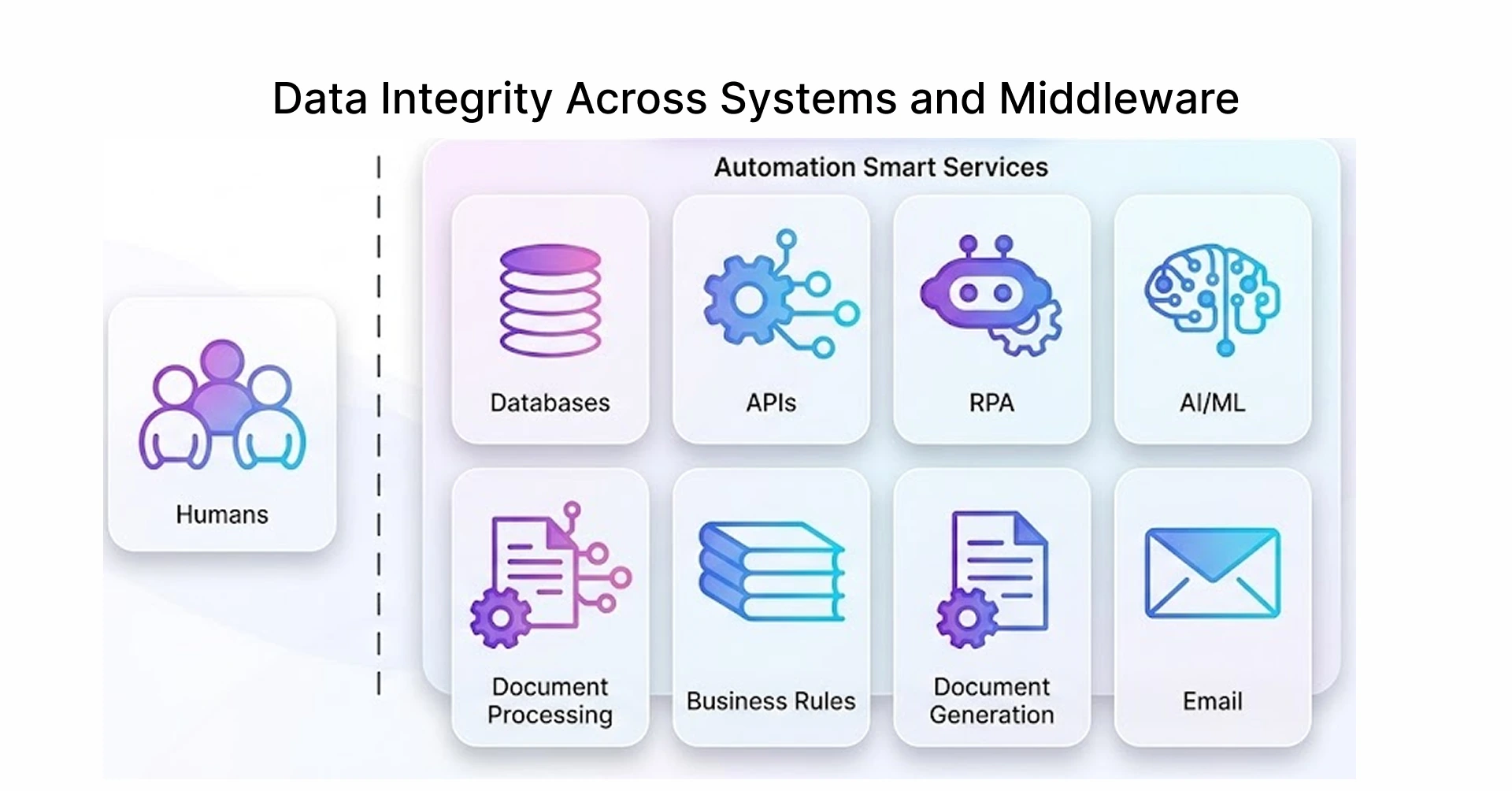
This gets worse if the business solution depends on multiple integration points. This is especially relevant in livestock operations, where ERP for enterprise cattle management can connect livestock activities, inventory, purchasing, sales, and financial data across operational and enterprise systems. A mismatch in one place rarely stays contained - it propagates into reports, billing, and customer records before anyone identifies the source. This is why choosing the right ERP integration and backup partner matters as much as the testing process itself. These should be covered in end-to-end testing best practices.
Regression Suites and Automation Frameworks Implementation
Test automation is crucial for modern software testing services, especially when it comes to ensuring that the constant evolution of APIs, workflow, and CRM doesn't introduce regressions in previous ERP software testing.
Each update introduces potential for regression in the ERP solution. In such an environment, teams cannot rely on repeated manual verifications of unchanged workflows to catch issues.
In ERP systems where APIs, workflows, and CRM connections evolve continuously, unmaintained tests become unreliable, and unreliable tests stop being run, which is how regression gaps form.
Conduct Performance and Load Testing for Scalability
Issues that appear upon go-live are a result of inappropriate testing conditions. Test conditions and real-life load have no similarities whatsoever, leading to performance problems.
According to MuleSoft's Connectivity Benchmark Report 2023, only 29% of systems are interconnected, meaning that 71% of them were never tested under the condition of peak load.
- Load: System behavior at expected peak loads (response times, throughput, etc.)
- Stress: Maximum capacity; recovery post-overload
- Endurance: Stability in the long term (no slowdowns, no memory leaks)
- API Performance: Maximum requests per second; latency throughout the middleware
- Sync delay: Rate at which data syncs between systems
It's recommended to quantify these terms to avoid guessing at what constitutes acceptable performance during testing.
Common ERP Integration Failures
ERP integration issues don't usually manifest themselves immediately. Small issues, like data misplacements, silent API failures, and delayed syncing, don't become visible until someone notices them.
Data mismatch: Inconsistent data model between two systems. Insufficient testing was conducted to verify proper data type mapping. Corrupted data.
API timeouts: A 3rd party's API slows down and takes too long to process the request. No fallback is established if the API call times out and fails.
Duplicate entries: Poor retry strategy leads to duplicate entries of records. After the second, and maybe even third attempt, the issue doesn't surface until reconciling finance discrepancies.
Authentication failures: Authentication token expires; no way to automatically refresh the expired token. No logging or error message returned in the response.
Middleware sync delays: Middleware introduces significant latency in processing transactions and updates. Resulting in stale data being processed.
ERP Integration Testing Checklist
Environment Setup
- Test environment matches production configuration as closely as possible
- Synthetic test data simulates messy, real-world scenarios
- Systems available and responding properly to all integration calls
Workflow Mapping
- Each end-to-end workflow is clearly defined, from trigger to final system of record.
- All points of integration are listed out: APIs, middleware, batch file, etc.
- Business workflows reviewed and approved by business owners to confirm accuracy.
Test Scenario Design
- Happy path scenarios created for all critical workflows
- Negative, error, edge cases equally represented
- Testing performed by business stakeholders
API Validation
- All endpoints validated using the latest API specs
- Request payload and proper field mappings tested thoroughly
- Intentional token expiry and authentication failure testing performed
- Proper handling of errors verified
Data Integrity
- Data integrity ensured for all points of integration
- Middleware transformation accuracy confirmed
- Consistent finance, inventory, and CRM records in all systems
Regression & Automation
- Current state of the regression tests reviewed and updated
- Automated tests reflect the system's current operational state
- All integration tests run as part of each deployment
Performance
- Performance and load testing conducted under actual peak conditions
- Thresholds for sync delay are determined before testing
- Results recorded from stress testing for future reference
- APIs' performance validated under load
Best Practices for Future-Proofing Your ERP Integrations
The integration should still be reliable even as businesses change, as well as the SaaS APIs and Cloud ERP applications.
Risk-Based ERP Integration Testing: How to Prioritize What Matters
In Frugal Testing’s ERP integration engagements, risk-based testing has delivered measurable outcomes, including up to 80% improvement in report generation efficiency, 25% faster client management processes, zero downtime during integration, and completion of full testing cycles in 6 months.
- ERP Integration Testing Strategy: Identify integrations based on business risks
- Test Automation Services: Minimize manual testing and increase test coverage
- API Testing Services: Validate integrations ahead of time to catch possible errors faster
- QA and testing alignment: Align testing processes with business realities
With the right approach, you’re not just saving cost, you’re making sure your testing effort actually protects the business where it counts.
Conclusion: Building Reliable, Scalable ERP Integration Systems
ERP integration testing could be regarded both as a mundane activity you just check off and a continuous process that protects your business. The distinction is clearly visible when you are going live and at the very beginning of your production.
When testing is done thoroughly, all issues are caught before go-live, you enjoy stable system performance, and regression testing ensures consistency. In the case of rushed testing, all problems become apparent in production. They are difficult and expensive to fix then.
The difference between a stable ERP go-live and a chaotic one almost always traces back to whether integration testing was treated as a continuous discipline or a pre-launch checklist, and that difference shows up in the first week of production.
Frequently Asked Questions (FAQs)
How do you handle end-to-end ERP integration testing for third-party SaaS vendors?
Define API contracts covering data formats, authentication, and expected responses upfront. Use vendor sandboxes and mock services to validate error handling and real data flows. Have an escalation process ready for defects that involve both sides.
What is the impact of "Data Mapping Latency" on end-to-end ERP testing?
Data mapping latency causes end-to-end ERP tests to fail when data hasn't propagated to the target system by the time the assertion runs. Set explicit sync time thresholds, build wait conditions into test cases, and always validate under peak load; that's when latency shifts from a testing inconvenience to a production risk.
Should you perform end-to-end ERP testing in a "Full Sandbox" or a "Partial Sandbox" environment?
Use both. Partial sandboxes suit early validation and faster cycles. Full sandboxes are better closer to go-live when production accuracy matters most.
How does "Role-Based Access Control" (RBAC) affect integration test results?
Tests that pass with admin access can fail in production under restricted roles. Always test with actual service accounts and real permissions. Include scenarios where unauthorised actions should be blocked.
What are the key metrics to track to prove the success of your ERP integration testing?
Focus on integration coverage, defect leakage, and first-pass success rate. Track API response times and sync latency under load. Regression execution time tells you how sustainably your testing can run.