

Last night was genuinely one of those sessions. Meccha Chameleon, four friends, voice chat going chaotic-the kind of multiplayer gameplay where you are yelling at your screen one minute and laughing the next. If you have caught streamers like Mortal, Scout, GamerFleet, or Dr Disrespect streaming it, you know exactly the energy. The banter is half the game.
But here is the thing nobody talks about while watching those streams: the server holding it all together is under enormous pressure. Every lobby joins, every cooperative play action, every player communication tool firing simultaneously. When 50,000 people log in after a big streamer goes live, the backend infrastructure either holds or it does not.
Most multiplayer games fail at that exact moment. Not because the gameplay mechanics are broken. Because nobody stress-tested the server the way real players actually use it.
How Much Does Meccha Chameleon Cost?
Meccha Chameleon is priced at $5.99 on Steam, making it one of the better-value multiplayer titles available right now. For a game built around cooperative play, shared exploration, and social connections with friends, that price point is genuinely hard to argue with. There is currently an introductory offer bringing it down to $4.79 (20% off), though that window is limited.
There is only one edition. No deluxe tier, no premium bundle, no cosmetic upsells. Everyone pays the same price and gets the same content, which keeps the social gaming community around the game on an even footing from day one. For a title where multiplayer gameplay and cooperative mode are the entire product, that is exactly the right call.
Why Standard Load Testing Falls Short for Multiplayer Games
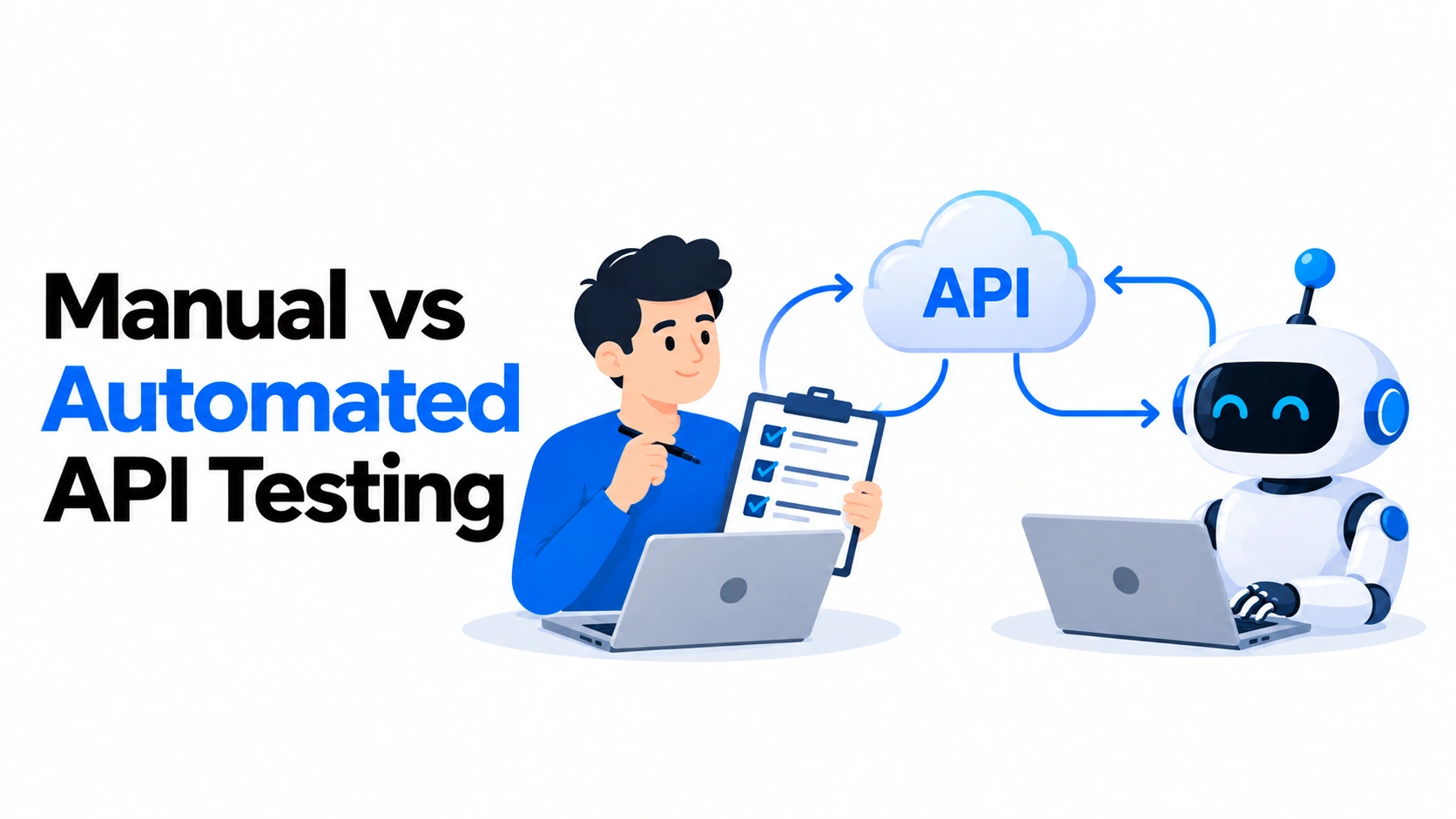
Most engineering teams reach for the same tools they use for API testing. Spin up virtual users, point them at an endpoint, and check response times. Numbers look fine. They ship.
Three weeks after launch, matchmaking systems collapse under real concurrent load. Performance issues that were invisible at 200 users become catastrophic at 2,000. The social gaming community that was building around the game evaporated overnight.
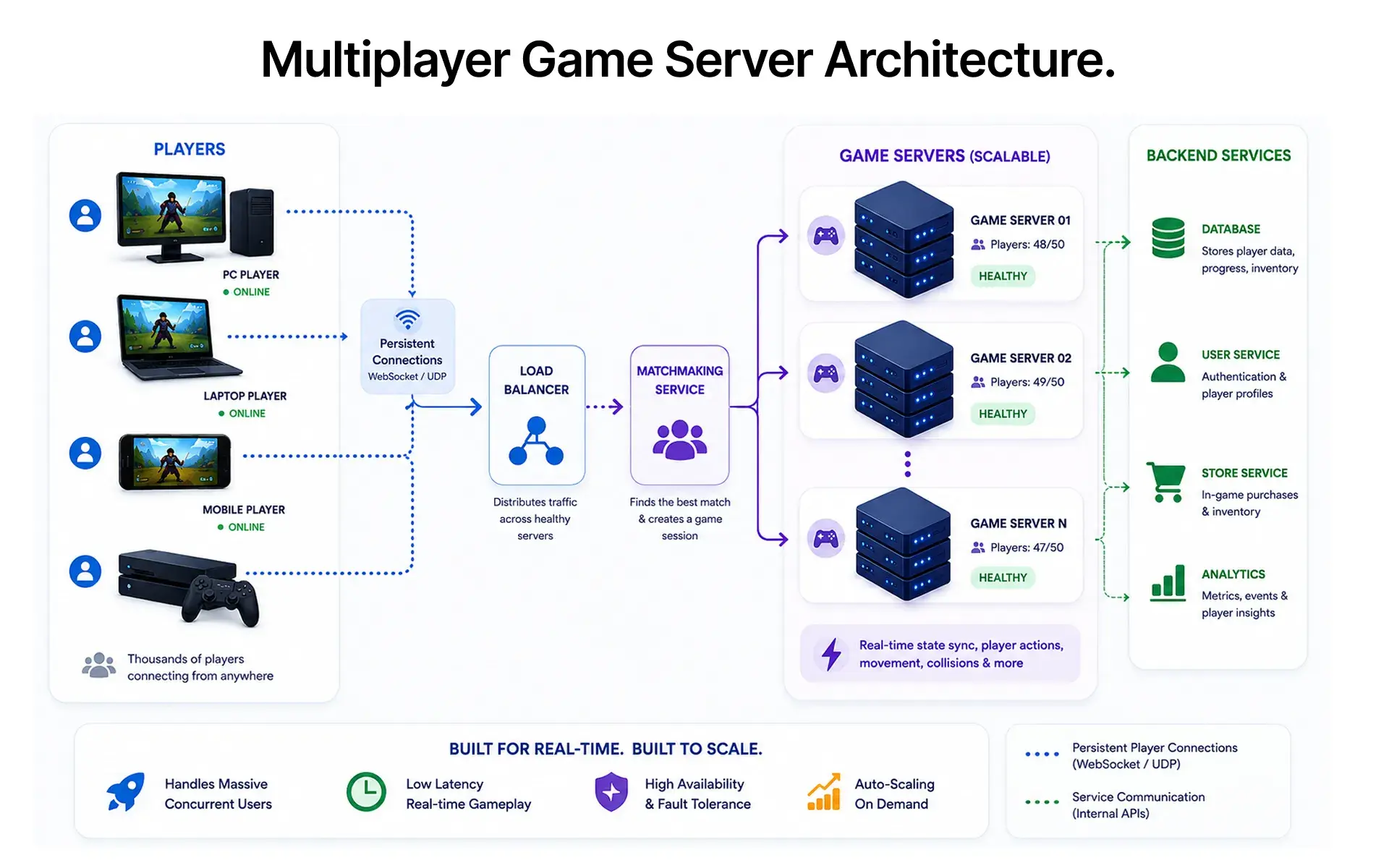
The problem is not the tool. It is the model. HTTP load testing measures request-response volume. Multiplayer gameplay generates something entirely different: persistent, bidirectional WebSocket or UDP streams where every connected client is constantly exchanging state. A 50-player lobby is not 50 sequential requests. It is 50 simultaneous open connections, each exchanging position data, action events, and physics state dozens of times per second.
Generic tools do not model this. They miss the stateful session pressure that breaks game servers at scale, and they will not catch server stability problems before a Server Slam event exposes them in front of your community.
The Multiplayer Traffic Pattern That Breaks Generic Tools
A real game session, as network traffic looks like this: a connection spike at lobby join, a sustained WebSocket or UDP stream through the full match, burst events on player actions, and a disconnect on match end. Add cooperative mode sessions with shared exploration across research stations, high-speed chase sequences, and collaborative features, and the state synchronisation load compounds fast. Tools built around request-per-second metrics simply were not designed for this traffic shape.
The Tool Stack for Game Server Load Testing
The right approach is matching the tool to the protocol, not picking one tool for everything.
- k6 for WebSocket and HTTP load: k6 handles persistent WebSocket connections natively. A k6 websocket test opens a connection, sends player action messages at realistic intervals, asserts on server responses, and disconnects, modelling an actual session lifecycle. Virtual user ramps from 50 to 5,000 users across staged intervals reliably surface where latency starts climbing before connections fail.
- Locust for Python-based player simulation: When session behaviour is genuinely complex, including AI-controlled opponents, variable action frequencies, reconnection logic across cooperative strategic play scenarios, Locust provides the scripting flexibility that k6 does not.
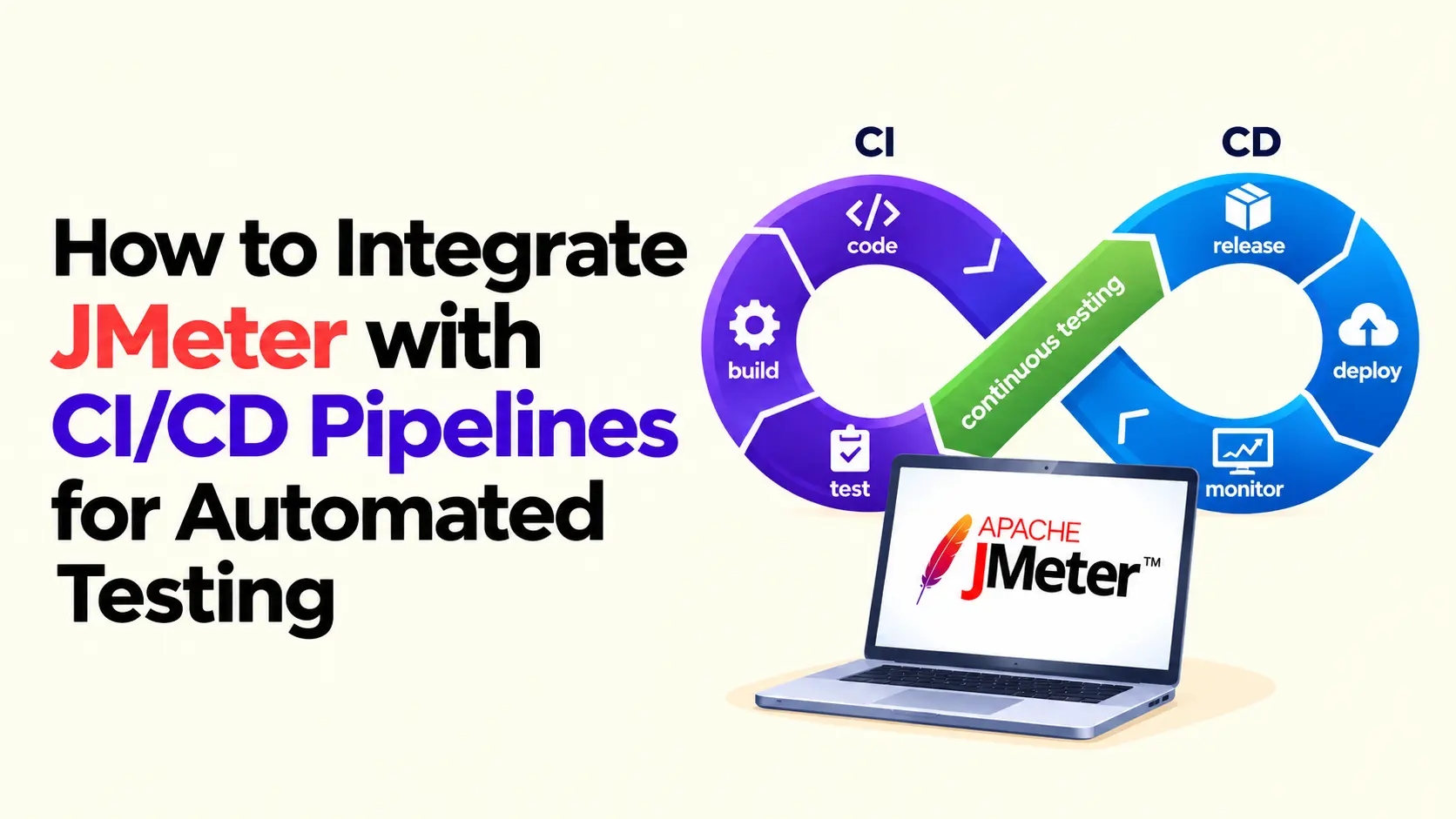
- Artillery for rapid smoke tests: Artillery's YAML-driven config means a basic game backend smoke test is up in under 30 minutes, making it the right tool for CI pre-merge gates before a full simulation suite exists.
Our Take: k6 is the right starting point for most multiplayer game stress testing projects. Artillery as a CI gate is chronically underused, and teams that skip it pay for it in post-merge triage. Locust earns its place only when session behaviour complexity genuinely demands it.
Bored off! Let's Play. I bet you can’t score more than 3 points.
How to Simulate Concurrent Players at Scale
Simulating 1,000 virtual users is not the same as simulating 1,000 real players.
Real players are idle. They disconnect mid-session. They cluster in burst activity around game events: a boss encounter in a roguelike loop, a resource management decision point, a Practice Mode warmup before a competitive Race Mode match. On PlayStation 5, social connections built into the platform mean players jump in and out of sessions faster than previous console generations, creating sharper concurrency spikes rather than gradual ramps. A constant-rate virtual user loop produces a load shape that servers handle well. The irregular, bursty, stateful shape of real player behaviour is what actually breaks them.
Scripting Realistic Player Session Behaviour
A proper player simulation script covers the full session lifecycle: lobby join, pre-game countdown, in-match action distribution with randomised think time between actions, and disconnect. For casual gaming sessions in cooperative mode, action distributions look very different from competitive solo runs. Player communication tools add message traffic that straight action simulation misses entirely. Flat request loops are benchmarks. Session lifecycle scripts are stress tests.
Ramp-Up Strategy for Finding the Break Point
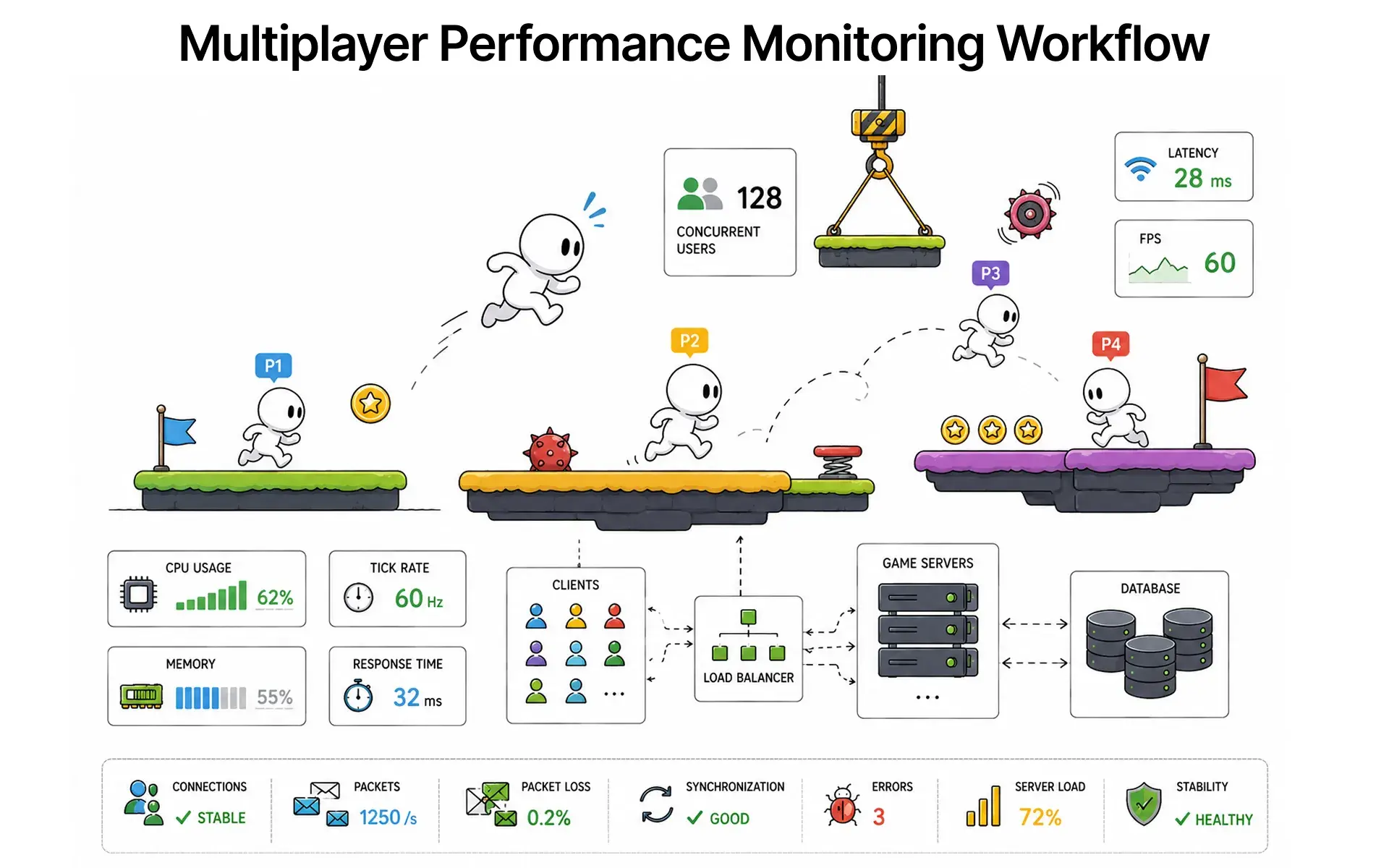
Four stages matter: baseline (50 concurrent users to confirm baseline latency), expected peak (target concurrent player count), stress threshold (2x expected peak), and a spike test (10x burst for 60 seconds). The break point for a game server is not a 500 error. It is the point where p95 latency on a game tick event exceeds the genre's acceptable window: under 100ms for real-time action games, tighter still for titles with damage numbers and frame-precise hit registration.
According to the World Quality Report 2024 by Sogeti, performance testing remains the most cited gap in QA coverage globally, with game-specific backends among the most under-tested environments.
Latency and Packet Loss Thresholds
A 200ms API response is fine. A 200ms delay on a physics sync event in a live multiplayer gameplay session is a game-breaking lag spike. Latency SLOs must be defined per event type before the test runs, not derived from results afterwards.
Capture p50, p95, and p99 latency across all event types. Average response time hides tail spikes. Connection issues that surface as brief freezes during casual gaming are usually p99 problems, not throughput problems. For Race Mode game types where milliseconds determine outcomes, p99 violations are direct gameplay defects.
Setting Latency SLOs Before the Test
Define thresholds per action category with the game team. Position updates and physics events get the tightest budgets. Player communication tools and non-critical state updates get more tolerance. This matters especially for console players using controller support on PlayStation 5, where input latency compounds with server latency in ways that affect cooperative mode and shared exploration gameplay mechanics more acutely than on PC.
Diagnosing Packet Loss Under UDP Stress
UDP does not retransmit dropped packets. Under high concurrency, packet loss rates that look trivial at the network level (1-2%) translate directly into rubber-banding, position desyncs, and missed hit registration. According to k6's official documentation, UDP endpoints require separate instrumentation from WebSocket tests to capture true packet loss behaviour under load. Instrument UDP endpoints separately and validate client-side prediction logic handles loss within the acceptable genre threshold.
Conclusion
The next time a big streamer goes live on a title and the servers buckle within the first hour, it is rarely a code problem. It is a testing gap. The backend infrastructure was never pushed past expected peak, never stress tested against the bursty, stateful load that real player behaviour generates during open beta rush or a Server Slam event.
Progression systems, social gaming community features, cooperative strategic play modes: every layer of complexity added to a modern multiplayer game adds load that generic tools will miss. The studios that survive launch day are the ones that found their ceiling before their players did.
Key Takeaways
- WebSocket and UDP traffic require different tooling than HTTP load testing. Match the tool to the protocol.
- Player simulation must model realistic session behaviour: think time, action variance, reconnection, and player communication tools.
- Latency SLOs must be defined per event type before testing. Average response time hides the tail behaviour that players actually experience.
- UDP packet loss at 1-2% under concurrency breaks multiplayer gameplay mechanics. It needs dedicated test coverage.
- Run all four ramp stages: baseline, expected peak, 2x stress threshold, 10x spike burst.
People Also Ask (FAQs)
Q1. What is the difference between load testing and stress testing for a game server?
Ans: Load testing validates the expected peak capacity. Stress testing pushes beyond it to find where the server breaks. Both are required before a multiplayer launch.
Q2. Can JMeter stress test a WebSocket-based multiplayer game?
Ans: Yes, with plugins, but k6 handles persistent WebSocket sessions natively and is far faster to configure for game-specific session lifecycle testing.
Q3. How many virtual users are needed to validate a multiplayer game server?
Ans: Start at 2x expected peak concurrent player count as the stress threshold, then run a 10x spike test for 60 seconds to validate graceful degradation.
Q4. How do you test game server auto-scaling under load?
Ans: Trigger a ramp exceeding current instance capacity and validate that the auto-scaling policy responds within the acceptable latency window before player experience degrades.
Q5. What metrics matter most during a multiplayer game stress test?
Ans: p95 latency per event type, WebSocket connection error rate, server CPU and memory at peak, tick rate degradation, and UDP packet loss percentage.


.webp)