
Most teams do not have a testing problem. They have a timing problem.
QA often ends up becoming the last checkpoint before release, and that’s usually where schedules begin falling apart. A feature gets merged late in the week, testing starts afterward, and suddenly the Monday deployment no longer looks realistic. Then a regression bug appears somewhere critical, maybe in payments, login, or order processing and the entire sprint starts carrying unfinished issues into the next cycle.
The bigger challenge is that development speed has changed a lot over the last few years. Most teams are pushing updates faster and more frequently now, but the testing process in many organizations still operates almost the same way it did when releases happened once every few weeks. Manual testing still has value, especially for exploratory scenarios and user-focused validation, but it becomes difficult to keep up when builds are moving constantly.
That’s where automation starts making a noticeable difference in day-to-day delivery. Repetitive checks like regression tests, smoke tests, API validations, and environment verification can run automatically without waiting for someone to execute them manually every time. When those checks run as part of the pipeline on every commit, teams usually catch problems much earlier, sometimes within minutes of the change being introduced which makes debugging and fixing issues far less painful later in the release cycle.
This blog breaks down how end-to-end test automation services work in practice, which strategies deliver the fastest results, and how to build a QA automation strategy that scales with growth.
Why Your Release Process Is Slowing Down and How QA Automation Fixes It
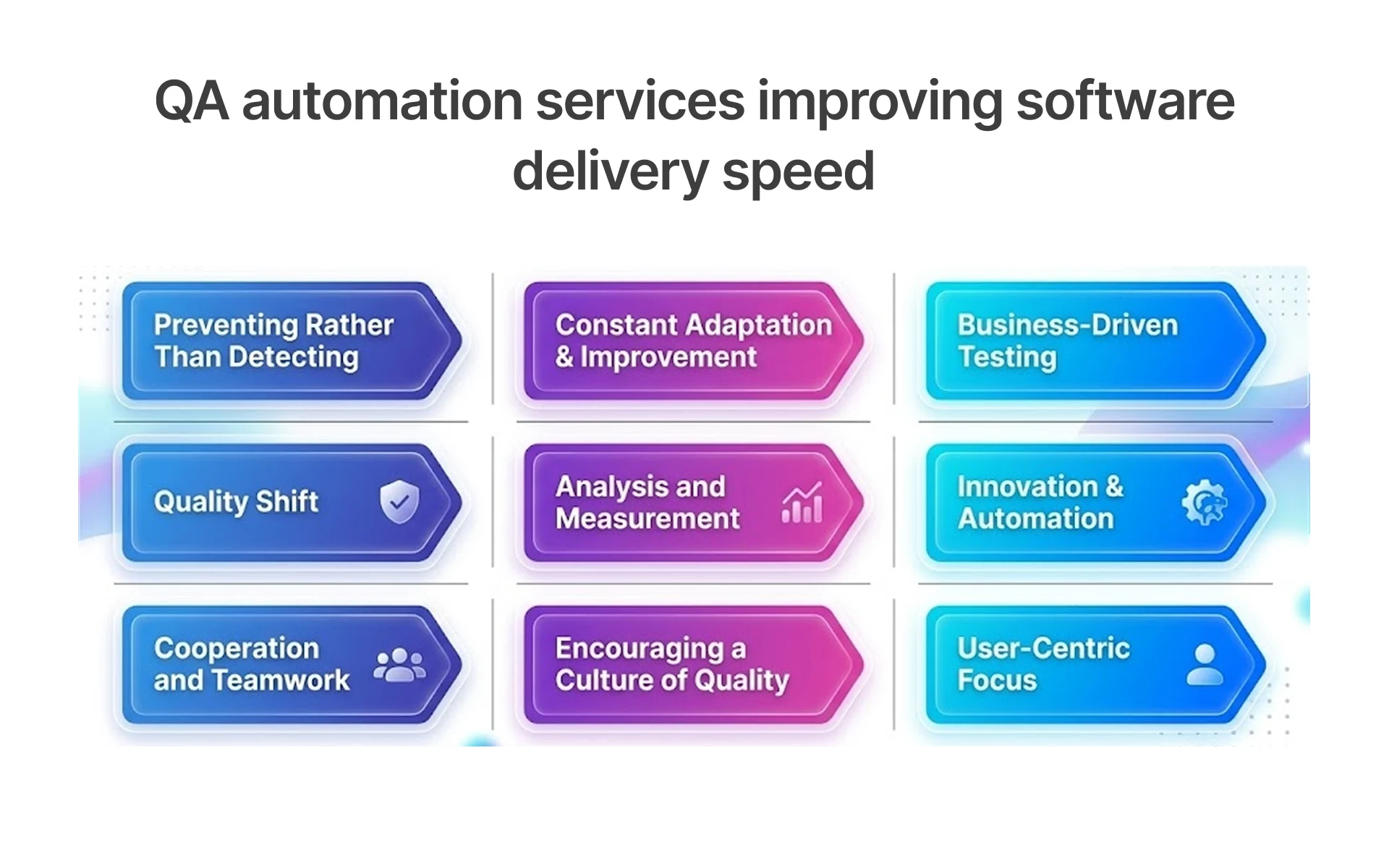
Most teams that struggle with release speed face the same structural issue: quality validation happens too late in the delivery cycle. Testing becomes a final checkpoint instead of a continuous engineering activity. By the time defects surface, remediation cost and delivery delays increase significantly.
The Hidden Cost of Manual QA on Release Timelines
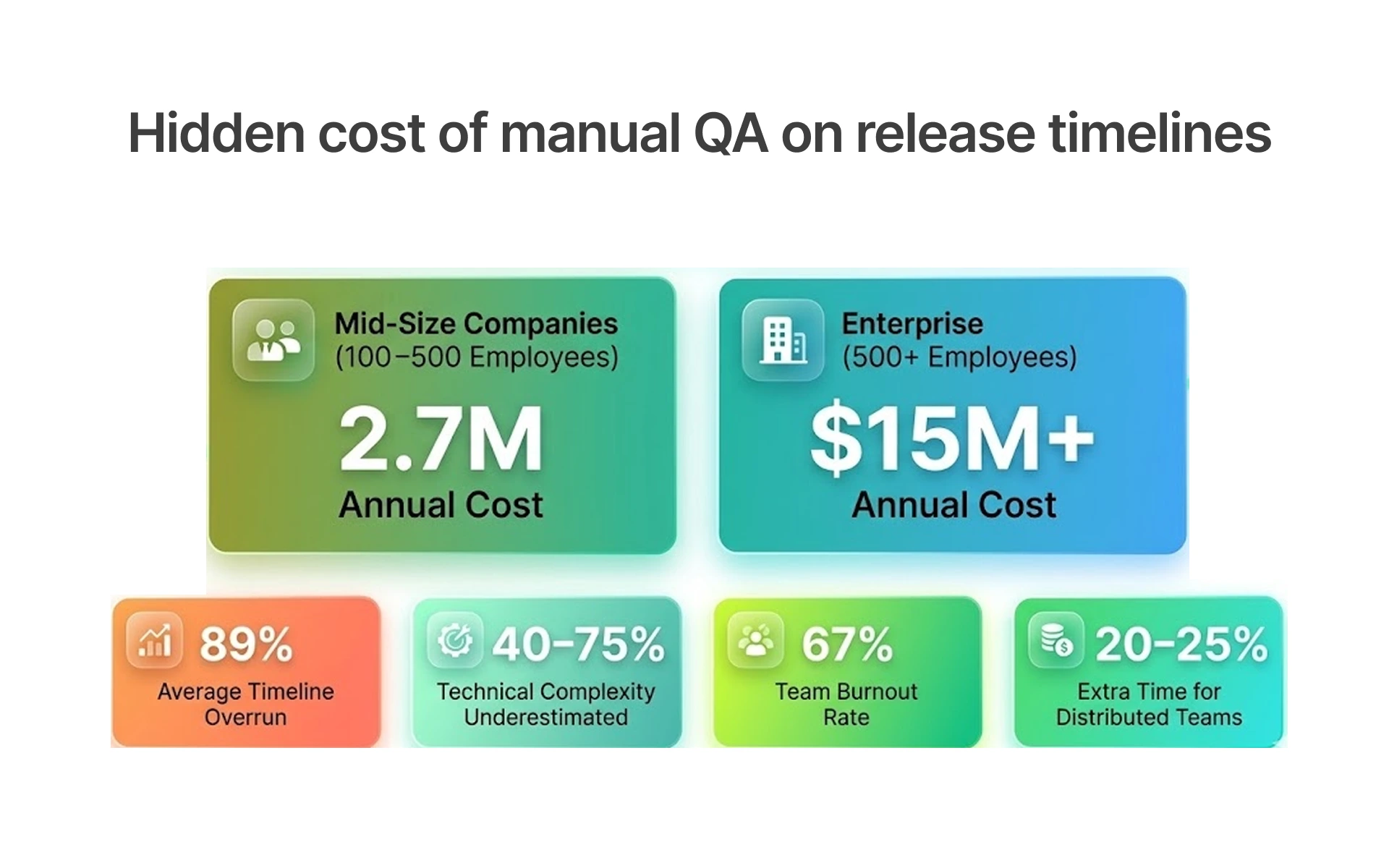
Manual testing is not inherently flawed. But at scale, it creates compounding delays.
Consider a team running 400 test cases before each release. At 2 to 3 minutes per manual test, that is 12 to 20 person-hours per cycle or 144 to 240 hours annually on repetitive execution alone. That does not include bug documentation, retest cycles, or QA-to-dev handoff time.
Beyond time, manual testing produces inconsistent results. Coverage varies by tester. Regression scripts drift as the product evolves. Edge cases get skipped under deadline pressure.
Automated regression testing reduces this operational bottleneck significantly. Once a test suite is built, it runs in minutes, produces the same output every time, and scales without adding headcount.
What End-to-End Automation Actually Covers in Production Pipelines
A common misconception is that QA automation means unit tests. In practice, end-to-end test automation services cover the full transaction: from user interface actions to backend logic to database updates.
Production-grade automation typically includes the following:
• Execute UI regression tests across browsers and screen sizes
• Validate service integrations through API contract testing
• Verify database states after transactions complete
• Measure system performance under expected traffic loads
• Embed security validation into CI/CD workflows
Each layer catches a different class of defects. UI tests catch rendering and workflow issues. API tests catch integration failures before they reach the front end. Performance tests catch degradation before it affects users.
When these layers are connected in a CI/CD pipeline, the result is automated QA coverage that runs on every commit, not just before a scheduled release.
How Agile Teams Structure Automation Without Slowing Sprints
Teams that make this work are not trying to automate their entire test suite in one go. They sit down and ask a simple question: what keeps biting us every single sprint? The login flow that breaks. The checkout path that someone files a bug on every other Friday. Those specific, painful, recurring failures that is where automation earns its keep first. Nothing else jumps the queue ahead of them.
New features get a smoke test written right alongside the code, while the developer still remembers what they built. Waiting two weeks means starting from scratch the context is gone, the urgency is gone, and it becomes a chore nobody wants to own.
Edge cases? They go in the backlog, triaged on one simple measure: has this actually blown up in production before? If the answer is no, it can wait.
By the third sprint or so, the regression pass is noticeably lighter. Not because testers are cutting corners because they are finally spending their time on the work that needs a real human. Exploratory testing. Usability walkthroughs. Decisions that require judgment, not just repetition.
Shipping Faster Without Breaking Things: Automation in Real Release Pipelines
Release speed without stability creates operational risk. Teams that cut QA to meet deadlines often spend the next sprint fixing production defects. Sustainable release speed requires both automation and a deliberate integration strategy.
How SaaS Teams Embed Automation Without Disrupting Sprint Cadence
SaaS products operate under continuous delivery pressure. Features are released frequently, customer expectations remain high, and deployment failures affect retention quickly. And every deployment carries the risk of breaking something that worked last week.
The approach used by mature SaaS engineering teams is to treat test automation as a development task, not a QA task. Tests are written alongside features. Automation scripts live in the same repository as application code. Coverage requirements are enforced at the pull request stage.
This model distributes automation effort across feature development instead of treating automation as a separate quarterly initiative. Development effort increases slightly during implementation, but long-term regression effort drops significantly.
For startups without a dedicated QA function, QA automation outsourcing provides the same outcome without the internal buildout. An external team installs the framework, trains developers, and maintains the suite as the product grows.
Embedding Automated Tests Directly into CI/CD Pipelines
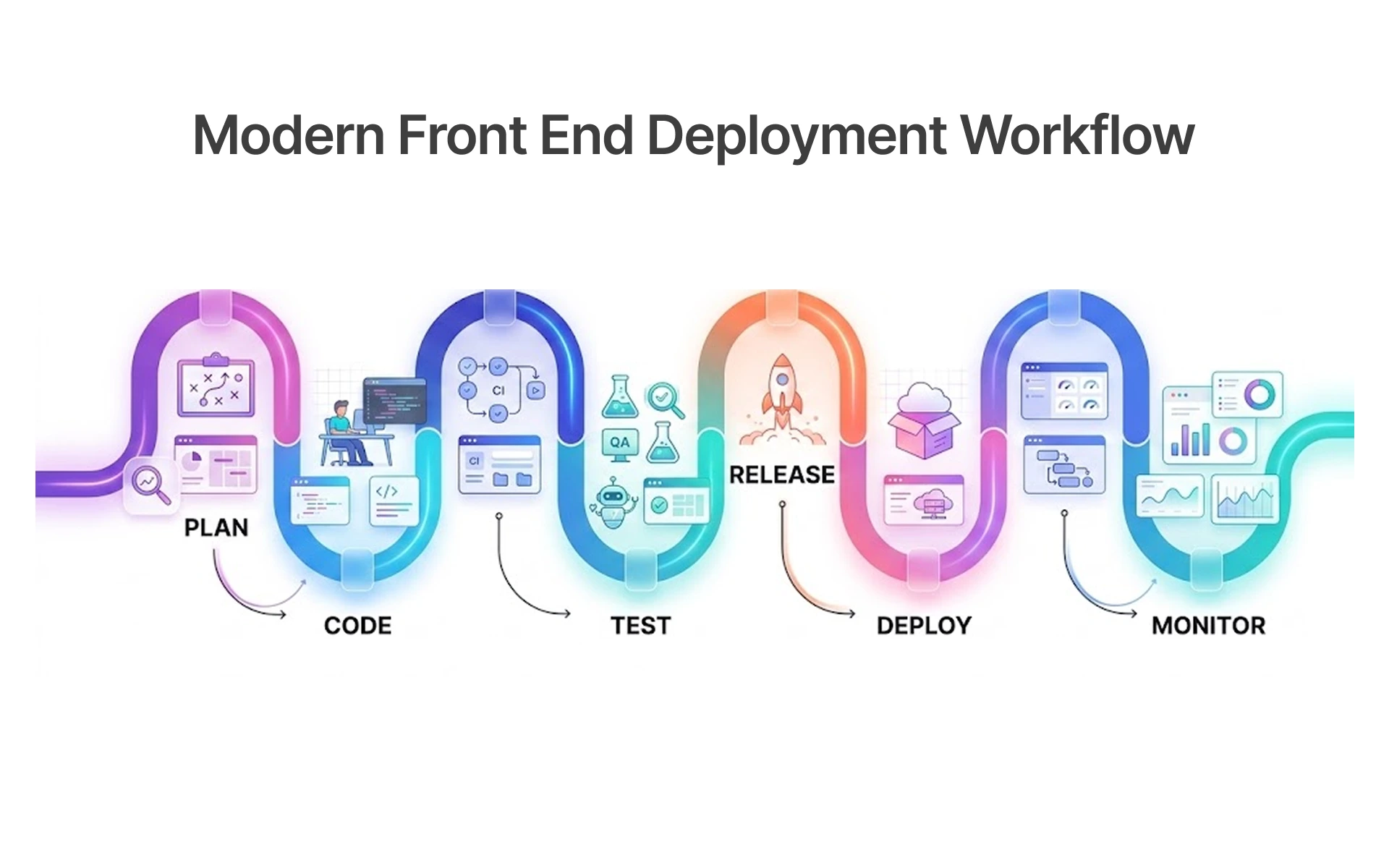
CI/CD pipeline automation testing connects test execution to code commits. Every push triggers a defined set of tests. Results are available within minutes. Failing builds are blocked before merge.
A standard CI/CD test integration follows this sequence, with each stage triggering a progressively deeper set of tests:
This structure ensures that defects are caught at the earliest possible stage. A bug found at commit costs minutes to fix. The same defect discovered after deployment can delay releases, increase rollback risk, and consume multiple engineering cycles.
Continuous testing in DevOps is not a tool choice. It is an architectural decision. Once it is in place, release confidence improves measurably because every deployment is preceded by a known, documented test run.
From Bug-Prone to Battle-Tested: Raising Product Quality Through Automation
Automation raises the minimum quality threshold across the entire delivery pipeline. When every commit is tested and every regression path is covered, the number of defects reaching production drops significantly.
Building Test Coverage That Actually Reflects User Behavior
Test coverage metrics can be misleading. A suite with 90 percent code coverage can still miss the most common user journey if the tests were written to satisfy a coverage target rather than map real behavior.
Effective test coverage improvement strategies start with usage data. Analytics and session recordings identify which flows users take most often. Those flows become the primary automation targets. Automation coverage expands incrementally based on defect frequency and business impact.
Practical coverage tiers for most products:
• Critical path coverage: checkout, login, onboarding, core actions (must be 100 percent automated)
• Secondary flow coverage: settings, edge-case states, error handling (80 percent automated)
• Exploratory coverage: new features, unusual inputs (handled by manual testing)
This structure ensures that automated testing product quality aligns with the flows that matter most to users, not just the flows that are easiest to script.
Functional Testing Across Environments Without Adding Manual Hours
Most production defects do not come from new features. They come from existing functionality breaking under a new environment, a new dependency version, or an updated third-party integration.
Functional testing automation addresses this by running the same test cases across multiple environments: development, staging, pre-production, and production canary. Each environment gets the same coverage. Differences in results reveal environment-specific issues before they affect all users.
Functional automation becomes more valuable as the product matures and coverage expands across environments. An initial test suite of 200 cases grows to 500 as the product matures. Coverage increases. Manual regression hours drop. And the team gains confidence in each deployment because the suite has a track record.
Catching functional defects before production significantly lowers remediation cost and operational disruption. As coverage matures, the team builds verifiable release confidence across every environment.
Building a QA Automation Strategy That Scales With Your DevOps Pipeline
A QA strategy that works for a 10-person team breaks at 50. What works for a monolith often fails in a microservices architecture. Building automation that scales requires deliberate choices in tooling, structure, and governance.
CI/CD Tools Enabling Automated Testing Workflows
Tool selection shapes what is possible. The best test automation tools in 2025 are not the most feature-rich. They are the ones that integrate cleanly with existing infrastructure, produce reliable output, and require minimal maintenance.
Common tooling decisions by layer:
Tool selection often depends on architecture, language support, and maintenance requirements. Selenium and Cypress remain common choices for browser automation, but each serves different delivery environments. Selenium supports more languages and browsers but requires more configuration. Cypress is faster for JavaScript teams and simpler to set up, but limited to Chromium-based browsers. The right choice depends on the product stack and team expertise, not on industry rankings.
Open source test automation frameworks reduce licensing cost and offer flexibility. Maintenance responsibility, however, remains with the engineering team. For teams without dedicated QA engineers, automation testing consulting from an external provider often delivers faster setup and lower long-term overhead.
Continuous Integration Testing Patterns That Prevent Last-Minute Failures
Many late-stage CI failures originate from reactive test maintenance and unstable suite management. Tests are added reactively rather than proactively. The suite grows without pruning. Flaky tests are ignored until they block a release.
A continuous integration testing strategy that prevents this includes:
• Test quarantine: flaky tests are flagged and isolated, not deleted or ignored
• Suite segmentation: fast tests run on every commit; slow tests run on merge
• Ownership assignment: each test module has a designated team responsible for maintenance
• Failure triage SLA: failed tests are investigated within 24 hours of detection
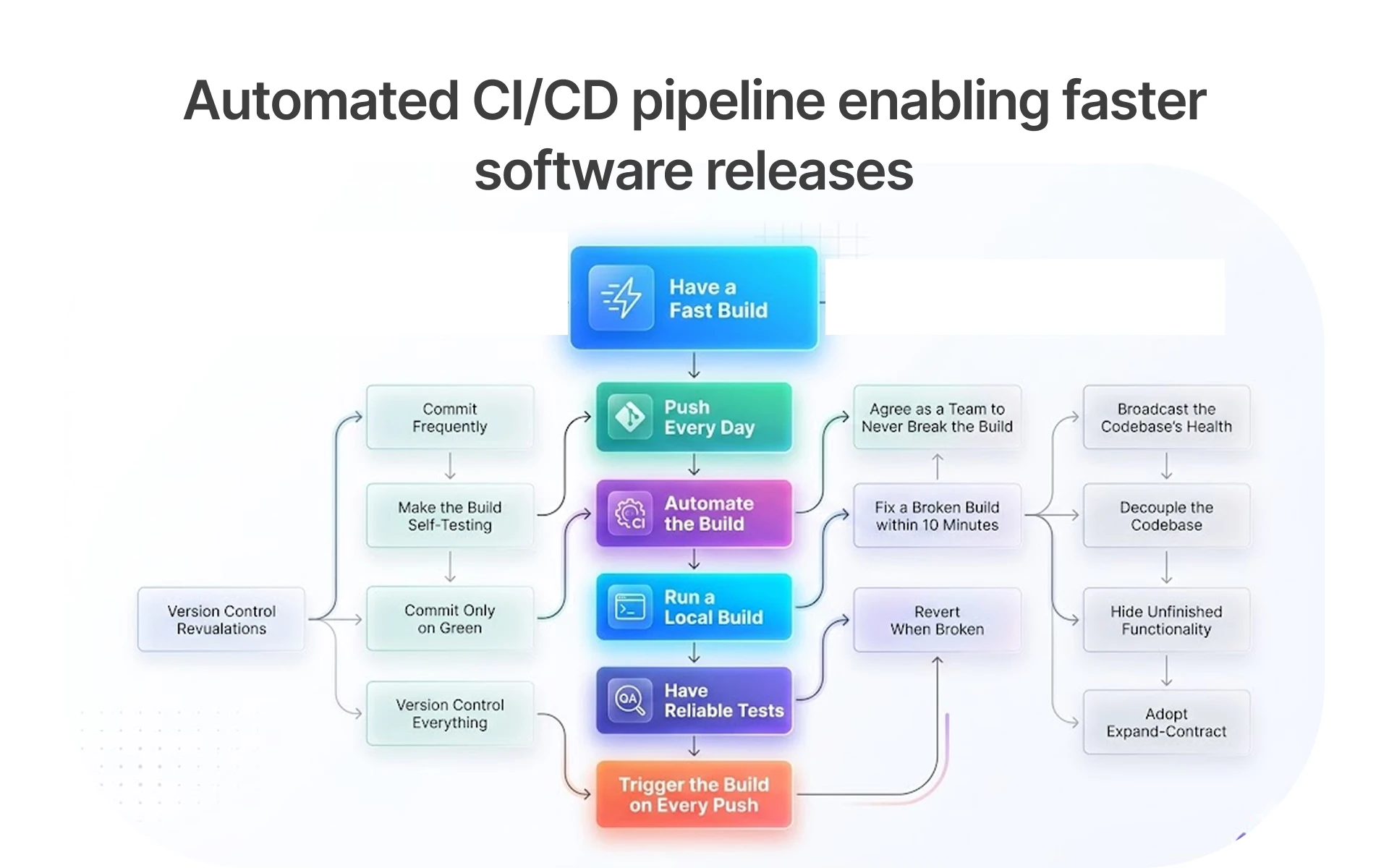
QA strategy for DevOps teams also requires alignment on what a passing build means. If a build passes with known flaky tests suppressed, the pipeline is providing false confidence. Defining clear pass/fail criteria and enforcing them consistently is as important as the tests themselves.
For microservices architectures, QA automation for microservices must address service isolation. Contract tests verify that each service honors its API interface. Integration tests verify that services work correctly together. Both run in parallel to keep the pipeline fast.
DevOps quality assurance best practices converge on one principle: testing is not a phase. It is a property of the pipeline. When that principle is embedded in the engineering culture, release confidence becomes a constant rather than a pre-release scramble.
Faster Releases, Fewer Bugs: Here Is Your Next Step
Slow releases and production defects are engineering problems with engineering solutions. CI/CD pipeline integration catches defects before merge. Functional test suites protect production from environment-specific failures. And a deliberate DevOps QA strategy ensures the automation scales as the product grows.
The teams that ship fast and ship reliably are not the ones with the largest QA departments. They are the ones that invested early in the right automation infrastructure and maintained it as a core engineering discipline.
Frugal Testing helps engineering teams implement scalable QA automation services, continuous testing workflows, and reliable release pipelines without slowing delivery velocity. Structured automation frameworks improve release confidence, reduce regression overhead, and support long-term product quality growth.
People Also Ask (FAQs)
Q1.How long does it realistically take to see ROI from QA automation?
Ans: Most teams begin seeing measurable ROI within three to four months of implementation. The initial setup period covers framework selection, test script development, and pipeline integration. Once the suite is running consistently, the reduction in manual testing hours and defect escape rates becomes quantifiable.
Q2.Can QA automation work for projects with frequently changing requirements?
Ans: Yes. The key is separating stable core workflows from fast-changing features. Flows like login, checkout, and onboarding rarely change and are strong automation candidates. Feature-level tests should use parameterized, data-driven designs that update without full rewrites.
Q3.What percentage of test cases should be automated vs. kept manual?
Ans: The practical benchmark for most product teams is to automate 70 percent of test cases, focusing on regression, smoke, and integration paths. Manual testing handles exploratory sessions, usability review, and scenarios that require human judgment. The ratio shifts further toward automation as the product matures and the test suite builds a track record.
Q4. Does test automation reduce the need for a dedicated QA team?
Ans: Automation reduces the need for manual execution, not for QA expertise. Someone needs to design the test strategy, maintain the framework, review coverage gaps, and interpret results. That role requires skill in both testing and engineering.
Q5.How do you maintain automated test suites as the product evolves?
Ans: Suite maintenance requires three ongoing practices: ownership assignment, regular review cycles, and quarantine protocols. Each test module should have a named owner responsible for keeping it current. Quarterly reviews identify obsolete tests, coverage gaps, and scripts that produce inconsistent results.