
QA teams don’t usually struggle because they use too many tools. Problems start when those tools don’t integrate well. In a typical setup, For example, one tool runs tests, another shows results, and a third logs defects. When something fails, teams spend time jumping between tools just to understand what went wrong.
At Frugal Testing, we’ve seen this pattern during QA audits. In one case, a team had test execution in one tool, reporting in another, and logs stored separately.
When a test failed, engineers had to switch between tools to trace the issue. The root cause was simple but identifying it took time because the tools were disconnected. This is how tool sprawl shows up in real workflows.
What is QA Tool Sprawl? (With Real Examples)
Tool sprawl is when multiple QA tools overlap in functionality, creating duplication and confusion.
This matters because it slows down debugging, increases maintenance, and makes test results harder to trust.
Real-World Examples of QA Tool Sprawl
- Fragmented Automation Frameworks: A team might use Cypress for web testing, Playwright for another application, and JMeter for performance testing.
- Duplicate Security Scanning: In most of the teams, security checks do not occur where they are well coordinated. QA could perform a complete DAST scan, developers could work with a lighter one in their IDE and then a similar type of scan could be performed in the CI/CD pipeline.
Example QA Stack with Overlapping Tools (Selenium, Cypress, Playwright)
A fintech team may use Selenium for legacy UI tests, Cypress for faster frontend testing, and Playwright for cross-browser support. While each tool is added for a specific reason, they often end up overlapping, running similar test cases and increasing maintenance effort across CI/CD pipelines.
Here’s how these commonly used UI testing tools overlap in real QA setups:
Such overlap gives way to tool sprawl which makes it more difficult to have a single source of truth and incurs overall inefficiency to operations.
How Tool Duplication Happens in Agile and DevOps Teams
Tool duplication usually isn’t planned. It happens when teams solve problems independently.
When individual teams are enabled to act swiftly and correct their own issues, they automatically reach out to any conceivable tool that makes the most sense to them at that particular time.For instance, one team might adopt Cypress for faster UI tests, while another picks Playwright for better browser support. Both decisions make sense individually but together, they create overlap.
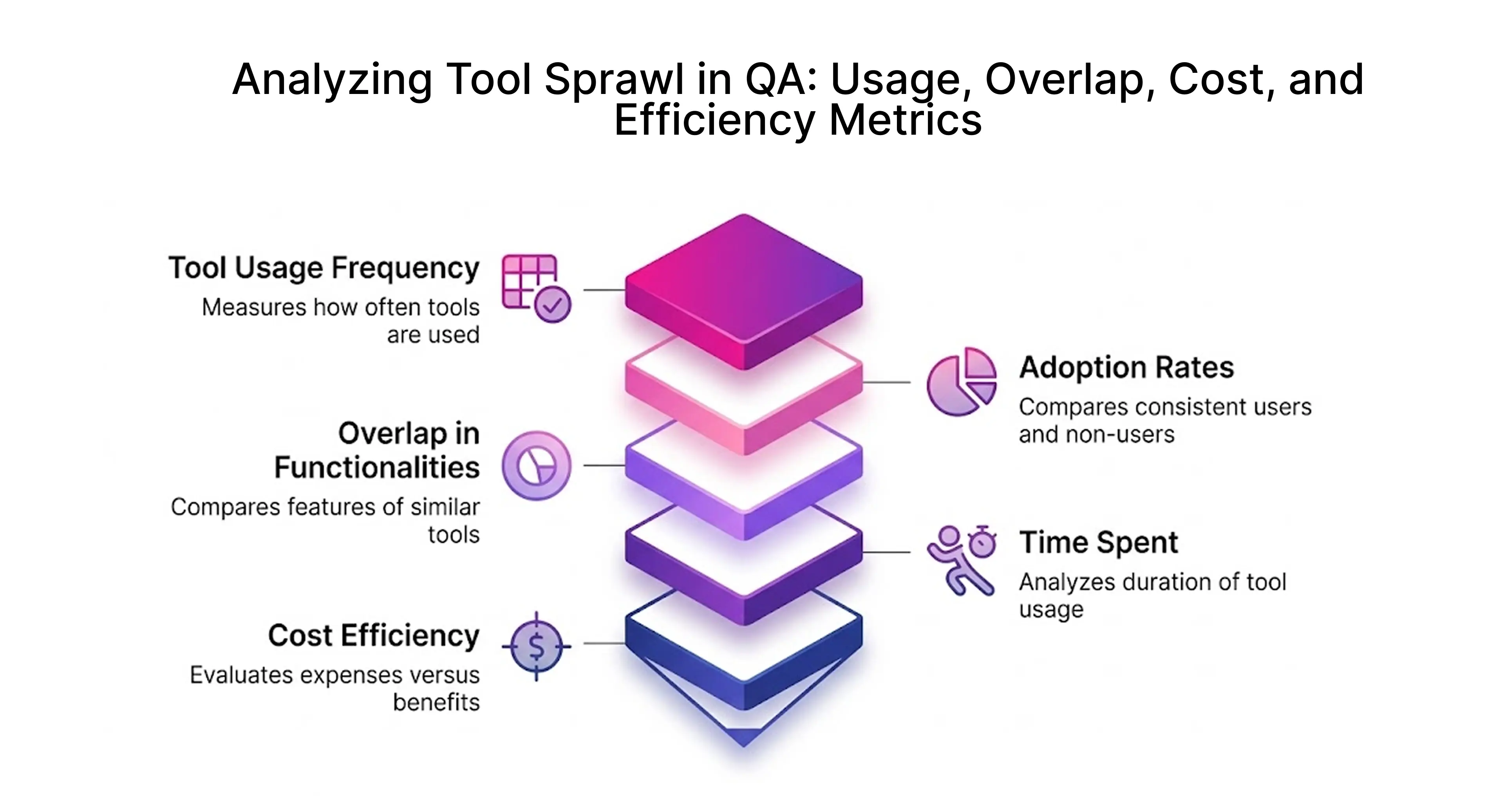
Key Metrics Affected: Execution Time, Cost, and Maintenance Effort
Tool sprawl starts showing up in metrics pretty quickly.
- Pipeline time increases: Adding multiple tools often adds 30–40 extra minutes to execution.
- Debugging slows down: Logs are split across tools, so identifying the issue takes longer.
- Maintenance grows: Each framework needs updates, dependencies, and configuration fixes.
These delays directly affect release speed.
According to the Google DORA reports, teams with streamlined pipelines and better tool integration achieve faster deployment frequency and shorter lead times compared to fragmented setups.
According to the Stack Overflow Developer Survey, developers spend a significant portion of their time dealing with tooling and debugging inefficiencies highlighting the impact of fragmented toolchains.
How do you know your QA team has tool sprawl?
Tool sprawl doesn’t feel like a problem at first. It builds gradually.
Signs of Tool Sprawl in QA Teams
- Redundant Functionality: You might notice different tools doing almost the same job. For example, separate setups for UI, API, and performance testing that don’t really connect.
- Data Silos & Fragmented Reporting: Information ends up in different places, so people have to jump around just to understand what’s happening.
Impact of Tool Sprawl on QA Teams
- Reduced Efficiency and Productivity: Instead of focusing on testing, time goes into switching between tools and figuring things out.
- Higher Costs: Over time, it also gets expensive more tools to pay for, more effort to manage them, and more time spent keeping everything running.
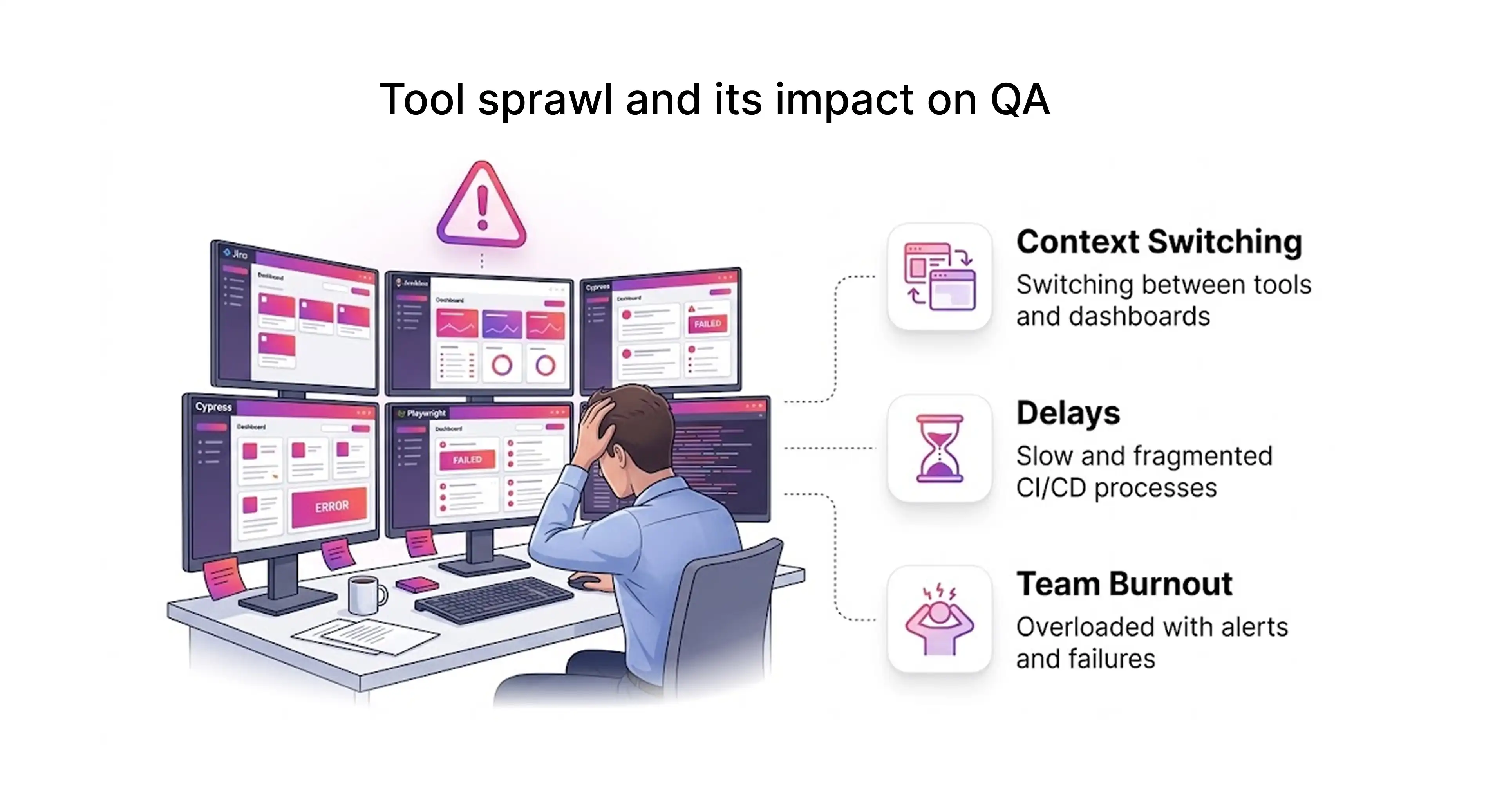
In our experience, tool sprawl is less about having too many tools and more about teams not revisiting earlier decisions.
Multiple Tools Solving the Same Testing Problems
A typical symptom of tool proliferation among QA teams is the existence of several tools to resolve a single issue. When you combine Selenium with Cypress and Playwright, it usually means you are duplicating and not adapting.
A better question to ask is: Why are we using all three?
A common pattern looks like this:
- Cypress is added for speed
- Playwright is added for cross-browser support
- Selenium remains for legacy tests
Instead of consolidating, teams keep adding layers to the test automation framework. This increases complexity, slows debugging, and adds maintenance effort.
Increased Pipeline Time and Flaky Test Failures
Tool sprawl has a direct impact on ci/cd pipeline performance. When multiple tools are integrated into a ci/cd pipeline jenkins setup, execution becomes slower and less reliable.
In one setup we analyzed:
- The build passed in Jenkins but failed in GitHub Actions.
- Test results changed based on environment differences.
- logs had to be checked across multiple tools.
We’ve seen teams spend more time tracking logs across tools than fixing the actual issue.
Higher Costs from Licensing and Tool Maintenance
Tool sprawl doesn’t just create technical complexity it also increases overall costs. When teams use multiple test automation tools, organizations end up paying more in licensing, infrastructure, and ongoing maintenance. These expenses add up quickly and impact the overall software spend.
There are also hidden costs, such as time spent training teams, managing integrations, and handling compatibility issues. By consolidating tools and simplifying the tool stack, QA teams can reduce costs and reduce the time spent managing tools across teams.
Why does tool sprawl happen in QA teams?
Tool sprawl usually builds up as teams keep adding tools without removing older ones. Different teams choose tools independently, which leads to overlap.
Another major cause is the “best-of-breed” approach, where teams select different specialized tools (UI, API, performance) instead of using a unified tool stack, creating data silos and integration challenges.
Additionally, the rapid evolution of cloud-native architectures, microservices, and AI-driven testing introduces more devops tools and dashboards, increasing complexity.
Lack of Tool Governance and Standardization
One of the primary drivers of tool sprawl in QA teams is the absence of clear governance and standardization. Without defined policies, teams independently adopt test automation tools based on immediate needs or personal preference, leading to an inconsistent and fragmented tool stack across the organization.
In several teams, new tools are added without any evaluation process. A tool may be introduced without checking if an existing one already solves the same problem and poor alignment across the devops lifecycle. Over time, this lack of governance creates duplication, reduces visibility, and increases operational inefficiency.
How can you audit your QA tool stack for redundancy?
Before trying to fix tool sprawl, it helps to pause and look at what’s already in place. In most teams, tools don’t get removed they just keep getting added. Over time, it becomes hard to tell which ones are actually useful and which ones are just “still there.”
A simple audit can bring a lot of clarity. It doesn’t have to be complicated. The idea is to understand what tools are being used and whether they are still needed.
Two Questions to Ask About Every QA Tool
Start with a couple of checks:
- What problem is this tool solving right now?
- Is another tool already doing the same thing?
Also check if the tool is still actively used.
Common Overlaps in QA Toolchains
Most overlaps tend to show up in similar areas:
- Multiple UI testing tools running similar test cases
- Different tools for logs, metrics, and monitoring
- Separate reporting dashboards with no shared view
- More than one CI/CD system doing almost the same job
These overlaps don’t always look like a problem at first, but they add up quickly in terms of maintenance and confusion.
Strategies to Reduce Tool Sprawl (With Tool-Level Decisions)
Reducing tool sprawl requires a strategic shift from adopting "best-of-breed" point solutions to adopting unified platforms that provide comprehensive visibility and functionality.This approach removes redundant tools, lowers cost, and reduces context switching.
The Frugal Testing approach focuses on consolidation first, then integration rather than continuously adding new tools.
Consolidating UI Testing Tools (Selenium vs Cypress vs Playwright)
Consolidating UI testing tools is a key step in reducing tool sprawl in QA teams. Choosing between Selenium, Cypress, and Playwright should be based on project needs rather than using all three simultaneously. While Selenium offers flexibility and strong ecosystem support, Cypress is known for speed and developer-friendly debugging, and Playwright provides reliable cross-browser capabilities.
By standardizing on a single test automation framework, teams can reduce maintenance overhead, improve consistency, and streamline testing workflows.
Standardizing API and Test Management Tools
API testing often becomes fragmented when teams use multiple tools without clear roles. A structured approach helps reduce duplication and improves efficiency across the software development lifecycle.
- Use Postman for exploratory and manual API testing
- Use REST Assured for automated regression testing
- Use Jira as a centralized project management software for tracking
This keeps API testing organized and avoids overlap between tools.
Building a Unified QA Toolchain with Minimal Overlap
A unified QA toolchain focuses on integration rather than simply reducing the number of tools. The goal is to create a connected ecosystem where tools work together seamlessly.
- Use workflow automation tools to integrate testing processes
- Leverage data orchestration tools to unify data flow and reporting
- Maintain a single reporting layer for better visibility
These platforms connect tools and centralize reporting. This makes test results easier to track and removes duplicate workflows.
CI/CD Integration and Migration to a Streamlined QA Stack
In a lot of QA teams, this problem shows up clearly in CI/CD pipelines. Over time, teams keep adding tools and extra steps, and things slowly get harder to manage. Tests start taking longer, and it’s not always clear what’s happening where. Even small issues can take time to track down because everything feels a bit scattered.
A simpler setup usually works better. Running UI, API, and performance tests in the same pipeline keeps things easier to follow. Whether it’s Jenkins, GitHub Actions, or Azure DevOps on the Azure portal, The specific CI/CD tool matters less than how consistently it is used across teams. When everything runs in one place, it’s easier to see results, avoid repeating work, and keep the workflow straightforward.
Example: CI/CD Pipeline Setup Using Jenkins for QA Automation
A practical implementation of a unified ci/cd pipeline jenkins setup looks like this:
Code:
pipeline {
    agent any
    stages {
        stage('Install Dependencies') {
            steps {
                // Install required dependencies for API and UI tests
                sh 'pip install -r requirements.txt'
                sh 'npm install'
            }
        }
        stage('Run API Tests') {
            steps {
                // Run backend/API tests using pytest
                sh 'pytest tests/api --junitxml=api-results.xml'
            }
        }
        stage('Run UI Tests') {
            steps {
                // Execute UI automation tests using Playwright
                sh 'npx playwright test'
            }
        }
        stage('Generate Report') {
            steps {
                // Generate a unified test report for all results
                sh 'allure generate results -o report'
            }
        }
    }
}
This pipeline runs API and UI tests in sequence and generates a single report at the end. Instead of checking multiple tools, teams can see all results in one place, which makes debugging faster and avoids duplicate workflows.
Step-by-Step Toolchain Audit and Migration Plan
Reducing tool sprawl in QA teams doesn’t have to be complicated, but it does need a bit of structure. A good place to start is by looking at the tools you already have and grouping them based on what they’re used for UI testing, API testing, CI/CD, reporting, and so on. Once you lay everything out, it becomes easier to spot where tools are overlapping or doing similar work.
After that, it’s better to make changes gradually instead of all at once. You can run the old setup and the new one side by side for a while, just to make sure everything works as expected. Once you’re confident, you can slowly phase out the extra tools.
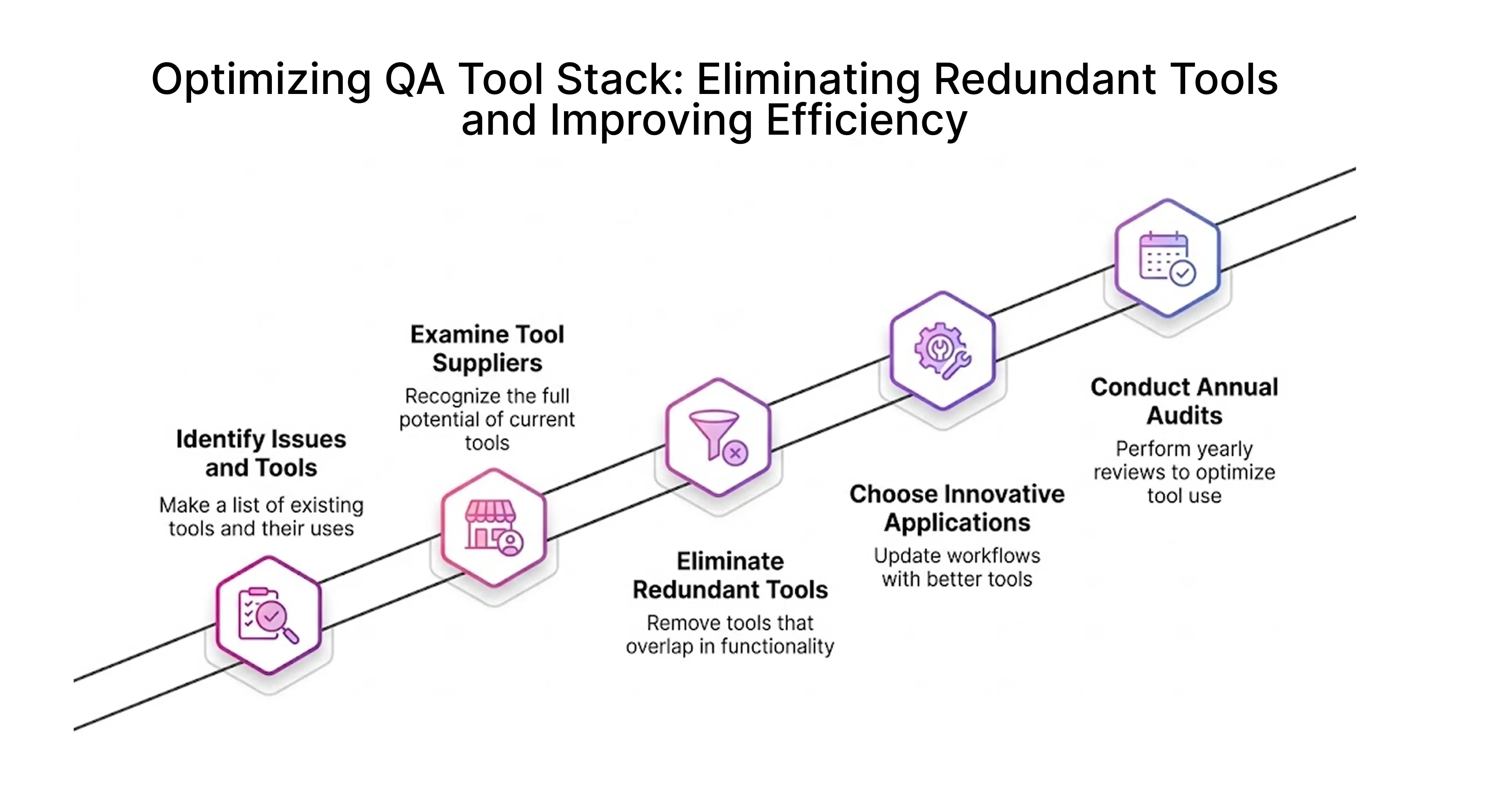
Best Practices to Prevent Future Tool Sprawl
To avoid tool sprawl coming back:
- define guidelines before adding tools
- review tools regularly
- avoid adopting tools just because they are trending
Consistency across teams matters more than having multiple tools.
Conclusion: Improving QA Efficiency by Managing Tool Sprawl with Frugal Testing
Tool sprawl builds up over time as teams keep adding tools without removing older ones. This creates overlap, confusion, and slower debugging.
Key learnings from this blog:
- Tool sprawl is often caused by decentralized decisions and lack of governance
- Multiple tools solving the same problem lead to duplication and inefficiency
- Fragmented ci/cd pipelines and reporting systems slow down delivery
- Standardization and consolidation improve consistency and reduce maintenance effort
At Frugal Testing, the approach goes beyond just recommending tools we help teams design lean, scalable QA ecosystems tailored to their workflows. By identifying overlaps, streamlining test automation frameworks, and optimizing ci/cd integration, Frugal Testing enables organizations to reduce unnecessary complexity while improving efficiency and quality.
If your team is dealing with multiple frameworks, scattered pipelines, and disconnected dashboards, the first step is simple take a closer look at what you’re already using. Once that becomes clear, the path to reducing tool sprawl becomes much easier.
People Also Ask (FAQs)
Q1.What is tool sprawl in QA teams?
Ans: Tool sprawl in QA teams is the use of multiple overlapping tools for similar testing tasks. This leads to duplicated workflows, scattered test results, and higher maintenance effort. Over time, it slows down debugging and reduces visibility across the testing process.
Q2.What are the best strategies to reduce tool sprawl in QA teams?
Ans: The best way to reduce tool sprawl is to identify overlapping tools and standardize on one solution per use case. Teams should audit their stack regularly, remove unused tools, and ensure all testing workflows run through a single CI/CD pipeline to improve visibility and reduce maintenance effort.
Q3.How does workflow automation help manage QA tool sprawl?
Ans: Workflow automation helps manage tool sprawl by connecting different testing processes into a single pipeline. Instead of running tools separately, API tests, UI tests, and reporting are executed in one flow. This reduces duplication, minimizes manual effort, and makes it easier to track results across the testing lifecycle.
Q4.What is the role of automation frameworks in managing tool sprawl?
Ans: Automation frameworks provide structure and consistency in testing processes. By standardizing frameworks across teams, organizations can avoid duplication, simplify maintenance, and ensure tests run consistently across environments. This reduces dependency on multiple tools and improves overall testing efficiency.
Q5.How does CI/CD integration help reduce tool sprawl in QA?
Ans: CI/CD integration reduces tool sprawl by centralizing test execution into a single pipeline. Instead of using separate tools for different stages, teams can run all tests within one system. This improves visibility, reduces duplication, and ensures consistent results across builds and environments.
Q6.How can QA teams choose the right tools to avoid tool sprawl?
Ans: QA teams should choose tools based on integration capability, scalability, and actual project needs. Instead of adopting multiple tools for similar tasks, they should prioritize fewer tools that work well together. Regular audits and clear selection criteria help prevent unnecessary tool additions.